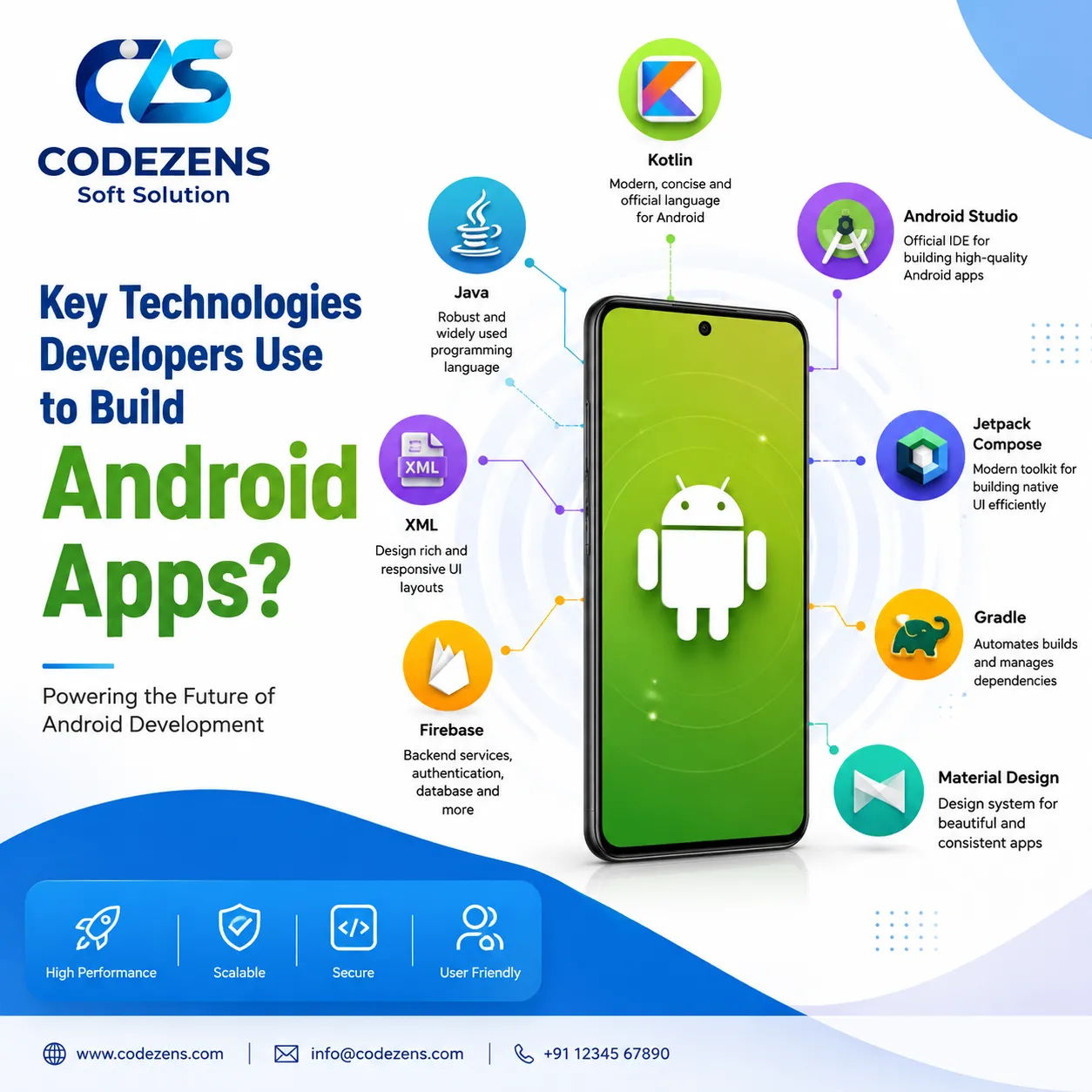

Developing Android applications is a complex endeavor that demands the use of a wide range of technologies and tools. It's crucial for anyone involved in mobile app development services —whether you're an aspiring developer, a project manager, or a business owner aiming to create a mobile application—to understand these technologies. This article outlines the essential technologies used in Android app development, dispels common myths, and highlights their importance.
1. Programming Languages
a. Java
Java has been the primary language for Android development since the platform's inception. It is an object-oriented programming language that is widely used due to its robustness and versatility.
Why Java?: Java is platform-independent, meaning code written in Java can run on any device that has the Java Virtual Machine (JVM). This is particularly beneficial for Android, as it allows for consistent app performance across various devices.
Common Misconception: Some believe that Java is outdated for Android development. However, it remains a strong choice, especially for maintaining legacy applications.
b. Kotlin
Kotlin is a modern programming language that has gained popularity among Android developers since Google announced it as an official language for Android development in 2017.
Why Kotlin?**: Kotlin offers several improvements over Java, such as null safety, extension functions, and concise syntax, which can lead to fewer bugs and more readable code.
Example: A simple Kotlin function to display a message might look like this:
```kotlin
fun showMessage(message: String) {
println(message)
}
```
2. Development Environment
a. Android Studio
Android Studio is the official Integrated Development Environment (IDE) for Android app development.
Features: It provides tools for code editing, debugging, performance analysis, and UI design. Android Studio includes a rich layout editor that allows developers to create responsive app layouts easily.
Why It Matters: Using a dedicated IDE like Android Studio streamlines the development process, making it easier for developers to write, test, and deploy their applications.

3. Frameworks and Libraries
a. Android SDK
The Android Software Development Kit (SDK) is a collection of tools and libraries that developers use to create Android applications.
- **Components**: The SDK includes APIs for accessing device hardware, user interface components, and data storage solutions.
- **Importance**: The SDK simplifies the development process by providing pre-built components that developers can use to build their apps efficiently.
b. Popular Libraries
Many developers use libraries to extend the functionality of their apps without reinventing the wheel. Some popular libraries include:
Retrofit: A type-safe HTTP client for Android that simplifies network calls.
Glide: An image loading library that helps manage image loading and caching efficiently.
4. User Interface Design
a. XML Layouts
Android apps use XML (eXtensible Markup Language) for layout design. Developers define the user interface in XML files, which outline the structure and appearance of the app's screens.
- Example: A simple XML layout for a login screen might look like this:
```xml
<LinearLayout
xmlns:android="http://schemas.android.com/apk/res/android"
android:layout_width="match_parent"
android:layout_height="match_parent"
android:orientation="vertical">
<EditText
android:id="@+id/username"
android:layout_width="match_parent"
android:layout_height="wrap_content"
android:hint="Username" />
<EditText
android:id="@+id/password"
android:layout_width="match_parent"
android:layout_height="wrap_content"
android:hint="Password"
android:inputType="textPassword" />
<Button
android:id="@+id/login_button"
android:layout_width="wrap_content"
android:layout_height="wrap_content"
android:text="Login" />
</LinearLayout>
```
b. Material Design
Material Design is a design language developed by Google that provides guidelines for creating visually appealing and user-friendly interfaces.
Why It Matters Following Material Design principles helps ensure that apps are intuitive and consistent across different Android devices, enhancing user experience.
5. Backend Technologies
a. RESTful APIs
Most Android apps require a backend to store and retrieve data. RESTful APIs (Representational State Transfer) are commonly used for this purpose.
- **How They Work**: RESTful APIs allow communication between the app and server using standard HTTP methods like GET, POST, PUT, and DELETE.
Example: An app that fetches user data might send a GET request to a RESTful API endpoint like `https://api.example.com/users`.
b. Firebase
Firebase is a Backend-as-a-Service (BaaS) platform that provides various tools for app development, including real-time databases, authentication, and cloud storage.
- **Why Use Firebase?**: It simplifies backend development and allows developers to focus on building features rather than managing server infrastructure.
6. Testing and Debugging
a. Unit Testing
Unit testing involves testing individual components of the app to ensure they function correctly. This is crucial for maintaining code quality and preventing bugs.
Tools JUnit is a popular framework for writing and executing unit tests in Android.
b. UI Testing
UI testing verifies that the user interface works as intended and provides a good user experience.
Tools: Espresso is a widely used framework for UI testing in Android applications.
Conclusion
Grasping the fundamental technologies and tools involved in Android app development is vital for anyone aiming to build a mobile application. Programming languages such as Java and Kotlin, along with development environments like Android Studio and backend services such as Firebase, each play a pivotal role in the app development process.
Why This Matters
For aspiring developers, mastering these technologies can open up career opportunities in a rapidly growing field. For businesses, understanding these technologies can help in making informed decisions when hiring developers or choosing the right tools for app development projects. By leveraging the right technologies, you can build high-quality, user-friendly Android applications that meet the needs of your target audience.























Sign in to leave a comment.