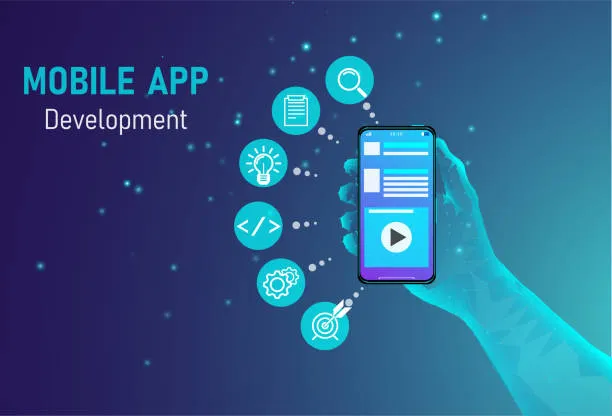

Not everyone who dreams of launching a mobile app knows how to write a single line of code — and that's completely fine now. A few years back, if you wanted an app, you either learned programming yourself or hired a developer who charged a small fortune and took months to deliver. Today, that entire process has been flipped on its head. A no code mobile app builder lets you design, build, and publish a fully working app using visual tools instead of code.
This shift isn't just a convenience — it's changing who gets to build software in the first place. Small business owners, freelancers, teachers, restaurant chains, and solo entrepreneurs are now shipping real apps without touching a developer console. Let's break down what this actually means and how the technology behind it works.
Understanding the Basics
A no code platform replaces programming with a drag-and-drop interface. Instead of typing functions and debugging syntax errors, you pick pre-built components — buttons, forms, image galleries, login screens, payment gateways — and arrange them the way you want your app to look and behave.
Behind the scenes, the platform converts your visual choices into actual code automatically. You never see it, but it's there, running exactly like an app built the traditional way. This is why people sometimes confuse "no code" with "low quality" — that assumption isn't accurate anymore. Modern platforms produce apps that are fast, stable, and ready for the app stores.
Take LastApp AI as an example. It's built around this exact idea: you describe what you want, arrange the screens visually, and the platform assembles a working mobile app in the background. There's no waiting weeks for a developer to interpret your requirements — you see your app taking shape in real time.
How Does a No Code App Builder Actually Work?
The process usually follows a simple structure, even though different platforms design their interfaces differently. Here's a general breakdown:
1. Choose a Template or Start Blank Most platforms give you a library of templates for different industries — restaurants, fitness studios, online stores, booking services, and so on. You can either customize one or start from scratch if you have a very specific idea.
2. Design Screens Visually This is where the "no code" part really shines. You drag elements onto the canvas — text blocks, images, buttons, navigation menus — and arrange them exactly how you want your users to experience the app.
3. Connect Data and Logic Even without writing code, you still need your app to function — things like storing user data, sending notifications, or connecting to a payment system. No code builders handle this through simple toggles and configuration panels instead of scripting.
4. Preview and Test Before publishing, you get to test the app on a simulated device or your own phone. This step catches design issues or broken flows early.
5. Publish to App Stores Once you're happy with it, most platforms help you package the app and submit it directly to the Google Play Store and Apple App Store, sometimes handling the technical submission requirements for you.
This is fundamentally different from what's called a Native App Builder, where the output is written in the app store's native programming language (like Swift for iOS or Kotlin for Android). A Native App Builder often requires more technical understanding, longer build times, and usually a developer's involvement, even if some tools try to simplify the process. No code tools skip that entirely — the abstraction layer handles everything for you.
Why Businesses Are Switching to No Code
Speed to Market Traditional app development can take three to six months, sometimes longer depending on complexity. A no code approach can shrink that timeline to days or a couple of weeks, depending on how complex your app is.
Lower Cost Hiring a development team is expensive — salaries, tools, testing infrastructure, ongoing maintenance. No code platforms usually work on a subscription model, which is far more predictable and affordable for small businesses.
Easier Updates Need to change a button color, add a new screen, or update your menu? With no code tools, these changes take minutes instead of requiring a developer to touch the codebase again.
Non-Technical Ownership Perhaps the biggest shift is that business owners no longer need to depend entirely on a technical team to manage their own product. They can log in, make changes, and understand exactly what's happening in their app.
Where a Native App Builder Still Makes Sense
It's worth being honest — a Native App Builder approach isn't obsolete. If your app needs deep hardware integration, extremely complex animations, or specialized performance requirements (think high-end gaming apps or apps using advanced camera processing), native development still has an edge. No code tools are improving rapidly, but for very niche, performance-heavy use cases, native coding remains the safer choice.
For the vast majority of businesses though — service providers, retail stores, booking platforms, community apps, loyalty programs — a no code solution covers everything needed without the added complexity.
What Makes a Good No Code App Builder
Not all platforms are built the same. When evaluating one, look for:
- A clean, intuitive editor that doesn't require a learning curve
- Reliable customer support (this matters more than people expect)
- Built-in integrations for payments, notifications, and analytics
- Regular updates to keep up with app store policy changes
- Transparent pricing without hidden costs
Platforms like LastApp AI are built with these priorities in mind, focusing on giving non-technical founders a smooth path from idea to a published app, without needing a development background.
Final Thoughts
The rise of the no code mobile app builder isn't a trend — it's a structural shift in how software gets made. What used to require a technical team can now be handled by a single person with a clear vision and the right tool. Whether you're launching a side project, a small business app, or testing an idea before investing heavily in development, no code platforms make that journey dramatically faster and more accessible.
Frequently Asked Questions
Q1. Is a no code app as functional as one built with traditional coding?
Yes, for most common use cases. Modern no code platforms support payments, push notifications, user accounts, and more. Extremely specialized apps may still need native development.
Q2. Do I need any technical knowledge to use a no code app builder?
No. These platforms are designed for non-technical users. You work with visual tools instead of writing code.
Q3. How long does it take to build an app using a no code platform?
Depending on complexity, most apps can be built and published within a few days to a couple of weeks.
Q4. What's the difference between no code tools and a Native App Builder?
A Native App Builder generates platform-specific code (Swift or Kotlin) and usually needs more technical involvement. No code tools handle everything visually, without exposing any code to the user.
Q5. Can a no code app be published on both Android and iOS? Yes. Most no code builders, including platforms like LastApp AI, support publishing to both the Google Play Store and Apple App Store.
Q6. Is it expensive to maintain a no code app long-term?
Generally, no. Most platforms use a subscription pricing model, which is usually far cheaper than maintaining a development team.

















Sign in to leave a comment.