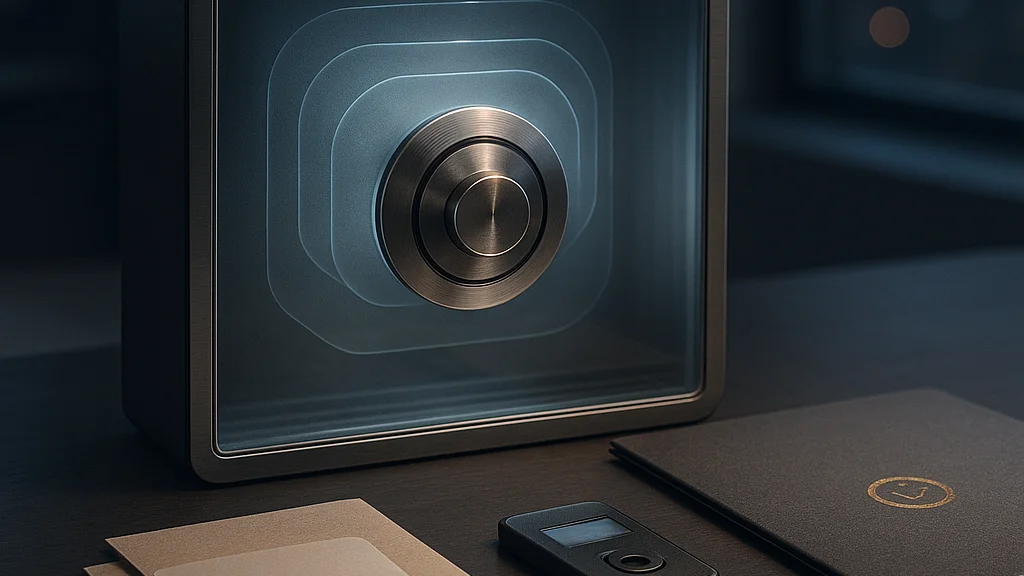

The real problem is not weak passwords — it is password sprawl
On a packed MRT ride in Singapore, most people unlock a phone with a face scan or fingerprint and move on without thinking about what happens next. Behind that smooth moment sits a messy reality: dozens, sometimes hundreds, of accounts tied to email addresses, shopping apps, bank portals, work dashboards, school systems, and government services. The average user is not struggling to remember one password. They are struggling to manage an expanding identity footprint across personal and professional life.
That is why the phrase best password managers compared matters more than a gadget-style ranking. A password manager is not simply a convenience app. It is a small identity infrastructure layer. It stores secrets, generates strong credentials, syncs them across devices, and increasingly acts as a bridge to passkeys, two-factor authentication, and breach alerts. If it fails, the consequences can be serious — account takeover, financial loss, and exposure of private correspondence.
Recent consumer roundups show how crowded the field has become. BGR’s survey-driven look at password managers users swear by and Android Authority’s alternatives to Google Password Manager both reflect a market where names such as 1Password, Bitwarden, Dashlane, NordPass, Proton Pass, and Keeper now compete on more than vault storage. They compete on architecture, transparency, pricing, admin controls, and how gracefully they handle the shift toward passwordless sign-ins.
For readers who want a broader primer before choosing, WriteUpCafe’s Best Password Managers Compared: Security, Features, and Usability offers a useful baseline. This article goes further. The key question is not which brand has the slickest interface. It is which product fits your threat model, your devices, your household or team, and your tolerance for vendor lock-in.
A password manager should reduce risk concentration, not merely centralize your secrets in a prettier interface.
That distinction matters in 2026 because the category is maturing. Passwords are not disappearing overnight, especially in enterprises and public-facing consumer services. So the best products now must do two jobs at once: protect the old world of passwords and prepare users for the new world of passkeys.
How password managers became a core security tool
A decade ago, many people treated password managers as optional. Browser autofill was free, and some users still kept credentials in notes apps, spreadsheets, or reused the same password with minor variations. High-profile credential stuffing attacks changed that conversation. Once attackers learned that reused passwords opened doors across multiple services, the economics of cybercrime shifted. One leaked password from a shopping site could unlock email, cloud storage, or payroll systems elsewhere.
The professional response was predictable. Security teams pushed for unique passwords, stronger multi-factor authentication, and centralized credential hygiene. Consumer products followed. Password managers began offering password generation, dark web monitoring, secure notes, emergency access, and family plans. They also refined the one feature most users care about but rarely articulate: reliable autofill that works across browsers, mobile apps, and desktop software without turning daily login into a chore.
Architecture then became the dividing line. The phrase zero-knowledge encryption entered mainstream marketing. In practical terms, it means the provider designs the system so that your vault is encrypted locally, and the company should not be able to read its contents. That claim is only as good as implementation, audit practices, and account recovery design, but it marked a major evolution from simple cloud sync.
Another shift came from regulation and enterprise procurement. In Singapore, organizations working under the Personal Data Protection Act and sector-specific controls have become more sensitive to credential handling, privileged access, and employee offboarding. A password manager does not solve compliance on its own, but it can reduce obvious weaknesses such as shared spreadsheets of credentials or unmanaged admin accounts. Similar pressure has appeared globally as cyber insurers, auditors, and enterprise buyers ask harder questions about access control.
Consumers, meanwhile, started expecting more than storage. They want breach alerts, simple import tools, travel mode, masked email integration, passkey support, and clean recovery options. That broad feature set explains why browser-native tools still appeal to casual users but do not satisfy everyone. Android Authority’s comparison of alternatives to Google Password Manager captures this gap well: dedicated managers typically provide deeper cross-platform support, richer sharing controls, and more mature security tooling than a browser-first solution.
The strongest password manager is not the one with the longest feature list. It is the one users will actually configure correctly and keep using for years.
If you are new to the category, WriteUpCafe’s How to Get Started With the Best Password Managers Compared is a sensible companion read because setup discipline — master password quality, recovery codes, and MFA — matters as much as product choice.
What separates the best options in 2026
Comparing password managers properly means looking past star ratings. Most leading products now cover the basics: encrypted vaults, password generation, sync, and autofill. The meaningful differences sit deeper in the stack. Security architecture, independent audits, passkey handling, family and business controls, and pricing structure all affect long-term value.
Start with 1Password. It remains strong for households and businesses that want polished design with serious security thinking. Its Secret Key model adds an extra layer beyond the master password, reducing the damage of certain credential theft scenarios. It also has a reputation for smooth cross-platform support and thoughtful travel mode features. For many mixed-device households — Windows laptops, iPhones, Android tablets — that consistency matters more than a niche feature.
Bitwarden continues to stand out for transparency and price. It is widely praised for open-source components, broad platform support, and a free tier that remains genuinely useful rather than a marketing shell. Security-conscious users often value the ability to inspect community scrutiny and self-hosting options, though self-hosting is not automatically safer for non-experts. For budget-sensitive families, students, and technically literate users, Bitwarden remains one of the strongest value plays.
Dashlane has leaned into ease of use, business features, and extras such as VPN bundling in some plans. It has also focused on web-first experiences, which suits some users and frustrates others who prefer heavier desktop tooling. The trade-off is clear: if you want a modern, low-friction interface and integrated monitoring, Dashlane is attractive, but price can become a sticking point.
NordPass has benefited from strong branding and a relatively straightforward user experience. It appeals to people who want a clean interface without spending much time on configuration. Keeper, by contrast, often scores well in enterprise and admin-heavy discussions because it offers broad controls, role-based options, and add-on modules suited to business environments.
Proton Pass has become more relevant as privacy-minded users look for ecosystem alternatives tied to encrypted email and identity tools. That integration can be appealing if you already trust Proton’s broader privacy positioning. The question, as always, is whether ecosystem convenience outweighs the flexibility of a more mature standalone manager.
A practical comparison framework looks like this:
- Best for overall polish: 1Password
- Best value and transparency: Bitwarden
- Best for ease and monitoring extras: Dashlane
- Best for admin-centric business controls: Keeper
- Best for privacy ecosystem users: Proton Pass
- Best for simple mainstream adoption: NordPass
None of these labels are universal truths. A freelancer handling client accounts has different needs from a family sharing streaming logins or a startup managing privileged credentials. That is why product fit matters more than popularity alone. BGR and MSN both highlighted user-approved tools, but user affection often reflects ease and habit as much as deep security evaluation.
The features that matter more than marketing claims
When vendors advertise military-grade encryption, ignore the slogan and inspect the practical controls. AES-256 or XChaCha20 language sounds reassuring, but most reputable managers already use strong cryptography. The real differentiators are around implementation and user safety rails.
First, examine account recovery. This is where many products reveal their philosophy. A manager that is impossible to recover may be secure in theory but risky in family use if one forgotten master password locks out everyone permanently. On the other hand, overly permissive recovery can create a support backdoor attackers may exploit. The best products balance recoverability with clear, user-controlled safeguards such as recovery codes, trusted contacts, or admin-assisted restoration for business accounts.
Second, assess passkey support. By 2026, passkeys are no longer a novelty. Major platforms and many large services support them, and password managers increasingly store and sync passkeys alongside traditional credentials. This is a critical development because passkeys can resist phishing better than passwords. A manager that handles passkeys poorly may already feel dated.
Third, look at sharing design. Families and small teams often need to share Wi-Fi credentials, utility accounts, or social media logins. Secure item sharing, vault permissions, and revocation controls are far safer than sending passwords over chat. This is especially relevant for SMEs in Singapore, where informal credential sharing still happens far too often in WhatsApp threads and spreadsheets.
Fourth, review platform coverage and autofill reliability. A manager that works beautifully in Chrome but clumsily in Safari or Android apps will produce user workarounds — and workarounds are where security weakens. A reliable tool should support:
- Desktop browsers across Chrome, Edge, Firefox, and Safari
- Mobile autofill on iOS and Android
- Biometric unlock with sensible fallback options
- Import and export tools that are clear and well documented
- Breach monitoring or password health reports
- Support for passkeys, TOTP codes, or both
Fifth, consider vendor trust signals. Independent security audits, bug bounty programmes, transparent incident communication, and a credible history of fixing issues all matter. No company is immune to mistakes. What matters is how the company designs for resilience and communicates under pressure.
For a usability-focused angle, WriteUpCafe’s Best Password Managers Compared for Security and Ease usefully frames the central trade-off: the most secure tool is useless if daily friction pushes users back to bad habits.
What changed recently: passkeys, platform lock-in, and trust after breaches
The biggest change in the password manager market is that products are no longer judged only on password storage. They are judged on how they handle the transition to passwordless authentication. Passkeys are central to that shift. Apple, Google, Microsoft, and major consumer services have pushed them into mainstream operating systems and sign-in flows. Dedicated managers now compete to become the place where users store not just passwords, but their broader digital identity credentials.
This creates a strategic tension. Browser and platform vendors want users to stay inside their ecosystems. Google Password Manager works well enough for many Android and Chrome users. Apple’s built-in credential tools are convenient for people fully committed to Apple devices. Yet convenience can harden into lock-in. If you move between Windows at work, Android on the move, and an iPad at home, a dedicated manager often remains more flexible. Android Authority’s critique of Google Password Manager alternatives lands here: dedicated apps typically offer stronger cross-platform consistency and more advanced features.
Trust, meanwhile, remains fragile after high-profile incidents in the broader credential industry over the past several years. Consumers learned a difficult lesson: a password manager can have strong cryptography and still become the focus of anxiety if its cloud infrastructure, metadata handling, or operational security raises questions. Since then, buyers have become more literate. They now ask whether vault contents, metadata, URLs, file attachments, and device keys receive equal protection. That is healthy skepticism, not paranoia.
Another recent development is stronger integration with business identity stacks. Enterprise buyers increasingly want password managers to work alongside single sign-on, SCIM provisioning, role-based access controls, and endpoint management. This has made the market more bifurcated. Some products excel as consumer tools with family-friendly design; others are becoming identity-adjacent security platforms.
Pricing has also shifted. Free tiers remain important acquisition funnels, but several vendors are nudging users toward premium plans tied to monitoring, passkey enhancements, or bundled privacy features. For cost-sensitive users, Bitwarden still exerts pricing pressure across the sector. For buyers with more complex needs, 1Password and Keeper often justify higher spend through smoother admin experience or richer controls.
For a forward-looking discussion focused on these changes, WriteUpCafe’s The Future of Best Password Managers Compared in 2026 connects the dots between passkeys, identity assurance, and consumer trust.
Which password manager is best for different types of users
There is no single winner because user context changes everything. A university student, a compliance officer, and a retired couple do not face the same risks. The smarter approach is to match product strengths to actual use cases rather than chase a universal champion.
For most households, 1Password is often the easiest recommendation if budget is not the first constraint. It combines strong security design, polished apps, dependable sharing, and a setup flow that does not overwhelm less technical relatives. If you are the unofficial family tech support person, that matters. You want a tool that reduces support calls, not one that turns every device migration into a hawker-centre troubleshooting session over kopi.
For budget-conscious users and open-source advocates, Bitwarden is hard to ignore. Its free and low-cost tiers are competitive, and its transparency appeals to users who want a product that can be scrutinized more openly. It is also a strong fit for people who care about portability and do not want to feel trapped.
For small businesses and teams, Keeper and 1Password are often stronger candidates because admin tooling, permissions, and policy controls are more mature. Dashlane also remains relevant where browser-centric workflows dominate and the business values integrated monitoring.
For privacy-first users, Proton Pass deserves attention, especially if you already use Proton Mail or related services. Ecosystem coherence can simplify identity management, though buyers should still compare feature depth carefully against older incumbents.
For users who live inside one platform, native tools may be enough. If you use only Apple devices, Apple’s credential ecosystem may serve you well. If you stay almost entirely in Chrome and Android, Google Password Manager may cover the essentials. The trade-off is reduced flexibility and often thinner sharing or audit features.
- Choose 1Password if you want the best blend of polish, security design, and family or team usability.
- Choose Bitwarden if cost, transparency, and broad support are your top priorities.
- Choose Keeper if admin controls and business governance are central.
- Choose Dashlane if you value simplicity and integrated monitoring over bargain pricing.
- Choose Proton Pass if privacy ecosystem alignment matters most.
- Stick with native managers only if your device ecosystem is narrow and your needs are basic.
If you want a more current usability-focused roundup, WriteUpCafe’s 2026 Update: Best Password Managers Compared for Security and Usability is a helpful supplement.
Actionable advice before you switch, migrate, or commit
Choosing a password manager is only half the job. Migration quality determines whether the tool improves your security or simply reorganizes your chaos. Start by auditing where your credentials live now: browser stores, notes apps, old CSV exports, shared documents, and forgotten workarounds. Clean-up before import reduces duplicate entries and stale credentials.
Then create a strong master password that is long, unique, and memorable. Do not recycle an old phrase. Add multi-factor authentication immediately, preferably using an authenticator app or hardware security key where supported. Recovery codes should be stored offline in a secure place. For families, document the recovery plan clearly. For businesses, test account recovery and offboarding before rolling out widely.
Next, prioritize your most sensitive accounts. Email comes first because it is the reset channel for almost everything else. Banking, payment wallets, cloud storage, government services, and work identity systems follow. Replace reused passwords with unique generated ones. Where passkeys are available and well supported, use them.
A sensible rollout sequence looks like this:
- Import existing credentials and remove obvious duplicates
- Secure the vault with a strong master password and MFA
- Update email and financial accounts first
- Turn on breach monitoring and health reports
- Set up secure sharing for family or team accounts
- Review recovery options and store codes offline
- Adopt passkeys for major services where practical
Finally, revisit your setup every few months. Password managers are not fire-and-forget tools. New passkey support, device changes, family membership changes, and work transitions all affect how your vault should be structured. The best manager is the one that keeps pace with those changes without nudging you into insecure shortcuts.
The market in 2026 is mature enough that there are several credible choices. My direct assessment is simple. If you want the smoothest premium experience, start with 1Password. If you want the strongest value and transparency, start with Bitwarden. If you run a business and care about admin control, compare Keeper and 1Password carefully. If privacy branding and ecosystem alignment matter, evaluate Proton Pass. And if a browser-native tool already fits your narrow workflow, use it — but understand its limits before trusting it with your entire digital life.
Passwords may gradually lose ground to passkeys, but identity risk is not shrinking. It is merely changing shape. A good password manager remains one of the most practical defenses an ordinary user can deploy — quiet, unglamorous, and far more important than most people realise.


























Sign in to leave a comment.