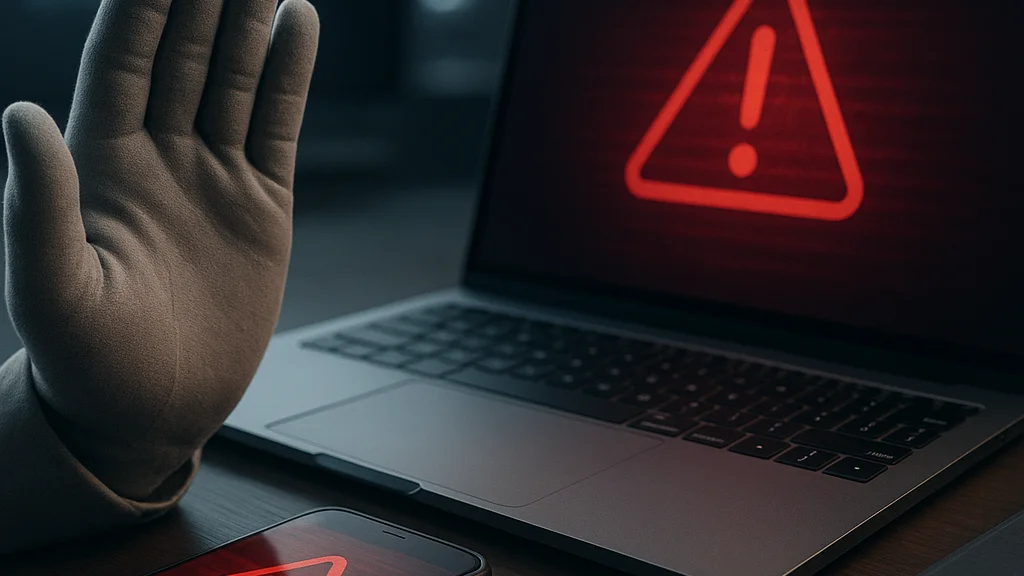

A phishing message used to be easy to spot. The grammar was clumsy, the logo looked stretched, and the sender address was laughably wrong. That era is over. A modern phishing lure can arrive as a polished Microsoft 365 notice, a bank alert timed to your actual purchase, a QR code on a printed flyer, or a WhatsApp message that sounds exactly like a colleague under pressure. Around Singapore, where daily life is tightly stitched to digital services—from PayNow transfers to government portals and food delivery apps—the attack surface is broad and personal. One careless tap at a hawker centre table can expose credentials, payment cards, or an entire mailbox.
The practical question is not whether phishing exists. It is how an ordinary user, a freelancer, a startup founder, or a parent managing family devices should begin building protection that actually works. That starting point matters because phishing is no longer just about fake emails. According to PCWorld’s reporting on newer phishing scams, attackers now routinely exploit AI-written messages, QR-code tricks, fake security warnings, and highly convincing brand impersonation. CNET on MSN has also reported on the rise of phishing-as-a-service kits, which package templates, hosting, and credential capture tools so less-skilled criminals can launch campaigns at scale.
If you are getting started, the goal is not paranoia. It is disciplined friction. You want a small set of habits and controls that force a second look before trust is given away. Readers who want a companion primer can compare this guide with How to Protect Yourself from Phishing Attacks: Strategies for Cybersecurity and Rethinking How to Protect Yourself From Phishing Attacks. Here, I will focus on the first steps that create the biggest reduction in risk—without assuming you work in security or have enterprise tools at your disposal.
Phishing succeeds when urgency outruns verification. The most effective defense is a repeatable pause built into your routine.
Why phishing still works, even against careful people
Phishing remains effective because it targets human workflow, not just technical weakness. Attackers study how people approve invoices, reset passwords, sign into cloud apps, respond to delivery delays, and handle surprise account warnings. The message does not need to be perfect; it only needs to arrive at a moment when you are busy, distracted, travelling, or expecting something similar. A fake courier fee request after an online purchase, for example, can feel plausible enough to bypass skepticism.
There is another reason. Digital trust signals have become crowded. Most people evaluate a message using fragments: a familiar logo, a partial sender name, a copied footer, maybe a previous email thread that appears to continue. Attackers know this. They imitate brands, use compromised accounts to reply inside real conversations, and build landing pages that mirror legitimate sign-in portals. In workplaces, the shift to cloud software has multiplied logins, notifications, and access prompts. More prompts mean more chances to click reflexively.
Recent reporting has sharpened this point. The CNET on MSN article about phishing-as-a-service describes how cybercriminal ecosystems now sell ready-made kits that lower the barrier to entry. That changes the economics of crime. A scammer no longer needs deep technical skill to launch a campaign that looks polished and targeted. Meanwhile, Outlookindia has highlighted how cryptocurrency-related phishing has widened the threat, especially where wallet recovery phrases, exchange logins, and token approvals are involved.
Singapore’s own digital maturity adds a local twist. Residents are accustomed to seamless e-payments, QR usage, and mobile-first authentication. Those conveniences are valuable, but they also create patterns attackers can mimic. A fake QR code placed over a legitimate one, or a spoofed payment notification sent during lunch-hour rush, can exploit routine behavior. Security awareness therefore has to be behavioral, not merely technical.
- Emotional triggers: urgency, fear, greed, embarrassment, and authority remain the core levers.
- Contextual timing: messages are sent after known events such as tax periods, package deliveries, or password expiry cycles.
- Interface familiarity: cloned sign-in pages and copied mobile alerts reduce visible warning signs.
- Operational scale: phishing kits and automation let criminals test many variants quickly.
That is why smart people still get caught. Phishing is designed to look routine until the exact second it steals something valuable.
The first 24 hours: build a baseline that blocks common attacks
If you are starting from scratch, do not begin with advanced tools. Begin with account hygiene. The strongest early move is to secure your email account because email is the recovery hub for banking, shopping, social media, cloud storage, and work services. If an attacker controls your inbox, they can reset other accounts quietly. Use a long, unique password stored in a reputable password manager, then enable multi-factor authentication on your primary email first.
Not all multi-factor authentication methods are equal. SMS codes are better than nothing, but they are weaker than app-based authenticators or hardware security keys. Where available, prefer passkeys or phishing-resistant methods tied to the device or security key. Major platforms have expanded support for passkeys over the past two years, and that matters because passkeys are designed to resist fake login pages. The user experience is often simpler too—face scan, fingerprint, or device PIN—without typing credentials into a cloned form.
Your second move is device maintenance. Keep your phone, laptop, browser, and password manager updated. Attackers often combine phishing with malicious attachments, browser prompts, or fake update warnings. A fully patched device does not eliminate phishing, but it reduces the chance that one mistaken click becomes malware installation or session theft. PCWorld’s analysis of newer scams specifically points to fake warnings and QR tricks as growing concerns, which makes browser and mobile hygiene more important than many users realise.
Third, simplify your digital exposure. Unsubscribe from noisy marketing mail where possible, disable unnecessary browser extensions, and reduce the number of apps with access to your email or cloud accounts. Every extra notification makes signal detection harder. Every unneeded extension adds another trust point. A cleaner environment makes suspicious prompts stand out.
- Secure your primary email with a unique password and strong MFA.
- Turn on MFA for banking, cloud storage, social media, and work accounts.
- Update operating systems, browsers, and apps on all devices.
- Install a password manager and replace reused passwords.
- Review account recovery options and remove old phone numbers or emails.
- Check browser extensions and delete any you do not actively use.
These are not glamorous steps. They are foundational controls. Readers who want another practical checklist can also review How to Protect Yourself From Phishing Attacks Effectively, which complements the account-first approach. The point is simple: before you learn to identify every scam, make sure one mistake does not become a full compromise.
Start with your inbox, not your antivirus. In most phishing incidents, email is the attacker’s doorway and the victim’s recovery channel.
How to inspect a message without becoming a forensic analyst
People often ask for a master rule to spot phishing. There is none. What works instead is a short inspection sequence you can repeat in under 20 seconds. First, identify the claimed purpose of the message. Is it asking you to log in, pay, approve, download, scan, or reveal information? Any message that asks for action affecting money, access, or identity deserves suspicion by default. Second, verify the sender independently. Do not trust the display name. Expand the sender details, inspect the domain carefully, and ask whether that domain is exactly what the organization normally uses.
Third, stop treating links as neutral. On desktop, hover before clicking; on mobile, long-press where possible or avoid the link entirely and open the service directly in your app or browser. If a bank says your account is locked, do not use the email link. Open the official banking app yourself. If Microsoft says there was unusual sign-in activity, sign into Microsoft directly from a known bookmark. This breaks the attacker’s path because you are no longer relying on the message to navigate.
Fourth, watch the language of pressure. A legitimate institution may notify you of a problem, but phishing messages often compress time: “act now,” “verify within 30 minutes,” “payment failed,” “final notice,” “document shared urgently.” The wording is engineered to suppress verification. In corporate settings, business email compromise often adds hierarchy: a fake boss asks for a confidential transfer, gift cards, or a document review before a meeting. The request feels socially risky to challenge—that is precisely why it works.
Finally, be skeptical of attachments and QR codes. QR phishing has grown because users cannot see the destination URL at a glance. If a printed poster, parking slip, or email asks you to scan a code to make a payment or sign in, pause. Confirm the destination through another channel. This matters in urban environments where QR interactions are routine and fast.
- Red flag: login links in unsolicited messages.
- Red flag: payment requests that change normal process or beneficiary details.
- Red flag: attachments requiring macros, unusual file types, or urgent review.
- Red flag: QR codes used for account verification or payment correction.
- Safer move: open the service independently from a known app, bookmark, or typed address.
The discipline here is modest but powerful: verify the request, verify the route, and verify the destination. Most phishing attempts fail when even one of those checks is done properly.
What has changed recently: phishing in 2026 is faster, smarter, and more modular
The phishing environment in 2026 is shaped by industrialisation. Criminal groups now separate roles the way legitimate businesses do. One group develops phishing kits, another rents infrastructure, another steals session tokens, and another monetises the access through fraud or resale. The phishing-as-a-service model described by CNET on MSN matters because it turns what used to be a craft into a product category. Better templates, improved anti-detection features, and automated credential collection mean more attacks can look professionally executed.
AI has also changed the quality of social engineering. Attackers can produce cleaner language, adapt tone to different regions, and generate multiple variants quickly to evade filters. That does not mean every phishing message is AI-generated, but it does mean old advice such as “look for bad grammar” is now incomplete. Good grammar proves nothing. A polished email can still be fraudulent, and a clumsy one can still be dangerous if it carries a malicious link or attachment.
Another recent shift is the move beyond credentials toward session theft and MFA bypass techniques. Instead of only stealing your password, some phishing kits capture authentication tokens after you log in, letting criminals piggyback on an already authenticated session. This is one reason passkeys and phishing-resistant authentication are gaining attention. They raise the attacker’s cost by reducing reliance on secrets that can be typed into a fake page.
Cryptocurrency remains a high-risk zone. Outlookindia’s coverage of crypto phishing reflects a pattern security teams have been tracking for years: fake wallet support, malicious token approvals, counterfeit exchange logins, and seed phrase theft continue to drain users who mistake convenience for legitimacy. The lesson extends beyond crypto. Any system that combines irreversible transactions with rapid mobile interactions is fertile ground for phishing.
For individuals, the implication is clear. Protection now requires a layered model:
- Identity controls: passkeys, strong MFA, and unique passwords.
- Behavioral controls: independent verification and refusal to click under pressure.
- Device controls: updates, secure browsers, and minimal extension use.
- Recovery controls: backup codes, recovery contacts, and alert monitoring.
If you want a focused look at newer tactics, How to Protect Yourself from Phishing Attacks in 2026 is useful as a supplementary read. The broader point is that phishing has become modular, adaptive, and commercially packaged. Defenses must therefore be systematic, not improvised.
Real-world situations where beginners get trapped
Most people do not lose accounts because they ignored every warning sign. They lose them because the scenario felt ordinary. Consider a small business owner who receives what appears to be a cloud invoice from a software vendor used every month. The logo is correct, the amount is plausible, and the email thread appears to continue an old conversation. One click leads to a fake Microsoft sign-in page. The owner enters credentials, completes MFA, and assumes the payment issue is resolved. Hours later, mailbox rules are created silently, supplier correspondence is monitored, and fraudulent invoice changes begin. The initial phishing event was small; the business email compromise that followed was expensive.
Another common trap is the “security alert” on mobile. A user sees a warning that their mail storage is full or that unusual activity requires immediate verification. Because the message arrives on a phone, where URLs and sender details are compressed, they act quickly. Mobile interfaces encourage speed. That is why attackers like them. A long-press or a switch to the official app would have broken the chain, but urgency wins.
Then there is QR phishing, which is particularly effective in cities where QR payments and menus are routine. A fake sticker placed over a legitimate code can redirect payment or harvest credentials. The victim is not being reckless; they are following a habit the environment has already trained. Security controls therefore have to meet behavior where it occurs. Businesses should inspect physical QR placements regularly, and users should be wary of any QR flow that asks for login credentials or unusual permissions.
Family settings create another exposure point. Parents often share devices, approve school-related links quickly, and help older relatives with account recovery. Attackers exploit this trust chain using fake school notices, parcel updates, or impersonation messages. One of the most effective household defenses is creating a simple rule: no one in the family enters passwords or payment details from a link received by message. Open the app directly, or ask another family member to verify.
A phishing attack rarely announces itself as a cyber incident. It usually arrives disguised as routine admin, customer service, or a small inconvenience to fix.
That is why awareness training fails when it stays abstract. People need scenario-based habits tied to the exact moments when trust is usually extended.
If you clicked already: the response steps that limit damage
Even careful users slip. The difference between a close call and a major breach is often the speed of response in the first hour. If you clicked a suspicious link but did not enter anything, close the page and run a browser safety check: sign out of important sessions, clear suspicious downloads, and update the browser. If you entered credentials, act immediately from a clean path—open the legitimate service directly from a known app or bookmark and change the password there. Then revoke active sessions if the platform allows it.
Next, review MFA settings and recovery methods. Attackers who obtain mailbox access often add forwarding rules, secondary addresses, or trusted devices. Check for any changes you did not make. In corporate accounts, notify IT or the security contact right away; mailbox compromise can spread laterally through internal trust. If financial accounts are involved, contact the bank using the number in the official app or on the back of the card, not the number in the message.
Where malware may be involved—especially after opening an attachment—disconnect the device from sensitive accounts until it is checked. On a managed work device, report it and stop self-remediation. On a personal device, run a reputable security scan and monitor account alerts closely over the next few days. Look for password reset emails you did not request, new login notifications, and changes to payment settings.
- Change the password on the affected account from a trusted route.
- Revoke active sessions and remove unknown devices.
- Review forwarding rules, recovery emails, and MFA settings.
- Notify your bank or employer if money or work systems may be involved.
- Monitor linked accounts because email compromise often leads to broader takeover attempts.
- Preserve the message, headers, and screenshots if reporting is needed.
Beginners sometimes delay because they feel embarrassed. That delay helps the attacker. Fast reporting is a security control, not a confession. If you need a broader refresher after an incident, 2026 Update: How to Protect Yourself from Phishing Attacks provides additional context on current attack patterns and defensive updates.
The long view: habits that make phishing dramatically less effective
The best anti-phishing strategy is not a single tool. It is a set of defaults that make deception harder to monetise. Use a password manager so every account has a unique password. Prefer passkeys where offered. Keep a short list of critical services—banking, email, payroll, cloud storage, messaging—and audit them monthly. Turn on login alerts. Save official apps and bookmarks for services you use often so you are less tempted to trust links in messages. Small routines beat occasional bursts of vigilance.
For households and small teams, create verification norms. A payment change request should always be confirmed by a second channel. A message claiming to be from a family member in distress should be verified by calling them directly. A request for gift cards, crypto transfers, or urgent document access should trigger suspicion automatically. These are not bureaucratic obstacles; they are cheap controls against common fraud paths.
There is also a policy angle. As digital identity systems mature and passkey adoption expands, phishing resistance will improve—but only if users migrate away from weak habits. Regulators and platform providers can help by reducing reliance on SMS, making security alerts clearer, and detecting suspicious sign-in flows earlier. In a Smart Nation environment, where convenience and digital trust are national priorities, the design of public and private services matters. Security cannot be an afterthought attached to the end of a transaction flow. It has to be built into how that flow earns trust.
For anyone just getting started, remember this: you do not need to recognise every scam. You need to make a few reliable moves every time. Verify independently. Use strong identity controls. Treat urgency as a warning sign. And if something feels slightly off, stop before the tap. That pause is not hesitation. It is operational security for ordinary life.























Sign in to leave a comment.