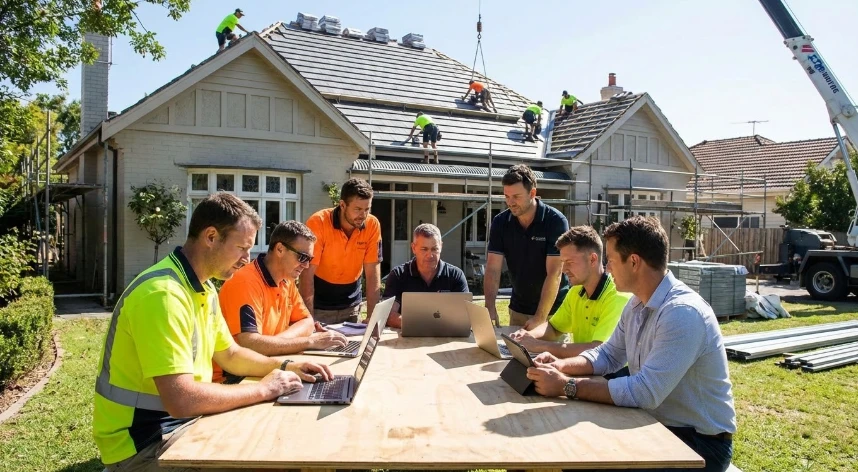

Efficiency on a construction job site breaks down when the field, the fleet, and the back office all run on separate systems.
Paper time sheets, handwritten post-trip inspections, and scattered job updates slow everything down. Revenue recognition and invoicing get delayed, which puts unnecessary pressure on cash flow.
Modern construction teams need simple tools that connect site operations, fleet inspections, time tracking, and revenue recognition into one continuous workflow. Those tools have to be built for smaller contractors, so crews can use them quickly without adding another layer of complexity.
In this article, we list the key systems that keep modern construction companies running smoothly and how they work together on real jobs.
7 Essential Systems That Keep Modern Construction Companies Running Smoothly
1. Jobsite Operations Software to Keep Field Work on Track
Jobsite operations software is the command center for what happens on site each day. It lets supervisors create tasks, assign crews, log progress, and capture issues in one place instead of across calls, texts, and scattered notes.
In practice, a foreman opens the app each morning, sees today’s tasks by area or trade, and checks them off as work gets done. They can quickly attach photos, notes, or quantities, so the office understands exactly what was completed and what’s still open. A focused software for site operations solution can also handle checklists, safety routines, and simple approvals, so every job follows the same process rather than relying on each supervisor’s personal system.
2. Digital Time Clocks and Workforce Management Tools for Small Crews
Digital time clocks for construction replace paper timecards with a simple app or kiosk that crews use to clock in, clock out, and switch between jobs. Each punch can include GPS and job tags, so hours automatically land on the right project without manual sorting in the office.
A typical setup is a shared tablet in the truck or site office, or workers using their phones to clock in as soon as they reach the jobsite. Supervisors can review and approve time daily instead of fixing errors at payroll cut‑off. A dedicated time clock for smaller companies usually adds overtime rules, location tracking, and simple reports, giving owners enough control to manage multiple small crews without turning timekeeping into a full‑time job.
3. Simple Job and Project Management Software for Day‑to‑Day Control
Simple job and project management software gives you a clear list of jobs, their status, and who’s responsible for each task. It focuses on everyday needs like scheduling, task assignment, and communication.
For example, a project manager can create a job, break it into phases (demo, framing, MEP, finishes), and assign tasks to specific crews with due dates. As crews mark tasks complete on their phones, the schedule updates, and everyone sees where things stand. Many contractors use simple job management software to keep all job details, like contacts, notes, key dates, and files, in one place.
4. Tool, Equipment, and Fleet Tracking With Post‑Trip Inspections
Tool and equipment tracking systems help you know what you own, where it is, and who used it last. Crews can check tools and machines in and out to specific jobs, often by scanning a tag or selecting from a list, so you’re not guessing which site your compactor or laser level ended up on.
When this links to fleet tracking, you also see where trucks and heavy equipment are in real time, plus utilization over days and weeks. Layering in simple, app‑based post-trip inspections for fleets lets drivers log defects, missing items, or safety issues immediately after a shift, so maintenance can be scheduled before breakdowns and compliance paperwork stays up to date.
5. Construction‑Ready Revenue Recognition and Job Costing Systems
Revenue recognition and job costing systems sit on the finance side, but they’re critical to understanding how healthy each project really is. They take inputs from the field like labor hours, materials, subcontractor bills, and map them against the contract value and budget. So you can see earned revenue and margin as the job progresses.
In practice, you define each project’s budget and contract terms, then update costs and percent complete as work is done. The system calculates how much revenue to recognize for this period and shows whether you’re ahead or behind financially on that job. Specialized software for revenue recognition automates these calculations and helps small contractors follow the same principles larger firms use.
6. Mobile Field Reporting and Daily Log Apps for Real‑Time Visibility
Mobile field reporting and daily log apps turn what happens on site into structured, searchable records. Each day, a supervisor can quickly record who was on site, what work got done, what equipment was used, and any delays or safety events, usually with photos.
A typical daily log might include crew counts by trade, installed quantities (like meters of conduit or square meters of tile), weather, and any issues that could impact the schedule. This information syncs to the office instantly, so project managers and owners don’t have to wait for end‑of‑week summaries. Over time, these logs become a valuable history for resolving disputes, improving estimates, and planning more accurate schedules for future jobs.
7. Connected Dashboards That Pull Field, Fleet, and Finance Into One View
Connected dashboards pull data from your key systems — field reports, time tracking, equipment, and accounting — into a single, easy‑to‑read view.
They answer questions like:
- Which jobs are on track?
- Where are my crews today?
- Which projects are burning more hours than budgeted?
A dashboard might show labor hours vs. budget for each job, current equipment locations and utilization, and a list of projects with upcoming billing milestones. Owners can glance at this once or twice a day and spot issues early. When used as part of broader strategic planning, these dashboards help leaders decide which types of work are most profitable, how to size their crews, and where to invest in new equipment or systems next.
Put Your Systems to Work
Start by choosing a single pilot project and a small group of users, then test one tool in the real world instead of trying to design the perfect setup on paper. Give that team clear training, ask for honest feedback after a few weeks, and adjust your workflows before you roll it out to more jobs.
Once the first change is working, stack the next one on top. Connect your time data to costing, link your fleet and equipment, or surface everything in a simple dashboard your leaders actually look at. Over time, these small, deliberate steps turn into a connected system that keeps your jobs moving, your numbers clear, and your crews focused on the work.




























Sign in to leave a comment.