

The small errors that keep phishing profitable
A bank customer receives what looks like a routine fraud alert. A founder in Yaba gets a WhatsApp message from a “client” asking for an urgent invoice review. A civil servant in Abuja hears a calm voice on the phone claiming to be from a telecom provider and requesting a one-time password. None of these moments feels dramatic. That is precisely why phishing still works. The attack often arrives dressed as ordinary business, ordinary customer support, ordinary panic. It does not need to break down the front door when people are willing to open it.
Phishing remains one of the most reliable entry points for cybercrime because many users focus on the wrong defenses. They think protection means spotting bad grammar, avoiding suspicious links, or installing one security app and moving on. Those measures matter, but they are not enough. Modern phishing campaigns are cleaner, better localized, and increasingly multichannel. Email, SMS, voice calls, QR codes, collaboration tools, fake browser prompts, and crypto wallet lures now work together. According to industry reporting and security advisories over the past two years, attackers have become faster at impersonation and more selective in targeting. They study habits, timing, and trust relationships.
That is why the biggest problem is not ignorance alone. It is false confidence. Many people know phishing exists, yet still make repeatable mistakes in how they try to protect themselves. Some trust the wrong signals. Some rely too heavily on technology. Some secure passwords but neglect recovery channels. Others understand consumer scams but miss business email compromise, OAuth consent phishing, or voice phishing entirely. If the masquerade is good enough, even experienced professionals can slip.
The most dangerous phishing victim is often not the uninformed user, but the informed user who believes their routine checks are always sufficient.
If you have read broad primers such as How to Protect Yourself from Phishing Attacks: Strategies for Cybersecurity or the related WriteUpCafe analysis Common Mistakes in Protecting Yourself from Phishing Attacks, the next step is sharper diagnosis. What exactly are people getting wrong? More importantly, which of those errors are becoming more expensive in 2026?
Mistake one: trusting surface clues and ignoring the attack chain
For years, public awareness campaigns trained users to look for misspellings, strange formatting, and obviously fake sender addresses. That advice was useful in the era of low-effort scam mail. It is less reliable now. Attackers routinely copy logos, signatures, invoice templates, shipping updates, and cloud-sharing notifications with precision. They also abuse legitimate services, compromised domains, and lookalike subdomains to make messages appear normal. A polished message can still be malicious, and a clumsy message can still be dangerous if it leads to credential theft.
The deeper mistake is treating phishing as a single message rather than an attack chain. A convincing message is only the first stage. The real danger may come when the victim lands on a cloned sign-in page, approves a malicious app permission request, downloads a remote access tool disguised as a document, or reveals a second factor over the phone. In other words, the message itself may not contain the final payload. It may simply move the victim one step closer to surrendering access.
Consider the signals people often overvalue:
- They assume a familiar logo or brand colors prove legitimacy.
- They trust display names without checking the underlying sender details.
- They believe HTTPS alone means a site is safe.
- They treat a message received within an existing email thread as automatically genuine.
- They think a “secure” PDF or cloud link cannot redirect to credential theft.
That mindset is outdated. Security teams now routinely warn about thread hijacking, where attackers compromise an account and reply inside a legitimate conversation. They also warn about adversary-in-the-middle kits that capture credentials and session tokens even when the victim thinks they are using strong authentication. The user who only scans for visual oddities is playing an old tune while the band has changed the rhythm.
A better habit is to verify the request, not just inspect the message. If the email asks you to log in, open the service from your own bookmark or app, not from the link. If the message concerns a payment, call the known contact number from your records, not the number provided in the alert. If a colleague requests urgency, verify over a second channel. Protection improves when the user breaks the attacker’s sequence.
Mistake two: believing multifactor authentication solves everything
Multifactor authentication is essential, but treating it as a magic shield is one of the most common and costly errors. Many people hear “enable 2FA” and conclude the problem is finished. Yet phishing campaigns have evolved specifically to work around weak or poorly implemented multifactor systems. SMS codes can be intercepted through SIM-swap fraud or harvested through real-time phishing pages. Push notifications can be abused through fatigue attacks. Voice calls can trick victims into reading out one-time passwords. Recovery flows can bypass the strongest login settings if backup channels are weak.
This matters because people often stop at the first layer. They enable SMS-based authentication and never revisit the decision. They do not record backup codes securely. They leave old phone numbers attached to sensitive accounts. They approve prompts reflexively because a login request “must be mine.” If the second factor becomes a routine interruption rather than a conscious checkpoint, it loses much of its value.
Recent consumer guidance on voice scams reflects this shift. KSL’s report on the rise of voice phishing highlights how fraudsters exploit urgency and authority, sometimes pretending to be banks, government agencies, or support staff to obtain codes and account details through conversation rather than email alone. The tactics described in KSL’s coverage of voice phishing scams match what incident responders have been seeing globally: the attacker no longer needs only your password; they need your cooperation for a few seconds.
Here is where many users still miscalculate risk:
- They choose SMS codes over authenticator apps or hardware keys for high-value accounts.
- They do not protect the email account that controls password resets.
- They fail to remove obsolete devices and recovery methods.
- They approve push prompts without checking location, device, or timing.
- They share one-time codes with callers claiming to be “verifying” the account.
For critical accounts, especially email, banking, cloud storage, and crypto services, phishing-resistant authentication matters more in 2026 than it did even two years ago. Hardware security keys based on modern standards are harder to phish than SMS or app codes. Where keys are not practical, authenticator apps are usually preferable to text messages. The point is not perfection. It is reducing the number of ways an attacker can convert a stolen password into a live session.
Multifactor authentication is not a destination. It is a control whose strength depends on the weakest recovery path attached to it.
Mistake three: protecting passwords while neglecting sessions, devices, and browsers
Ask most users how to defend against phishing and they will mention strong passwords. Good. They should. But the fixation on passwords alone creates a blind spot. Modern account compromise often targets session cookies, browser-stored tokens, saved credentials, and endpoint access. If an attacker steals an authenticated session, they may not need your password at all. If your browser auto-fills credentials into a lookalike site, your caution evaporates in one click. If your laptop is unmanaged and full of sketchy extensions, every login becomes riskier.
This is where consumer advice often lags behind attacker tradecraft. People proudly use password managers, yet leave browser extensions unchecked for years. They update apps irregularly. They install remote desktop tools for “support” after a call from a fake representative. They stay logged in on shared or poorly secured devices. In Nigeria’s fast-moving SME scene, where founders and finance teams often work across personal laptops and mobile phones, this mix is especially dangerous. Convenience becomes culture, and culture becomes exposure.
Several practical mistakes show up again and again in phishing incidents:
- Saving passwords in a browser without securing the device itself.
- Using personal devices for sensitive work without patching operating systems promptly.
- Granting unnecessary browser extension permissions.
- Ignoring sign-in alerts from unfamiliar locations or devices.
- Leaving dormant sessions active across multiple services.
Attackers know this. A fake Microsoft 365 or Google login page is still common, but so are fake browser updates, fake CAPTCHA pages that prompt users to paste commands, and malicious OAuth consent screens that request mailbox access. The user may never hand over a password directly. They may instead authorize access, install a helper, or expose a session token through malware. That is why phishing defense must include device hygiene, browser discipline, and session awareness.
If you want a broader strategic frame, the WriteUpCafe guide How to Protect Yourself from Phishing Attacks in 2026 is useful as a companion read because it places current phishing tactics in the wider identity-security picture. The lesson is simple: the account is not the only asset. The device and session are part of the same trust boundary.
Mistake four: assuming phishing is mainly an email problem
Email still matters, but the biggest defensive mistake in 2026 is channel tunnel vision. People think “phishing” and picture a suspicious email. Attackers think more broadly. They use SMS, voice calls, direct messages on LinkedIn, fake customer support chats, QR codes on posters or payment requests, collaboration platforms like Slack or Teams, and even calendar invites. The message moves to whichever channel feels most natural for the target. A startup founder may be approached on LinkedIn. A crypto user may be lured through Telegram or X. A bank customer may get an SMS followed by a call. A finance officer may receive a fake DocuSign request after a real vendor conversation.
The cryptocurrency sector offers a particularly sharp example. Outlook India’s discussion of phishing in the crypto ecosystem points to the way scammers exploit urgency, wallet confusion, token launches, and fake exchange communications. The article Phishing Attacks: A Growing Threat In The Age Of Cryptocurrency Cybersecurity captures a wider truth: once money can move instantly and irreversibly, social engineering becomes brutally efficient. A fake wallet prompt or seed phrase request can do more damage in minutes than a stolen retail password.
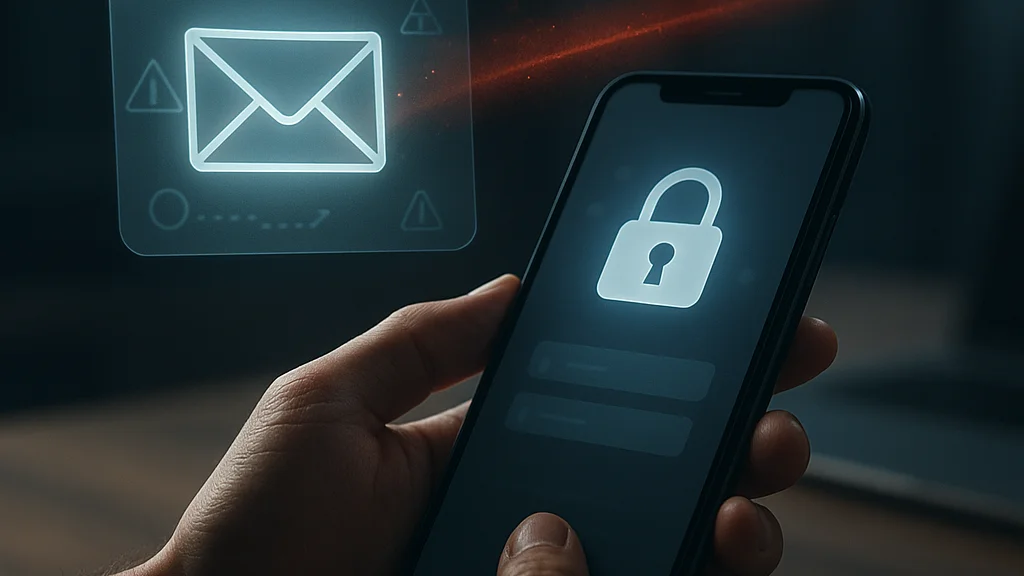
Voice phishing, or vishing, deserves particular attention. AI-assisted voice cloning and cheap spoofing tools have lowered the cost of impersonation. A caller who sounds calm, informed, and slightly familiar can push victims into handing over codes, confirming account details, or installing support software. The attack works because many people still rank phone calls as more trustworthy than email. Why? Habit. Yet trust built on habit is exactly what phishing exploits.
To defend properly, users should map their own high-risk channels:
- Email used for work, billing, and password resets.
- SMS used for bank alerts, telecom notices, and OTP delivery.
- Messaging apps used for business coordination and family requests.
- Voice calls used for customer support and identity verification.
- Social platforms used for recruiting, networking, and brand outreach.
When people widen the definition of phishing, their defenses become more realistic. Every channel that can carry urgency, authority, or curiosity can carry a phish.
Mistake five: focusing on personal caution while ignoring organizational process
Many phishing losses do not happen because one person failed to spot a bad message. They happen because the surrounding process made a mistake easy and recovery hard. If invoice changes can be approved over email alone, one spoofed message can reroute a payment. If staff can grant app permissions without review, one fake cloud prompt can expose an entire mailbox. If executives are exempt from security friction, attackers will target them first. Process is where individual vigilance either gains support or gets undermined.
This is especially relevant for small businesses, nonprofits, schools, and local teams that lack mature security operations. In Lagos, Port Harcourt, Nairobi, London, or Atlanta, the pattern is similar: fast growth, mixed devices, outsourced finance functions, and pressure to respond quickly. Attackers love speed because speed suppresses verification. A proverb from home says the person in a hurry still stumbles on level ground. Cybersecurity is full of level ground that people turn into potholes through rushed approval.
Common process failures include:
- No mandatory callback verification for payment detail changes.
- Shared mailboxes with weak access controls.
- Excessive admin privileges for ordinary users.
- No approval workflow for OAuth app consent.
- No clear reporting path when staff suspect a phish.
Large breaches and wire-fraud incidents often reveal these weaknesses after the fact. The phishing email gets the headlines, but the real story is usually the chain behind it: weak segregation of duties, no out-of-band verification, poor logging, or delayed response. Staff training matters, yes, but training without process is like teaching road safety while leaving the traffic lights broken.
That is why the strongest anti-phishing programs combine user awareness with structural controls. Mail filtering, domain protection, endpoint detection, least privilege, secure payment procedures, and rapid account lockout all reduce the damage a single mistake can cause. The user should not be the only firewall. No serious organization can afford that illusion anymore.
What has changed recently, and why 2026 feels less forgiving
The phishing threat in 2026 is not merely bigger; it is more adaptive. Attackers are using AI tools to generate cleaner text, localized language, and more believable pretexts. They are also mining breached data and public profiles to personalize lures. A generic “your account is locked” email is still common, but more attacks now reference real colleagues, current projects, recent purchases, or platform-specific workflows. That precision increases conversion rates because the victim spends less time doubting the context.
Another shift is the rise of identity-layer attacks that do not look like classic phishing at all. OAuth consent abuse, session hijacking, fake single sign-on pages, and browser-based credential theft blur the line between social engineering and technical compromise. Security vendors and incident response teams have repeatedly warned that token theft can bypass controls users thought were enough. If a victim approves the wrong request or logs in through a sophisticated proxy page, the attacker may inherit a valid session without triggering the alarms people expect.
There is also a regulatory and operational angle. More organizations now require stronger identity controls, but adoption remains uneven. Some firms have moved toward passkeys and hardware-backed authentication. Others still depend on SMS codes and legacy email security settings. This split creates a two-speed internet: one part becoming more resistant to phishing, another still exposed through old habits and old infrastructure.
For ordinary users and small teams, the practical takeaway is not to chase every headline but to update assumptions. The old checklist—look for spelling errors, don’t click random links, use a strong password—remains useful but incomplete. The modern checklist includes verifying requests through trusted channels, securing recovery methods, reviewing active sessions, limiting app permissions, and treating phone calls and messaging apps with the same suspicion once reserved for spam email.
Phishing defense in 2026 is less about spotting a bad message and more about managing trust across every channel, device, and identity workflow you use.
If you want a broader refresher on recent shifts, the WriteUpCafe piece 2026 Update: How to Protect Yourself from Phishing Attacks complements this discussion well. But the central point stands on its own: what changed most is not the attacker’s objective. It is the number of believable paths now available to reach it.
How to correct these mistakes before they become incidents
Good phishing defense is not built on paranoia. It is built on repeatable friction in the right places. The goal is to make trust expensive for attackers and cheap for legitimate work. That means replacing instinctive responses with deliberate checks. It means reducing the number of single points of failure in your identity stack. And it means accepting that even smart users need systems that assume occasional human error.
For individuals, the priority list is straightforward. Use a password manager, but also secure the email account that resets everything else. Prefer phishing-resistant authentication where possible, especially for financial and administrative accounts. Do not enter credentials after following a link from a message when you can open the service directly. Review browser extensions and revoke what you do not need. Treat OTPs and approval prompts as secrets, not routine formalities. Most importantly, never let urgency decide for you.
For teams and businesses, the list is broader:
- Require out-of-band verification for payment changes and sensitive requests.
- Adopt authenticator apps or hardware keys for privileged accounts.
- Restrict OAuth app consent and review third-party integrations regularly.
- Train staff on SMS, voice, QR, and collaboration-platform phishing, not email alone.
- Monitor sign-in anomalies, impossible travel, and unusual mailbox rules.
- Prepare a simple reporting path so suspicious messages can be escalated quickly.
There is also a cultural lesson here. Security messages often fail because they are too abstract. People remember stories better than slogans. Show staff what a fake invoice thread looks like. Demonstrate how a push fatigue attack feels at 11 p.m. Explain why a caller asking for a code is not “helping” but harvesting. When users understand the attacker’s sequence, they are more likely to interrupt it.
Phishing will not disappear. It remains profitable because trust remains necessary for modern life. We need messages, links, calls, approvals, and digital identity to get work done. The challenge is to stop treating convenience as proof. In cybersecurity, as in Afrobeats production, the cleanest sound often comes from what you mute, not only from what you add. The same applies here. Remove unnecessary trust, reduce unnecessary permissions, and slow down the moments attackers depend on. That is how ordinary users become harder targets—and how common mistakes stop being expensive lessons.



















Sign in to leave a comment.