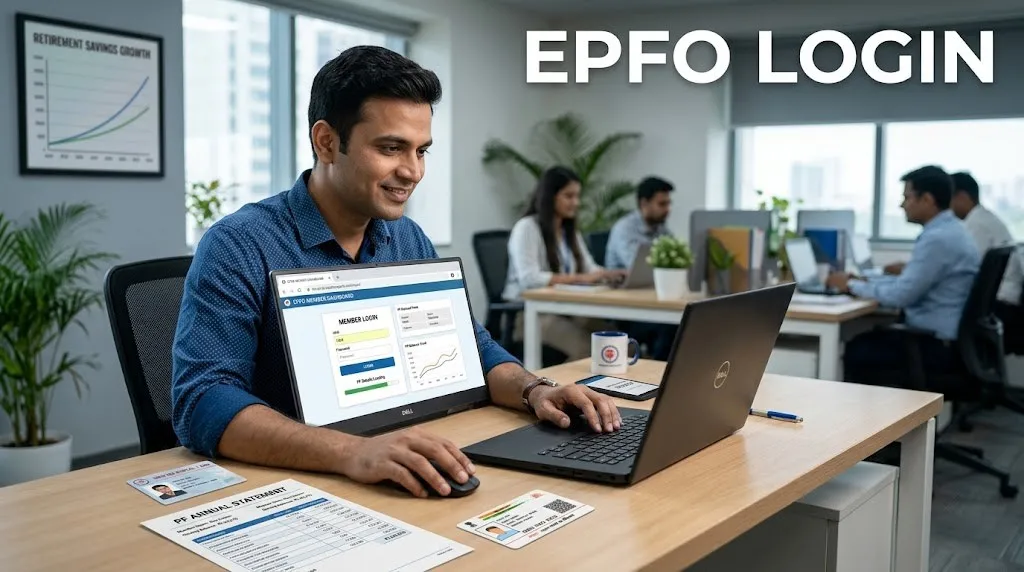

EPFO login is one of the most searched employee-service topics in India because millions of salaried employees use the Employees’ Provident Fund Organisation portal to check PF balance, download passbook, update KYC, track claims, transfer PF, file nominations, and manage retirement-related benefits. Earlier, many PF-related tasks required office visits or employer dependency, but today most important EPFO services are available online through the UAN Member Portal, Passbook Portal, UMANG app, and employer portal.
EPFO stands for Employees’ Provident Fund Organisation. It works under the Ministry of Labour and Employment, Government of India, and administers major social security schemes for organised-sector employees, including EPF, EPS and EDLI. EPFO itself explains that the Central Board administers a contributory provident fund, pension scheme and insurance scheme for the workforce engaged in India’s organised sector.
In simple words, EPFO login helps employees access their PF account digitally. If your UAN is active and your mobile number is linked, you can use EPFO online services without depending on paperwork for every small update. However, users should understand the correct portal, login process, password reset method, passbook access, claim tracking, KYC requirements, and fraud-safety rules.
This detailed guide explains EPFO login in a simple, practical and SEO-friendly way. It also naturally connects financial planning with protection awareness. Just as EPFO helps employees build long-term retirement savings, Square Insurance helps individuals compare insurance options and make informed decisions for health, motor, travel and other insurance needs.
What Is EPFO Login?
EPFO login is the online sign-in process used by employees, employers and pensioners to access EPFO digital services. Employees usually log in through the UAN Member Portal using their Universal Account Number, password and captcha. After login, members can manage KYC, file e-nomination, transfer PF, submit online claims, track claim status and access other PF services. EPF passbook can be viewed separately through the EPFO Passbook Portal or UMANG app. EPFO also warns users not to share UAN, password, Aadhaar, PAN, bank details or OTP with anyone.
What Is EPFO?
EPFO, or Employees’ Provident Fund Organisation, is a statutory body that manages provident fund, pension and employee-linked insurance benefits for eligible employees in India. It was created under the Employees’ Provident Funds and Miscellaneous Provisions Act, 1952. EPFO’s official information states that the organisation operates three major schemes: Employees’ Provident Funds Scheme 1952, Employees’ Pension Scheme 1995 and Employees’ Deposit Linked Insurance Scheme 1976.
For employees, EPFO is important because it helps build retirement savings through monthly contributions from both employee and employer. A portion of the contribution goes toward EPF, while another portion may go toward EPS as per rules. EPFO also provides EDLI insurance benefits in case of death of an eligible member while in service.
EPFO login makes this system easier to access. Instead of waiting for employer updates or visiting a PF office for every service, employees can use their UAN and password to check account details, download passbook, update KYC, file claims and monitor claim status online.
What Is UAN in EPFO Login?
UAN stands for Universal Account Number. It is a unique number allotted to an EPFO member. The main purpose of UAN is to connect multiple PF member IDs under one permanent number. If an employee changes jobs, the new PF account can be linked to the same UAN, making it easier to track PF balance, transfer old PF, update KYC and manage claims.
For EPFO login, UAN works like the main user ID for employees. You need an activated UAN, password and captcha to access the member portal. If your UAN is not active, you cannot use many online services. EPFO’s Member Home page currently states that UAN activation for existing UANs and generation of new UANs can be done through the UMANG app using Aadhaar-based Face Authentication Technology.
This is an important update because users searching “EPFO login” often land on old instructions that mention direct UAN activation on the web portal. The official member portal now displays that UAN activation through the portal has been discontinued and can be done through UMANG app under UAN Services Through Face Auth.
Types of EPFO Login Portals
EPFO has different login and service portals for different users. The most common one is the UAN Member Portal, which is used by employees. There is also a Passbook Portal for checking PF balance and transaction history. Employers use a separate employer unified portal for establishment-related PF compliance. Pensioners can use the pensioners’ portal for pension-related enquiries.
This distinction is important because many users search “EPFO login” but do not know which portal they need. If you want to update KYC, file nomination or submit PF claim, you need the member portal. If you only want to check PF balance or download passbook, you may use the passbook portal. If you are an employer, you need the employer portal. If you are a pensioner, you may use the pensioners’ portal.
EPFO Member Login: How to Login to UAN Member Portal
To use EPFO member login, visit the official UAN Member Portal. Enter your UAN, password and captcha, then sign in. Once logged in, you can access member services such as profile details, KYC, online claim, transfer request, service history, e-nomination and other options available in your account.
Before logging in, make sure your UAN is activated and your mobile number is linked. If your UAN is not activated, you may need to use the UMANG app process. EPFO’s official member page says UAN activation can now be done through UMANG app by selecting EPFO Services and choosing “UAN Activation” under “UAN Services Through Face Auth.”
Also check that your Aadhaar, PAN and bank details are correctly linked and approved where required. Many online claim services may not work smoothly if KYC is incomplete or mismatched.
EPFO Passbook Login: How to Check PF Balance
EPFO passbook login is used to view PF balance and contribution history. The passbook service is available through the EPFO Passbook Portal and UMANG app. EPFO’s official website states that Member Passbook service is accessible through UMANG App and the Passbook portal.
To check your passbook, visit the EPFO passbook portal, enter your UAN, password and captcha, and sign in. After login, select the member ID linked to your employment and view the passbook. The passbook usually shows employee contribution, employer contribution, pension contribution details where applicable, interest entries and withdrawals.
The passbook portal also displays EPF balance enquiry options. Members can give a missed call to 9966044425 or send SMS in the format EPFOHO UAN <LAN> to 7738299899. The portal also shows the help desk or toll-free number as 1800118005.
EPFO Employer Login
EPFO employer login is different from member login. Employers use the employer unified portal for establishment registration, employee PF contribution filing, ECR upload, payments, digital signature/e-sign related tasks, employee approvals and compliance activities.
The official EPFO Employer Login portal asks employers to create a permanent login ID and password after first login. It also provides options such as Forgot Password and Unlock Account if the employer forgets login details or the account gets locked due to repeated wrong password attempts.
Employees should not use the employer portal for personal PF login. If you are an employee, use the UAN Member Portal or Passbook Portal. If you are an HR, payroll officer or business owner managing PF compliance, use the employer portal.
EPFO Login Services Available for Employees
After successful EPFO login, employees can access many services from one place. The most important services include KYC update, service history, PF transfer, online claim, e-nomination, claim status, profile update request and member details.
EPFO’s employee services page lists important services such as Member Passbook, Member UAN/Online Service, Know Your Claim Status, EPFiGMS grievance registration, Pensioner’s Portal and One Employee-One EPF Account.
These services are useful because they reduce paperwork and make PF account management easier. For example, if you changed jobs, you can check whether your new PF member ID is linked to the same UAN. If you want to withdraw PF advance for eligible reasons, you can submit an online claim. If your claim is pending, you can track status online.
Comparison Table: EPFO Login Portals and Their Uses
| EPFO Portal | Used By | Main Login Details | Main Purpose | Best For |
|---|---|---|---|---|
| UAN Member Portal | Employees / EPF members | UAN, password, captcha | KYC, claim, transfer, nomination, service history | Managing PF account online |
| Passbook Portal | Employees / EPF members | UAN, password, captcha | PF balance and transaction history | Checking EPF balance and passbook |
| Employer Unified Portal | Employers / establishments | Employer login ID, password, captcha | ECR filing, contribution payment, employee compliance | HR, payroll and business compliance |
| Pensioners’ Portal | Pensioners | PPO and pension details | Pension payment enquiry and pension status | EPS pension-related information |
| UMANG App | Employees and pensioners | Mobile/Aadhaar-based access as applicable | UAN activation, EPFO services, passbook and claims | Mobile-based EPFO access |
How to Activate UAN for EPFO Login
UAN activation is necessary before using EPFO member login. Earlier, users could activate UAN through the web portal, but the official member portal now states that UAN activation through this portal has been discontinued. It says members can activate UAN through Aadhaar-based Face Authentication on the UMANG app.
The basic process is to download the UMANG app from the Google Play Store or Apple App Store, select EPFO services, choose UAN Services Through Face Auth, and then select UAN Activation. You may need Aadhaar-linked mobile access and face authentication as per the app process.
If you face difficulty, EPFO mentions helpdesk number 14470 on the member portal for assistance.
How to Reset EPFO Login Password
If you forget your EPFO login password, use the Forgot Password option on the UAN Member Portal. You may need to enter your UAN, captcha and verify details through OTP on your registered mobile number. After verification, you can create a new password.
If your mobile number has changed, the process may require Aadhaar-linked verification or additional steps depending on the portal flow. Make sure your Aadhaar, mobile number and UAN details are updated. Do not use third-party agents for password reset because EPFO credentials are sensitive.
For employers, the employer portal also provides Forgot Password and Unlock Account options. The official employer portal says forgotten password or login ID can be recovered through SMS on the registered mobile number, and locked accounts can be unlocked using the Unlock Account link.
EPFO KYC Update After Login
KYC update is one of the most important services after EPFO login. KYC generally includes Aadhaar, PAN, bank account details and sometimes other identity information. Correct KYC helps in claim settlement, PF transfer, identity verification and online services.
After logging into the UAN Member Portal, go to the KYC section and add or verify details. Some KYC details may need employer approval. If your name, date of birth or gender does not match across Aadhaar, PAN and EPFO records, you may face errors while filing claims.
EPFO’s unified portal reference information also mentions that a new functionality has been launched to facilitate members and employers to submit member profile updation requests online.
EPFO E-Nomination
E-nomination is important because it helps your family or nominee claim EPF, EPS and EDLI benefits in case of an unfortunate event. EPFO’s member portal clearly states that filing nominations by members is mandatory as per the EPF Scheme, 1952, and e-nominations can be filed and updated during the service period.
To file e-nomination, log in to the UAN Member Portal, go to the nomination section, add family details, nominee details and share percentage, then complete the process using Aadhaar-based e-sign or OTP verification where applicable.
Many employees ignore nomination because they think PF balance can be claimed easily by family later. In reality, nomination makes the claim process smoother and reduces documentation problems.
EPFO Online Claim Through Member Login
EPFO login allows eligible members to submit online claims for PF withdrawal, PF advance, pension withdrawal benefit and transfer requests, depending on eligibility. Common forms include Form 19 for final PF settlement, Form 10C for pension withdrawal benefit or scheme certificate, Form 31 for PF advance and Form 13 for PF transfer.
EPFO’s official information lists Form 19 for final settlement, Form 13 for transfer of old account to new one, Form 31 for withdrawal in certain cases and Form 10C for EPS withdrawal benefit or scheme certificate.
Before filing an online claim, check that your Aadhaar is linked, bank account is verified, PAN is updated where required, service exit date is updated if applicable, and mobile number is active. Incorrect details can delay claim settlement.
How to Track EPFO Claim Status
EPFO claim status can be checked online through the EPFO website or member services. EPFO’s employee services page includes “Know Your Claim Status” as an important service for employees.
To track claim status, you may need your UAN, PF account details or claim reference information depending on the portal. The status may show whether the claim is under process, approved, settled, rejected or pending due to employer or member-related issues.
If a claim is rejected, read the reason carefully. Common reasons include KYC mismatch, incorrect bank details, name mismatch, incomplete service details, wrong claim type or missing employer approval. Correct the issue and submit again if eligible.
EPFO Login Through UMANG App
UMANG app is useful for members who prefer mobile access. EPFO services are available on UMANG, and the employer portal also mentions that EPFO services are available on UMANG.
Through UMANG, members may access services such as UAN activation, passbook, claims, claim tracking and pensioner services depending on current availability. The member portal specifically highlights UAN allotment and activation through Aadhaar-based Face Authentication on UMANG app.
For many users, UMANG is easier than desktop login because it provides mobile-based access. However, make sure you download only the official app from trusted app stores and avoid fake apps.
EPFO Login Safety Tips
EPFO login involves sensitive financial and identity information, so safety is very important. The official member portal warns users to be vigilant against UAN and password theft, maintain a complex password, not share passwords, and remember that EPFO never requests Aadhaar, PAN or bank details over the phone. It also says EPFO does not contact members to ask for monetary deposits.
The passbook portal gives a similar warning, asking users never to respond to calls asking for Aadhaar, PAN, bank details, OTP or payment, and stating that EPFO never calls members or pensioners to deposit any amount.
Always type the official EPFO website address yourself or use trusted bookmarks. Avoid clicking random WhatsApp, SMS or email links claiming to update PF, release claim or verify KYC. Never share OTP, UAN password or bank details with anyone.
Common EPFO Login Problems and Solutions
Many users face EPFO login problems such as wrong password, captcha error, UAN not activated, mobile number not linked, OTP not received, passbook not updated, KYC pending or portal downtime. Most of these issues can be solved by checking details patiently.
If your password is wrong, use Forgot Password. If OTP is not received, check whether your registered mobile number is active and linked. If passbook is not showing recent contributions, wait because EPFO sometimes displays notices about temporary non-visibility of contributions due to system updates. For example, EPFO pages have displayed notices about passbook updates for wage months Sept-Oct 2025 being under process due to revamped ECR ledger posting.
If the portal is under maintenance or unavailable, try again later. If the issue continues, use EPFO grievance services or contact the helpdesk.
EPFO Grievance Registration
If your EPFO login issue, claim delay, KYC problem or transfer request is not resolved, you can register a grievance through EPFiGMS. EPFO’s employee services page lists EPFiGMS as the grievance registration service.
Before filing a grievance, keep your UAN, PF member ID, employer details, claim reference number, screenshots and relevant documents ready. A clear grievance with correct details has a better chance of faster resolution.
You can also contact EPFO through official help channels. EPFO’s help page lists employee feedback email and toll-free number 14470 for further help.
EPFO Login and Financial Planning
EPFO login is not only a technical process; it is also part of personal financial planning. Your EPF balance is a long-term retirement asset. Checking it regularly helps you confirm whether employer contributions are being deposited, whether interest is credited, whether old PF accounts are transferred and whether nomination is updated.
At the same time, EPF should not be your only financial protection. A complete financial plan also includes emergency funds, health insurance, term insurance, motor insurance and family protection. This is where Square Insurance can help users compare insurance products and make informed decisions. EPFO supports retirement savings, while insurance protects against unexpected financial shocks such as medical emergencies, accidents, vehicle damage and travel risks.
FAQs on EPFO Login
1. What is EPFO login?
EPFO login is the online sign-in process used to access EPFO services such as UAN member portal, passbook, KYC, nomination, claim submission, PF transfer and claim tracking.
2. Which portal is used for EPFO member login?
Employees usually use the UAN Member Portal for EPFO member login. They need UAN, password and captcha to sign in.
3. How can I check my EPF passbook?
You can check your EPF passbook through the EPFO Passbook Portal or UMANG app. EPFO states that Member Passbook service is accessible through UMANG app and Passbook portal.
4. Can I activate UAN on the EPFO web portal?
The official member portal currently states that UAN activation through the portal has been discontinued and can now be done through Aadhaar-based Face Authentication on the UMANG app.
5. What should I do if I forget my EPFO password?
Use the Forgot Password option on the UAN Member Portal. You may need UAN, captcha and OTP verification through your registered mobile number.
6. How can I check EPF balance without login?
EPFO passbook portal mentions balance enquiry through missed call to 9966044425 or SMS EPFOHO UAN <LAN> to 7738299899.
7. What is UAN?
UAN means Universal Account Number. It is a unique number used to manage EPF accounts across different employers.
8. Is e-nomination mandatory in EPFO?
EPFO’s member portal states that filing nominations by members is mandatory as per EPF Scheme, 1952, and e-nominations can be filed and updated during service.
9. Why is my EPFO passbook not updated?
Passbook updates may be delayed due to system updates, employer filing delays or portal issues. EPFO has displayed notices about temporary non-visibility of some contribution months during system upgrades.
10. Does EPFO ask for OTP or bank details on phone?
No. EPFO warns that it never asks for Aadhaar, PAN, bank details or payment over phone. Users should not share OTP, UAN password or personal details with callers.
Conclusion
EPFO login is an essential digital service for salaried employees in India. With an active UAN and correct login details, members can access PF balance, passbook, KYC, e-nomination, claim filing, transfer requests and claim tracking online. The most important point is to use the correct official portal: UAN Member Portal for employee services, Passbook Portal for balance and transaction history, Employer Portal for establishment compliance and Pensioners’ Portal for pension-related information.
Users should also stay updated with current EPFO changes. The official member portal now mentions that UAN activation and new UAN generation are handled through UMANG app using Aadhaar-based Face Authentication. Members should also be careful about fraud because EPFO clearly warns users not to share UAN password, Aadhaar, PAN, bank details or OTP with anyone.
From a financial planning perspective, EPFO helps employees build retirement savings, while insurance helps protect against unexpected risks. Square Insurance supports users by helping them compare insurance options and understand protection needs clearly. A smart employee should regularly check EPFO details, keep KYC updated, file nomination and also maintain proper insurance protection for health, vehicle, travel and family security.























Sign in to leave a comment.