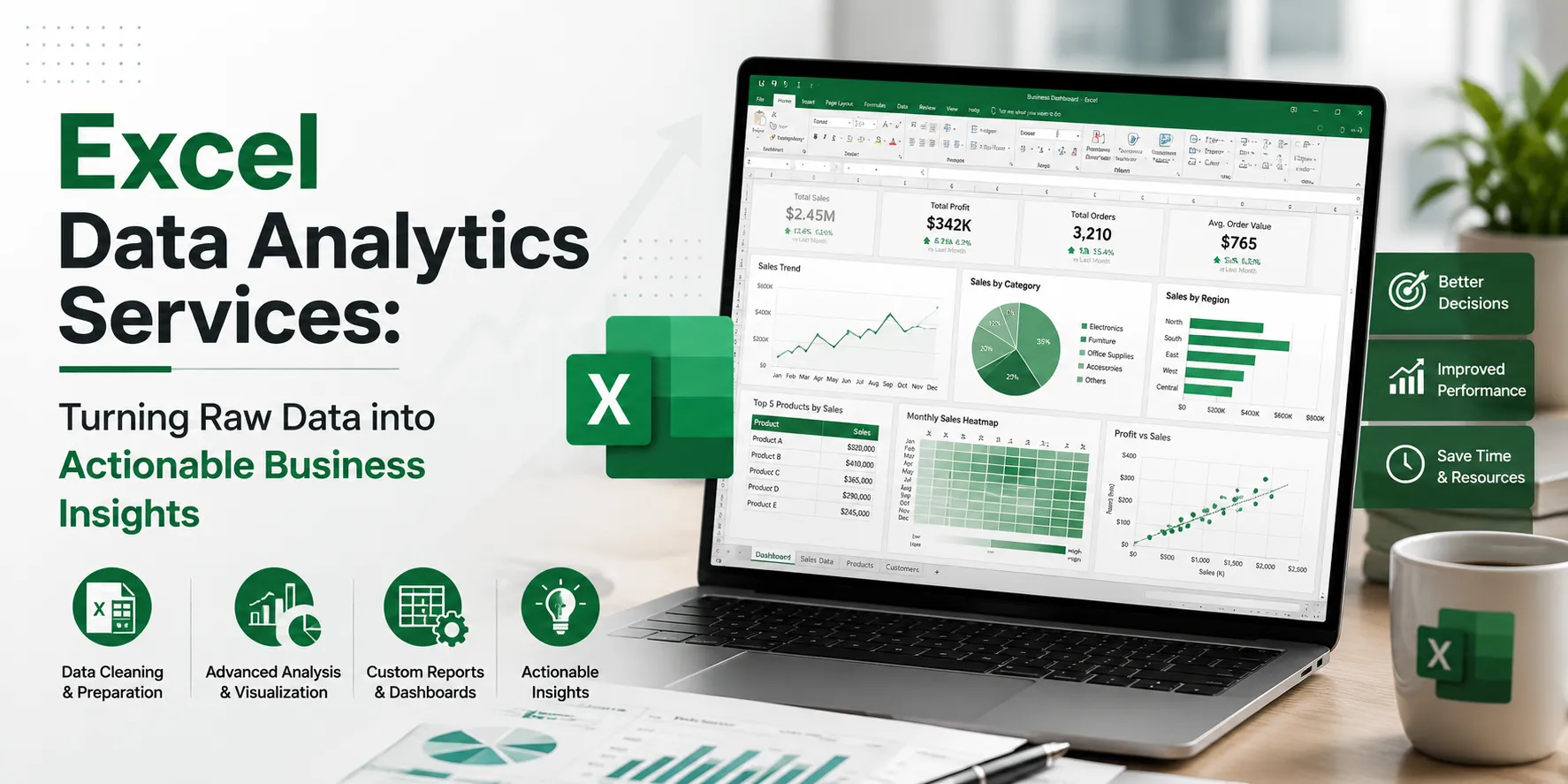

In today's data-driven business environment, organizations generate massive volumes of information from sales, marketing campaigns, customer interactions, finance operations, supply chains, and more. However, collecting data is only the first step. The real value lies in analyzing that data to uncover meaningful insights that support smarter business decisions.
This is where Excel Data Analytics Services play a crucial role. Microsoft Excel remains one of the most widely used business intelligence and data analysis tools due to its flexibility, accessibility, and powerful analytical capabilities. Professional Excel Data Analytics Services help organizations transform raw datasets into actionable reports, dashboards, forecasts, and strategic recommendations.
Whether you're a small business, startup, enterprise, or financial institution, Excel-based analytics can help improve efficiency, reduce costs, identify trends, and drive growth.
What Are Excel Data Analytics Services?
Excel Data Analytics Services involve collecting, cleaning, organizing, analyzing, and visualizing data using Microsoft Excel. These services help businesses gain valuable insights from their data through advanced formulas, pivot tables, dashboards, charts, Power Query, Power Pivot, and predictive modeling techniques.
Professional analysts use Excel to:
- Process large datasets
- Identify trends and patterns
- Generate reports and dashboards
- Perform financial analysis
- Forecast future performance
- Monitor KPIs
- Improve operational efficiency
- Support data-driven decision-making
Excel remains a preferred analytics platform because it combines ease of use with advanced analytical capabilities.
Why Businesses Need Excel Data Analytics Services
1. Better Decision-Making
Data analytics provides factual insights instead of relying on assumptions. Businesses can make informed decisions based on actual performance metrics and trends.
2. Cost Efficiency
Excel is a cost-effective solution compared to many expensive analytics platforms, making it ideal for businesses of all sizes.
3. Enhanced Productivity
Automated reports, formulas, and dashboards reduce manual work and increase operational efficiency.
4. Improved Data Accuracy
Professional analytics services help eliminate errors, duplicates, and inconsistencies in datasets.
5. Real-Time Monitoring
Interactive dashboards allow businesses to track key performance indicators (KPIs) and business metrics in real time.
6. Predictive Insights
Historical data analysis helps organizations forecast future sales, revenue, customer demand, and market trends.
Key Features of Excel Data Analytics Services
Data Collection and Integration
Analysts gather data from multiple sources, including:
- CRM systems
- ERP software
- Accounting platforms
- Marketing tools
- Databases
- CSV files
- Web applications
This data is consolidated into a unified Excel environment for analysis.
Data Cleaning and Preparation
Raw data often contains errors, missing values, duplicates, and inconsistencies. Data cleaning ensures:
- Accurate reporting
- Reliable analysis
- Improved decision-making
Data preparation includes:
- Removing duplicates
- Standardizing formats
- Filling missing values
- Correcting errors
- Organizing datasets
Advanced Data Analysis
Excel offers powerful analytical capabilities such as:
- Statistical analysis
- Trend analysis
- Correlation analysis
- Variance analysis
- Financial modeling
- What-if analysis
- Sensitivity analysis
These techniques help uncover meaningful business insights.
Dashboard Development
Interactive dashboards provide visual representations of business performance through:
- Charts
- Graphs
- KPI indicators
- Heat maps
- Performance scorecards
Dashboards enable stakeholders to quickly understand complex datasets.
Pivot Tables and Pivot Charts
Pivot tables help summarize large datasets efficiently by:
- Grouping information
- Comparing metrics
- Filtering results
- Identifying trends
They are among Excel's most valuable analytics tools.
Data Visualization
Professional data visualization improves understanding through:
- Bar charts
- Pie charts
- Line graphs
- Scatter plots
- Heat maps
- Geographic maps
Visual reports make data easier to interpret and communicate.
Advanced Excel Analytics Capabilities
Power Query
Power Query automates data extraction and transformation processes.
Benefits include:
- Faster data preparation
- Automated workflows
- Reduced manual effort
- Improved consistency
Power Pivot
Power Pivot enables advanced data modeling and management of large datasets.
Features include:
- Data relationships
- Complex calculations
- Enhanced reporting
- Faster analysis
Excel Macros and VBA Automation
Automation through VBA (Visual Basic for Applications) helps:
- Generate reports automatically
- Perform repetitive tasks
- Improve efficiency
- Reduce human error
Forecasting and Predictive Analytics
Excel analytics experts use historical data to forecast:
- Future sales
- Revenue growth
- Market demand
- Inventory requirements
- Customer behavior
Forecasting helps businesses plan strategically and minimize risks.
Industries That Benefit from Excel Data Analytics Services
Finance and Banking
Financial institutions use Excel analytics for:
- Budgeting
- Financial forecasting
- Risk assessment
- Investment analysis
- Profitability tracking
Healthcare
Healthcare organizations leverage analytics to:
- Monitor patient outcomes
- Track operational efficiency
- Analyze treatment effectiveness
- Manage resources
Retail and E-commerce
Retail businesses use Excel analytics for:
- Sales analysis
- Customer segmentation
- Inventory management
- Demand forecasting
- Marketing performance tracking
Manufacturing
Manufacturers benefit through:
- Production analysis
- Quality control monitoring
- Supply chain optimization
- Cost reduction strategies
Marketing and Advertising
Marketing teams use Excel analytics to:
- Measure campaign performance
- Track conversions
- Analyze customer behavior
- Calculate ROI
Human Resources
HR departments use analytics for:
- Employee performance tracking
- Workforce planning
- Recruitment analysis
Retention monitoring
Benefits of Outsourcing Excel Data Analytics Services
Access to Expertise
Professional analysts possess advanced Excel knowledge and industry-specific experience.
Faster Results
Experienced teams can process and analyze data efficiently, reducing project timelines.
Scalability
Analytics services can scale according to business needs and project complexity.
Improved Accuracy
Experts ensure data quality, reducing errors and improving reporting reliability.
Cost Savings
Outsourcing eliminates the need for hiring and training in-house analytics specialists.
Common Excel Data Analytics Solutions
Organizations frequently use Excel Data Analytics Services for:
- Sales performance reporting
- Financial analysis and forecasting
- Customer behavior analysis
- Inventory tracking
- Budget management
- Operational reporting
- KPI dashboards
- Marketing analytics
- Supply chain analysis
- Business performance monitoring
These solutions provide actionable insights that support growth and profitability.
Choosing the Right Excel Data Analytics Service Provider
When selecting a service provider, consider:
Technical Expertise
Look for expertise in:
- Advanced Excel functions
- Power Query
- Power Pivot
- VBA automation
- Dashboard development
Industry Experience
Choose providers familiar with your industry and business requirements.
Data Security
Ensure proper security measures are in place to protect sensitive information.
Customization
The provider should offer customized analytics solutions tailored to your business goals.
Support and Maintenance
Ongoing support ensures reports and dashboards remain accurate and up to date.
Future of Excel Data Analytics
Microsoft continues to enhance Excel with AI-driven features, cloud integration, and advanced business intelligence capabilities.
Emerging trends include:
- AI-powered insights
- Automated forecasting
- Cloud-based collaboration
- Real-time analytics
- Integration with Power BI
- Advanced machine learning support
These innovations make Excel an increasingly powerful analytics platform for businesses worldwide.
Conclusion
Excel Data Analytics Services provide organizations with a practical and powerful way to transform raw data into meaningful business intelligence. From data cleaning and reporting to advanced forecasting and dashboard creation, Excel remains a versatile solution for organizations seeking actionable insights without investing in expensive analytics platforms.
By leveraging professional Excel Data Analytics Services, businesses can improve decision-making, enhance operational efficiency, uncover growth opportunities, and gain a competitive advantage in today's data-driven marketplace. Whether you're managing sales data, financial reports, customer information, or operational metrics, Excel analytics can help you make smarter, faster, and more informed business decisions.

























Sign in to leave a comment.