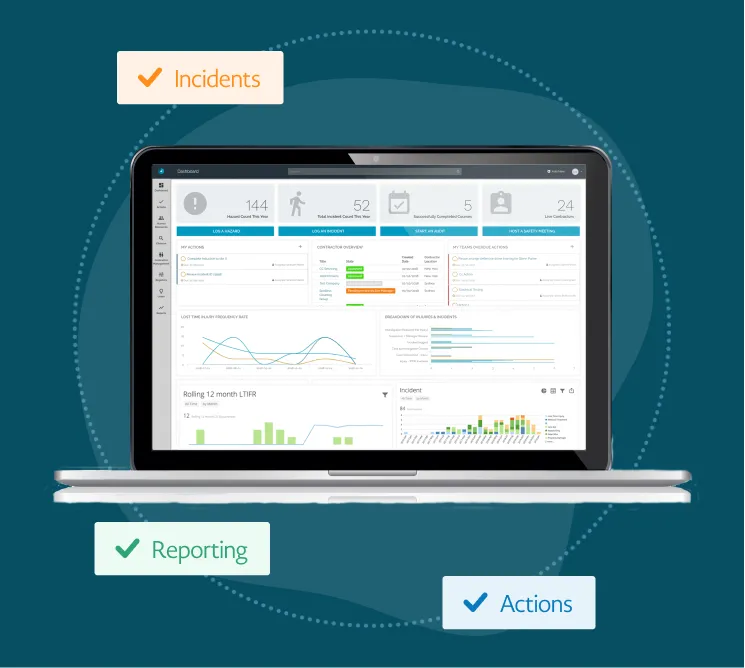

In the high-stakes world of Site Reliability Engineering (SRE), downtime isn't just a technical glitch it is a hit to your company’s reputation and bottom line. When a critical system fails at 2:00 AM, the last thing your on-call engineer needs is a clunky, confusing interface. They need a tool that cuts through the noise and helps them restore service fast.
Choosing the right incident management software is one of the most important decisions an SRE lead can make. With dozens of options on the market in 2026, it is easy to get overwhelmed by flashy features. This guide will help you strip away the marketing hype and find a platform that actually makes your team more resilient.
1. Define Your Team’s Unique Needs
Before looking at software, look at your team. A startup with five engineers has very different needs than a global enterprise with hundreds of microservices. Ask yourself:
- What is our current pain point? Is it alert fatigue, poor communication during an outage, or a lack of data after the incident is over?
- How complex is our stack? If you use multi-cloud environments (AWS, Azure, Google Cloud), your software needs to talk to all of them fluently.
- What is our culture? Some teams prefer a highly structured, "by the book" approach, while others thrive on flexible, chat-based workflows.
2. Prioritize "ChatOps" and Real-Time Coordination
In modern SRE practices, the incident happens where the conversation happens. For most, that is Slack or Microsoft Teams. Your software should not be a separate destination that engineers have to log into; it should live inside your chat tool.
Look for a platform that can automatically spin up an incident-specific channel, assign a commander, and pull in the right responders based on their on-call schedule. This reduces "coordination overhead" the wasted time spent figuring out who is doing what.
3. The Power of Integrated Reporting
Visibility is the enemy of chaos. To keep stakeholders informed without distracting the engineers fixing the problem, you need a system that handles data collection automatically. A robust incident reporting software allows teams to log every action taken during a crisis without manual entry. When the software tracks the timeline in the background, your team can stay focused on the code, knowing the documentation is being handled.
4. Noise Reduction and Smart Alerting
Alert fatigue is a real threat to SRE mental health. If your software pings an engineer for every minor CPU spike, they will eventually start ignoring their notifications. The best incident management software uses AI to group related alerts into a single incident.
For example, if a database failure causes fifty different microservices to throw errors, you don't want fifty alerts. You want one incident notification that points to the database as the likely root cause. This level of intelligence is what separates premium tools from basic paging systems.
5. Seamless Post-Mortem Workflows
An incident is a terrible thing to waste. The real value of an SRE team comes from the "Learning" phase. How easy does the software make it to conduct a blameless retrospective?
The tool should:
- Export the chat timeline into a document.
- Identify "Action Items" and sync them directly with your project management tools like Jira or GitHub.
- Track whether those action items actually get completed.
Scaling your operations requires an incident reporting software that doesn't just record what happened, but helps you analyze trends over time to prevent the same bug from biting you twice.
6. Ease of Use and "Time to Value"
If a tool is too hard to set up, your team won't use it. During a high-pressure outage, "simple" is a feature. The interface should be intuitive enough that a stressed engineer can find the "Status Page" update button or the "Bridge Link" in seconds.
This is where brand reputation matters. Platforms like WorkAware have gained traction by focusing on user-centric design that balances powerful automation with a clean, distraction-free interface. When your tools work for you rather than you working for your tools, the path to resolution becomes much shorter.
7. Reliability and Compliance
It sounds obvious, but your incident management tool must be more reliable than the systems it monitors. Check the vendor’s history of uptime. Additionally, if you work in healthcare, finance, or government, ensure the software meets your specific compliance needs (such as SOC2, HIPAA, or GDPR). Data security is paramount, especially when ensuring your incident reporting software captures every detail of a potential security breach or system vulnerability.
8. Making the Final Decision
Once you have narrowed down your list to two or three candidates, don't just watch a demo, run a "Game Day." Simulate a fake outage and see how the software performs under simulated pressure.
- Did it notify the right people?
- Was the timeline accurate?
- Did the team find it helpful or a hindrance?
Conclusion
Choosing the right tool is about finding the balance between automation and human intuition. You want a system that removes the manual drudgery of coordination but leaves the creative problem-solving to your talented engineers.
Ultimately, the right incident reporting software is the one that fades into the background during an incident, allowing your SRE team to do what they do best: keep the lights on and the users happy.























Sign in to leave a comment.