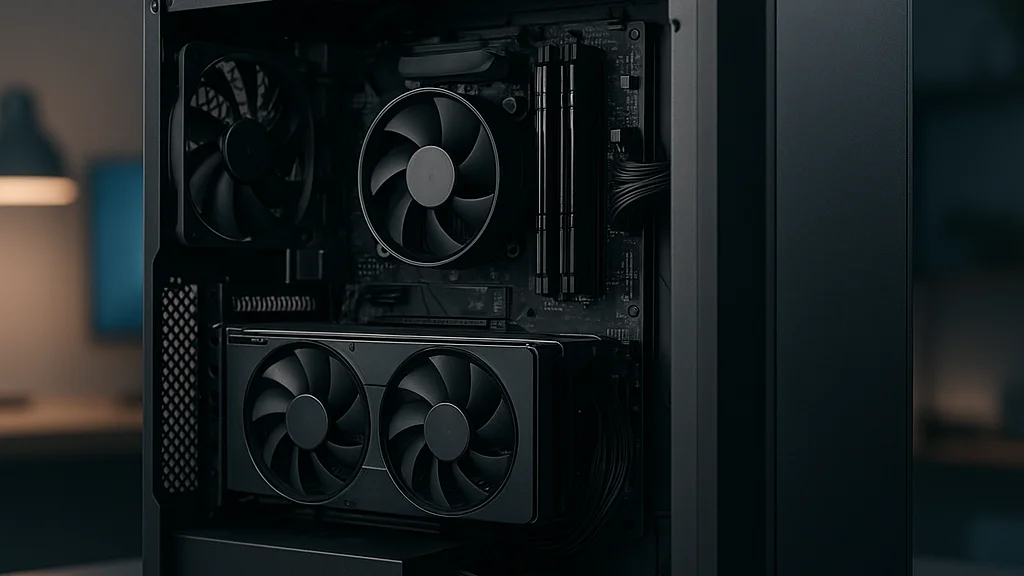

A budget gaming PC build used to mean obvious compromise: noisy case, weak graphics card, and a promise that you could always upgrade later. In 2026, that picture is more nuanced. You can still overspend fast, but you can also build a machine that handles modern 1080p gaming well if you make a few disciplined choices early. The key is not finding the cheapest parts. The key is understanding where performance comes from, where marketing muddies the water, and which components lock in future costs.
I have seen first-time builders make the same mistake on personal projects over and over: they buy a flashy CPU cooler, RGB memory, or a case with four preinstalled fans, then discover they cannot afford the graphics card that would have mattered more. A good budget build is less about hunting miracle deals and more about sequencing decisions in the right order. If you get the platform, power supply, and GPU tier right, the rest becomes manageable.
Recent coverage from TechTimes on a $500 gaming PC build for 2026, Geeky Gadgets on a $350 budget gaming PC, and MSN's look at sub-$1,000 gaming builds all point to the same truth: entry-level and lower-midrange gaming is still viable, but only if expectations are matched to resolution, game type, and upgrade path. That is the real assignment. Not “build cheap.” Build smart.
If you want a broader companion read after this one, Budget Gaming PC Build Guide: Smart Parts, Better FPS and Common Mistakes in a Budget Gaming PC Build Guide both pair well with the framework here. My aim is simpler: give you the inside view, the tradeoffs people usually learn only after spending the money.
A budget build succeeds when every dollar buys frame rate, stability, or upgrade headroom. If it buys none of those, it is probably the wrong dollar spent.
1. Start with the job description, not the shopping cart
The first question is not “What parts can I afford?” It is “What exactly do I want this PC to do for the next two to three years?” That sounds basic, but it changes everything. A machine for Valorant, Rocket League, Fortnite, and League of Legends is one category. A machine meant for Cyberpunk 2077, Black Myth: Wukong, or heavily modded open-world games is another. A budget build collapses when the target is vague.
For most buyers, the practical baseline in 2026 is still 1080p gaming. Not because higher resolutions are impossible, but because 1080p remains the point where component pricing and real-world performance still meet in a sane way. Competitive titles can often run well on modest hardware. Newer AAA games are less forgiving, especially once texture quality, ray tracing, or frame generation enter the conversation. Even when a card can technically launch a game, minimum frame pacing and VRAM limits may shape the experience more than average FPS charts suggest.
That is why I recommend defining your build with three numbered targets before you price a single part:
- Primary games: list five games you actually play, not five games reviewers benchmark.
- Performance target: choose 60 FPS, 90 FPS, or 144 FPS depending on your monitor and play style.
- Upgrade horizon: decide whether this is a 12-month stopgap or a platform you want to improve gradually.
Once those targets are clear, the parts list becomes narrower and better. A lot of current budget recommendations, including the TechTimes and Geeky Gadgets examples, assume a 1080p target and accept medium-to-high settings rather than chasing ultra presets. That is the right mindset. Ultra settings often cost a lot and deliver very little visual return on smaller displays.
There is also a psychological advantage here. Builders who define success before buying are less likely to panic-purchase during sales. A discounted component is not automatically a good component. It is only good if it fits the build’s job description.
2. The budget hierarchy: where performance really comes from
Inside a budget gaming PC, not all parts carry equal weight. This is the central truth that separates a coherent build from a pile of parts. For gaming, the graphics card still drives the experience more than any other single component. The processor matters, but once you reach a competent modern CPU tier, the GPU usually determines visual settings and frame rate at 1080p and above.
That leads to a simple spending hierarchy. If your total budget is tight, allocate money in this order: GPU, CPU platform, power supply, SSD, memory, case extras. I put the power supply higher than some enthusiasts do because a bad PSU turns a budget build into a future replacement project. The PSU is not glamorous, but it can save you from instability, noise, or premature failure.
A practical budget split often looks like this:
- 35% to 45% for the graphics card
- 20% to 25% for CPU and motherboard combined
- 8% to 12% for power supply
- 7% to 10% for memory
- 5% to 10% for storage
- 5% to 10% for case and cooling
Those ranges are not laws. They are guardrails. If your GPU share falls too low, you are often building a general-use PC that happens to play games, not a gaming-first system. If your case and cosmetics eat too much, you are paying for the outside of the machine instead of the work it does.
MSN’s reporting on sub-$1,000 builds reflects a similar reality: the under-$1,000 category is still possible, but it requires restraint on premium extras. That is especially true now that SSD prices, DDR5 adoption, and newer motherboard chipsets have changed the baseline cost structure compared with builds from a few years ago. The old idea that you can cut corners everywhere and simply “upgrade later” is less reliable when platform changes can force multiple replacements at once.
One more inside point matters. Budget builders often overspend on the CPU because processor branding feels safer than GPU shopping. A slightly stronger CPU can help with strategy games, simulation titles, and multitasking, but once you pair it with a weak graphics card, you have protected the wrong flank. Games do not reward balanced branding. They reward balanced bottlenecks.
The best budget system is not the one with the strongest part on paper. It is the one with the fewest performance mismatches.
3. Choosing parts in 2026 without getting trapped by marketing
Component shopping in 2026 is both easier and more confusing. Easier, because there are more guides, more benchmark channels, and better retailer filters. More confusing, because every product page now leans hard on buzzwords: AI features, frame generation, “gaming” branding, premium thermal claims, and RGB-heavy bundles that disguise weak value. The job is to separate useful features from expensive decoration.
Start with the CPU. For a budget build, the sweet spot is usually a mainstream six-core processor or an entry-level to lower-midrange chip that avoids obvious bottlenecks. You do not need workstation-class counts for gaming. What you need is decent single-core performance, a stable motherboard ecosystem, and preferably a platform that will not dead-end immediately. This is why some builders still weigh older but proven sockets against newer platforms with longer upgrade life. The right answer depends on whether you want the lowest entry price or the best upgrade runway.
Memory is simpler than it used to be. 16GB remains the minimum sensible target for a gaming PC in 2026, while 32GB is a comfort upgrade for heavier multitasking, content creation, or newer games that are less polite with memory usage. The mistake is buying slow single-stick memory to “save room later.” Dual-channel memory usually matters more than the fantasy of a perfect future expansion plan.
Storage is where many cheap builds quietly become frustrating. A 500GB SSD can work, but modern game installs are large enough that 1TB often feels like the real baseline. Fast storage will not magically transform frame rates, yet it improves the machine every day through shorter load times, smoother updates, and less file juggling. That quality-of-life gain counts, especially on a first build.
Then there is the graphics card question, the hardest one. The Techtimes and Geeky Gadgets examples show that builders can still target 1080p on modest budgets, but the exact card choice depends heavily on local pricing, used market conditions, and whether you value raw raster performance over extras like upscaling support. A budget buyer should compare three things, in order:
- Average 1080p performance in the games you play
- VRAM capacity for newer titles and texture settings
- Total platform cost, including power requirements and PSU headroom
Cases and coolers come last for a reason. You need decent airflow, front intake, and enough room for your GPU. Beyond that, spending should be controlled. Stock coolers or modest tower coolers are often enough for budget CPUs. Fancy AIO liquid coolers belong on a list called “nice later,” not “buy now.”
For a cross-check on part discipline, Smart Gaming PC Builds on a Budget: Power and Performance Without Overspending lays out the same principle from another angle: spend where the frame rate lives, not where the product photos look impressive.
4. Three realistic budget tiers and what each one can honestly do
People ask for a single best budget build, but that is usually the wrong framing. There are really three budget classes, and each has a different promise. The trouble starts when builders expect one class to perform like the next one up.
Tier one: around $350 to $500. This is the survival tier, often helped by used parts, integrated graphics compromises, or older GPUs. Geeky Gadgets highlighted how a $350-class machine can still handle modern 1080p gaming in selected scenarios, but this tier demands realism. Esports titles, older AAA games, and carefully tuned settings are the lane. You may need to accept medium settings, lower texture packs, or selective use of upscaling. This is the tier for someone who needs a working gaming PC now and plans to improve it later.
Tier two: around $500 to $800. This is where budget building starts to feel comfortable. TechTimes’ $500 build framing sits at the lower edge of this zone, where 1080p 60 FPS becomes a realistic target in a wider range of titles. Here, a proper discrete GPU, 16GB of RAM, and a 1TB SSD become more achievable. For many players, this is the value sweet spot. You are no longer fighting the machine every time a new game launches.
Tier three: around $800 to $1,000. MSN’s reporting is useful here because it underlines a point many shoppers miss: under $1,000 is still “budget” by current gaming PC standards, not luxury. This tier can support stronger 1080p performance, better 1440p entry-level play, and more breathing room for new releases. It also allows fewer ugly compromises on PSU quality, case airflow, and platform longevity.
Here is the honest capability map:
- $350–$500: esports-first, selective AAA, upgrade plan required
- $500–$800: broad 1080p viability, best value for most buyers
- $800–$1,000: stronger longevity, better settings, fewer hidden costs
The inside lesson is that “budget” is not one number. It is a relationship between your expectations and the machine’s weakest part. If your monitor is 1080p and your game library leans competitive, a lower tier may be enough. If you want new AAA releases at high settings with no tinkering, your budget target probably needs to move up.
5. What changed recently in 2026
The budget gaming PC conversation in 2026 is shaped by a few recent changes. First, pricing has become more segmented. There are still deals, but they are less evenly distributed across categories. Some entry-level CPUs and older platform components can be found at reasonable prices, while certain GPUs remain stubbornly expensive relative to their real uplift. That means a build guide from even a year ago can age badly if it recommended parts based on a short-lived price dip.
Second, platform decisions matter more now because upgrade costs can cascade. Choosing a motherboard and memory standard is no longer just a technical preference. It can determine whether your next CPU upgrade is a simple swap or a three-part replacement. For budget builders, that makes “good enough today” a more dangerous phrase than it sounds. A cheaper board with poor VRM quality, limited BIOS support, or weak I/O may save money now and cost flexibility later.
Third, modern games are less forgiving about VRAM and storage. You can still play many titles on modest hardware, but texture settings, shader compilation behavior, and overall install sizes have raised the floor. This is one reason why older advice like “just get 8GB RAM for now” or “a 240GB SSD is fine” has largely stopped making sense for a gaming-first machine.
There is also a subtle shift in buyer behavior. More people are mixing new and used parts rather than building fully new systems. That can be smart, especially for GPUs, cases, and sometimes CPUs. But it requires discipline. You need to know what failure risk you are accepting and where warranty coverage matters most. My rule is simple: buy used where replacement is tolerable; buy new where failure would threaten the whole system. That usually means being more conservative with the power supply and storage than with the case or maybe even the graphics card.
If you want a more current companion checklist, Build a Gaming PC on a Budget: Your 2026 Guide is useful for comparing how recent pricing and component trends have shifted the old formula.
6. The mistakes that quietly waste the most money
Most budget build failures do not come from one terrible purchase. They come from three or four medium mistakes that stack together. I have made some of them myself, usually when I got impatient and treated the parts list like a puzzle to finish rather than a system to live with.
The first common error is buying for aesthetics before performance. A clean build matters. Good cable management matters. But a premium glass case, RGB fan kit, or color-matched accessory set can absorb money that should have gone toward the GPU or a better PSU. You can improve looks later. You cannot talk a weak graphics card into higher settings.
The second is underestimating the power supply. Cheap PSUs often hide behind big wattage numbers and vague efficiency claims. A quality unit from a reputable line is not about bragging rights. It is about voltage stability, protection features, and a better chance that future upgrades will not force another purchase. In a budget build, replacing a failed PSU is annoying. Replacing the components it damages is worse.
The third mistake is planning upgrades that never happen. Builders tell themselves they will start with one stick of RAM, a tiny SSD, or a bargain motherboard and fix it later. Later often collides with new platform standards, changed prices, or simple life expenses. Build the machine you can realistically finish, not the fantasy version you might rescue six months from now.
The fourth is ignoring total system cost. Windows licensing, Wi-Fi, extra fans, thermal paste, a better CPU cooler, or even a DisplayPort cable can nudge a “great deal” into a weaker value than it first appeared. Budgeting is not only about the tower. It is about the full working setup.
- Protect the GPU budget first.
- Do not cheap out on the PSU.
- Buy 16GB RAM minimum for gaming.
- Prefer a 1TB SSD if the budget allows.
- Count every accessory and hidden cost before ordering.
If you want a cautionary list built around these exact failures, Common Mistakes in a Budget Gaming PC Build Guide is worth reading alongside this piece.
Cheap parts are not the same as value parts. Value means the component does its job well enough that you do not have to pay for the same decision twice.
7. A practical build strategy that keeps options open
So what does a disciplined budget strategy look like in practice? I recommend a five-step approach. It is plain, maybe even boring, and that is exactly why it works.
Step one: set a hard ceiling and a soft target. If your limit is $800, try to build for $700 to $750. That buffer protects you from taxes, shipping, or one necessary upgrade, such as moving from a dubious PSU to a reliable one.
Step two: choose the GPU tier first. Not the exact model, the tier. Decide whether your money supports entry-level 1080p, stronger 1080p, or light 1440p ambition. Once that is fixed, select a CPU that will not bottleneck it badly in your games.
Step three: lock down the platform. This means motherboard, RAM standard, and PSU headroom. If you expect to upgrade the GPU later, do not buy a power supply that traps you. If you expect to keep the platform for years, do not choose a board that limits memory slots, storage expansion, or BIOS support without a good reason.
Step four: buy storage and case features for everyday livability. A machine that benchmarks well but is miserable to update, noisy under load, or packed into a poor airflow case will wear on you quickly. Budget systems should still be pleasant to use.
Step five: tune expectations after assembly. Use game-specific settings, update drivers, enable memory profiles properly, and benchmark the titles you actually play. Many budget PCs underperform not because the parts are bad, but because the system was never configured cleanly.
This is where free online resources and community benchmarks help. Compare your results with users running similar hardware. If your performance is significantly off, troubleshoot before buying more parts. Sometimes the fix is as simple as a memory setting, a thermal issue, or a background process.
The best budget builders are not the ones who found mythical prices. They are the ones who stayed methodical. They knew what mattered, ignored the noise, and built a machine around use rather than hype. That is the inside view. A budget gaming PC is not a lesser project. Done right, it is the most disciplined kind of build there is.



























Sign in to leave a comment.