
When Microsoft Outlook runs in offline mode, all mailbox data is saved in an OST (Offline Storage Table) file. This file allows users to work without internet connectivity and later sync changes with the Exchange Server. However, issues like server crashes, account deletion, Outlook corruption, or accidental profile removal can make OST files inaccessible. In such situations, converting OST files to PST becomes the most reliable way to regain access to your emails, attachments, contacts, calendars, and other mailbox items.
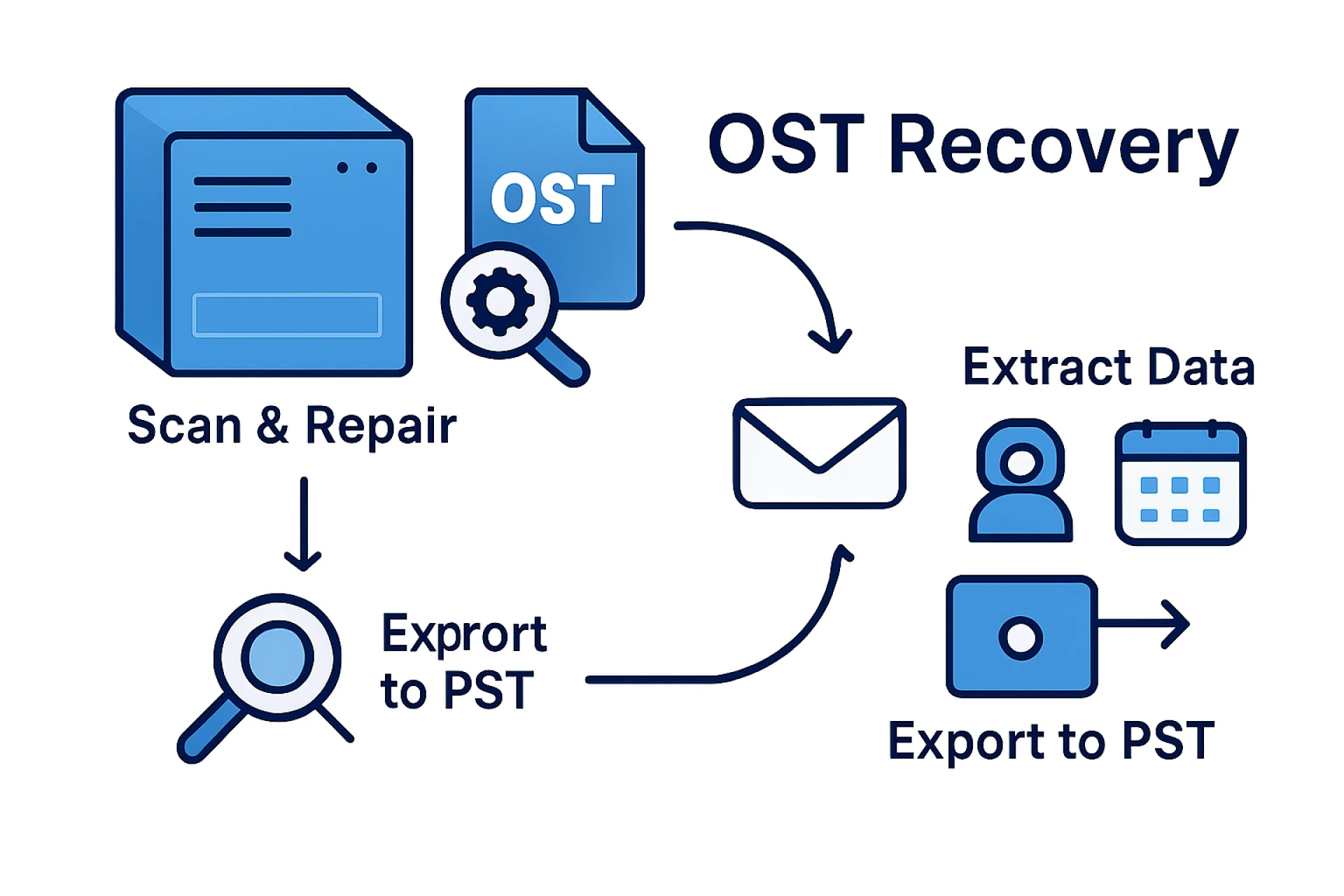
This is where a powerful OST to PST Converter tool plays a crucial role. It enables users to recover, extract, and convert offline Outlook data quickly without depending on the Exchange Server.
Why Do You Need an OST to PST Converter?
There are several scenarios where converting an OST file to PST becomes essential:
- Exchange Server Crash or Maintenance: If the server fails or undergoes maintenance, you may lose access to your mailbox. Converting OST to PST ensures your data remains available.
- Accidental Deletion of Outlook Profile: OST files become orphaned and cannot be opened unless converted.
- Outlook Corruption Issues: Corrupted OST files often fail to sync or open. A conversion tool helps restore and rebuild them.
- Migration to a New System or Outlook Version: PST is the most portable format for moving Outlook data between devices and versions.
- Backup & Archive Purpose: Creating PST files helps users back up crucial mailbox items securely.
Manual OST to PST Conversion – Is It Enough?
Microsoft offers a few built-in methods, but they come with limitations:
1. Export to PST (Requires Active Outlook Profile)
Steps:
- Open Outlook and go to File → Open & Export → Import/Export
- Choose Export to a File
- Select Outlook Data File (.pst)
- Pick folders to export and save the PST file
Limitations:
- Requires active Exchange connection
- Cannot recover orphaned or corrupted OST
- Not ideal for bulk data
2. Archive Method
Moves older emails to a PST file.
Limitations:
- Attachments may not move
- Does not support complete mailbox export
3. Drag-and-Drop Method
Manually dragging emails into a PST folder.
Limitations:
- Time-consuming
- Not suitable for large OST files
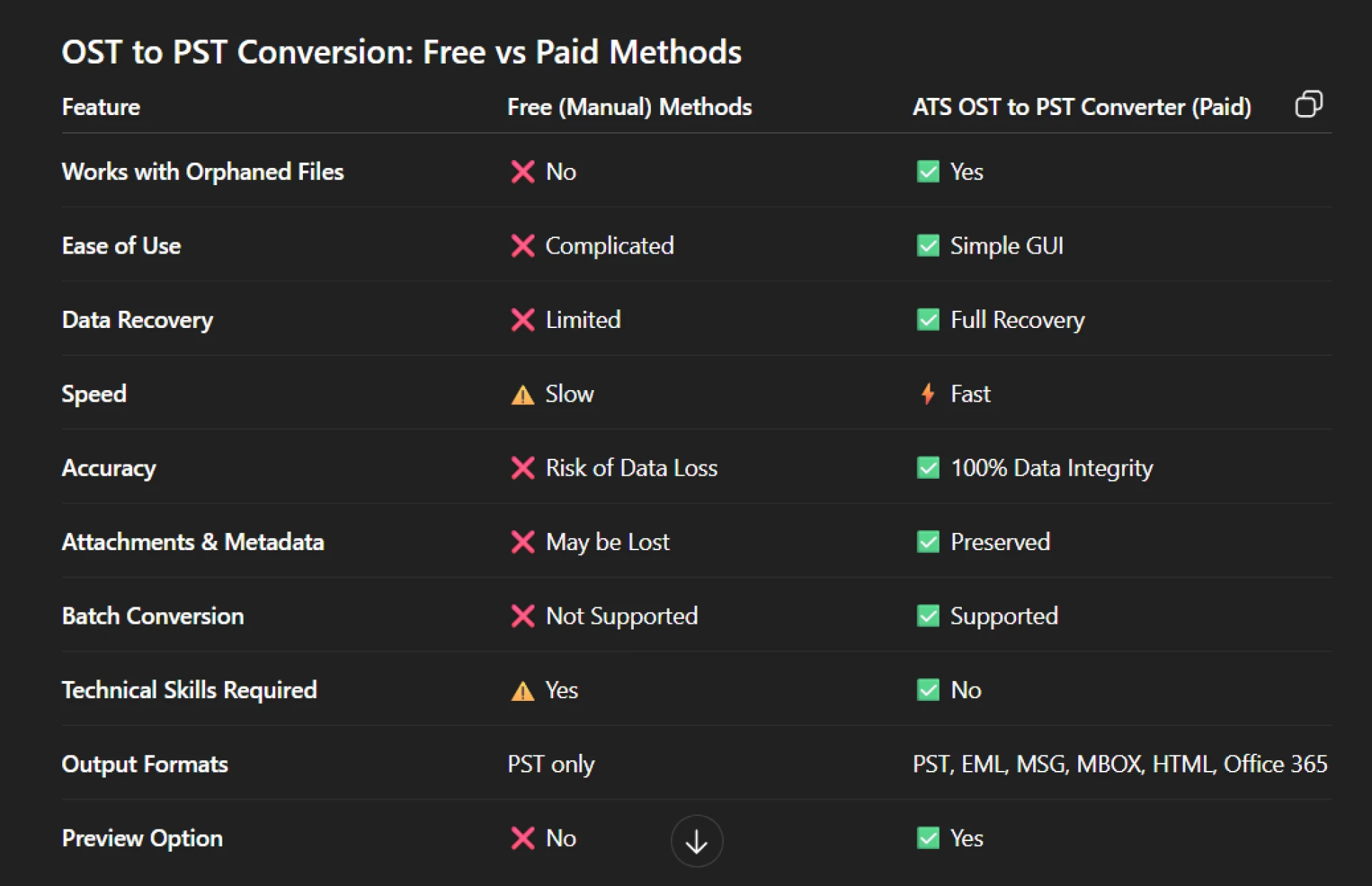
Manual methods fail when OST files are corrupted, orphaned, encrypted, or oversized. This is why most professionals prefer a dedicated converter tool.
Best Solution: ATS OST to PST Converter
For smooth, secure, and error-free migration, the ATS OST to PST Converter is one of the most recommended tools in the industry. It offers powerful features and an easy-to-use interface suitable for beginners, IT experts, and enterprises.
Key Features of ATS OST to PST Converter
- Complete Data Recovery from OST Files: Recovers emails, attachments, tasks, calendars, notes, contacts, journals—even from damaged or inaccessible OST files.
- Converts OST into Multiple Formats: Export OST data to PST, EML, MSG, MBOX, HTML, Office 365, Gmail, Yahoo, and more.
- Maintains Original Folder Structure: The tool preserves the hierarchy, metadata, formatting, and properties during conversion.
- Preview Option for Selective Export: You can view every mailbox item before conversion and choose only what you need.
- No File Size Limitations: Handles small as well as oversized OST files effortlessly.
- Fast & Safe Conversion: Ensures 100% accuracy without altering or losing any data.
- User-Friendly Interface: Even non-technical users can convert OST to PST with just a few clicks.
How to Convert OST to PST Using the ATS Tool – Step-by-Step
- Install and launch ATS OST to PST Converter.
- Click Add OST File to load your offline data.
- The software scans and displays a preview of all items.
- Select the folders you want to export.
- Choose PST as the output format.
- Select a destination location.
- Click Convert to export your entire mailbox.
Your new PST file is now ready to open in Microsoft Outlook.
Why Choose a Professional Tool Over Manual Methods?
Conclusion
When Outlook OST files become inaccessible, corrupted, or orphaned, converting them to PST is the most reliable solution. While manual methods offer limited help, a professional converter ensures complete data recovery with accuracy and speed.
The ATS OST to PST Converter is highly recommended for users who want a seamless, secure, and hassle-free conversion experience. With advanced features, multi-format export options, and complete data preservation, it stands out as one of the best tools available.
Whether you’re an IT admin, business user, or home professional, this tool makes OST to PST conversion effortless.




























Sign in to leave a comment.