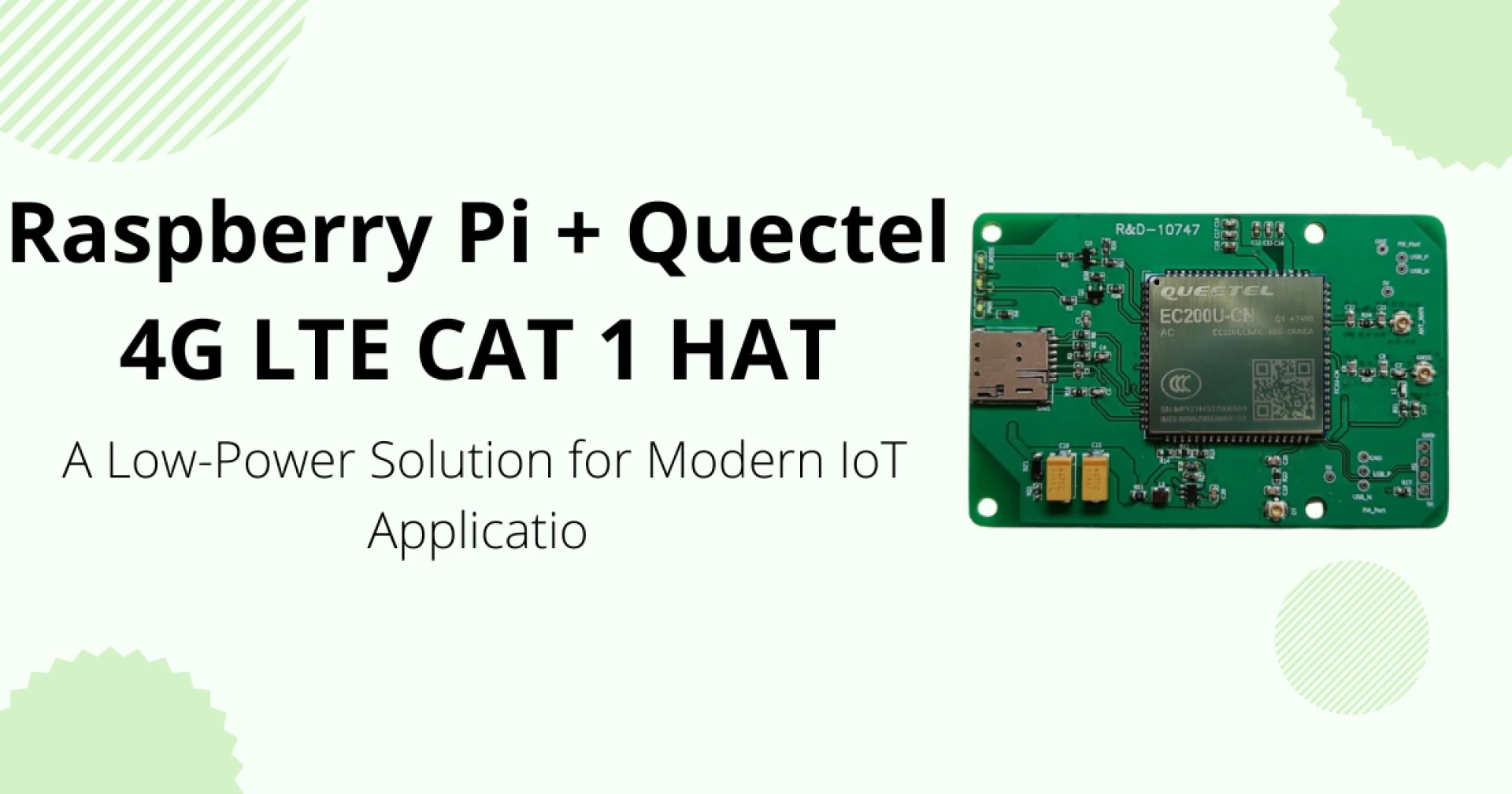

The Internet of Things demands low-power, reliable, and cost-effective connectivity. Many IoT devices operate where Wi-Fi and wired networks are impractical. Cellular links solve this problem. The Raspberry Pi 4G LTE CAT 1 HAT with Quectel blends the Pi platform with a Quectel CAT-1 modem. This combination gives long battery life, broad coverage, and adequate bandwidth for most IoT use cases.
This article explains the hardware, software, power profile, real-world uses, deployment tips, security, and performance expectations. It targets engineers and system integrators planning cellular IoT projects. Expect technical examples, measured figures, and configuration notes.
What is LTE Category 1 and why it matters
LTE categories define modem capabilities. Category 1 (CAT-1) focuses on low to moderate data rates and low power. It supports up to 10 Mbps downlink and up to 5 Mbps uplink in typical implementations. CAT-1 introduces lower cost and lower complexity versus higher LTE categories.
CAT-1 fits many IoT needs. It serves telemetry, telemetry with occasional images, remote sensors, smart meters, and POS terminals. It also supports voice over LTE when needed. The technology balances speed and energy use.
Industry context: many cellular carriers maintain strong 4G networks. These networks provide wide coverage and long-term stability. For many deployments, CAT-1 meets bandwidth and cost goals better than 4G CAT-4 or 5G modules.
Why choose a Raspberry Pi 4G LTE CAT 1 HAT with Quectel?
Quectel produces rugged, well-supported modems. Combining a Quectel CAT-1 module with Raspberry Pi creates an accessible development platform.
Key reasons to choose this pairing:
- Low power draw while idle and during transmission.
- Broad carrier support and band flexibility.
- GNSS integration on many Quectel modules for location services.
- Mature Linux drivers and support tools.
- Easy prototype-to-product path for small-scale deployments.
The Raspberry Pi brings software flexibility. Engineers can run Python, Node.js, or compiled C programs. They can also host local processing, machine learning models, or complex edge logic.
Hardware overview
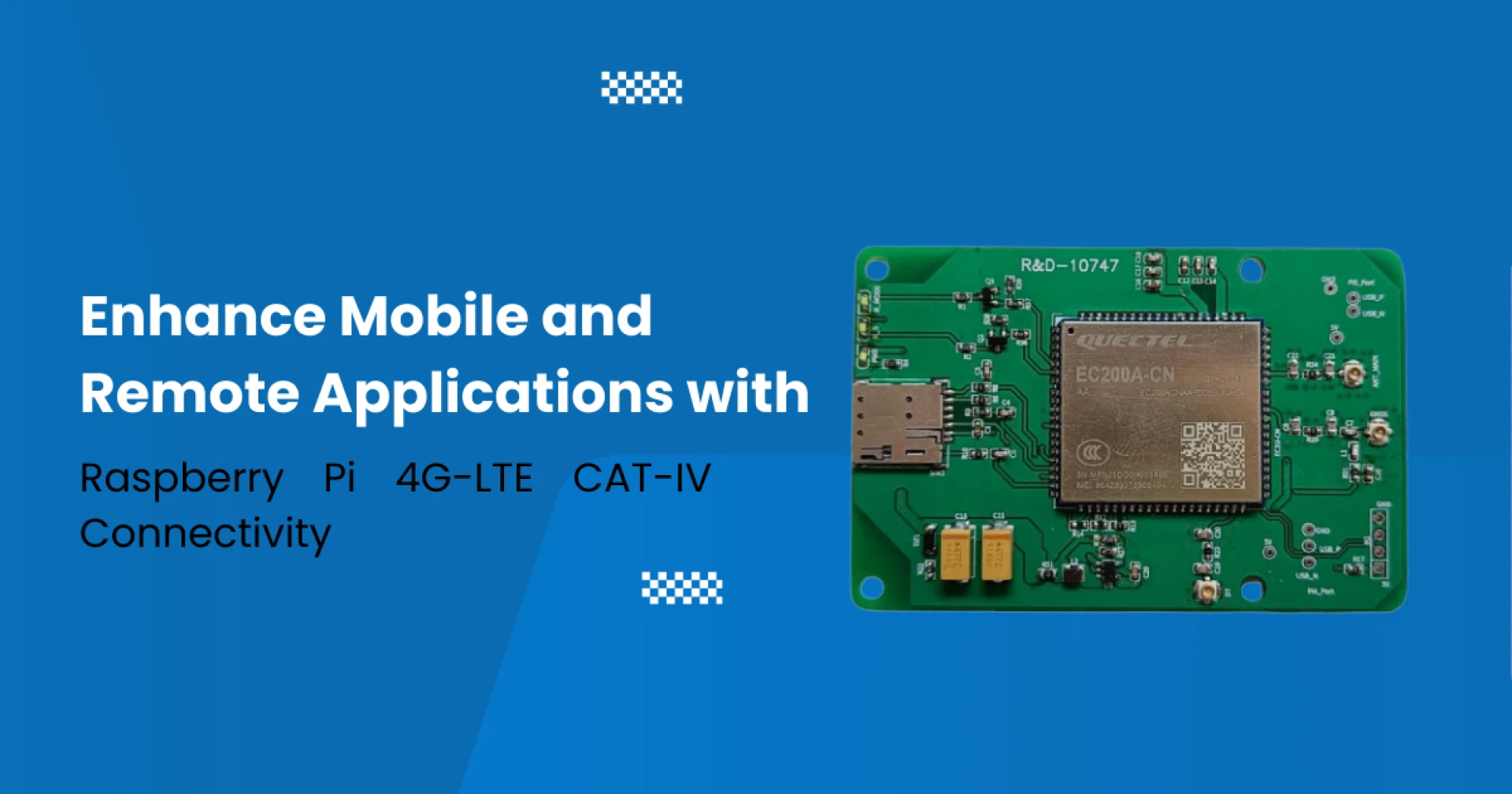
A typical board pairing includes these components:
- Quectel CAT-1 modem on a HAT form factor.
- Micro SIM slot with card detection.
- USB or PCIe interface to the Pi for data and control.
- UART lines for AT command access and diagnostics.
- GNSS antenna connector when location is required.
- SMA connectors for cellular antennas and a diversity/MIMO port on some units.
Designers should check supported LTE bands. Local carriers may require specific bands. Ensure antenna choices match the modem frequency plan.
Power consumption profile and battery planning
Low power defines many CAT-1 designs.
Quectel CAT-1 modems typically present these operating states:
- Idle / PSM-like mode: tens to hundreds of microwatts.
- Connected, low activity: single-digit to low two-digit milliwatts.
- Active TX/RX bursts: up to 1.5–2 A peak during transmission.
Battery sizing example for a sensor that transmits once per hour:
- Assume transmissions last 10 seconds and draw 1 A at 5 V during the burst.
- Idle draw equals 5 mA at 5 V.
- Using a 10,000 mAh battery gives months of life with proper duty-cycling.
Always include a capacitor or power rail buffer to handle modem peak currents. A weak USB supply will cause resets during transmission bursts.
Software stack and driver options
Most Quectel modules support standard Linux interfaces.
Engineers commonly use:
- ModemManager for device control.
- NetworkManager or qmi-pppd for data interfaces.
- AT commands for low-level tests and modem configuration.
- GPSD when GNSS functions are active.
Typical setup steps:
- Install ModemManager and QMI tools.
- Attach the HAT and confirm the USB or UART device node.
- Use mmcli to query modem status.
- Configure APN settings supplied by the carrier.
- Test connectivity using ping and curl.
Quectel publishes driver notes and Linux integration guides. Most HAT vendors include a short setup guide for Raspberry Pi OS.
Performance expectations and real-world numbers
CAT-1 prioritizes power and cost over raw throughput.
Expect these practical ranges on a stable LTE network:
- Download: 1–8 Mbps typical for small data bursts.
- Upload: 0.5–4 Mbps typical for telemetry uploads and images.
- Latency: 50–200 ms depending on network and carrier.
Actual numbers depend on signal strength, tower load, and frequency band. CAT-1 handles JSON telemetry, sensor bursts, periodic firmware checks, and low-frame-rate images. It will struggle with multiple simultaneous high-bitrate video streams.
Typical IoT applications for this pairing
This solution suits many fields. Here are concrete examples.
1. Smart Metering and Utilities
Deploy meters that send hourly readings. CAT-1 minimizes power and reduces connectivity costs. GNSS adds location verification for mobile assets.
2. Asset Tracking and Logistics
Attach a Pi-based tracker to trailers or shipping containers. Send location and status every few minutes. Use local edge logic to detect door opens or temperature thresholds.
3. Retail POS and Kiosks
Run secure transaction terminals in remote areas. Use TLS for payments. CAT-1 supports secure uploads and transaction batching.
4. Environmental Monitoring
Aggregate multiple sensors on a Pi. Send condensed reports at scheduled intervals. Use local filtering to avoid redundant data transfers.
5. Remote Telemetry with Occasional Images
Field devices may need periodic images of equipment. CAT-1 can upload compressed images with careful duty cycles.
Antenna selection and RF considerations
Antenna choice impacts performance more than modem selection.
Follow these practical rules:
- Choose antennas with the correct band coverage.
- Place antennas clear of metal enclosures.
- Keep cable length short to reduce loss.
- Use an external GNSS antenna for positioning accuracy.
Test RSSI and RSRP in your deployment area. Aim for RSRP values stronger than −100 dBm for stable links. If coverage sits near the threshold, consider a higher gain or outdoor antenna.
Security and data integrity
Security must remain central for IoT.
Follow these measures:
- Use TLS for cloud communication.
- Employ VPN tunnels for remote management.
- Harden the Raspberry Pi OS by disabling unused services.
- Rotate API keys and certificates regularly.
- Monitor logs for unusual activity.
A hardware SIM also adds an identity layer. Configure private APNs and firewall rules for controlled access.
Deployment and maintenance best practices
Field deployments need robust planning.
Use these steps:
- Stage devices in a lab. Test signal and APN settings.
- Use automated provisioning to register devices in your management platform.
- Monitor connection health metrics such as signal strength, retransmits, and data volume.
- Schedule firmware updates during off-peak hours and throttled windows.
- Keep a recovery plan for SIM or carrier changes.
Remote logging and watchdog scripts help recover from modem hang-ups. Track data costs and set thresholds to trigger alerts on unusual usage.
Cost considerations and carrier selection
CAT-1 modules cost less than high-end LTE or 5G units. Data plans for IoT often come in low-cost tiers.
Review these items before deployment:
- Per-device monthly fee.
- Data bucket size and overage policies.
- Roaming needs and carrier agreements.
- Private APN or static IP requirements
A multi-operator SIM or eSIM simplifies global rollout. Negotiate pooled data plans for large fleets to reduce per-device cost.
Troubleshooting tips
Common issues and fixes:
- Modem resets during TX bursts: increase power capacity and add a capacito
- No network registration: verify SIM state and supported bands.
- Slow throughput: check antenna placement and RSRP/RSRQ.
- GNSS not locking: move to open sky or use external GNSS antenna.
Use minicom or screen on the AT port for raw modem diagnostics. The AT+CSQ command provides quick signal quality checks.
Example project: Rural environmental gateway
Scenario: a weather station uploads hourly compressed sensor packs and occasional images. Setup:
- Raspberry Pi 4 with Quectel CAT-1 HAT.
- Solar-charged 12V battery with 10 Ah capacity.
- 5V DC-DC regulator with 3A headroom.
- Outdoor LTE antenna rated for local bands.
- Edge script that aggregates sensor data and sends JSON over HTTPS.
Outcome: the gateway uploads data reliably with one transmission per hour. Battery sustains several weeks under average sunshine. Data costs remain low due to infrequent transmissions and data compression.
Conclusion
The Raspberry Pi 4G LTE CAT 1 HAT with Quectel provides a practical, low-power path to field-ready IoT. It suits telemetry, asset tracking, remote kiosks, and environmental monitoring. Quectel modules deliver robust modem features and mature Linux integration. The Raspberry Pi supplies flexible compute for edge filtering, local analytics, and device management.
Designers should size power systems for peak currents, pick suitable antennas, and secure communication channels. Proper testing and carrier selection reduce surprises during deployment. For many IoT projects, CAT-1 hits the balance between cost, energy use, and capability.
Frequently Asked Questions (FAQs):
1. What is a 4G-LTE CAT-IV HAT for Raspberry Pi?
A 4G-LTE CAT-IV HAT is an expansion module that adds high-speed cellular connectivity to Raspberry Pi. It enables the Pi to access the internet, cloud, and IoT services using a SIM card and LTE network.
2. What download and upload speeds can I expect?
CAT-IV technology typically supports speeds up to 150 Mbps download and 50 Mbps upload, depending on network quality and the LTE band used.
3. Which Raspberry Pi models are compatible?
Most CAT-IV HATs are compatible with Raspberry Pi 5, Pi 4, Pi 3, and other models that support USB, UART, or GPIO interfaces.
4. Can I use GPS with this HAT?
Yes. Many CAT-IV HATs include GNSS support such as GPS, GLONASS, and BeiDou for accurate positioning in navigation and tracking applications.
5. Does it require any external power or antennas?
Yes. The HAT typically includes a 4G antenna, and sometimes a GNSS antenna. Power is usually supplied directly by the Raspberry Pi USB/GPIO, but high-load operations may need an external power source.
6. Which type of SIM card is required?
A Micro SIM or sometimes Nano SIM depending on the HAT version. It must have an active LTE data plan to access the mobile network.
7. Can I send and receive SMS or make voice calls?
Yes. CAT-IV HATs generally support SMS, and some models also support VoLTE for voice calling features.
8. How do I configure the 4G-LTE connection on Raspberry Pi?
Configuration is done using:
- PPP or QMI drivers
- Network setup tools like ModemManager or NetworkManager
- AT commands for advanced control
9. Is it suitable for IoT and industrial applications?
Absolutely. Its reliable, real-time connectivity makes it ideal for:
- Smart cities
- Remote monitoring
- Vehicle tracking
- Industrial automation
- Environmental surveillance
10. Can I use it as a Wi-Fi hotspot?
Yes. The Raspberry Pi can share LTE connectivity over Wi-Fi using router software like hostapd and dnsmasq, turning it into a portable 4G hotspot.


























Sign in to leave a comment.