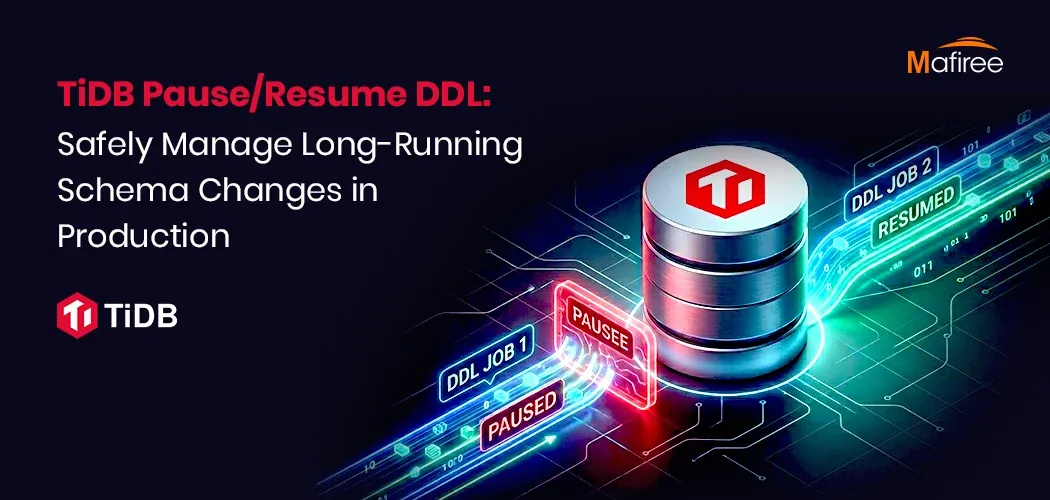

Schema changes on production databases carry real risk, particularly on large tables that see heavy traffic. Consider a typical situation: an ALTER TABLE operation to add an index appears to be progressing normally, but as it approaches completion, query response times climb and users start experiencing slowdowns. Simply canceling the DDL job at this stage is a poor option, since all the progress made so far is lost and the operation must begin again from zero. TiDB addresses this problem through its TiDB pause and resume DDL capability, which allows administrators to temporarily halt a job when load is high and continue it afterward, reducing disruption to live systems.
Understanding Pause and Resume
TiDB permits active DDL jobs to be paused and later resumed without needing to cancel them outright - a capability that's valuable both when traffic patterns shift unexpectedly and during urgent situations. Within a TiDB cluster, a single node functions as the "DDL owner," directing the workers responsible for carrying out schema modifications. Administrators can identify which node currently holds this role by running ADMIN SHOW DDL;, a command that outputs the schema version along with the owner's ID and address.
Why DDL Operations Affect Live Queries
Although TiDB is built to handle DDL changes online, actions such as building an index or altering a column type still draw on genuine system resources while they execute. These are referred to as "physical DDL operations" because they alter both the metadata and the actual data. As a result, they can drive up write amplification, increase CPU load, add extra storage I/O, and raise query latency during the reorganization stage—effects that are especially noticeable when indexing large tables or backfilling substantial volumes of data.
Steps to Pause a DDL Job
The process begins by initiating the DDL job - for instance, CREATE INDEX idx_order_date ON orders(date);. Next, the currently running jobs and their status can be checked using ADMIN SHOW DDL JOBS;, which reveals the job's ID. The job is then paused with ADMIN PAUSE DDL JOBS <job_id>;, which confirms success. Running ADMIN SHOW DDL JOBS; again verifies that the job's state has changed to "paused." Importantly, pausing doesn't interrupt any transactions already in progress - those continue normally, while only the DDL reorganization work stops, freeing up resources for production traffic. This makes pausing a much safer choice than outright cancellation during periods of heavy load.
Resuming the Job
When traffic eases or a maintenance window arrives, the job can be restarted with ADMIN RESUME DDL JOBS <job_id>;, after which ADMIN SHOW DDL JOBS; should confirm the state has returned to "running." Rather than starting over, the job picks up from its last completed checkpoint. Many SaaS operators follow a pattern of pausing migrations during business hours and resuming them overnight, during designated low-traffic windows, or during off-peak periods specific to a given region, keeping application performance steady throughout. Should a resumed job encounter issues, the recommended troubleshooting steps are checking overall cluster health, confirming TiKV resource usage, reviewing the DDL job queue, and, if needed, canceling the job and recreating it.
Practical Scenarios
Three examples illustrate the feature's value. First, in a peak traffic pause scenario, a multi-tenant SaaS platform notices elevated API latency after an index is added to a large table, so engineers pause the job and pick it back up during off-peak hours rather than canceling it. Second, for emergency rollback without table locks, an unforeseen spike in workload occurs during index creation, and pausing the job stops further resource use while the team looks into the cause. Third, in multi-region coordination, DDL jobs in globally distributed deployments can be paused until replication or regional traffic settles, helping teams synchronize schema changes across different regions.
Handling Common Problems
An incorrect job ID, or one for a job that has already finished, will trigger a "DDL Job Not Found" error, which can be checked against ADMIN SHOW DDL JOBS;. If a resumed job doesn't start right away, possible causes include another job ahead of it in the queue, resource throttling, or backpressure from TiKV; the same ADMIN SHOW DDL JOBS; command reveals job order and status.
Recommended Practices and Takeaway
The blog recommends setting up alerts to track how long DDL jobs run, testing pause/resume behavior in a staging environment before using it in production, and keeping DDL schedules documented so development and operations teams remain aligned. Overall, TiDB's pause/resume DDL feature gives teams greater control over lengthy schema operations, letting them pause resource-intensive jobs during busy periods and pick them up again later without losing any progress - a capability particularly useful for SaaS platforms, high-traffic production environments, multi-region setups, and large-scale data systems.



























Sign in to leave a comment.