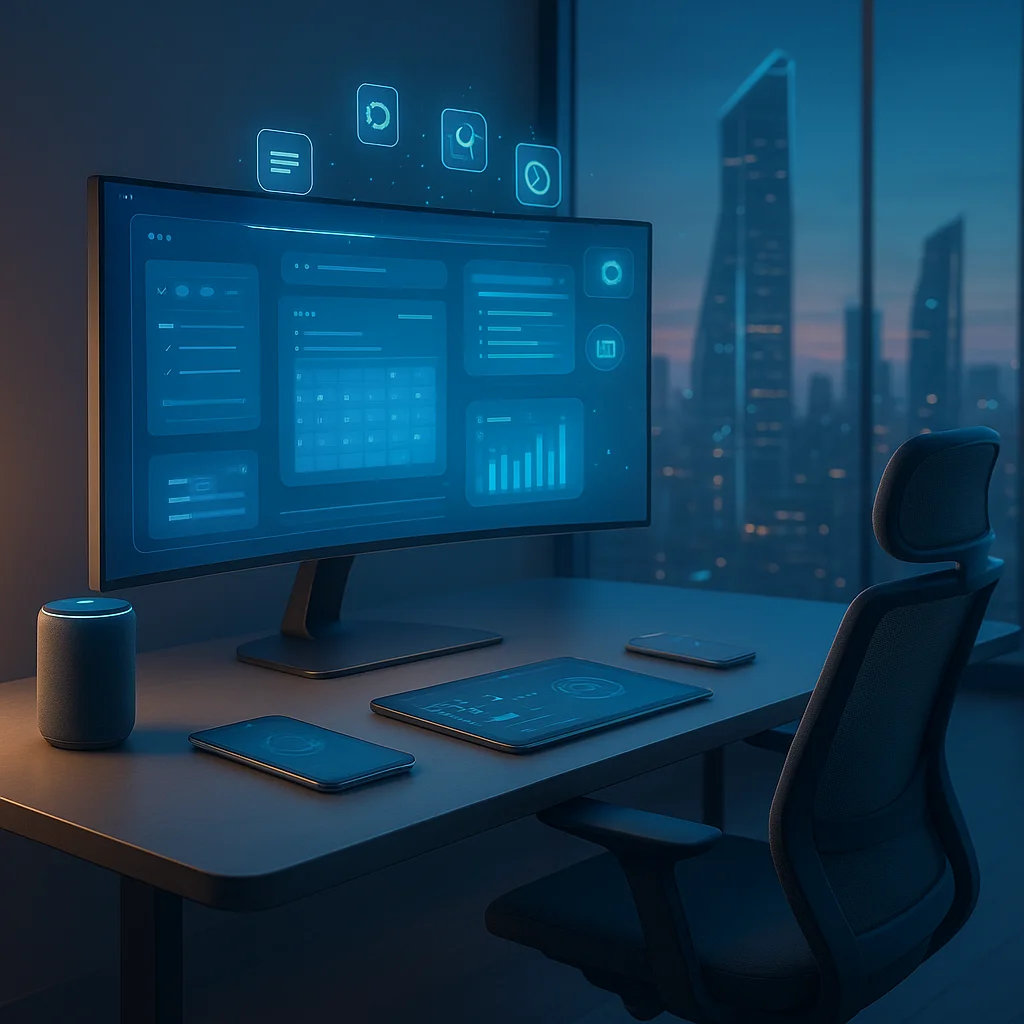

Remote Work's Evolution: Setting the Stage for Modern Productivity
The shift to remote work has transcended a pandemic-era necessity to become a fundamental component of the global workforce. By 2026, remote work is no longer a fallback option but a strategic business choice supported by cutting-edge technology. According to recent industry reports, over 70% of companies worldwide have adopted hybrid or fully remote models, emphasizing the need for robust productivity tools that align with the decentralized work environment.
Back in the early 2020s, tools like Slack and Zoom were revolutionary, yet the explosion of artificial intelligence and automation has since transformed these platforms into immersive, intelligent ecosystems. Elon Musk’s ventures into AI integration and neural interfaces have pushed the boundaries of what productivity tools can achieve, merging human cognition with machine efficiency.
This evolution is crucial to understanding why the remote worker of 2026 requires a different arsenal of tools—ones that not only facilitate communication but also optimize cognitive load, automate mundane tasks, and personalize workflows to individual work styles.
"Remote work demands more than communication; it requires intelligent orchestration of time, attention, and collaboration." — Nicole Lipman, AI and Automation Tools Writer
Core Productivity Suites: Beyond Basic Collaboration
The backbone of any remote work setup in 2026 lies in comprehensive productivity suites that integrate AI-powered features. Microsoft 365 Copilot and Google Workspace AI have set new standards by embedding generative AI that drafts emails, summarizes meetings, and automates scheduling with uncanny precision.
These suites have evolved from static tools into adaptive platforms. For example, Google’s AI-driven Smart Canvas now dynamically adjusts project timelines based on team availability and past performance metrics. Microsoft’s Teams platform is augmented with AI bots capable of real-time sentiment analysis and conflict detection during calls, enabling proactive interventions.
Statista data shows that teams using AI-enhanced productivity suites report a 30% increase in task completion rates and a 25% reduction in meeting times, underscoring the tangible impact of these tools.
- Microsoft 365 Copilot: Integrates with Office apps to generate content and automate workflows.
- Google Workspace AI: Offers Smart Canvas and AI meeting summaries.
- Notion AI: Combines note-taking with AI to organize and prioritize tasks.
- Slack GPT: Enhances team communication with AI-generated insights and summaries.
"The integration of AI into core productivity suites transforms passive tools into active collaborators." — Industry analyst at TechCrunch
Task Management and Automation: Streamlining the Workflow
Remote work thrives on efficient task management and automation. In 2026, tools like ClickUp and Asana have incorporated advanced AI to predict project bottlenecks and dynamically reallocate resources. ClickUp’s AI assistant, for instance, suggests optimal task prioritization based on deadlines, workload, and team member performance patterns.
Automation platforms such as Zapier and Make have expanded their capabilities to integrate with dozens of niche apps, enabling remote workers to automate complex multi-step workflows. This reduces cognitive overload and frees up time for strategic thinking and creative problem-solving.
Moreover, the rise of edge computing has allowed these automation tools to operate with minimal latency, ensuring real-time responsiveness even in bandwidth-constrained environments, a critical factor for remote workers in various geographies.
- ClickUp AI: Predicts and prioritizes tasks using machine learning.
- Asana AI Work Graph: Visualizes dependencies and flags risks.
- Zapier Automation: Connects diverse apps for seamless workflows.
- Make Integration: Enables sophisticated multi-app automation.
These advancements have been pivotal in shifting remote work from reactive task execution to proactive project management, enhancing both individual and team productivity.
Communication and Collaboration: The AI-Enhanced Experience
While video calls and messaging apps remain staples, 2026's remote communication tools have embraced immersive technologies and AI to bridge the gap between physical and virtual presence. Platforms like Meta’s Horizon Workrooms and Microsoft Mesh offer mixed reality collaboration spaces that simulate in-person meetings with spatial audio and 3D avatars, reducing the cognitive fatigue associated with traditional video conferences.
Simultaneously, AI-driven transcription and translation services have matured, facilitating seamless multilingual collaboration. Tools like Otter.ai and DeepL now integrate directly into meeting platforms, providing real-time captions and summaries, making remote teams truly global and inclusive.
The integration of sentiment analysis and behavioral nudges within these platforms helps managers identify engagement levels and emotional cues, addressing the human element often lost in remote work setups.
- Meta Horizon Workrooms: Virtual reality meeting spaces with AI-enhanced interaction.
- Microsoft Mesh: Mixed reality collaboration for immersive teamwork.
- Otter.ai: AI-powered transcription and meeting summaries.
- DeepL Integration: Real-time translation for multilingual teams.
"The future of remote collaboration lies in creating presence and understanding, not just connection." — Remote work futurist at Wired
Personal Productivity and Well-being: Tools for Sustainable Remote Work
Productivity isn't just about output—sustainable performance requires tools that support mental and physical well-being. In 2026, remote workers increasingly rely on AI-powered personal assistants like Replika and Woebot for mental health check-ins and stress management. These platforms use conversational AI to provide cognitive behavioral therapy techniques and mindfulness exercises tailored to user data.
On the physical health front, apps like Stretchly and Time Out remind workers to take micro-breaks and perform ergonomic exercises, integrating seamlessly with wearable devices that monitor posture and biometric signals. This holistic approach to well-being has been shown to reduce burnout rates by 18%, according to recent studies published in the Journal of Occupational Health Psychology.
- Replika AI: Personalized mental health companion using conversational AI.
- Woebot: AI-driven cognitive behavioral therapy support.
- Stretchly: Break reminder app promoting physical wellness.
- Time Out: Ergonomic exercise prompts integrated with wearables.
Balancing productivity with wellness is no longer optional but a core component of remote work success.
Looking Ahead: What Remote Workers Should Watch For
As we move deeper into 2026, the trajectory of remote work tools points towards even tighter AI-human integration. Advances in natural language processing and contextual AI promise tools that understand not just tasks but intent and emotional state, adapting workflows dynamically.
Quantum computing breakthroughs could soon accelerate data processing for these tools, enabling hyper-personalized productivity recommendations that evolve with the user’s habits. Additionally, decentralized identity and blockchain technologies are expected to enhance data privacy and security for remote workers, a growing concern in the distributed work paradigm.
Remote workers and organizations should prioritize tools that offer:
- Adaptive AI that personalizes the work experience.
- Seamless integration across platforms and devices.
- Robust security and privacy safeguards.
- Support for mental and physical well-being.
Embracing these trends will be essential for maintaining competitive edge and work-life harmony.
For a deep dive into AI’s disruptive role in productivity, readers can explore related insights on WriteUpCafe, including How AI Automation is Reshaping Work and The Future of Remote Collaboration Tools.

























Sign in to leave a comment.