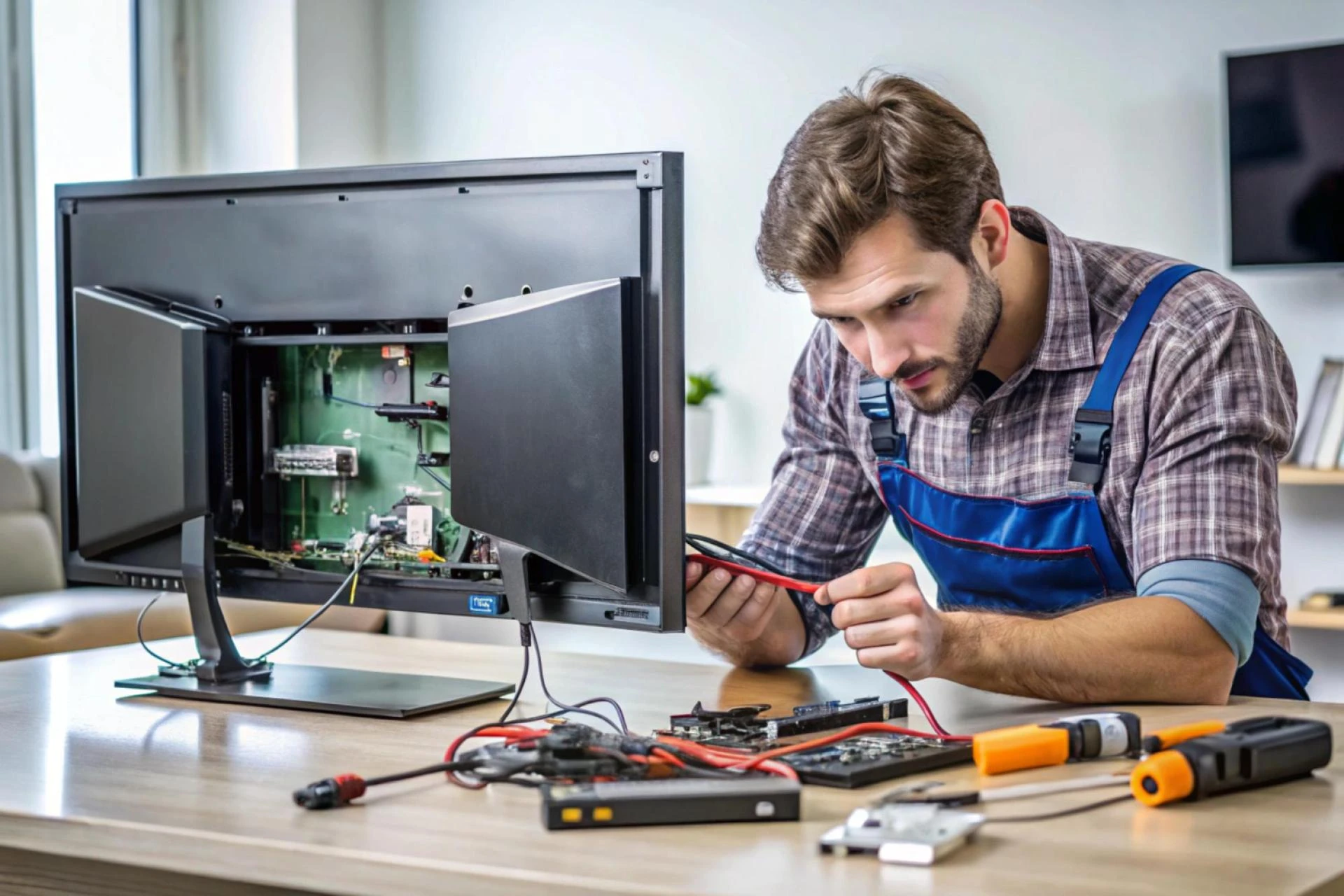

A TV can stop working without warning due to issues in its power supply, internal boards, software, or backlight system. Modern televisions rely on sensitive components, so even a minor fault can cause sudden shutdowns, no picture, or complete power loss. Understanding the root cause helps determine whether the problem is repairable or if professional support is needed. Many of these issues can be fixed quickly with services like TV Repair Brampton.
Understanding Why TVs Suddenly Stop Working
Sudden TV failure usually happens when key components stop receiving stable power or one of the internal boards malfunctions. Problems like faulty capacitors, damaged backlights, overheating, loose cables, corrupted software, or main board errors are common triggers. In many cases, the TV may still show signs such as blinking lights, faint audio, or a dark screen, which helps identify the issue. Most of these faults are repairable and don’t require buying a new television. Professional diagnosis ensures the correct part is fixed or replaced, restoring the TV at a much lower cost than replacement.
1. Power Supply Failure
One of the most common reasons a TV suddenly shuts off or refuses to turn on is a damaged power supply board.
This board manages all the electricity inside the television. If it fails, the TV may:
- Show no power light
- Flash a red standby light
- Turn on briefly and shut off
- Make a clicking sound
Power surges, poor wiring, unstable voltage, and lightning can damage the power supply over time. The good news is that power supply repairs are usually straightforward and cost-effective when handled by a technician. Many households contact TV Repair Brampton for this exact issue because it often requires replacing a few small components or the entire board.
2. Main Board Issues
The main board acts as the brain of the television. It controls HDMI inputs, audio, video processing, and communication between other components.
When the main board fails, you might notice:
- No picture but sound
- No sound but picture
- TV stuck on logo
- HDMI ports not working
- Frozen screen
Main board faults are usually repairable. Skilled technicians can often identify the source quickly, whether it’s a faulty chip or a damaged HDMI controller.
3. Backlight Failure
Backlight failure is especially common in LED TVs. The TV may turn on, but the screen appears completely black even though sound works.
Some signs include:
- Dim or flickering panel
- Picture appears for a second then disappears
- Flashlight test reveals a faint image
Backlight strips burn out over time because LED lights are constantly running at high brightness. Aging LEDs, heat, and poor ventilation accelerate the problem. Backlight repair is possible and often cheaper than replacing the entire TV.
4. Faulty Capacitors
Older and budget TVs sometimes stop working due to blown capacitors on the internal boards.
A failed capacitor can cause:
- TV not powering up
- Clicking sound
- Slow startup
- Random shutdowns
- Distorted picture
Technicians can easily identify swollen or leaking capacitors and replace them. This is a common request in the TV Repair Brampton service area, especially for TVs between 4–8 years old.
5. Damaged Cables or Loose Connections
A TV may suddenly stop displaying picture or sound simply because of loose or damaged cables.
Possible causes include:
- Loose power cord
- Faulty HDMI cable
- Damaged antenna cable
- Improper wall socket connection
Before assuming the TV is faulty, checking basic connections can save time. However, if the issue continues after securing cables, an internal board might be failing.
6. Software or Firmware Issues
Smart TVs are essentially computers with screens. Software bugs or interrupted updates can cause them to malfunction.
Common symptoms:
- Boot loop
- Frozen apps
- TV stuck on logo
- Wi-Fi disconnecting
- TV refusing to power on after an update
Technicians can often restore functionality by reinstalling firmware, factory resetting through service mode, or updating the system software.
7. Overheating
Heat is a silent enemy for televisions. Dust buildup, blocked ventilation, or long hours of continuous use can trigger thermal shutdowns.
Overheating may cause:
- Sudden power-off
- Distorted picture
- LED backlight failures
- Sluggish performance
Regular cleaning and proper airflow extend the lifespan of your TV. If overheating has already damaged internal components, professional servicing is recommended.
8. Remote Control or Sensor Problems
Sometimes the TV is fine, but the remote or infrared (IR) sensor is not working.
Signs include:
- TV not responding to commands
- Only certain buttons working
- Delayed response
Trying fresh batteries or using the TV’s manual buttons can help identify if the remote is the issue. If the IR sensor inside the TV is faulty, a technician can replace it.
9. Power Surge Damage
A sudden voltage spike can instantly damage multiple components in a TV. This may happen during storms, electrical faults, or the sudden return of power after an outage. Symptoms vary widely:
- Dead TV
- Flickering light
- Burnt smell
- No picture or sound
Using a surge protector is essential. If damage has already occurred, a technician can diagnose which boards have been affected.
10. Panel Failure
Although less common, the actual TV panel can fail.
Signs include:
- Lines on the screen
- Double images
- Large dark spots
- Flickering or half-screen display
Panel replacement is usually not cost-effective. In such cases, replacing the TV is the more practical option.
11. Moisture or Liquid Damage
Humidity, condensation, or accidental spills can cause TVs to stop working. Moisture affects internal circuits and may cause corrosion. This often requires professional cleaning and part replacement to restore functionality.
12. Aging and Wear Over Time
Most TVs start showing problems between 5–8 years of use. Internal components naturally weaken, especially:
- LED backlights
- Power boards
- Connectors
- Capacitors
- T-Con boards
Wear and tear is normal. A skilled technician can evaluate whether repair is the right choice based on age and condition.
When Should You Consider Repairing Your TV?
Repair is usually worth it when:
- The screen is not cracked
- Repair cost is below 40–50% of replacement price
- TV is a reputable brand (Sony, Samsung, LG)
- The television is under 7 years old
- The issue is with boards, firmware, or backlight
Many homeowners search for TV Repair Brampton looking for fast diagnostics so they can make a practical decision. Repairs for common problems like power boards and backlights are often affordable and restore the TV perfectly.
When Replacement Makes More Sense
A replacement is the smarter choice when:
- The screen is cracked
- TV is older than 8–10 years
- Multiple components fail
- Repair exceeds half the value of a new TV
Technicians can help verify whether the repair is cost-effective.
Making the Right Decision
A TV that suddenly stops working doesn’t always mean it’s beyond repair. Most failures come from power issues, backlight problems, board faults, or software errors—many of which can be diagnosed and fixed quickly. If you are in Brampton and need a reliable assessment, searching for TV Repair Brampton can connect you with professionals who handle these issues every day.




























Sign in to leave a comment.