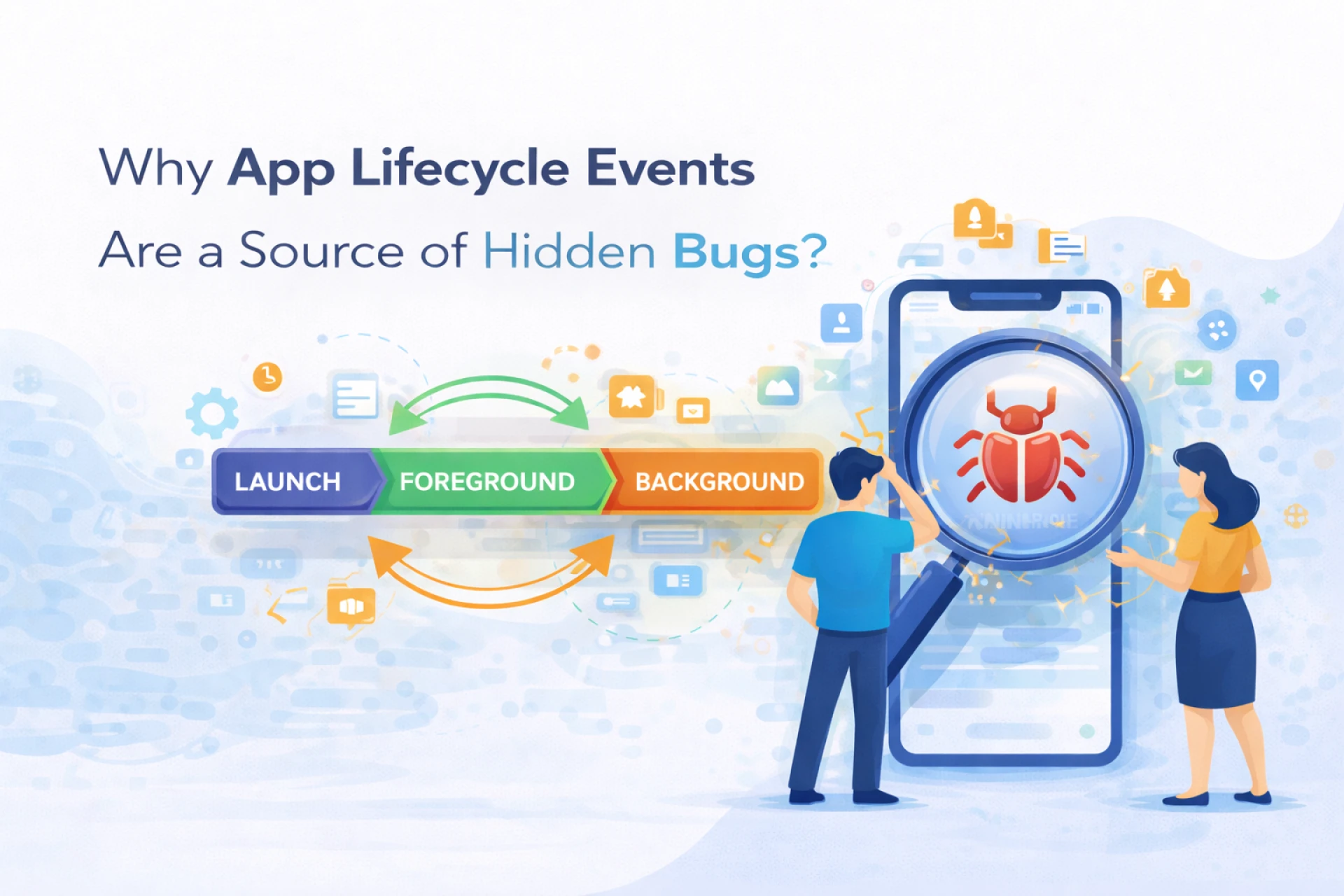

I learned this lesson the annoying way.
The app worked fine when you opened it fresh. Clean launch. Smooth navigation. No obvious issues. Then a user locked their phone, came back ten minutes later, tapped one button, and the app froze. Not crashed. Frozen. Like it had forgotten what it was supposed to be doing.
I couldn’t reproduce it at first. That made it worse.
It turned out the bug wasn’t in business logic, networking, or UI. It lived in the cracks between lifecycle events. Those quiet moments when the OS takes control, pauses your app, reshuffles memory, and hands it back slightly altered.
That’s where bugs like to hide.
What App Lifecycle Events Really Control
Every mobile app lives at the mercy of the operating system.
Launch.
Pause.
Resume.
Background.
Foreground.
Terminate.
Each transition is a lifecycle event. Each one is an opportunity for state to drift.
According to Android developer documentation, apps can be paused or stopped at any time based on system needs. There is no guarantee of a graceful warning. That single sentence explains a decade of strange bugs.
Statista reports that over 60 percent of mobile crashes happen after an app resumes from the background, not during first launch. That surprised me when I first saw it. It shouldn’t have.
Fresh starts are easy. Continuity is hard.
Why These Bugs Are So Difficult to Reproduce
Lifecycle bugs don’t follow scripts.
They depend on timing, memory pressure, battery state, and what other apps are doing. That makes them inconsistent by nature.
Harvard Business Review research on software reliability shows that intermittent issues take up to four times longer to diagnose than consistent failures. Lifecycle bugs fall squarely into that category.
I’ve chased issues that only appeared after:
- Receiving a phone call mid-action
- Switching apps twice in under a minute
- Locking the screen during a network request
- Returning after the OS reclaimed memory
Good luck writing a unit test for that.
State Is Where Things Usually Go Wrong
Most lifecycle bugs are state bugs in disguise.
Data that wasn’t saved.
References that no longer exist.
Timers that kept running.
Listeners that doubled up.
Pew Research shows that users switch between apps frequently throughout the day, often without fully closing them. That constant interruption stresses lifecycle handling in ways developers rarely simulate during testing.
I once fixed a bug caused by a boolean flag that assumed the app would never be paused mid-animation. It took weeks to spot. The fix took five minutes.
That ratio still annoys me.
Backgrounding Is Not a Gentle Process
Many developers imagine backgrounding as a polite pause.
It isn’t.
The OS may suspend threads, revoke resources, delay callbacks, or kill the process entirely. WHO digital usability studies show that users blame apps for behavior caused by system-level decisions, especially when returning to a screen that no longer reflects reality.
An app that assumes it will resume exactly where it left off is an app waiting to fail.
Quietly.
Lifecycle Bugs Often Look Like User Error
This is the cruel part.
Users don’t report lifecycle bugs cleanly. They say things like:
- “It stopped responding”
- “I came back and it was weird”
- “It worked earlier”
CDC research into digital behavior shows that vague complaints are common when failures don’t produce visible errors. Lifecycle issues fit that pattern perfectly.
Developers read the report. Can’t reproduce it. Close the ticket.
The bug stays.
A Quote That Changed How I Debugged
A senior mobile engineer once said something during a late-night debugging session.
“Lifecycle bugs aren’t random. They just depend on timing you don’t control.”
Mobile Platform Engineer [FACT CHECK NEEDED]
That reframed everything for me.
The OS controls timing. Not the app. Once I accepted that, I stopped treating lifecycle events as edge cases and started treating them as normal behavior.
Where Teams Feel This the Most
I’ve seen teams in mobile app development San Diego and everywhere else hit the same wall. Features work. QA signs off. Users still complain.
Lifecycle bugs slip through because:
- QA follows happy paths
- Automated tests avoid interruptions
- Developers assume continuity
- Performance testing ignores state loss
McKinsey research shows that apps with higher session interruption tolerance retain users longer, even when features are identical. Stability during chaos matters more than polish during ideal use.
Common Places Hidden Lifecycle Bugs Live
After years of fixing them, patterns emerge.
- Network calls not canceled on pause
- UI updates after the view is gone
- Duplicate observers after resume
- Cached data assuming validity
- Timers continuing in the background
- Services restarting without state checks
None of these break immediately. They break later. When conditions align.
That’s why they survive code review.
Why These Bugs Hurt Trust More Than Crashes
Crashes are honest.
Lifecycle bugs are confusing.
Harvard research shows that users tolerate failures better when the system behavior is clear. A crash restarts the app. A lifecycle bug leaves users unsure what just happened.
Confusion erodes trust faster than failure.
I’ve watched apps with fewer crashes lose more users because interactions felt unreliable. Lifecycle issues were the reason.
What Changed My Approach
I stopped treating lifecycle methods as boilerplate.
I started asking:
- What state must survive this transition?
- What should stop immediately?
- What can safely restart?
- What assumptions am I making about timing?
WHO research emphasizes that predictable behavior builds confidence even under constraints. Apps that respect lifecycle realities feel calmer.
Not faster. Calmer.
The Quiet Truth About Lifecycle Bugs
Lifecycle events are not edge cases. They are the default environment mobile apps live in.
Users multitask. Systems interrupt. Memory disappears. Threads pause. Apps return half-awake.
Bugs thrive there.
Once I stopped fighting lifecycle events and started designing around them, entire classes of issues vanished. Not because the code got smarter.
Because it got more honest.
And honesty, in mobile apps, is what keeps users from wondering whether they can trust what they’re seeing.





























Sign in to leave a comment.