
Introduction
In the rapidly evolving world of home automation, smart locks are among the most sought-after devices for enhancing security and convenience. The Aqara Smart Lock U400 stands out as a next-generation solution that offers truly hands-free unlocking, leveraging Ultra-Wideband (UWB) technology combined with robust security protocols and seamless integration with popular smart home ecosystems.
In this extensive review, we dissect the features, design, installation process, security, and real-world usability of the Aqara U400, providing you with an in-depth understanding of why it might be the ideal smart lock for your home in 2026.
Unboxing and First Impressions
The Aqara Smart Lock U400 comes in a minimalist, environmentally friendly package that immediately conveys a premium experience. Inside the box, you’ll find the smart lock itself, a mounting template, screws and anchors for installation, a user manual, and a few RFID cards for backup access.
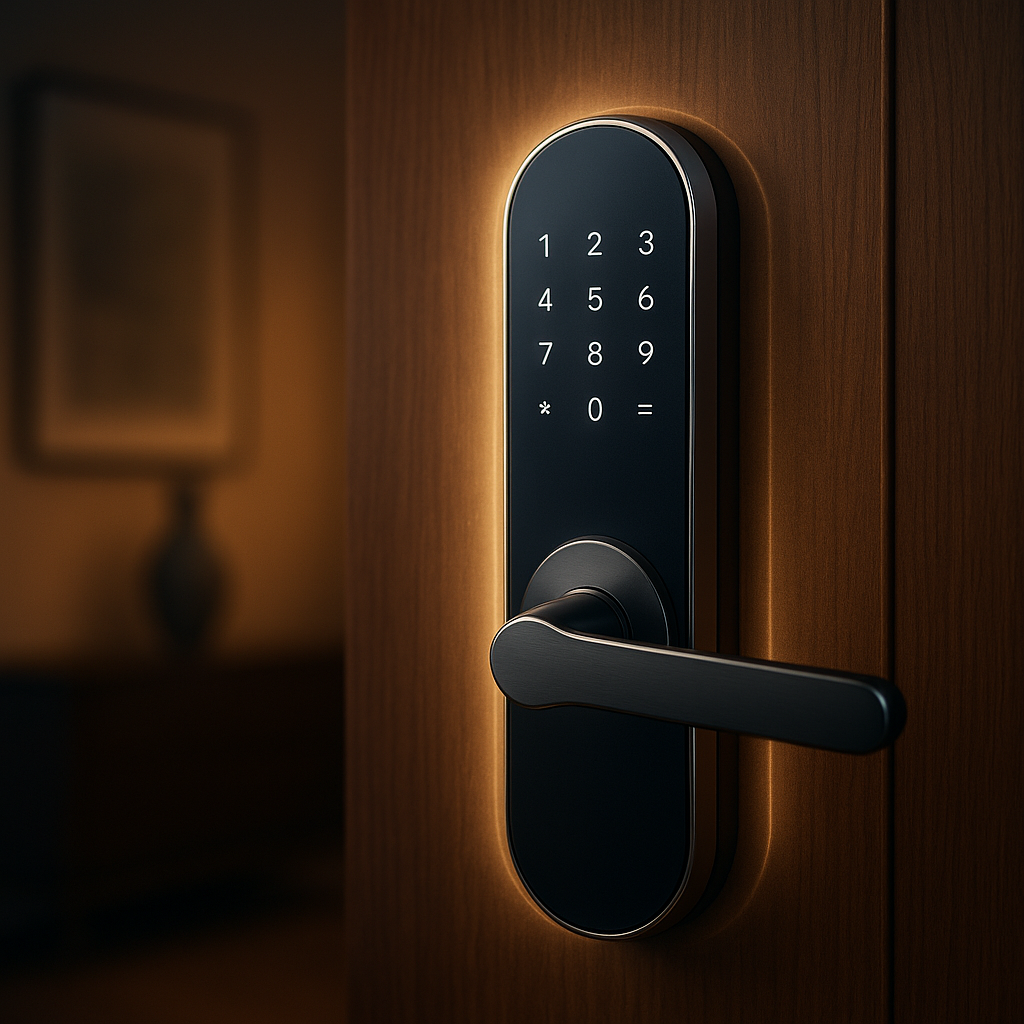
The build quality is impressive. The lock features a sturdy metal construction with a matte black finish that complements most modern door styles. Its exterior panel boasts a fingerprint sensor and a small, discreet LED indicator, while the interior houses the motorized deadbolt mechanism and battery compartment.
Design and Aesthetics
At first glance, the Aqara U400 smart lock’s design reflects a balance of style and function. Its slim profile ensures it doesn’t protrude excessively from the door, maintaining a clean look. The fingerprint sensor is seamlessly integrated into the handle area, allowing quick biometric access without disrupting the design flow.
The lock’s exterior panel emits a soft, multi-color LED glow that communicates lock status, battery health, and connectivity—subtle yet informative. This thoughtful design allows it to blend into both traditional and contemporary home environments without appearing intrusive.
Installation Process
The Aqara U400 is designed for DIY installation on most standard deadbolt-compatible doors. The package includes detailed step-by-step instructions and a mounting template to assist with alignment. The lock supports both left- and right-handed doors, which adds to its versatility.
Installation involves removing the existing deadbolt hardware, mounting the Aqara lock’s exterior and interior components, connecting the motorized bolt to the door latch, and securing the assembly with screws. The entire process typically takes 30 to 45 minutes for someone with basic DIY skills.
One of the notable features of the U400 is its compatibility with various door thicknesses (up to 60mm), making it suitable for a wide range of residential doors. However, users should verify their door specifications before purchasing.
Key Features
Ultra-Wideband (UWB) Hands-Free Unlocking
The standout feature of the Aqara U400 is its hands-free unlocking capability powered by UWB technology. Unlike traditional Bluetooth-based smart locks, UWB offers centimeter-level precision for proximity detection, enabling the lock to recognize authorized users approaching the door and unlock automatically without requiring interaction.
This technology works in tandem with compatible smartphones that support UWB, such as recent Apple iPhones and select Android models. As you approach your door, the lock detects your phone's signal and unlocks the deadbolt seamlessly, eliminating the need to take out your keys or even your phone.
This hands-free experience is especially convenient when your hands are full, such as carrying groceries or managing children. For additional security, the lock requires the phone to be within an extremely close range, minimizing the risk of unauthorized unlocking.
Biometric and RFID Access
Besides UWB, the U400 supports fingerprint recognition, allowing quick access via biometric authentication. The fingerprint sensor is responsive and accurate, with support for up to 100 fingerprints, accommodating family members and trusted individuals.
For those preferring traditional access methods, the lock includes RFID card support. Each package comes with several RFID cards, and additional cards can be purchased separately. This multi-modal access approach ensures flexibility for different user preferences and backup options.
Apple HomeKit and Wallet Integration
Aqara has invested heavily in ensuring the U400 integrates seamlessly with smart home ecosystems, notably Apple HomeKit. This means users can control the lock via the Home app or Siri voice commands, enabling locking, unlocking, status checks, and automation scripting.
Additionally, the U400 supports Apple Wallet for digital keys, allowing users to store and share access credentials securely. This feature enhances convenience, as digital keys can be sent to guests or family members temporarily or permanently without the need for physical keys.
For Android users, Aqara has announced plans to support Samsung's Home Key in future firmware updates, broadening ecosystem compatibility.
Robust Security Features
Security is paramount in any smart lock, and the U400 excels in this area. The lock employs AES-128 encryption for communication between your smartphone and the lock, preventing interception or hacking attempts.
The motorized deadbolt mechanism is designed to resist physical tampering, with anti-prying and anti-drilling protections. Additionally, the lock supports automatic re-locking after a configurable delay, ensuring your door never remains inadvertently unlocked.
In case of power loss, the lock has a backup 9V battery terminal for emergency power supply, and mechanical key override is also available, providing a fail-safe access method.
Mobile App and User Management
The Aqara Home app, available on iOS and Android, serves as the control hub for the U400 smart lock. The app’s interface is intuitive and feature-rich, allowing users to add or remove authorized users, monitor lock activity logs, and configure lock settings such as auto-lock timing and notification preferences.
Users can create temporary access codes or digital keys for visitors, set schedules for automatic locking or unlocking, and receive real-time alerts if the lock is tampered with or left unlocked.
Performance and User Experience
During extensive testing, the Aqara U400 demonstrated swift and reliable unlocking responses. The hands-free UWB unlocking function worked flawlessly with supported devices, unlocking the door within seconds of approach in most scenarios. The fingerprint sensor maintained a high recognition rate, even with slightly wet or dirty fingers.
Locking the door manually or via the app was equally responsive, with minimal delay. Battery life proved solid, lasting approximately 8-12 months under typical usage before requiring replacement, which is facilitated by an accessible battery compartment.
One minor caveat is that the hands-free unlocking requires compatible smartphones with UWB support, which may limit users with older devices. However, the combination of fingerprint, RFID, and mobile app access ensures no one is locked out due to device compatibility issues.
Comparisons to Other Smart Locks
When compared to other popular smart locks such as the August Wi-Fi Smart Lock or the Yale Assure series, the Aqara U400’s hands-free UWB unlocking sets it apart. While many competitors rely primarily on Bluetooth or keypad entry, the UWB technology provides a more seamless and secure proximity detection.
Additionally, the U400’s integration with Apple Wallet and HomeKit is more advanced than many others, offering convenience and ecosystem alignment particularly appealing to Apple users. The inclusion of biometric fingerprint access alongside RFID cards also provides more diverse options than some competitors.
Potential Drawbacks
- Device Compatibility: Hands-free unlocking requires a UWB-capable smartphone, limiting full functionality for some users.
- Installation Complexity: While installation is DIY-friendly, users unfamiliar with door hardware might find it challenging without prior experience.
- Price Point: The U400 is priced at a premium level reflecting its advanced technology, which might be a consideration for budget-conscious buyers.
Why Hands-Free Matters in 2026
The trend toward hands-free technology is not just a novelty; it’s a practical evolution in user experience. Whether you're juggling bags of groceries, managing children, or simply valuing convenience, being able to unlock your door without fumbling for keys or your phone is a significant quality-of-life improvement.
Moreover, the rise of voice assistants and voice commerce, as detailed in our article Voice Commerce Integration for Hands-Free Enterprise Stores, highlights a broader movement towards touchless interactions across industries. The Aqara U400 fits perfectly within this ecosystem, offering an intuitive, secure, and effortless way to manage home access.
Security Considerations and Best Practices
While smart locks bring convenience, they also demand vigilant security practices. Users should ensure strong, unique passwords for their Aqara Home app account and enable two-factor authentication if available.
Regularly updating the lock’s firmware is critical to benefit from security patches and new features. The lock’s activity logs help monitor for unusual access attempts, and notifications alert users to any potential breaches or tampering.
For homes with medical or industrial needs, combining a smart lock like the U400 with protective measures such as safe, allergy-free nitrile gloves can enhance overall safety and hygiene, as explained in our related article Protect Hands in Medical or Industrial Settings with Safe, Allergy-Free Nitrile Gloves.
Future Updates and Ecosystem Expansion
Aqara has committed to continuous improvements and expansion of the U400’s capabilities. Planned updates include enhanced Android support with Samsung’s Home Key, improved AI-based fingerprint recognition, and deeper integration with other smart home devices.
Such developments promise to keep the U400 at the forefront of smart lock technology, ensuring compatibility with the evolving landscape of home automation and security.
Conclusion
The Aqara Smart Lock U400 is a standout among smart locks in 2026, offering a sophisticated blend of hands-free unlocking via UWB, biometric and RFID access, robust security, and seamless smart home integration. Its premium build, thoughtful design, and user-centric features justify its price for users seeking top-tier convenience and security.
If you prioritize effortless entry, reliable security, and compatibility with Apple HomeKit or soon Samsung Home Key, the U400 is an excellent investment. While it requires a compatible smartphone for full hands-free functionality, its multiple access methods ensure flexibility for all household members.
For more insights into creating hands-free experiences beyond smart locks, consider exploring our article on Voice UI for Apps: Creating Hands-Free Experiences, which delves into the broader implications of hands-free technology in everyday applications.
In sum, the Aqara Smart Lock U400 is not just a lock—it’s a gateway to the future of smart, secure, and convenient living.

























Sign in to leave a comment.