
With cyber threats evolving at an alarming rate, staying informed about the latest cybersecurity updates is crucial for individuals and businesses alike. Cybercriminals are continuously developing new tactics, from sophisticated malware to deceptive phishing attacks, making it imperative to remain vigilant and proactive in securing digital assets.
This week, we’ll cover the latest cybersecurity threats, recent security patches, and practical steps you can take to protect yourself from cyberattacks.
Why Do Cybersecurity Updates Matter?
Cyber threats do not stay the same—they evolve rapidly. Ignoring updates leaves your system vulnerable to:
- Data breaches – Sensitive information can be stolen or exposed.
- Malware infections – Viruses, ransomware, and spyware can disrupt operations.
- Phishing scams – Deceptive emails and messages designed to steal personal data.
- System vulnerabilities – Unpatched software can be exploited by hackers.
Keeping up with cybersecurity updates helps ensure your defenses are strong against emerging threats.
Latest Cybersecurity Threats This Week
1. Increase in Phishing Attacks
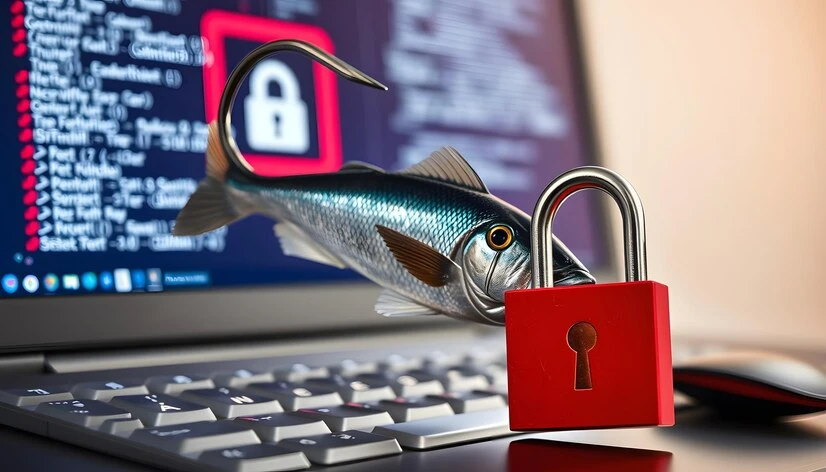
Phishing attacks remain one of the most effective hacking techniques. Cybercriminals are using more sophisticated tactics, such as:
- AI-generated phishing emails that look almost identical to legitimate business emails.
- Fake login pages designed to steal credentials.
- SMS phishing (Smishing) targeting mobile users with urgent messages.
- How to Protect Yourself:
- Never click on links or download attachments from unknown sources.
- Enable multi-factor authentication (MFA) on your accounts.
- Verify sender emails before responding to messages requesting sensitive data.
2. New Ransomware Variants
Ransomware attacks are increasing, targeting businesses and individuals alike. Hackers use encryption to lock files and demand ransom for their release. Recent reports highlight:
- A new ransomware strain spreading via malicious email attachments.
- Attacks targeting healthcare and financial institutions.
- How to Stay Safe:
- Regularly back up important data to an external drive or cloud service.
- Keep antivirus software and firewalls updated.
- Do not pay the ransom; instead, report incidents to cybersecurity authorities.
3. Software Vulnerabilities Exploited
Hackers exploit unpatched software vulnerabilities to gain unauthorized access. This week, security researchers discovered:
- Zero-day vulnerabilities in popular applications.
- Weak spots in outdated plugins and extensions.
- How to Prevent Exploits:
- Update your operating system and software as soon as patches are released.
- Uninstall outdated plugins and applications that no longer receive updates.
Essential Cybersecurity Updates and Best Practices
1. Update Your Security Software
Many cybersecurity firms have rolled out updates this week to counter emerging threats. Ensure your security software is up to date:
- Install the latest antivirus and anti-malware updates.
- Enable automatic updates for essential security applications.
2. Review Your Password Security
Weak passwords remain a significant cybersecurity risk. This week, security experts recommend:
- Using password managers to create and store strong passwords.
- Implementing passphrases instead of single words (e.g., “CorrectHorseBatteryStaple!”).
- Avoiding reuse of passwords across multiple accounts.
3. Strengthen Your Network Security
Hackers often exploit unsecured networks. Steps to enhance network security include:
- Using VPNs when accessing public Wi-Fi.
- Changing default router passwords and enabling WPA3 encryption.
- Monitoring connected devices to detect unauthorized access.
4. Beware of Social Engineering Attacks
Social engineering is becoming increasingly deceptive. Cybercriminals manipulate individuals into revealing sensitive data through:
- Fake customer support calls.
- Impersonation scams via email and social media.
- How to Stay Alert:
- Never share personal or financial information with unverified sources.
- Cross-check requests by contacting organizations directly.
- Train employees on cyber awareness to recognize suspicious activities.
Cybersecurity Tools to Use This Week
To enhance protection, consider using these tools:
🔹 Bitdefender, Norton, or Kaspersky – Reliable antivirus programs. 🔹 LastPass or 1Password – Secure password managers. 🔹 ProtonVPN or NordVPN – Encrypts your online activity. 🔹 uBlock Origin or AdGuard – Blocks malicious ads and trackers.
What to Do If You Experience a Cybersecurity Incident?
If you suspect a cyberattack, follow these steps:
- Disconnect from the internet to prevent further damage.
- Run a full security scan using updated antivirus software.
- Change passwords immediately for compromised accounts.
- Report phishing emails to your email provider or cybersecurity agency.
- Seek professional cybersecurity assistance if needed.
Conclusion
Staying ahead of cyber threats requires vigilance, regular updates, and proactive measures. This week’s cybersecurity updates highlight the growing risks of phishing attack, ransomware, and software vulnerabilities. By implementing strong security practices—such as updating software, using MFA, and avoiding suspicious emails—you can safeguard your data and digital identity.
Make cybersecurity a priority and stay informed to protect yourself from cyber threats. Check back next week for more cybersecurity updates and best practices!































Sign in to leave a comment.