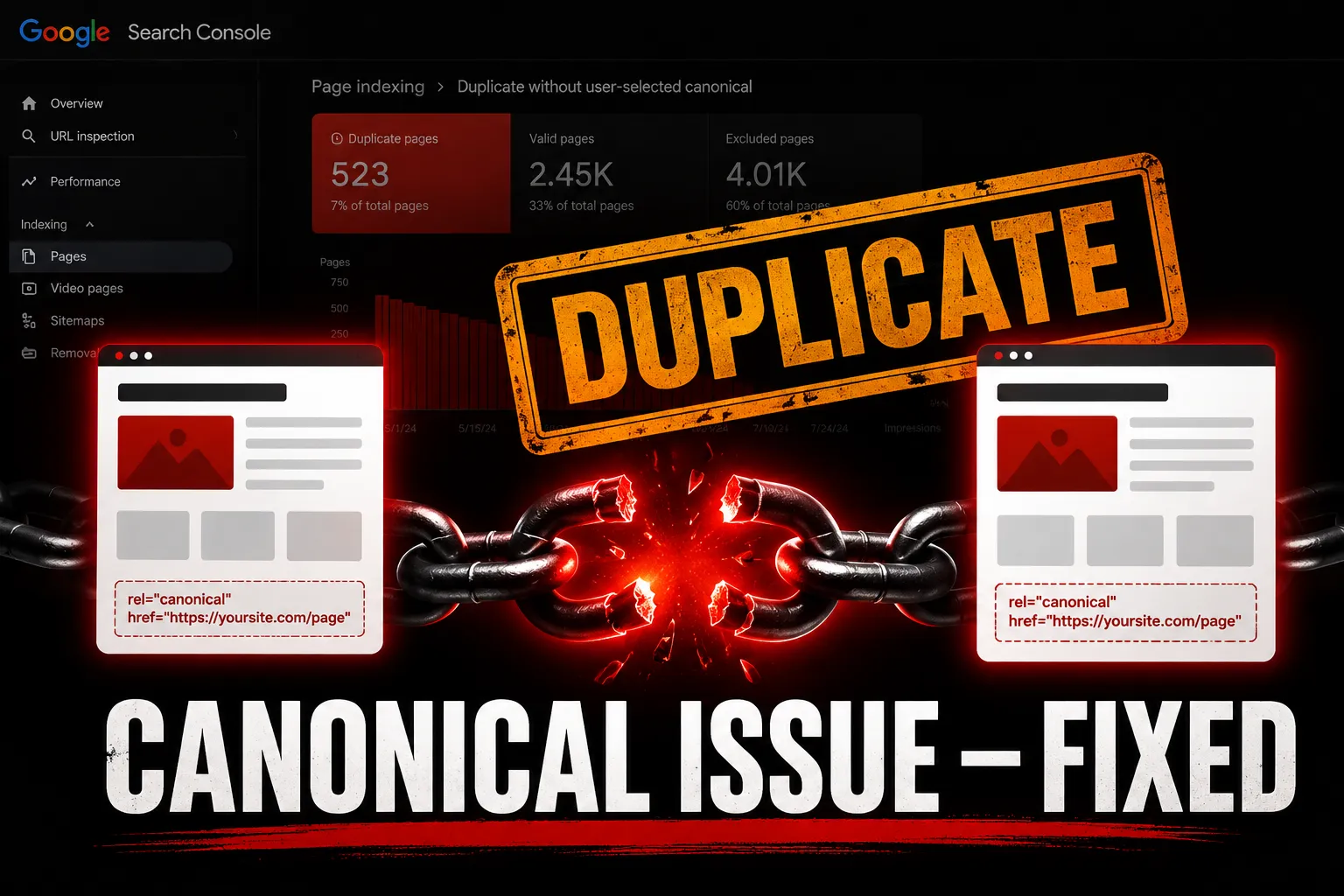

You open Google Search Console, filter the Indexing report, and there it is a growing list of URLs sitting under "Duplicate without user-selected canonical." No red error. No obvious break. Just pages quietly excluded because Google found similar content across multiple URLs and you never told it which version matters.

This is one of the most misunderstood statuses in technical SEO. It looks passive. It is not. Left unresolved, it splits your ranking signals, dilutes crawl budget, and keeps perfectly good pages out of the index sometimes for months.
This guide explains exactly what this status means and gives you a step-by-step duplicate without user-selected canonical fix you can apply today.
What Is "Duplicate Without User-Selected Canonical" in Google Search Console?
This GSC status appears in the Indexing → Pages → Excluded section. It means Google found two or more URLs with identical or near-identical content, determined one version is the “canonical” the preferred version but you never explicitly told it which one to use.
Google made the choice for you. And the version Google picked may not be the one you wanted indexed.
The key phrase here is user-selected meaning you, the site owner, never specified a canonical tag. Google selected one on its own using its own signals. The other duplicate URLs get excluded from the index.
User-Selected Canonical vs Google-Selected Canonical What Is the Difference?
This distinction is critical and most guides skip over it.
User-selected canonical means you explicitly added a <link rel="canonical" href="URL"> tag in the page's <head> telling Google directly which version of the page is the original, preferred version.
Google-selected canonical means you provided no canonical signal at all. Google looked at all the duplicate versions, applied its own logic internal link patterns, page speed, HTTPS status, sitemap inclusion and picked one itself.
The problem is Google's choice is not always your choice. If Google canonicalizes the wrong URL version, your intended page loses ranking potential and stays excluded even though the content is perfectly good.
Why Does the Duplicate Without Canonical Issue Happen?
This issue is almost always structural created unintentionally by how your site generates URLs. The most common triggers:
HTTP vs HTTPS versions Both http://site.com/page and https://site.com/page are technically different URLs. Without a canonical or a proper redirect, Google sees them as two versions of the same content.
Trailing slash vs no trailing slash site.com/page and site.com/page/ are different URLs to Google. If both are accessible and neither redirects to the other, you have a duplicate pair.
WWW vs non-WWW www.site.com and site.com serving the same content without a canonical or redirect creates site-wide duplication instantly.
URL parameters Session IDs, tracking parameters, and filter combinations like ?ref=twitter or ?sort=price create parameter-based duplicates. Every variation is a new URL with the same content.
Pagination /page/1/ often contains content similar enough to the main category page that Google flags them as duplicates.
WordPress-specific causes Tag archives, category archives, author pages, and date-based archives frequently duplicate your post content across multiple URL paths all without a canonical in sight.
Step-by-Step Duplicate Without User-Selected Canonical Fix
Step 1 — Identify All Affected URLs in GSC
Go to GSC → Indexing → Pages → Excluded and filter by "Duplicate without user-selected canonical." Export the full list. Group URLs by pattern parameter-based, trailing slash, HTTP/HTTPS, etc. Fixing by pattern is far more efficient than fixing page by page.
Step 2 — Decide Your Canonical Version
For every duplicate pair, decide which URL is the true original. This should be:
- The HTTPS version always
- The www or non-www version pick one and be consistent sitewide
- The clean URL without trailing parameters
The version you want ranking in Google

Step 3 — Implement the Canonical Tag
Add a self-referencing canonical tag in the <head> of your preferred page
html
<link rel="canonical" href="https://www.yoursite.com/your-page/" />
Every page on your site should have a canonical tag pointing to itself not just duplicate pages. This prevents Google from second-guessing your preferred URL on any page.
Step 4 — Redirect Non-Canonical Versions
A canonical tag is a hint not a directive. For stronger enforcement, add 301 redirects from non-preferred versions to the canonical URL:
- Redirect HTTP → HTTPS at server level
- Redirect non-WWW → WWW (or vice versa) at server level
- Redirect trailing slash variations to one consistent format
301 redirects combined with canonical tags give Google zero ambiguity.
Step 5 — Fix URL Parameters in GSC
For parameter-based duplicates, go to GSC → Legacy Tools → URL Parameters and tell Google which parameters change content and which are purely tracking-based. For tracking parameters like utm_source, instruct GSC to treat them as duplicates of the clean URL.
Step 6 — Clean Up Your Sitemap
Remove all non-canonical URL versions from your XML sitemap. Your sitemap should only list the exact canonical URL for each page no parameter variants, no HTTP versions, no duplicate paths. A sitemap entry is a strong canonicalization signal.
Step 7 — Audit WordPress Specifically
If you are on WordPress, use Yoast SEO or Rank Math both automatically add canonical tags to every page and post. Verify the settings:
- Ensure canonical tags are enabled and outputting correctly
- Noindex tag and category archives that duplicate post content
Check that WooCommerce product filter URLs are handled via parameter rules or noindex
How to Implement Canonical Tags Correctly — Best Practices
Getting the canonical tag right matters as much as adding it at all:
- Always use absolute URLs — https://www.site.com/page/ not /page/
- Be consistent with HTTPS and WWW — your canonical must match your preferred domain format exactly
- One canonical per page — multiple canonical tags on the same page confuse Google and get ignored
- Self-reference on every page — every page should canonical to itself, not just pages with duplicates
- Canonical must be in <head> — not in <body>, not in JavaScript that loads late
Never canonical a noindexed page — conflicting signals cause Google to ignore both
Real Scenario How This Plays Out on an E-Commerce Site
A WooCommerce store with 500 products uses faceted navigation for filtering. Every filter combination color, size, price range generates a unique URL. A single product page with 10 filter combinations creates 10 duplicate URLs. Multiply that by 500 products and you have 5,000 duplicate URLs consuming crawl budget and triggering the gsc duplicate without canonical status at scale.

Fix: Add canonical tags on all filter URLs pointing back to the clean product URL. Add 301 redirects where possible. Handle remaining parameters in GSC URL parameter settings. The canonical tag duplicate content issue resolves and crawl budget returns to indexing actual product pages.
FAQ
Q1. Does "duplicate without user-selected canonical" hurt my SEO? Yes indirectly. It splits link equity across duplicate URLs, wastes crawl budget on non-canonical pages, and can keep your preferred URL out of the index if Google canonicalizes the wrong version.
Q2. How long does it take for canonical fixes to reflect in GSC? Typically 2–4 weeks for Google to recrawl, process the canonical signals, and update the GSC Indexing report. Use Request Indexing on priority pages to speed it up.
Q3. Can I use canonical tags instead of 301 redirects? Canonical tags are hints redirects are directives. For strongest enforcement use both together. If a redirect is not possible, a canonical alone is sufficient in most cases.
Final Thought
The duplicate without user-selected canonical fix is not complicated but it requires you to be deliberate. Add canonical tags to every page. Redirect non-preferred URL versions. Clean your sitemap. Handle parameters in GSC. Do all four and Google stops guessing, stops splitting your signals, and starts indexing the pages you actually want ranking.
The canonical tag is one of the smallest pieces of code on your page. Its impact on your indexing and rankings is anything but small.
Frequently Asked Questions
What does 'duplicate without user-selected canonical' mean in Google Search Console?
'Duplicate without user-selected canonical' indicates that Google has identified multiple URLs with similar content but has not been provided a canonical tag by the website owner. As a result, Google has chosen one version as the canonical, which may not align with the owner's preference, leading to potential ranking issues.
How can I fix the 'duplicate without user-selected canonical' issue?
To resolve this issue, you should identify affected URLs in Google Search Console, decide on the preferred canonical version, and add a self-referencing canonical tag to that page. Additionally, implement 301 redirects from non-canonical versions to the canonical URL and clean up your sitemap to include only canonical URLs.
Does having duplicate content without a canonical affect my website's SEO?
Yes, it can negatively impact your SEO. Duplicate content can split link equity across multiple URLs and waste crawl budget on pages that are not prioritized for indexing, which may prevent your preferred URL from ranking effectively.
How long will it take for canonical fixes to show results in Google Search Console?
Typically, it takes about 2–4 weeks for Google to recrawl and process the canonical signals. However, you can expedite this process by using the 'Request Indexing' feature for priority pages to encourage quicker updates.
Can I rely solely on canonical tags without using 301 redirects?
While canonical tags serve as hints to Google about which version to prioritize, 301 redirects are directives that provide stronger enforcement. For optimal results, it is recommended to use both together, but in many cases, a canonical tag alone may suffice if redirects are not feasible.
What are the common causes of the 'duplicate without user-selected canonical' issue?
This issue often arises from structural problems, such as having both HTTP and HTTPS versions of a page, variations with trailing slashes, or multiple URLs stemming from session IDs and URL parameters. Inconsistent formats like www versus non-www can also contribute to this issue.
How do I properly implement canonical tags on my website?
To implement canonical tags correctly, use absolute URLs in the <head> section of your pages, ensure consistency with HTTPS and WWW formats, and include a self-referencing canonical tag for every page. Avoid multiple canonical tags on a single page to prevent confusion for Google.
Is it important to clean up my XML sitemap regarding canonical URLs?
Yes, maintaining a clean XML sitemap is crucial. It should only list canonical URLs without any duplicate paths or parameter variants, as a well-structured sitemap serves as a strong canonicalization signal to Google, helping to prevent indexing issues.






























Sign in to leave a comment.