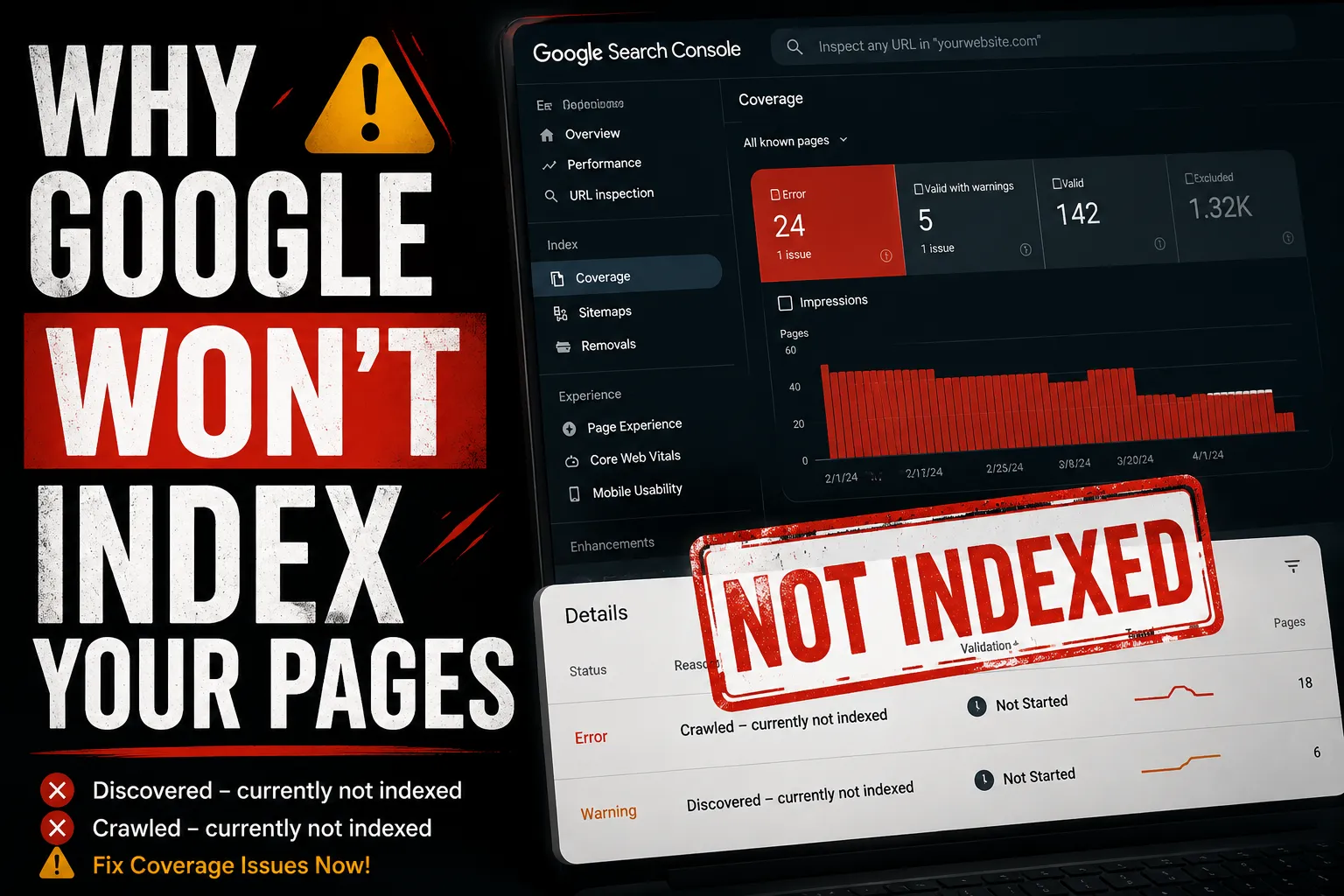

You published the page. You submitted the sitemap. You even hit that "Request Indexing" button in Google Search Console like it owed you money. And still nothing. The page just sits there, invisible, collecting zero impressions and zero clicks like it never existed.
If you have been here, you know exactly how maddening it feels. You did everything right. Or at least you thought you did.

Here is the truth Google finding your page and Google indexing your page are two completely different things. And the gap between those two steps is where most people get stuck.
What Google Is Actually Telling You
When you open the Coverage report in Google Search Console now called the Indexing report every URL on your site falls into one of four buckets: Error, Valid with Warning, Valid, or Excluded.
The two statuses that cause the most confusion both sit under Excluded. And that word matters. Excluded does not mean Google could not find your page. It means Google found it, looked at it, and decided not to include it in search results.
That is a very different problem and it needs a very different fix.
“Discovered – Currently Not Indexed” What Is Actually Going On
Think of this one like a to-do list that keeps growing faster than Google can work through it.
Google spotted your URL probably through your sitemap or an internal link added it to its crawl queue, and then... moved on to other pages. Your page is waiting in line. It has not been visited yet. And because it has not been visited, it has not been indexed.
Why does this happen?
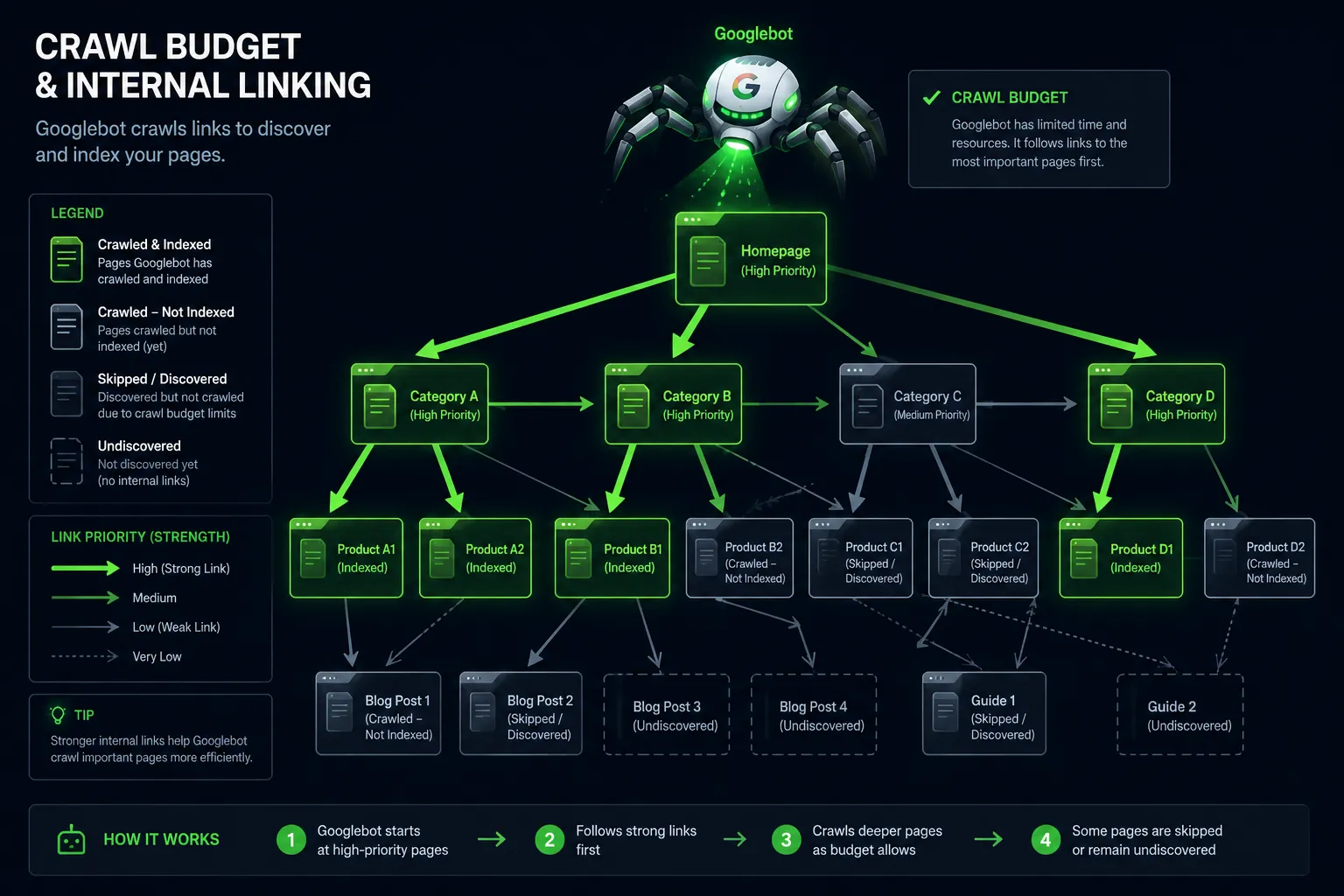
Google does not crawl every page on every site every day. It assigns a crawl budget based on your site's authority and how well your server performs. New sites, low-authority sites, and sites with thousands of URLs get fewer crawls per day. When your URL count grows faster than your crawl budget allows, pages pile up in the discovered queue sometimes for weeks.
It gets worse if your internal linking is weak.
A page that only appears in a sitemap but has no internal links pointing to it looks unimportant to Googlebot. Crawl budget flows toward well-connected pages first. Orphaned pages wait the longest.
Slow servers make this worse too. If your site takes too long to respond, Googlebot crawls fewer pages per session to avoid overloading you and your discovered queue keeps growing.
How to fix it:
- Link to the affected pages from high-traffic, already-indexed pages on your site. This is the single most effective signal you can send Googlebot about page priority.
- Trim your total URL count ruthlessly. Noindex thin pages, paginated archives, tag pages, and filter URLs that serve no real SEO purpose. Fewer URLs means more crawl budget per page that actually matters.
- Get your server response time under 200ms. A faster server gets crawled more. It is that direct.
- Use the URL Inspection tool in GSC and hit Request Indexing it will not guarantee indexing but it bumps the page up the queue.
- Clean up your sitemap. Only include pages you genuinely want indexed. A bloated sitemap full of low-quality URLs tells Google your site has a lot of nois and it responds by crawling less.
"Crawled – Currently Not Indexed" This One Hurts More
This status is harder to swallow. Google did not skip your page it showed up, read the whole thing, and then decided it was not worth including in search results.
This is not a queue problem. This is a quality problem.
Why does this happen?
The most common culprit is thin content pages that do not say much, do not answer a specific question well, or cover the same ground as ten other pages on your site. Google has gotten brutally selective about what it indexes in 2026. If a page does not add something genuinely useful to the web, it gets left out.
Duplicate content is another major trigger especially on WordPress sites where category pages, tag archives, and paginated content create dozens of near-identical URLs without anyone realising it.
Then there are the silent killers a noindex tag left over from a staging environment that never got removed after launch (more common than anyone admits), a canonical tag accidentally pointing to a different URL, or a soft 404 where the page returns a 200 status code but shows an empty or near-empty state that Google treats as worthless.
And in 2026, E-E-A-T matters more than ever. Pages with no author context, no external references, no engagement signals, and no topical authority get deprioritized hard.
How to fix it:
- Be honest about content quality first. Would a real person find this page genuinely useful? Does it answer a specific search intent better than what is already ranking? If not, fix the content before anything else.
- Open the URL Inspection tool in GSC and check that "Indexing allowed" is confirmed. You would be surprised how often a stray noindex tag is the entire problem.
- Audit your canonical tags. The canonical on the affected page should point to itself not accidentally to your homepage or a category page.
- Consolidate duplicate pages or add enough unique, useful content to make each one clearly distinct.
- Fix soft 404s. Pages with empty content should either be filled with real content or taken down properly with a 404 and removed from the sitemap.
- Build internal links from relevant, already-indexed pages using descriptive anchor text. This passes both authority and topical context to the excluded page.
If You Are on WordPress, Read This Section Carefully
WordPress is generous with URL generation sometimes too generous. By default it creates unique URLs for every tag, every author, every paginated archive, and on WooCommerce sites, every possible product filter combination. Left unchecked, this quietly destroys your crawl budget.
A blog with 200 posts can easily generate 2,000+ URLs through tags and archives alone. Googlebot crawls all of them. It finds most of them thin or duplicative. It indexes almost none of them. And your actually important pages get less crawl attention as a result.
Fix it:
- Use Yoast SEO or Rank Math to noindex tag archives, author pages, and paginated content you do not need in search results.
- Handle URL parameters in GSC to stop Googlebot wasting crawls on WooCommerce filter variations.
- Check the Crawl Stats report in GSC under Settings it shows exactly where Googlebot is spending its time on your site. The results are often eye-opening.
How to Work Through This in GSC Step by Step
- Go to GSC → Indexing → Pages
- Filter by Discovered – currently not indexed look at volume and URL patterns
- Filter by Crawled – currently not indexed click individual URLs, run URL Inspection
- On your most important affected pages, use Request Indexing
- Check Crawl Stats under Settings to see how your budget is being spent
- Submit a cleaned-up sitemap with only your priority indexable URLs
Quick Reference
| GSC Status | What Google Did | Root Cause | Fix |
|---|---|---|---|
| Discovered – not indexed | Found, not crawled | Low crawl budget | Internal links + reduce URLs |
| Crawled – not indexed | Crawled, rejected | Low quality or duplicate | Better content + fix canonicals |
| Excluded by noindex | Crawled, blocked | Noindex tag present | Remove noindex tag |
| Duplicate without canonical | Crawled, redirected | Missing canonical | Add self-referencing canonical |
The Bottom Line
Not indexed does not mean your page is broken. It means Google made a judgment call and judgment calls can be changed by giving Google better evidence.
For Discovered – currently not indexed, the conversation is about priority and crawl budget. Make the page easier to find internally and reduce the noise around it.
For Crawled – currently not indexed, the conversation is about quality and trust. Give Google a reason to include the page because right now it does not have one.
Work through both with the GSC Indexing report open in front of you, fix the root cause rather than just requesting indexing repeatedly, and your pages will start moving from excluded to ranking faster than you expect.
FAQ — GSC Coverage Issues & Indexing Problems
Q1. What does "Discovered – currently not indexed" mean? Google found your URL but has not crawled it yet. It is sitting in the crawl queue — usually due to low crawl budget or weak internal linking.
Q2. What does "Crawled – currently not indexed" mean? Google visited the page, read it, and chose not to index it. It is a quality or signal issue — not a technical crawl problem.
Q3. Which is worse — Discovered or Crawled not indexed? Crawled – not indexed is worse. Google already reviewed the page and rejected it. Discovered just means it is waiting in queue.
Q4. How do I fix Discovered – currently not indexed? Add internal links to the page, reduce total URL count on your site, improve server speed, and request indexing via the URL Inspection tool in GSC.
Q5. How do I fix Crawled – currently not indexed? Improve content quality, check for accidental noindex tags, fix canonical tags, resolve duplicate content, and add internal links from indexed pages.
Q6. Why are my WordPress pages not getting indexed? WordPress generates thin tag archives, author pages, and paginated URLs that drain crawl budget. Noindex these using Yoast SEO or Rank Math.
Q7. Does requesting indexing in GSC guarantee indexing? No. It pushes the URL higher in the crawl queue but Google still makes the final decision based on content quality and signals.
Q8. What is crawl budget and why does it matter? Crawl budget is how many pages Googlebot crawls on your site per day. Low-authority sites get less. Too many URLs means important pages get skipped.































Sign in to leave a comment.