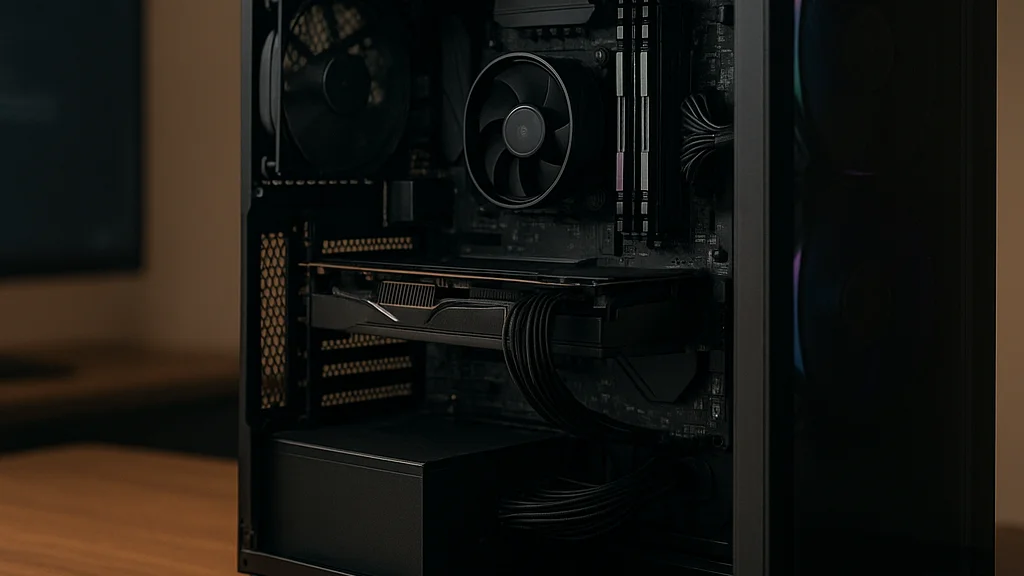

Walk into any serious gaming café in Bengaluru on a weekend and you will hear the same debate between Valorant queues and Counter-Strike callouts: should a budget gaming PC chase raw FPS today, or should it be built to survive the next two upgrade cycles? That question matters more in 2026 than it did even two years ago. GPU pricing has cooled compared with the worst spikes of the pandemic era, but budget builders still face awkward trade-offs. Newer games ask for more VRAM, Windows and launchers eat more background resources, and esports players now expect high refresh rates as the baseline rather than a luxury. A cheap build that looks smart on paper can age badly if one weak component forces a full rebuild.
The good news is that a budget gaming PC no longer means a miserable experience. With careful part selection, a sub-premium build can handle 1080p esports at high frame rates and even push into 1440p in selected titles. Reports from PC World and techtimes both make the same broad point: the smartest savings come from balance, not from blindly buying the cheapest part in every category. That sounds obvious, but many first-time builders still overspend on RGB cabinets and underspend on power supplies, cooling, or memory configuration.
For Indian gamers especially, where import pricing, local retailer markups, and seasonal sales can swing value dramatically, the winning strategy is practical rather than flashy. You are not building a showroom PC for Instagram Reels. You are building a machine that boots fast, stays cool in summer, delivers stable frame pacing, and gives you a clean upgrade path. That is the heart of a proper budget build guide, and it is where expert tips matter most!
A budget gaming PC is not the cheapest PC you can assemble. It is the lowest-cost system that avoids expensive mistakes later.
Start with the monitor target, not the parts list
The most common budget-build mistake is shopping component by component without first deciding the actual gaming target. If you play Apex Legends, Marvel Rivals, Fortnite, EA Sports FC, Valorant, or CS2 on a 1080p 144Hz monitor, your build priorities are completely different from someone aiming for Cyberpunk 2077 or Black Myth: Wukong at 1440p. Resolution and refresh rate should dictate the rest of the machine. Otherwise, builders end up with strange pairings such as a decent graphics card trapped by a weak CPU, or a fast processor wasted on an entry-level GPU.
In practical terms, there are three realistic budget targets in mid-2026. First is the esports-first build, which prioritizes high frame rates at 1080p using settings tuned for competitive visibility. Second is the balanced mainstream build, which targets 1080p ultra or 1440p medium-high in a wider mix of games. Third is the stretch budget build, where the buyer spends carefully to get acceptable 1440p performance without stepping into enthusiast pricing. Geeky Gadgets recently highlighted how aggressive tuning and smart part choices can push budget systems into 1440p territory, but that does not mean every low-cost build should chase that goal.
Indian buyers should also think beyond average FPS. Frame-time consistency matters. A system that averages 120 FPS but stutters during team fights feels worse than a machine delivering a locked 90. That is why CPU minimums, dual-channel RAM, and SSD responsiveness deserve attention. If your real use case is ranked multiplayer, stable lows often matter more than benchmark screenshots.
- 1080p esports target: prioritize CPU strength, low-latency RAM, and a GPU that can sustain 144 FPS in lighter titles.
- 1080p AAA target: prioritize GPU VRAM, SSD space, and at least 16GB memory, with 32GB becoming the safer long-term choice.
- 1440p budget target: spend more on the GPU first, but do not cut the power supply or motherboard quality to make it happen.
If you want a useful baseline before shopping, WriteUpCafe’s Budget Gaming PC Build Guide: Smart Parts, Better FPS frames the performance-first mindset well. The key lesson is simple: define the experience you want on screen before touching a cart.
Spend where performance scales, save where branding inflates cost
Budget building is not about equal spending across categories. It is about understanding where each extra rupee or dollar produces visible gains. In gaming, the graphics card remains the biggest performance lever for most modern titles, especially once you move beyond pure esports. But there is a trap here. Overspending on the GPU while pairing it with a weak processor, a single stick of RAM, or a bargain-bin PSU can produce a machine that benchmarks well in ideal conditions and behaves badly in everyday use.
A sound budget allocation in 2026 usually puts the largest share into the GPU, followed by CPU, then motherboard and memory, with storage, case, and cooling optimized for value. According to Manchester Evening News in its recent under-£1,000 parts roundup, balanced builds are winning because component value is no longer concentrated in one miracle part; instead, the best systems come from sensible combinations. That matches what local builders in SP Road and similar markets have known for years. Brand prestige can be expensive dead weight.
Cases are a classic example. A modest airflow-focused cabinet from a reliable manufacturer often performs better than a flashy tempered-glass box with poor intake. The same goes for motherboards. Budget builders do not need premium chipset boards loaded with features they will never use, but they do need stable VRMs, enough M.2 slots, BIOS support, and decent rear I/O. Power supplies are another category where false savings turn ugly. A cheap unverified unit can damage components, throttle under load, or create instability that is maddening to diagnose.
- Do not pay extra for factory overclocks that add only tiny gains.
- Choose airflow and PSU quality over cosmetic RGB.
- Buy two RAM sticks for dual-channel performance instead of one larger single stick.
- Prefer a fast 1TB NVMe SSD over a tiny boot drive plus a slow hard disk, unless your game library is huge.
- Check motherboard BIOS compatibility before buying a CPU, especially on discounted older stock.
For a broader value-first framework, Inside a Budget Gaming PC Build That Actually Makes Sense is worth reading alongside this guide. It complements the same idea: save on logos, not on fundamentals.
If one part forces you to compromise three others, it was never a budget bargain. It was a budget trap.
The CPU-GPU balance that actually works in 2026
Here is where many build guides become too generic. In 2026, CPU-GPU balance depends heavily on the games you play and whether upscaling, frame generation, or competitive low settings are part of your plan. Esports titles such as Valorant and CS2 can become CPU-limited quickly at 1080p, especially on high-refresh displays. Meanwhile, heavier single-player games lean harder on the GPU and increasingly reward more VRAM. That means there is no universal “best budget combo,” only the best combo for a target.
For entry-level to lower-midrange gaming, six-core CPUs remain the sweet spot. Modern six-core chips from current and recent platforms are generally enough for mainstream gaming, streaming light workloads, and background apps. Eight-core processors can be nice for longevity, but they often make less sense than putting that extra money into a stronger GPU. The exception is for gamers who also edit clips, run Discord, browser tabs, anti-cheat tools, and capture software all together. In those cases, extra CPU headroom can improve responsiveness.
On the graphics side, VRAM has become a sharper talking point. Many newer games are less forgiving at high texture settings, and cards with limited memory can suffer when settings creep upward. A budget builder should not obsess over ultra textures if the target is competitive play, but buying a GPU with too little VRAM can shorten the life of the system. Reports from The Daily Illini and techtimes both stress practical longevity over spec-sheet vanity, and that advice lands well here.
There is also the used-market angle. In India, second-hand GPUs can offer excellent value, especially if sourced from trusted sellers with testing history. But mining-worn cards, neglected cooling, and absent warranty support make this a buyer-beware category. If you go used, test temperatures, fan behavior, artifacting, and power draw. A cheap card that fails in six months is not frugal; it is expensive in slow motion.
- Best esports balance: lean slightly CPU-heavy if your monitor is 144Hz or above.
- Best all-round balance: keep the GPU as the largest spend, but do not drop below a modern six-core CPU.
- Best longevity move: prioritize enough VRAM and a platform with at least one future CPU upgrade option.
If you are cross-checking combinations, WriteUpCafe’s Budget Gaming PC Build Guide: What You Really Need to Know offers a useful sanity test: every component should support the same performance tier.
Memory, storage, thermals, and power: the boring parts that save builds
Ask any experienced builder about the most overlooked budget tips and the answer usually comes from the “boring” categories. RAM, SSD choice, case airflow, and PSU quality do not trend on YouTube thumbnails, but they determine how smooth the machine feels after the honeymoon week. In 2026, 16GB RAM is still workable for budget gaming, especially in esports-heavy libraries, yet 32GB has become the more comfortable recommendation for players who keep browsers, launchers, Discord, and recording tools open. Memory prices fluctuate, so the gap between 16GB and 32GB can sometimes be small enough to justify stretching the budget.
Storage has changed too. Game installs are enormous, shader caches pile up, and patch sizes are no joke. A 500GB SSD can fill embarrassingly fast once Windows, drivers, and a few AAA titles are installed. For most builders, a 1TB NVMe SSD is the sensible floor. Faster Gen4 drives are nice, but not every budget gamer will feel the difference in real gameplay compared with a good-value NVMe model. Capacity and reliability matter more than chasing synthetic benchmark numbers.
Thermals are especially important in Indian conditions. Dust, summer heat, and cramped desk setups punish poor airflow. A mesh-front case with two or three decent fans often beats prettier alternatives. Stock coolers can be adequate for some budget CPUs, but if noise or sustained temperatures are an issue, a modest tower air cooler is one of the smartest upgrades you can make. It improves acoustics, helps boost behavior, and can often be reused in a future build.
Then comes the PSU, the part many newcomers treat like an afterthought. Do not. A quality unit with enough wattage headroom protects the whole system and leaves room for a future GPU upgrade. PC World’s budget-build survival advice is especially strong on this point: components can be swapped later, but a weak foundation creates recurring problems.
- Target 1TB NVMe storage unless your budget is extremely tight.
- Use dual-channel RAM from day one; avoid mismatched kits later.
- Choose airflow over aesthetics, particularly in hot rooms.
- Buy a reputable PSU with some headroom rather than a no-name unit at exact load.
- Budget for at least basic cable management; better airflow is free performance.
What changed recently and why 2026 budget builds need fresh thinking
One reason older budget guides age badly is that the market has shifted. In 2026, builders are dealing with a mix of newer GPU generations, maturing DDR5 pricing in many regions, and games that are less forgiving about memory and storage than they were just a few years ago. The result is subtle but important: old advice like “8GB RAM is enough” or “a small SSD is fine for now” is now poor guidance for anyone planning to keep a system for several years.
Recent coverage from techtimes emphasized maximizing FPS without overspending, and that phrase matters because the route to maximum FPS has changed. Upscaling technologies, frame generation in supported titles, and smarter graphics settings now let budget hardware punch above its weight. But these tools are not magic. They work best when the base system is balanced. A weak CPU, limited VRAM, or thermal throttling can blunt the benefits. The budget builder of 2026 needs to think in systems rather than isolated parts.
There is also the platform question. Builders are increasingly comparing short-term value against upgrade path. A discounted older platform can still make sense if the price gap is significant, but only if motherboard support, memory cost, and future CPU options remain reasonable. Paying slightly more for a platform with a clearer upgrade route can save money later. This is where many “cheap now” builds become expensive by year two, because they leave no sensible path except replacing board, CPU, and RAM together.
Another recent development is the growing normalization of 1440p aspirations among budget gamers. That does not mean everyone should target it. It means buyers are more aware that the right value GPU can make 1440p possible in many games with tuned settings. Geeky Gadgets showcased that idea directly, while Manchester Evening News highlighted how curated component lists can keep costs under control. The lesson is not that budget gaming suddenly became easy. The lesson is that informed compromises now go further than they did during the worst pricing years.
For readers planning a fresh build this season, Build a Gaming PC on a Budget: Your 2026 Guide and Common Mistakes in a Budget Gaming PC Build Guide are useful companion reads because they map the exact errors newer buyers still make when they rely on outdated assumptions.
Real-world budget strategies for Indian gamers and first-time builders
The most effective budget builds are shaped as much by buying strategy as by hardware knowledge. In India, timing matters. Festival sales, marketplace discounts, card offers, and local bundle deals can change a build from average to excellent. A patient buyer who tracks prices for three to four weeks often gets better value than someone chasing the “best build” from a static list. That is why expert builders rarely recommend buying every part from one shop unless the bundle discount is truly compelling.
There is also a practical split between three buyer types. First is the student or first-job gamer upgrading from laptop play and wanting reliable 1080p. Second is the competitive player who values refresh rate and input response over visual bells and whistles. Third is the hybrid user who games, studies, edits clips, and maybe streams casually. Each profile should build differently. The student should focus on value and upgradeability. The competitive player should prioritize CPU, monitor pairing, and low-latency setup. The hybrid user should not skimp on RAM and storage.
Used parts can be strategic in some categories and risky in others. A used case, air cooler, or even a well-kept CPU can be fine. A used PSU is usually not worth the uncertainty. Storage drives also need caution because prior wear is not always obvious to casual buyers. Graphics cards sit in the middle ground: potentially huge value, potentially painful trouble. Buy only if you can verify condition and seller credibility.
One more expert tip that rarely gets enough attention: budget some money for peripherals and the desk environment. A great PC connected to a poor monitor, weak mouse sensor, or unstable power setup feels compromised. Even a basic UPS or surge protection can save you from the kind of outage drama every Indian gamer knows too well. It is not glamorous, but it protects the investment.
The best budget build is the one that still feels sensible after six months of use, one summer of dust, and one surprise game update that eats another 30GB.
That is the mindset to keep. Build for your actual habits, not someone else’s benchmark fantasy. If your evenings are ranked matches, optimize for smoothness and consistency. If you love sprawling single-player worlds after work, buy the GPU and storage to support that. And if you want a machine that can grow over time, choose the platform and PSU that make future upgrades painless.
The smartest final checklist before you buy a single part
Before placing orders, pause and run a final audit. This single step prevents most budget-build regrets. Confirm socket compatibility, BIOS support, memory speed support, case clearance for the GPU and cooler, PSU connectors, and monitor output compatibility. It sounds basic, but even experienced builders occasionally miss one of these and end up paying in delays, adapter hacks, or replacement shipping.
Then review your budget in terms of outcome rather than hardware pride. Ask whether each part improves your actual gaming experience. A stronger GPU? Probably yes. A premium motherboard with features you will never use? Probably no. RGB RAM at a price premium over plain sticks with the same speed and timings? Again, probably no. Every budget build should have a ruthless editor.
Finally, remember that tuning is part of the build. Updating BIOS, enabling memory profiles, setting fan curves, cleaning driver installs, and optimizing game settings can unlock more value than many small hardware upgrades. Budget gaming is not only about what you buy; it is also about how well you configure what you bought. A carefully tuned mid-range machine can feel far better than a sloppily assembled, hotter, noisier system that cost more.
- Check compatibility twice before purchase.
- Spend first on the parts that affect your target resolution and refresh rate.
- Protect the build with a quality PSU, decent airflow, and stable power backup.
- Leave an upgrade path for GPU, storage, and possibly CPU.
- Tune the system after assembly for temperatures, memory settings, and frame stability.
That is the real expert approach to a budget gaming PC build guide in 2026. Keep the build balanced. Respect thermals. Do not chase hype. And always buy for the games you actually play. Do that, and even a modest machine can deliver the kind of grin-inducing performance that makes a late-night session at home feel as electric as a packed LAN café. Paisa vasool, properly done!






























Sign in to leave a comment.