

What happens when work stops being a place and becomes a constantly shifting digital system? That is the real question now! Remote work tools are no longer just a stack of apps people open before the first coffee. They are becoming the operating layer of modern companies: where decisions are logged, meetings are summarized, files are secured, workflows are automated, and performance is measured.
The shift is bigger than the old laptop-on-the-kitchen-table story. Employers spent the early 2020s racing to keep teams connected. By 2026, the conversation has matured. The winners are not simply buying more software; they are building tighter, smarter, safer digital workplaces. According to TechTimes on the digital workplace revolution, hybrid work has become the practical center of gravity for many organizations, which means tools must now support workers moving between home, office, and travel without friction. That sounds obvious. It is not easy.
The next generation of remote work software is being shaped by five pressures at once: artificial intelligence, security regulation, employee fatigue, cost discipline, and global hiring. Each one changes what “best” means. A tool that was impressive in 2022 because it offered chat, video, and file sharing may feel clumsy in 2026 if it cannot search across knowledge, automate repetitive tasks, or produce trustworthy summaries after a meeting.
If you are already comparing platforms, it helps to pair this analysis with WriteUpCafe’s Best Remote Work Tools and Software for Modern Teams, which maps the current category leaders. But the more urgent question is not what is best right now. It is what will still matter after another wave of AI features, vendor consolidation, and workplace policy changes hits the market. THAT is where the future gets interesting.
Remote work software is no longer judged only by features. It is judged by whether it reduces friction, risk, and managerial guesswork at the same time.
How remote work tools moved from convenience to infrastructure
A few years ago, many companies treated remote work apps like add-ons. Video meetings lived in one tab, task boards in another, HR forms somewhere else, and knowledge was scattered across cloud drives and private chats. Teams survived, but the system was messy. Search was weak. Context disappeared. New hires suffered. Managers spent hours asking who owned what.
That model is breaking down because distributed work is no longer a temporary exception. It is a permanent operating reality for millions of firms, even those pushing return-to-office mandates. Reuters and other major business outlets have repeatedly shown that large employers continue to adjust office policies, yet many still keep hybrid structures because talent markets, real estate costs, and employee expectations have changed. The result is a blunt truth: companies need software that assumes people will work across locations, time zones, and devices.
Business.com’s guidance, republished on MSN in Remote work best practices, points to something executives often underestimate: policy and tooling have to match. A remote or hybrid policy means little if workers cannot securely access files, document decisions, and collaborate asynchronously. Software is now the mechanism that turns a policy document into daily behavior.
This is why the market has shifted from isolated apps to integrated work ecosystems. Microsoft, Google, Zoom, Slack, Atlassian, Asana, Notion, Monday.com, ClickUp, and others are all trying to become more than point solutions. They want to own the workflow spine: communication, documentation, planning, automation, and analytics. In parallel, security vendors such as Okta, CrowdStrike, Microsoft, and Cisco are embedding identity, endpoint protection, and access controls deeper into the experience.
The practical consequence is huge. Buyers are no longer asking only, “Does this tool work?” They are asking:
- Can it connect with the rest of our stack without creating duplicate work?
- Does it support asynchronous collaboration, not just live meetings?
- Can it scale across countries, contractors, and compliance rules?
- Will employees actually use it without needing endless training?
- Can leadership measure outcomes without slipping into creepy surveillance?
That last point matters more than vendors admit. The future belongs to tools that create visibility through workflow data, not panic-inducing screen monitoring. Employees hate the second model, and increasingly, regulators and courts are scrutinizing it too.
AI is becoming the default layer, but trust will decide the winners
The loudest change in 2026 is obvious: AI is now baked into nearly every serious remote work platform. Meeting apps generate notes. Project tools suggest deadlines. knowledge hubs answer questions from internal documents. Email and chat assistants draft responses. Workflow builders trigger automations from plain-language prompts. The question is no longer whether AI belongs in remote work software. It is whether the AI is accurate, secure, and useful enough to save more time than it wastes.
Microsoft has pushed Copilot across its productivity suite. Google has done the same with Gemini integrations in Workspace. Zoom, Slack, Notion, Atlassian, ClickUp, and Asana have all expanded AI-assisted search, summarization, and task generation. This arms race is not cosmetic. It attacks one of remote work’s oldest problems: context fragmentation. When decisions are spread across chats, docs, tickets, recordings, and email threads, workers lose time reconstructing what happened.
The strongest AI features now focus on four jobs:
- Summarizing meetings and extracting action items.
- Surfacing knowledge from internal documents and conversations.
- Automating low-value administrative work such as status updates.
- Helping managers identify blockers without manually chasing people.
Still, there is a catch, and it is a big one! AI can hallucinate, flatten nuance, or expose sensitive information if permissions are poorly designed. A remote team cannot rely on a summary bot that invents a decision or shares confidential content with the wrong user. That is why governance is becoming part of product evaluation. Buyers increasingly want audit trails, permission-aware search, model controls, and clear data handling terms.
The future of workplace AI is not “more AI.” It is permission-aware AI that knows what to surface, what to automate, and what to leave alone.
There is also a cultural issue. Employees will not trust AI assistants if they feel like management tools in disguise. The best vendors are framing AI as a co-pilot for execution rather than a mechanism for surveillance. That distinction affects adoption. If a tool helps a designer find the latest approved brief in seconds, great. If it quietly scores the designer’s responsiveness based on chat activity, expect backlash.
For teams trying to separate hype from utility, WriteUpCafe’s Inside Best Remote Work Tools and Software That Matter is useful because it highlights the gap between feature lists and actual workflow value. In 2026, that gap is widening. Many vendors advertise AI. Fewer deliver AI that employees trust enough to build habits around.
The next battleground is not communication, but coordination
For years, remote work software centered on communication. Chat mattered. Video mattered. Shared docs mattered. They still do. But communication is no longer the hardest problem. Coordination is. Teams can talk all day and still miss deadlines, duplicate work, or lose accountability across functions.
This is where the future market will be decided. The most valuable tools are shifting toward what might be called operational coherence: turning messages, meetings, documents, approvals, and deadlines into one connected chain. Instead of asking workers to manually move information from a call into a task board, then into a status memo, then into a report, platforms are trying to automate the handoff.
Look at the direction of travel across the industry. Project management suites are adding chat and docs. Communication platforms are adding canvases, lists, and workflow automation. Knowledge tools are adding databases and task layers. CRM and customer support systems are feeding signals directly into team planning software. The remote stack is collapsing inward.
That matters because coordination failures are expensive, even when nobody notices them immediately. Consider the hidden costs:
- Meetings where nobody knows the latest version of a document.
- Tasks assigned verbally but never tracked in a system of record.
- Approvals stuck in private messages instead of visible workflows.
- Cross-border teams waiting overnight for missing context.
- Managers rebuilding updates manually for leadership every Friday.
The future “best” remote work software will reduce those losses by default. Expect stronger event-based automation, better cross-tool search, and more timeline intelligence. A product launch, for example, should automatically connect planning docs, design assets, legal review, stakeholder comments, and launch checklists without forcing employees to create a dozen duplicate links.
This is also why asynchronous design is becoming a premium feature rather than a nice extra. Hybrid teams are messy by nature. Somebody is always away, commuting, traveling, or in another time zone. Tools built for async work preserve momentum without demanding constant live presence. Shared video updates, threaded comments, smart recaps, decision logs, and searchable knowledge bases will become more central than the endless calendar grid that burned workers out in the first place.
Smart companies are already auditing where coordination breaks. They are asking which work still depends on memory, personality, or who happens to be online. Wherever the answer is “too much,” software redesign follows fast.
Security, compliance, and digital trust are moving to the center
Here is the part people ignore until something goes wrong: remote work tools are also security tools. Every chat platform, file-sharing app, meeting recorder, browser-based dashboard, and AI assistant becomes part of the company’s attack surface. As distributed work expands across contractors, freelancers, agencies, and international hires, the old office-perimeter model looks ancient.
Zero-trust security has gone from boardroom jargon to procurement requirement. Identity management, device posture checks, multi-factor authentication, role-based access, and data loss prevention are now bound up with collaboration buying decisions. A remote work platform that feels elegant but lacks enterprise-grade controls may still win small teams. It will struggle with heavily regulated sectors, public companies, healthcare groups, financial firms, and any business handling sensitive client data.
Recent years have also made buyers more skeptical about where AI features send information and how long that information is retained. If meeting transcripts, internal documents, and customer records are being used to power summaries or search, organizations want explicit answers. Who can access the data? Is the model trained on it? Can admins limit exposure? What happens when an employee leaves? These are not niche concerns anymore. They shape contract negotiations.
The strongest remote work stacks increasingly share several characteristics:
- Single sign-on and centralized identity controls.
- Granular permissions across docs, channels, boards, and recordings.
- Automated retention policies for messages and files.
- Audit logs that make decisions and access traceable.
- Integration with endpoint and threat-detection systems.
European companies, including many in Germany, have been especially alert to privacy and data governance questions because regulatory expectations are not theoretical. They affect procurement, legal review, and employee council discussions. That pressure often leads to better software discipline overall. A tool that cannot explain its data practices clearly is increasingly a nonstarter.
And yes, this has a human side. Employees need to know whether a tool is helping them work or quietly profiling them. The backlash against intrusive monitoring software has been fierce on social media, in labor discussions, and in management circles. The future is not keystroke paranoia. It is transparent productivity systems built around outcomes, documented workflows, and secure collaboration.
What 2026 changed: consolidation, hybrid realism, and cost pressure
By mid-2026, the market feels less chaotic than it did during the emergency-buying phase of the early remote boom. But it is also more ruthless. Finance teams want fewer overlapping subscriptions. IT teams want simpler administration. Employees want fewer tabs. Vendors know this, so the trend is clear: consolidation with selective specialization.
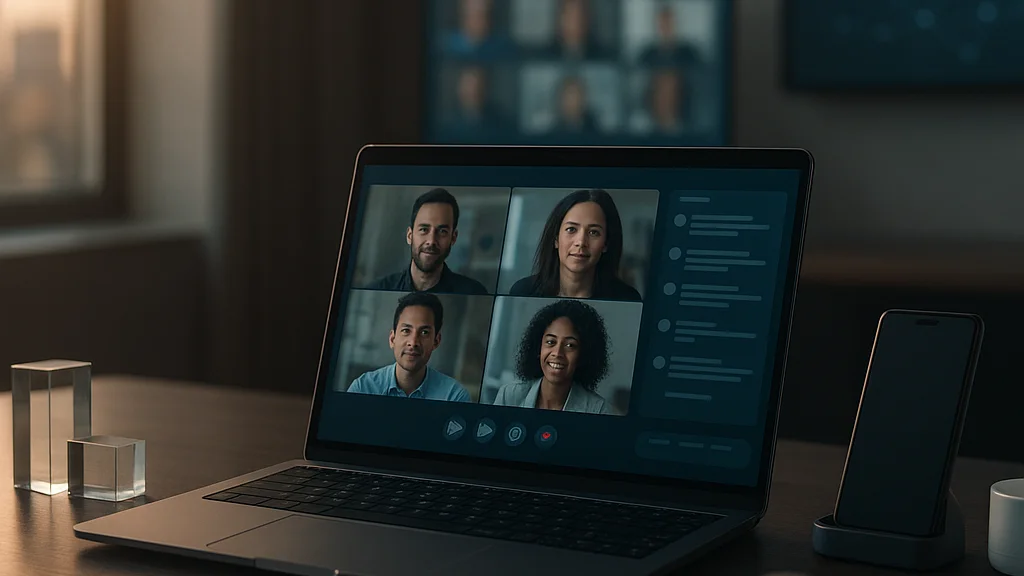
According to TechTimes, hybrid work is the realistic future for many employers, not pure remote absolutism. That matters because hybrid teams demand software that bridges room-based and remote participation fairly. Meeting equity has become a real product category concern. Better room audio, AI note capture, live transcription, camera framing, and post-meeting summaries are now standard expectations rather than premium extras. Workers do not want to be the forgotten square on a giant conference-room screen. They want equal access to context and decision-making.
At the same time, cost pressure is forcing hard choices. Companies that once paid for separate tools for chat, whiteboarding, docs, project management, forms, note-taking, and automation are increasingly rationalizing the stack. Some are moving deeper into one ecosystem, often Microsoft or Google. Others are keeping a best-of-breed strategy but demanding stronger integrations and clearer return on investment.
Three developments stand out in 2026:
- AI pricing scrutiny: Buyers are asking whether premium AI tiers actually reduce labor hours or simply inflate software bills.
- Workflow unification: Vendors are racing to merge docs, databases, tasks, and communication into shared workspaces.
- Policy-tool alignment: More employers are revising remote and hybrid rules to match what their systems can securely support, echoing the concerns raised in the MSN-published Business.com guidance.
There is also a talent angle. Global hiring remains attractive because companies can reach specialized workers outside expensive metro hubs. But that only works if onboarding, documentation, payroll coordination, and asynchronous collaboration are mature. A remote tool stack that functions for a 20-person startup may collapse under the complexity of a 2,000-person international workforce.
If you want a practical warning list, WriteUpCafe’s Common Mistakes in Choosing the Best Remote Work Tools and Software in 2026 captures a problem I see constantly: organizations buy for demo appeal instead of operational fit. Slick interfaces impress executives. Durable systems impress teams six months later.
What the best remote work software will look like over the next few years
So what survives? Not every platform trying to become an all-in-one headquarters will succeed. Some will overbuild. Some will confuse users. Some will bolt AI onto broken workflows and call it innovation. The winners will be the products that make distributed work feel less fragmented, less performative, and less exhausting.
Expect the next phase of remote work tools to have several defining traits. First, they will be context-rich. A user opening a project should see not just tasks, but related decisions, documents, meeting summaries, owners, risks, and deadlines in one view. Second, they will be agentic in limited, controlled ways. That means software can draft updates, chase approvals, flag blockers, and assemble reports, but within clear permission boundaries. Third, they will be measurable without being invasive. Leadership will get workflow visibility through completion data, handoff timing, and dependency tracking rather than creepy screenshots.
The most important capabilities to watch are these:
- Universal enterprise search: One query across chats, docs, tickets, recordings, and knowledge bases.
- Async-first collaboration: Better video recaps, comment layers, and decision logs that reduce meeting load.
- Embedded automation: Natural-language workflow creation for routine approvals, updates, and reminders.
- Permission-aware AI: Summaries and answers that respect access rules and audit requirements.
- Cross-border readiness: Support for multilingual teams, varied compliance needs, and distributed onboarding.
There is a strategic lesson here. Companies should stop asking for the single “best remote work tool” in the abstract. That is like asking for the best football formation without knowing the squad. The right stack depends on company size, regulation, workflow complexity, and management culture. A design studio, a consulting firm, a fintech startup, and a manufacturing group with hybrid office staff do not need identical systems.
Still, one principle keeps showing up: the future belongs to software that lowers coordination costs. Not software that creates more notifications. Not software that turns every employee into a content producer for internal dashboards. Real value comes from fewer handoff errors, faster knowledge retrieval, cleaner accountability, and less time spent reconstructing what happened yesterday.
That sounds almost boring. It is not. It is the difference between a team that ships and a team that spirals in chat threads forever.
How leaders should choose tools now if they want to be ready later
If I were advising a company making major remote work software decisions right now, I would push for discipline over trend-chasing. The market is loud. Every vendor says it can centralize work, automate work, and humanize work. Fine. Ask for proof. Ask what the product reduces, not just what it adds.
Start with workflow mapping before procurement. Identify where work enters the system, where it stalls, where context gets lost, and where managers manually patch gaps. Then test tools against those failure points. A platform that saves ten minutes in meetings but costs three hours a week in duplicate admin is not modern. It is expensive clutter.
Leaders should also pilot with mixed teams, not only enthusiasts. Include a manager, an individual contributor, an IT admin, a security lead, and someone who hates new software on principle! If the tool works for that group, you have learned something valuable. If adoption depends on power users cleaning up behind everyone else, the rollout will wobble.
Use this shortlist when evaluating the future readiness of any remote work platform:
- Does it reduce the number of tools employees must switch between daily?
- Can it preserve context across meetings, messages, docs, and tasks?
- Are AI features genuinely useful and controllable?
- Does the vendor have a credible security and compliance story?
- Will the product still make sense if your company grows internationally?
- Can employees understand and trust how the system tracks work?
One more thing. Train managers. Remote work tools fail as often because of management habits as because of product flaws. If leaders still reward visibility theater over documented outcomes, no software stack will save them. The future of remote productivity is not about being online all the time. It is about making work legible, secure, and sustainable across distance.
That is the real future of the best remote work tools and software: fewer isolated apps, more connected systems; less digital noise, more usable context; less monitoring obsession, more outcome clarity. The companies that understand this early will not just collaborate better. They will hire better, move faster, and burn out fewer people doing it. And honestly? That is the kind of upgrade work culture has been screaming for.





























Sign in to leave a comment.