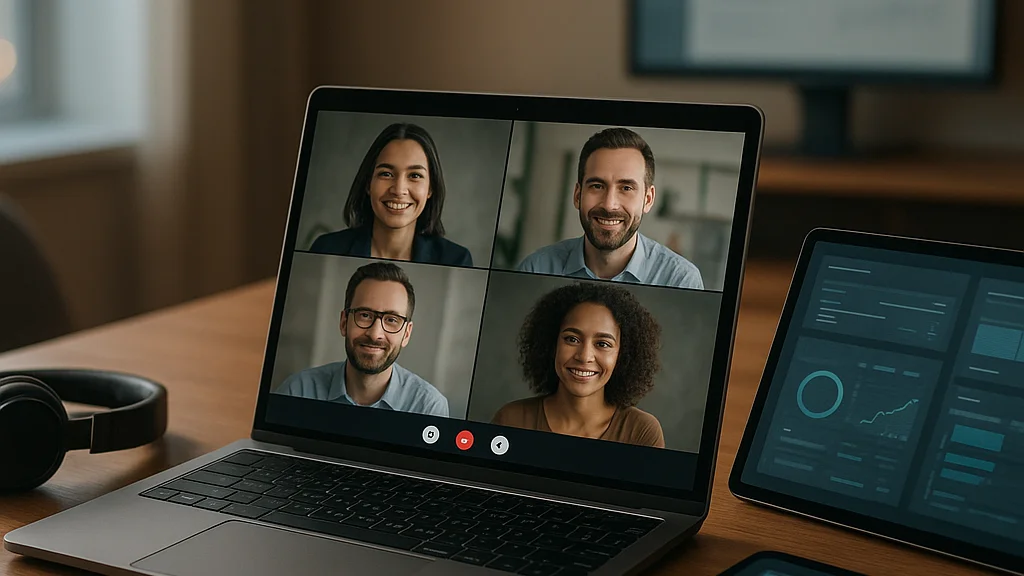

Which remote work tools actually make people better at work, instead of just making them busier?
That is the real question, and honestly, it cuts through a lot of hype! Remote work software has exploded from a simple stack of chat, video, and cloud storage into a crowded market of AI note-takers, async video platforms, digital whiteboards, password managers, workflow automations, employee monitoring products, and virtual office apps. Teams are not short on options. They are short on clarity.
The shift matters because remote work is no longer a stopgap. It is infrastructure. Major employers across technology, consulting, media, customer support, design, and professional services now run hybrid or distributed operations as a permanent model. Even companies that pushed return-to-office mandates have kept large parts of their workflows online. That means the “best” tools are not the flashiest ones trending on TikTok or getting roasted on Twitter for another AI feature nobody asked for. The best tools are the ones that reduce friction across communication, coordination, security, and output.
There is also a cost story here. Software sprawl has become one of the quiet budget drains of remote work. One team uses Slack, another lives in Microsoft Teams, project managers swear by Asana, engineering prefers Jira, design uses Figma, sales records everything in HubSpot, and then five AI assistants are layered on top. The result? Duplicate subscriptions, fragmented knowledge, and workers switching contexts all day. That is productivity loss disguised as productivity tech.
So this article takes a harder line. Instead of listing random apps, it breaks remote work software into the functions that matter most in 2026: communication, project execution, documentation, collaboration, security, and automation. Where useful, I will point to practical guidance from Best Remote Work Tools and Software for Smarter Teams and the sharper warnings in Common Mistakes in Choosing the Best Remote Work Tools and Software in 2026. Because yes, the wrong stack can absolutely wreck a team’s rhythm.
Remote work software should remove decisions, not create more of them.
If a tool adds meetings, duplicate updates, or another login without solving a clear problem, it is not helping. It is noise. And in remote work, noise scales FAST!
The market changed because remote work changed
The first generation of remote work tooling was built around emergency continuity. Could people message each other? Could they join a video call? Could they access files from home? That was enough for a while. By 2026, the expectations are much higher. Teams want systems that support asynchronous work, preserve institutional knowledge, automate repetitive admin, and protect company data across devices and locations.
That evolution is visible in how companies buy software now. Instead of shopping by category alone, many organizations evaluate tools by workflow impact: how quickly new hires ramp up, how many meetings are required to ship work, how well decisions are documented, how much manual reporting can be automated, and how securely employees can work from anywhere. According to Kearney Hub in its analysis of remote work and AI automation, administrative tasks are increasingly being handled by automation tools, especially scheduling, note summarization, follow-up drafting, and workflow routing. That is a huge shift because admin drag has always been one of remote work’s hidden taxes.
At the same time, the backlash against tool overload is real. Workers do not want ten tabs open just to complete a simple task. Managers do not want to pay enterprise pricing for features nobody uses. Security teams do not want sensitive files spread across unsanctioned apps. This is why consolidation has become such a strong theme. Microsoft 365, Google Workspace, Zoom, Atlassian, Notion, and ClickUp all spent the past few years trying to become broader operating systems rather than single-purpose tools.
There is a cultural shift too. Remote work used to be judged by presence: green dots, webcam time, fast replies. Better teams now judge it by clarity and throughput. That means the best software supports written decision-making, transparent task ownership, searchable records, and fewer interruptions. If you are still building your stack from scratch, Beginners Guide to Best Remote Work Tools and Software is useful for the basics, but mature teams need a stricter lens: what replaces confusion with process?
- 2020–2021: emergency adoption of chat, video, and file-sharing
- 2022–2024: broader integration, hybrid work normalization, stronger security demands
- 2025–2026: AI automation, async-first workflows, and platform consolidation
That timeline matters. It explains why the best remote work tools in 2026 are not necessarily new. Many are established products that adapted faster than the rest.
Communication tools: the best ones reduce interruption
Communication software is where most remote stacks start, and where many teams go wrong. They confuse more messaging with better collaboration. It is the opposite! The strongest communication tools create structure around urgency, context, and record-keeping. Slack and Microsoft Teams remain central choices for many organizations because they combine channels, direct messages, huddles or calls, app integrations, and searchable archives. But the deciding factor is not feature count. It is governance.
Slack works especially well for organizations that need flexible cross-functional collaboration and a rich app ecosystem. Teams has a natural advantage for companies already deep in Microsoft 365, especially where Outlook, SharePoint, OneDrive, and Excel are heavily embedded in daily work. Zoom remains a major player for video meetings and webinars, while Google Meet stays attractive inside Google Workspace environments. The best pick depends on where your documents, calendars, and identity systems already live.
What separates a healthy communication setup from a chaotic one is policy. Teams need clear rules about when to use chat, when to create a task, when to document a decision, and when a meeting is actually necessary. The Tech Edvocate, in its guidance on staying productive while working remotely, emphasizes routines, boundaries, and structured workflows. That advice sounds basic, but software only works when behavior supports it.
Here is what strong teams usually do:
- Use chat for quick clarification, not final decisions.
- Move decisions into a documented system such as a project board or knowledge base.
- Default to recorded or summarized meetings for those in different time zones.
- Separate urgent channels from social chatter.
- Turn status updates into templates or async posts instead of recurring calls.
Async video tools have also become more useful. Loom and similar products help managers, designers, sales teams, and support leads explain context without forcing live attendance. That can cut meetings dramatically. AI meeting assistants now summarize calls, extract action items, and push notes into project systems, but teams should verify accuracy before treating summaries as official records.
The best communication stack does not maximize responsiveness. It maximizes clarity with the fewest interruptions.
That distinction is everything. If your team is always “available” but never aligned, the software is not doing its job.
Project management and documentation are the real operating system
Ask almost any experienced remote operator what breaks distributed work, and the answer is rarely “bad chat.” It is missing context. Who owns this? What changed? Where is the latest version? Why was this priority moved? That is why project management and documentation tools matter more than many teams realize. They are the actual operating system of remote work.
Asana, ClickUp, Monday.com, Trello, and Jira all serve different working styles. Asana remains strong for cross-functional business operations, marketing, and campaign planning. Jira is still dominant in software development environments where issue tracking, sprint planning, and engineering workflows are central. Trello keeps a loyal base because its Kanban simplicity is hard to beat for lightweight coordination. ClickUp and Monday.com appeal to teams that want broad configurability and dashboards across departments.
But task management alone is not enough. Remote teams also need a durable knowledge layer. That is where Notion, Confluence, Google Docs, SharePoint, and similar systems come in. The best documentation tools do three things well: they preserve decisions, centralize process, and make onboarding easier. A remote company without strong documentation ends up paying for the same confusion every month.
There is a practical way to evaluate these tools. Look less at templates and more at failure prevention:
- Can new hires find the latest process without asking three people?
- Can a project owner hand off work across time zones cleanly?
- Can leadership trace why a decision was made?
- Can recurring work be templatized?
- Can meeting notes become tasks automatically?
That last point is increasingly important in 2026. AI features across Notion, Atlassian, Microsoft, Google, and independent workflow tools now help summarize documents, draft updates, cluster feedback, and generate first-pass project plans. Kearney Hub’s reporting on automation is relevant here because admin-heavy coordination work is exactly where these features can save time. Still, AI can hallucinate, miss nuance, or flatten accountability, so human review remains non-negotiable.
If you want a broader perspective on how these systems fit together, Inside Best Remote Work Tools and Software That Matter offers a useful companion read. The biggest lesson is simple: documentation is not bureaucracy. For remote teams, it is memory!
Collaboration, creation, and the rise of async-first workflows
Remote work used to carry a lazy stereotype: that creativity only happens in a room, around a whiteboard, with everybody talking over each other and somebody ordering bad pizza. Nice myth. Real teams know better. Collaboration software has matured enough that design reviews, brainstorming, editorial planning, product scoping, client approvals, and even workshops can happen effectively across locations, if the tools are chosen well.
Figma remains one of the clearest examples of cloud-native collaboration done right. Designers, product managers, and developers can review work in a shared environment with comments, versioning, and live multiplayer editing. Miro and Mural continue to be popular digital whiteboarding platforms for strategy sessions, user journey mapping, retrospectives, and workshops. Google Workspace and Microsoft 365 still dominate co-editing for documents, spreadsheets, and presentations because real-time collaboration is now table stakes, not a novelty.
What changed recently is the shift from synchronous collaboration to async-first collaboration. Teams increasingly prepare materials before meetings, comment in advance, record walkthroughs, and use live sessions only for decisions that truly need discussion. This is not just a time-zone fix. It is a quality upgrade. Introverts contribute more. Senior leaders have time to review context. Meetings become shorter and sharper.
Good collaboration stacks usually include:
- A shared document environment for live and async editing
- A visual workspace for mapping ideas and workflows
- A recorded explanation tool for demos and feedback
- A task system that captures next steps from creative work
- A searchable archive so ideas do not disappear into chat
The danger, though, is fragmentation. If brainstorming happens in one app, approvals in another, decisions in chat, and tasks somewhere else, teams lose continuity. The strongest setups define one source of truth for next actions and one source of truth for reference material. Everything else supports those systems.
That is why remote collaboration should be designed like a relay race, not a concert mosh pit. One person hands off cleanly to the next. Context travels with the work. Nothing depends on who happened to be online at the right moment. When teams reach that point, remote work stops feeling like a workaround and starts feeling faster than office-first operations.
Security and device management are now core productivity tools
Security is often treated like the boring section. Big mistake! In remote work, security failures become productivity failures almost instantly. A locked account, a compromised laptop, a leaked client file, or a phishing incident can freeze operations, trigger legal exposure, and destroy trust. So the best remote work software stack is not complete without security and device management tools built into the plan from day one.
According to Analytics Insight’s review of data security best practices for remote analytics teams, secure access controls, encrypted communication, endpoint protection, and disciplined data handling are central to safe distributed operations. That advice applies far beyond analytics teams. Every remote organization should think about identity, devices, files, and employee behavior as one system.
In practice, that usually means using tools such as Okta or Microsoft Entra ID for identity and access management, 1Password or LastPass-style password managers for credential hygiene, VPN or zero-trust access controls where needed, endpoint management through providers like Microsoft Intune or Jamf, and cloud storage with admin oversight rather than random local file saving. Multifactor authentication is no longer optional. Neither is role-based access.
Here are the minimum controls smart teams implement:
- MFA on every critical account
- Company-approved password manager
- Centralized device management for laptops and phones
- Access permissions based on role, not convenience
- Secure cloud storage with version history and auditability
- Clear offboarding process for contractors and employees
One underappreciated 2026 trend is how security is being folded directly into productivity suites. Microsoft, Google, and other major vendors keep bundling admin controls, DLP options, and compliance features more tightly into their ecosystems. That can reduce complexity for smaller businesses, though larger firms often still need dedicated security layers.
And yes, employee monitoring software exists, but it is a trap for many organizations. It can damage trust, encourage performative online behavior, and distract managers from actual output metrics. Better systems track deliverables, deadlines, service levels, and documented progress. Remote work does not need surveillance theater. It needs secure, accountable workflows.
What is changing in 2026: AI agents, consolidation, and cost discipline
By mid-2026, three trends are shaping remote work software more than anything else: AI assistance, platform consolidation, and spending scrutiny. All three are connected. Companies want fewer tools, more automation, and clearer evidence that software improves output rather than just adding subscriptions.
AI is now embedded across the stack. Meeting platforms summarize calls. Project tools propose timelines. docs tools draft content, rewrite updates, and answer questions from internal knowledge bases. Customer support systems suggest replies. CRM platforms generate follow-ups. The promise is obvious: less admin, faster handoffs, and better retrieval of scattered information. Kearney Hub’s reporting on automation reflects exactly this shift, especially around repetitive knowledge work that used to consume managers and coordinators.
Still, the strongest teams are learning where AI helps and where it can mislead. Summaries can omit tension. Generated tasks can assign the wrong owner. Search assistants can surface outdated documentation if governance is weak. AI raises the value of clean systems rather than replacing them. Messy inputs still produce messy outputs. Sorry, but the robot cannot save your chaotic workspace by magic!
The second shift is vendor consolidation. Finance leaders increasingly ask whether one suite can replace three niche tools. That is why integrated ecosystems are winning attention. Microsoft 365 plus Teams plus Copilot-style capabilities is one obvious example. Google Workspace continues pushing deeper collaboration and AI assistance inside familiar apps. Notion, Atlassian, ClickUp, and Zoom are all trying to become wider work hubs. Buyers are asking tougher questions about overlap.
Then there is cost discipline. After years of software expansion, companies want utilization data, not just enthusiasm. Which licenses are active? Which automations save real time? Which tools reduce meetings or improve cycle time? The best remote work stack in 2026 is not the biggest stack. It is the most coherent one.
AI will reward teams with disciplined processes and expose teams that confuse software volume with operational maturity.
That is the mood now. Less collecting. More integrating. More measuring. More saying no.
How to choose the best remote work tools for your team
So what should a company actually do? Start with work design, not vendor demos. A ten-person creative agency, a fifty-person SaaS startup, and a global consulting firm should not buy the same stack just because the same names trend online. Tool selection should follow communication patterns, compliance needs, team size, time-zone spread, and the type of work being shipped.
A practical evaluation framework looks like this:
- Map the workflow. Identify how work enters, gets assigned, reviewed, approved, and archived.
- Define the source of truth. Choose one home for tasks and one home for knowledge.
- Audit overlap. Remove duplicate messaging, storage, or planning tools.
- Check integration depth. Native integrations usually age better than fragile workarounds.
- Test with one team first. Pilot before company-wide rollout.
- Measure outcomes. Compare meeting volume, turnaround time, onboarding speed, and error rates.
Smaller teams often do well with a compact stack: Google Workspace or Microsoft 365, one chat and meeting platform, one project system, one documentation tool, one password manager. Larger organizations may need stronger identity controls, device management, enterprise search, and specialized workflow software. But even then, restraint matters.
There is also a human side that software cannot replace. Managers need to write better. Teams need norms around response times. Leaders need to document decisions. Employees need training, not just logins. The most expensive remote work mistake is assuming adoption happens automatically after procurement.
For readers comparing options, Essential Remote Work Tools and Software for Peak Productivity is helpful as a category overview, while the earlier WriteUpCafe pieces linked above are strong on selection pitfalls and team fit. My own bottom line is blunt: the best remote work tools and software are the ones that make work more legible. Everyone knows what matters, where it lives, who owns it, and what happens next.
That is the whole game! Not more pings. Not more dashboards. Not another shiny app with a cute mascot. Just clearer work, safer systems, faster execution, and fewer wasted hours pretending busyness equals progress.
Choose for that, and your remote team will not just function. It will move.


























Sign in to leave a comment.