

What separates a pretty desk from a truly productive home office?
You have seen the TikToks: the glowing LED strip, the giant monitor, the iced coffee, the keyboard that sounds like tiny fireworks. Cute! Viral! But productive? Not automatically. A home office that looks efficient can still wreck your focus if the chair hurts after 40 minutes, the Wi-Fi drops during client calls, or your desk sits three meters from a laundry pile screaming for attention. That is the real issue. A productive home office is not decoration. It is infrastructure.
The shift to remote and hybrid work made that painfully clear. Gallup has reported for years that a large share of remote-capable employees prefer hybrid or fully remote arrangements, while major employers continue to redesign office policies around flexibility. By 2026, the conversation is no longer about whether home offices matter. It is about whether workers can build spaces that support deep work, video communication, physical health, and emotional separation between job time and life time. Those are four different demands, and they often collide in one small room or one corner of a flat.
Plenty of mainstream advice gets the basics right. AOL's practical guide to setting up a productive home office for less emphasizes affordability and function. MSN's design-focused overview stresses the balance between comfort and output. Hindustan Times has also highlighted layout, lighting, and distraction control. All useful. But if you want a setup that holds up on a random Tuesday in February, during back-to-back calls, deadline pressure, and a bad night of sleep, you need a more rigorous blueprint.
That blueprint starts with one blunt truth: productivity is designed. It is shaped by ergonomics, sound, light, workflow, and habits that reduce friction before your brain starts bargaining with you. If your home office is making every task 5 percent harder, the drag compounds. Fast. If it removes small obstacles, your concentration lasts longer, your body feels better, and your output becomes more consistent. That is the goal here. Not aesthetic perfection. Not influencer fantasy. Real performance.
A productive home office is a system, not a shopping list. Furniture matters, yes, but placement, routines, and sensory control matter just as much.
If you want a broader companion read after this one, WriteUpCafe has also explored how to build a productive home office that fuels focus and creativity and advanced strategies for building a productive home office in 2026. Here, the focus is sharper: how to build a setup that actually works under real-world pressure.
Start with the room, not the shopping cart
Most people begin the wrong way. They shop first. A new chair, a monitor arm, maybe a walnut desk if they are feeling ambitious. Then they drop those items into a space that was never planned for sustained concentration. Result? A nice-looking mismatch. The smarter move is to audit the room before buying anything.
First, map the constraints. How much natural light do you get between 9 a.m. and 4 p.m.? Where are the power outlets? Which wall is visible on camera? Can you close a door, or are you working in a shared space? Is street noise worse in the morning or late afternoon? These details sound boring. They are not. They determine whether your office supports your work or constantly interrupts it.
Lighting is one of the biggest hidden variables. Poor light raises eye strain, creates ugly video-call shadows, and can flatten your energy. Positioning your desk perpendicular to a window often works better than facing directly into it or turning your back to it. That reduces glare while preserving daylight. The Hindustan Times tips on workspace productivity make this same point in simpler terms: natural light boosts comfort and alertness, but unmanaged glare can sabotage both.
Then there is zoning. If you live in a small apartment, you may not have a dedicated office. Fine. You still need a dedicated work zone. A specific table, a shelf, a screen divider, even a rug can signal to your brain that this spot is for work. That boundary matters because cognitive spillover is real. When work happens everywhere, work stress follows you everywhere too.
- Best case: a separate room with a door, controllable light, and enough depth for desk placement.
- Strong alternative: a bedroom or living-room corner with visual separation and a consistent setup.
- Minimum viable setup: a stable desk surface, reliable power access, and a repeatable routine for setting up and packing down.
Noise deserves equal attention. If your building has traffic rumble, barking dogs, or thin walls, treat sound as a design problem, not a personal failure. Soft furnishings, curtains, rugs, and bookshelves can reduce echo. Closed-back headphones or noise-canceling models can handle the rest. People love to blame themselves for lack of focus when the room is basically hosting a daily percussion concert. No! Fix the environment first.
The room sets the ceiling for your productivity. Once that is clear, then you buy what fills the gaps.
Ergonomics is not luxury; it is output protection
Here is the part people postpone until their neck starts sending legal threats. Ergonomics. It sounds clinical. It is actually about stamina. If your body is uncomfortable, your brain burns energy managing discomfort instead of doing useful work. Over a week, that means shorter focus windows, more breaks that do not feel restorative, and a weird end-of-day exhaustion that has nothing to do with task complexity.
The chair matters, but not in the simplistic way the internet often frames it. An expensive chair will not save a bad setup. You need alignment across chair height, desk height, monitor position, and input devices. Your feet should rest flat on the floor or on a footrest. Knees should sit roughly at a right angle. Elbows should stay close to the body, with forearms near parallel to the desk. The top of your screen should generally sit at or slightly below eye level, depending on your posture and whether you wear bifocals.
AOL's budget-minded piece is helpful here because it reminds readers that practical improvements do not always require premium spending. A laptop stand plus external keyboard and mouse can transform posture for far less than a full desk overhaul. That is a critical point for freelancers, students, contractors, and early-career workers who cannot justify a designer setup.
Monitor distance is another overlooked factor. Sit too close and you strain your eyes. Too far and you start leaning forward, which drags your shoulders and neck out of position. For many users, an arm's-length distance is a good baseline, then adjusted based on screen size and vision. If you use two monitors, center the one you use most. Do not twist your neck all day toward a side screen and then wonder why your upper back feels like a collapsed festival tent.
- Raise the screen before buying a new chair if you work on a laptop.
- Set chair height so your shoulders can relax while typing.
- Use an external keyboard and mouse to avoid hunching.
- Add task lighting to reduce eye fatigue in late-day work.
- Stand up every 30 to 60 minutes, even briefly, to reset posture.
Sit-stand desks remain popular in 2026, and for good reason, but the evidence is often oversold in consumer marketing. Standing all day is not the answer. Variation is. The best setups make movement easy, not performative. A height-adjustable desk can help if you actually use it, but even a fixed desk paired with deliberate movement breaks can outperform a premium sit-stand desk that stays frozen in one position for months.
The goal of ergonomics is not to create a perfect pose. It is to reduce strain so your attention stays on the work instead of on your body.
If you are upgrading in stages, prioritize in this order: screen height, chair support, external input devices, lighting, then optional extras. That order protects both comfort and concentration.
Build around workflow friction, because tiny annoyances kill focus
This is where productive home offices are won or lost! Not on Pinterest. Not in a cart full of matching accessories. In friction. The seconds you lose hunting for a charger, adjusting a webcam, muting a barking dog, reopening tabs, searching for a notebook, or moving clutter off your desk before every call. Each interruption looks small. Together they shred momentum.
Start by identifying your most frequent task categories. Knowledge workers usually cycle through some combination of writing, meetings, analysis, design, coding, admin, and communication. Your office should make the highest-frequency tasks the easiest to begin. If you spend half your day in meetings, your camera angle, microphone quality, and background matter more than a fancy desk lamp. If you write or analyze data for long stretches, screen clarity, keyboard comfort, and distraction control should dominate your setup decisions.
One simple method is to create zones within arm's reach:
- Primary zone: keyboard, mouse, notebook, water, and anything used hourly.
- Secondary zone: chargers, reference materials, headphones, and webcam accessories.
- Tertiary zone: printer, storage boxes, surplus stationery, and items used weekly or less.
That sounds almost too obvious, but obvious systems are powerful because they reduce decision-making. The same logic applies to cable management. Tangled cables are not merely ugly; they complicate cleaning, device switching, and troubleshooting. Labeling cables, using clips or sleeves, and keeping a charging station nearby can save ridiculous amounts of time over a year.
Digital friction also belongs in the home office conversation. Your physical workspace and your digital workspace should mirror each other: clean, intentional, easy to reset. That means default browser tabs, a consistent file structure, a dock or toolbar organized by task frequency, and a meeting checklist for camera, audio, and battery. When people say they want to be more disciplined, what they often need is fewer setup steps.
Internet reliability is non-negotiable. By 2026, remote work depends even more heavily on synchronous tools, cloud platforms, and AI-assisted workflows than it did a few years ago. If your connection is unstable, productivity falls apart at the infrastructure layer. Where possible, use Ethernet for critical calls or uploads. If that is impossible, place your router strategically and test speeds during peak household usage, not just at midnight when the network is quiet and life feels easy.
WriteUpCafe's expert strategies and insights on building a productive home office makes a similar point about system design: focus improves when your environment removes repeated micro-obstacles. Exactly. Momentum is fragile. Protect it like it is expensive, because it is.
The best home offices manage energy, not just time
Time management gets all the headlines. Energy management does the heavy lifting. A productive home office should help you regulate alertness across the day, especially when remote work blurs the old office cues that once structured behavior. No commute. No conference-room shift. No colleague walking over at 12:30 and accidentally reminding you to eat. Freedom is great! Chaos, less so.
Begin with light and temperature. Morning light exposure helps anchor circadian rhythm, which affects alertness and sleep timing. If your workspace is dim until noon, your brain may stay in low-power mode longer than you realize. In colder months or darker climates, layered lighting matters: ambient light for general visibility, task lighting for focused work, and screen brightness that does not force your eyes into a constant adaptation battle.
Thermal comfort is similarly underappreciated. A room that is slightly too warm can make you sluggish. Slightly too cold and your body tenses. Many workers compensate with caffeine, then wonder why concentration becomes jittery by mid-afternoon. Better climate control beats a third coffee. Always.
Break design matters too. Productive people do not merely take breaks; they take breaks that actually reset attention. Scrolling social media for six minutes while staying at the desk is often not a break. It is a context smear. Standing up, walking to another room, stretching, or stepping outside for light and air can restore more cognitive bandwidth in less time.
For many remote workers, especially in small homes, emotional energy is the harder challenge. The office is also the guest room, the gaming spot, the place where unopened parcels live, the corner where life piles up. That visual ambiguity creates mental ambiguity. One reason minimalist desks remain effective is not aesthetic purity. It is reduced cue conflict. Fewer unrelated objects means fewer attention hooks.
- Use morning light exposure to start your workday more cleanly.
- Keep water within reach to reduce unnecessary interruptions.
- Schedule one or two movement breaks before fatigue appears, not after.
- End the day with a visible shutdown ritual: close laptop, clear desk, switch off lamp.
- Keep snacks and caffeine deliberate, not impulsive responses to boredom.
MSN's reporting on balancing productivity and comfort gets this balance right: comfort should support output, not dissolve it. A sofa may feel inviting, but if it turns your spine into a question mark and your attention into confetti, it is not helping. The best home offices feel calm, capable, and slightly serious. Not harsh. Not sterile. Just clear about what they are for.
What changed recently: the 2026 home office is more hybrid, more AI-assisted, and more scrutinized
The biggest shift in 2026 is not a single product trend. It is the fact that home offices now serve a more complex work model. Many professionals are no longer fully remote five days a week, yet they still need a home setup that performs at near-office level on hybrid days. That changes buying decisions. Workers want equipment that transitions smoothly between home, coworking, and headquarters: lighter laptops, better webcams, compact docks, portable chargers, and audio gear that works across locations.
AI has also changed the task mix. More workers now use generative AI tools for drafting, summarizing meetings, coding support, scheduling, and research assistance. That means the home office must support more simultaneous windows, more screen real estate, and more privacy awareness. If you are handling sensitive information, your monitor placement, speaker use, and note-taking habits matter more than they did when work was mostly email and spreadsheets.
Employers, meanwhile, have become more selective about what they reimburse. During the early remote-work boom, some companies offered generous home office stipends. By 2026, many firms have tightened budgets or standardized allowances. Workers are being asked to justify purchases more carefully, which makes cost-effective prioritization essential. Reports from major business outlets and company policy updates suggest a clear pattern: organizations still expect professional-quality remote output, but they are not always funding premium home setups to the same degree.
There is also greater awareness of video presence. Fair or unfair, the visual quality of your remote environment can influence how professional you appear. That does not mean buying luxury decor. It means ensuring clear audio, stable framing, and a background that does not distract. A neutral wall, a shelf, or a tidy corner is enough. Home offices are now stages as well as workstations.
Cybersecurity deserves a mention too. More distributed work means more reliance on home networks, personal devices, and peripheral equipment. Basic practices such as updated routers, strong passwords, VPN use where required, and secure document storage are now part of a productive setup. Productivity without security is fake efficiency. One breach can erase weeks of good work.
Even the cultural tone has shifted. The aspirational home office is less about maximalist aesthetics and more about utility with personality. Think less showroom, more disciplined cockpit. Functional, personal, adaptable. That is the 2026 mood.
Real-world setups: what works in small flats, family homes, and tight budgets
Not everyone has a spare room. Frankfurt rents taught me that very early, and anyone in London, New York, or Berlin is probably laughing already. So let us get practical. The productive home office has to work across very different living situations.
In a small flat, vertical space becomes your best friend. Wall shelving can move supplies off the desk. A monitor arm frees surface area. A folding chair or compact cabinet can help the workspace disappear after hours if the room has multiple uses. In these setups, the most valuable feature is often not size but reset speed. How quickly can you move from breakfast table to work mode without chaos? If the answer is under five minutes, you are doing well.
In family homes, interruption management becomes central. Parents and caregivers need visible signals and acoustic strategies. A door sign, scheduled quiet blocks, and headphones with strong microphones can reduce conflict without requiring total silence. Storage matters more too, because shared spaces accumulate shared mess. Closed storage beats open storage when the room has to look calm on camera and stay usable for other people.
Budget setups can still be excellent if the spending sequence is disciplined. A second-hand desk with the right height can outperform a trendy but unstable new one. A basic lamp with the correct bulb can do more for eye comfort than decorative ambient lighting. A laptop stand, external keyboard, and mouse often deliver one of the highest returns per euro or dollar spent.
- Under a tight budget: prioritize posture, lighting, and internet reliability.
- In shared housing: prioritize headphones, storage, and visual boundaries.
- For heavy meeting schedules: prioritize microphone quality, camera placement, and background control.
- For deep-focus work: prioritize monitor setup, chair comfort, and noise reduction.
There is no universal perfect office. There is only the office that best supports your workload, home layout, and budget. That is why generic shopping guides often disappoint. They flatten context. A productive home office should be custom in the ways that matter and boring in the ways that do not.
If you are trying to improve concentration under unpredictable conditions, even a seemingly unrelated WriteUpCafe piece like these expert tips on staying productive during disruption offers a useful reminder: resilient productivity comes from preparation, not mood. Same principle. Different drama.
The smartest way to build yours: audit, prioritize, test, refine
Here is the cleanest path forward. Do not rebuild everything in one weekend unless your current setup is unusable. Instead, run your home office like a performance project. Audit what is failing. Prioritize the fixes with the highest effect on comfort and focus. Test changes for a week or two. Refine. Repeat. That approach is cheaper, calmer, and much more effective than panic-buying your way into a setup you may not need.
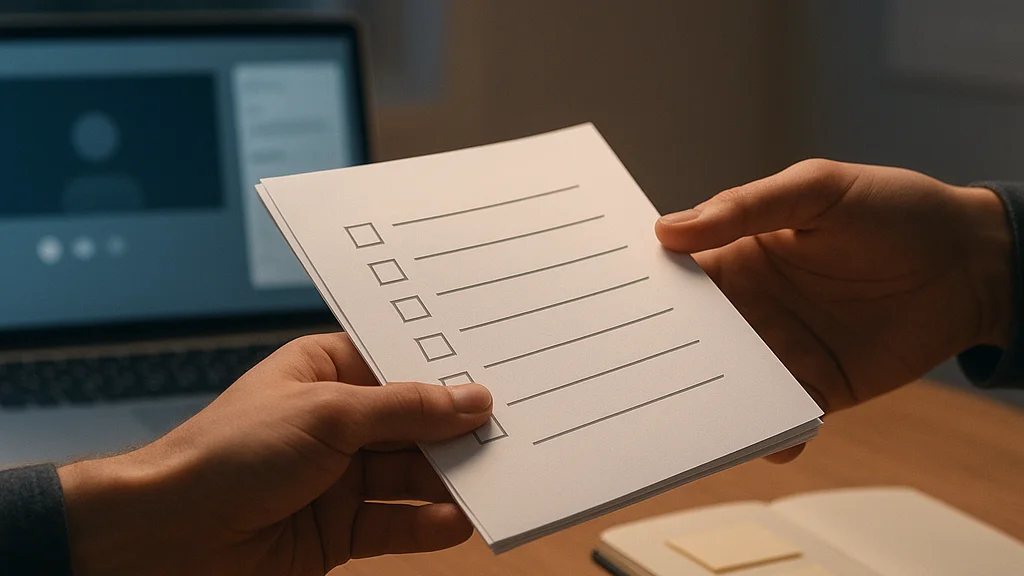
Start with a one-page audit. Write down where you lose time, where your body hurts, what distracts you most, and which tasks feel harder at home than they should. Then sort those issues into categories: ergonomic, technical, sensory, organizational, or behavioral. Once you see the pattern, the solutions become clearer.
For example, if your main complaint is exhaustion after video calls, the fix may be lighting and camera position rather than a new desk. If your problem is procrastination at task start, the answer may be a cleaner desktop, a daily startup checklist, and fewer visible distractions. If your issue is back pain, stop buying accessories and solve the geometry of chair, desk, and screen first.
The final piece is ritual. A productive home office works best when paired with consistent opening and closing routines. Start the day by setting water down, opening the right apps, checking the calendar, and defining the first task. End it by clearing the desk, plugging in devices, and physically leaving the space if possible. These rituals create psychological edges. They matter because remote work tends to erase them.
The best home office is the one that reduces friction on ordinary days, not the one that looks impressive in a photo.
That is the whole argument, really. Build for the boring day. Build for the deadline day. Build for the day when motivation is missing and your system has to carry you anyway. If your office can do that, it is productive. If it cannot, keep refining until it can. Loud truth, simple truth: the room is working on you whether you notice it or not. So make it work for you.




























Sign in to leave a comment.