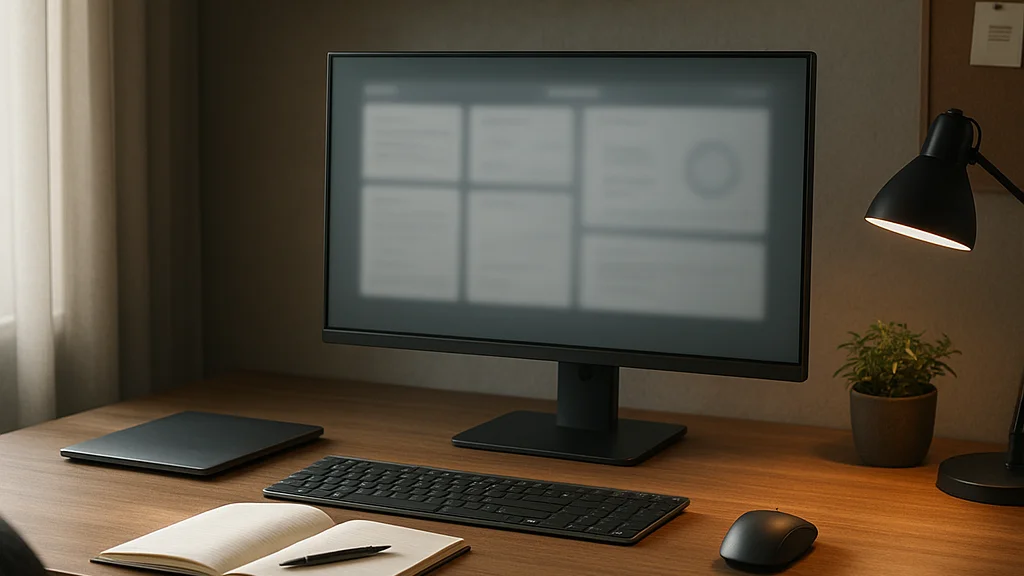

What separates a home office that feels great for three days from one that still works six months later?
That is the real question, and WOW, it matters more than the shopping list. A productive home office is not a cute desk, a ring light, and a chair that looked convincing in a sponsored TikTok. It is a system. It has to support concentration at 9:00 a.m., video calls at 2:00 p.m., admin fatigue at 4:30 p.m., and the mental switch-off that keeps work from leaking into dinner. When people say remote work failed for them, the problem is often not remote work itself. The problem is that the room, routine, and tools were never built to carry real cognitive load.
The shift is not small. Remote and hybrid work remain deeply embedded in white-collar employment across technology, finance, media, consulting, design, customer support, and independent contracting. Major companies have pushed for more office time since 2023, yes, but millions still work from home for at least part of the week. That means the home office is no longer a temporary workaround. It is infrastructure. And infrastructure has rules: ergonomics, acoustics, lighting, bandwidth, storage, workflow, and boundaries.
Coverage from Hindustan Times on home-office productivity basics gets one core point right: environment shapes output. That sounds obvious until you measure it in missed deadlines, back pain, camera fatigue, or the weirdly draining act of working from a kitchen chair for eight hours. Meanwhile, practical design advice in MSN’s look at converting a basement into a workspace highlights something many people ignore: underused domestic space can become excellent work space if it is planned around function, not fantasy.
A productive home office is not a room category. It is a performance environment.
If you want a setup that actually lasts, build from workload backward. Start with the type of thinking you do, the calls you take, the interruptions you face, and the physical strain your day creates. Then design the office around those realities. Everything else is decoration.
Start with task design, not furniture lust
People often begin in exactly the wrong place: they buy gear before they define the work. That is how you end up with an expensive monitor arm and nowhere to put paper notes, or a beautiful standing desk that becomes a laundry shelf by week two. The smarter move is brutally simple. Audit your week. What work happens in this room? Deep writing? Spreadsheet analysis? Video meetings? Client calls? Editing? Coding? Sales follow-up? Printing and signing? If the room does not support the dominant tasks, productivity drains out through friction.
There are three broad categories most remote workers should map first.
- Focus work: tasks requiring uninterrupted concentration, such as writing, coding, forecasting, design, and research.
- Communication work: meetings, calls, presentations, interviews, and collaborative sessions.
- Administrative work: email, file handling, scheduling, invoicing, approvals, and routine updates.
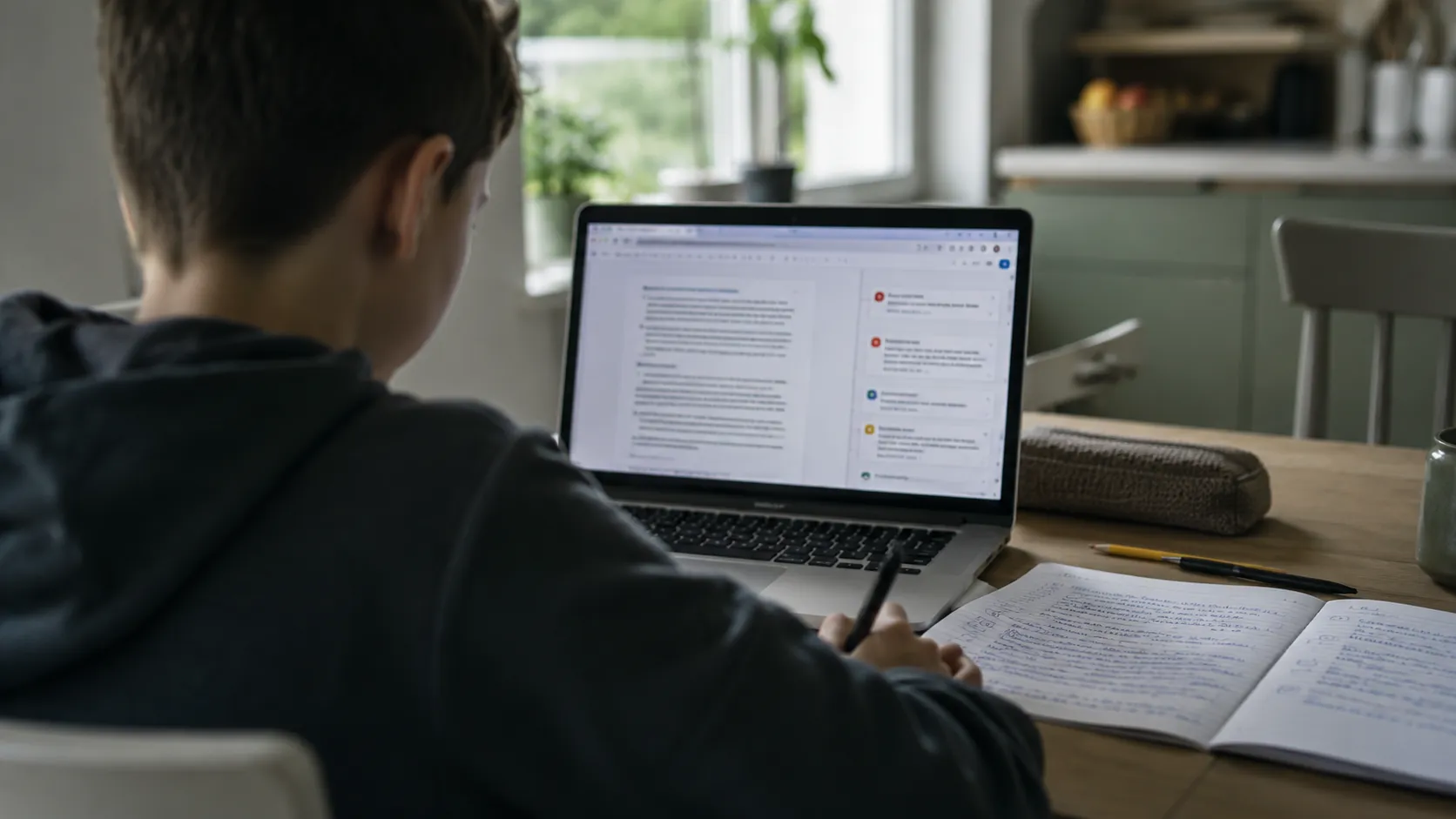
Each category demands different conditions. Focus work needs low visual clutter, low noise, and immediate access to the tools you use most. Communication work needs flattering front lighting, a stable camera angle, a clean background, and reliable audio. Administrative work benefits from templates, storage, and easy transitions between digital and paper materials. A single desk can support all three, but only if the layout is intentional.
This is where many of the better internal guides on WriteUpCafe are useful. What You Need to Know to Build a Productive Home Office frames the basics well, while How to Build a Productive Home Office That Actually Works is a strong reminder that “works” means repeatable output, not aesthetic approval.
Try a one-week observation before you buy anything. Count how often you reach for power, notes, chargers, headphones, water, or reference documents. Notice when you leave the room because it is too dark, too noisy, too hot, or too uncomfortable. Those moments are not random. They are design failures. Fixing them usually improves output faster than buying prestige equipment.
If you cannot explain what the room needs to do between 8 a.m. and 6 p.m., you are not ready to optimize it.
That sounds harsh. It is also true! The best home offices are boringly aligned with actual work.
Ergonomics is not luxury; it is a productivity multiplier
Back pain is expensive. Neck strain is expensive. Wrist compression, eye fatigue, and tension headaches are expensive. Not always in invoices, but in slower thinking, shorter focus windows, and the kind of irritability that makes every task feel heavier than it is. Ergonomics gets marketed like premium wellness content. In reality, it is operational discipline.
The non-negotiables are straightforward. Your chair should support your lower back and allow your feet to rest flat on the floor or on a footrest. Your elbows should sit near a 90-degree angle when typing. The top of your monitor should be roughly at or just below eye level. If you use a laptop as your main machine, raise it and add an external keyboard and mouse. This single change fixes a shocking amount of bad posture.
Lighting matters just as much. Poor lighting increases visual strain and can flatten energy across the day. Natural light is ideal when it does not create screen glare. Positioning your desk perpendicular to a window often works better than facing directly into or away from it. For evening work or darker rooms, combine ambient light with a task lamp so your eyes are not constantly adjusting between a bright screen and a dim room.
Here is a practical ergonomic checklist.
- Chair supports lumbar curve and allows grounded feet.
- Monitor is centered, not off to one side.
- Keyboard and mouse sit close enough to avoid shoulder reach.
- Screen brightness matches room brightness.
- Frequently used items stay within arm’s reach.
- You can stand, stretch, or change posture without rearranging the room.
Even small-space workers can do this. You do not need a giant suburban spare bedroom. A wall-mounted shelf can hold a monitor. A narrow desk can still support good posture if depth is sufficient. A footrest can be improvised. A dining chair can sometimes be upgraded with a cushion and external supports while you save for better seating, though that should be temporary, not permanent.
Advice from Hindustan Times emphasizes posture, lighting, and decluttering for a reason: these are high-return fixes. Productivity is often discussed as if it lives in apps and calendars. It also lives in your spine. If your body is fighting your setup, your attention is already partly gone.
Noise, privacy, and visual boundaries decide whether focus survives
Here is the part that gets underestimated until it becomes unbearable: distraction is architectural. If you work in a high-traffic household, productivity depends less on motivation and more on whether your environment protects attention. Open-plan homes, shared apartments, children’s schedules, pets, deliveries, street noise, and the constant low hum of domestic life can shred concentration in ten-second increments. That style of interruption is not dramatic. It is cumulative. And cumulative distraction is brutal.
The first move is zoning. If you have a separate room, excellent. Use it. If you do not, create a visible work boundary anyway. A bookshelf, folding screen, rug change, or even a deliberate lighting shift can signal that this area has a job. The cue matters psychologically, especially for people who struggle to “arrive” mentally at work. The setup should also tell other people in the home something clear: when I am here, I am occupied.
Audio is usually the fastest upgrade. A decent headset with a directional microphone reduces call friction immediately. Soft furnishings help absorb echo. Curtains, rugs, and upholstered furniture can improve sound more than people expect. In converted spaces such as basements, as MSN notes, insulation, moisture control, and lighting all shape whether the room feels usable for long stretches or vaguely miserable after an hour.
For households with competing schedules, create rules that are specific rather than emotional. Not “please don’t interrupt me too much,” but “from 10 to 12 I am in a no-knock block unless it is urgent.” Shared calendars on phones help. So do visual indicators. A closed door. Headphones on. A small desk light outside the room. Whatever works. The point is consistency.
- Best low-cost focus upgrades: noise-canceling headphones, rug, curtains, door draft stopper, desk lamp, cable organization.
- Best behavioral upgrades: blocked focus hours, meeting clustering, household signals, phone charging station away from desk.
- Best layout upgrades: desk facing away from distractions, dedicated background wall for calls, printer/storage off the main work surface.
Visual clutter deserves special mention. If your desk holds unopened mail, random receipts, three mugs, snack wrappers, and a tangle of charging cables, your brain has to keep filtering the scene. That filtering costs energy. Minimal does not have to mean sterile. It means the visible field supports the task instead of competing with it.
Technology should remove friction, not create a second job
A lot of remote workers accidentally build a support desk for themselves. They spend absurd amounts of time troubleshooting Wi-Fi dead zones, pairing Bluetooth devices, managing cable chaos, hunting for files, and apologizing on calls because their microphone switched inputs again. NONE of that is productive. The goal of home-office technology is not maximum gadget density. It is dependable flow.
Start with connectivity. If your work includes frequent calls, cloud collaboration, large file transfers, or live presentations, internet stability matters more than almost any visible upgrade. If possible, use Ethernet for your main workstation or place your desk close to a strong router or mesh node. A dropped call during a client pitch is not just awkward. It chips away at credibility.
Then standardize your core devices. One monitor is enough for many workers; two can help if your job genuinely requires constant cross-referencing. Bigger is not automatically better. Monitor height, resolution, and glare control usually matter more than raw size. Choose a keyboard and mouse you can use for hours without strain. Keep a backup charger. Use a docking solution if you switch between office and home. Friction compounds when every morning starts with reconnecting cables like you are backstage at a chaotic concert load-in.
File systems deserve more respect than they get. A productive office includes digital order. Create naming conventions. Decide where active documents live. Separate archive from current work. Use cloud sync carefully and verify backups. If your desktop is a graveyard of screenshots and “final_v7_realfinal,” your room is not the only thing that needs organizing.
By 2026, AI features are baked into many work tools, from meeting transcription to email drafting and note summarization. These can save time, but only when used intentionally. Auto-generated summaries are useful for recall; they are not a substitute for judgment. If you rely on them blindly, you create new cleanup work later. The strongest setups integrate automation at the repetitive edges: scheduling, transcription, template responses, task capture, and search.
For readers who want a more systems-heavy angle, How to Build a Productive Home Office That Fuels Focus and Creativity and Advanced Strategies for Building a Productive Home Office in 2026 pair well with the physical recommendations here. The room and the workflow should reinforce each other. Always.
The best tech setup is the one you stop noticing because it rarely interrupts your work.
What changed recently: the 2026 home office is more hybrid, more professional, and less forgiving
The home office of 2020 was improvised. The home office of 2026 is judged. That is the biggest shift. Employers, clients, and collaborators now assume a baseline level of remote professionalism. Grainy audio, chaotic backgrounds, and “sorry, my setup is temporary” no longer land the same way because for most people, the setup is not temporary anymore.
Recent years brought a more complicated reality than early remote-work evangelism promised. Some big employers tightened return-to-office policies. Others settled into structured hybrid schedules. Freelancers and independent consultants continued building businesses from home, while global teams normalized asynchronous collaboration across time zones. The result is a more demanding environment. Your home office must support both solo deep work and polished live communication.
Several practical trends stand out in 2026.
- Video-first professionalism: camera framing, lighting, and sound quality now influence perceived competence more than many workers admit.
- Hybrid portability: people want setups that transition between home, coworking, and headquarters without losing files, chargers, or workflow continuity.
- Wellness realism: workers are less interested in trendy productivity theater and more focused on reducing fatigue, preserving energy, and preventing burnout.
- Space efficiency: rising housing costs in many cities mean more people must build high-function work zones in small rooms, bedrooms, or shared spaces.
That last point is huge. You do not need a Pinterest mansion office. You need disciplined design. Wall storage, vertical organization, fold-down desks, under-desk drawers, monitor arms, and acoustic fixes matter more when square footage is tight. Smaller homes have made intentionality non-optional.
There is also a subtle cultural shift. Workers increasingly want their home office to feel less corporate and more personally sustainable. That does not mean chaotic self-expression. It means choosing colors, textures, and layouts that reduce stress while preserving focus. One plant? Great. Five neon collectibles and a blinking sign behind your webcam? Maybe not. The room should support your identity, but its first loyalty is still to your work.
Build routines into the room so discipline does not depend on mood
People love to talk about motivation because it sounds glamorous. Motivation is unreliable. Systems win. A productive home office should make good habits easier and bad habits slightly annoying. That is the trick! You are designing behavioral cues into physical space.
Place your notebook where your hand naturally lands at the start of the day. Keep your charger in one fixed location. Put your water bottle on the opposite side of the desk from your keyboard to reduce spill risk. Create a shutdown ritual with a drawer, tray, or shelf where active work is physically parked at day’s end. If your office dissolves into the rest of your home every evening, your brain never gets a clean signal that work is over.
Time structure helps too. Many remote workers benefit from theme blocks: focus work in the morning, meetings in the afternoon, admin at the end of the day. That is not universally true, but clustering similar tasks reduces context switching. Your office can support this with scene changes. Bright task light for deep work. Headset and webcam ready for calls. Printed checklist for shutdown. Tiny cues, repeated daily, become powerful.
Consider a weekly reset. Every Friday or Sunday, spend 20 minutes clearing surfaces, reviewing supplies, filing papers, cleaning screens, and checking the coming week’s meeting load. This prevents the slow drift into desk entropy. People rarely lose productivity in one dramatic collapse. They lose it in crumbs: one cable mess, one missing pen, one uncharged headset, one pile of paper, one unresolved glare issue. Suddenly the room feels hostile.
If you are rebuilding from scratch, How to Build a Productive Home Office in 2026: Expert Strategies and Insights offers a useful companion perspective. The strongest takeaway across all serious guidance is consistent: productivity is less about heroic self-control and more about reducing avoidable resistance.
When your room carries part of the discipline, your brain has more capacity left for the work itself.
The smartest home office is the one you can maintain
Maintenance is the final test, and honestly, it is where many beautiful setups crash out. A productive home office must be easy to reset, easy to clean, and easy to update as your work changes. If every cable is under tension, every drawer is overstuffed, and every surface becomes a dumping ground, the system is too fragile.
Choose materials and layouts that survive ordinary life. A desk surface that wipes clean matters if you drink coffee at your workstation. Storage should be simple enough that papers can be filed in seconds, not sorted in a ceremonial mood. If you print often, keep the printer accessible instead of hidden in a way that turns every use into a mini expedition. If you take frequent video calls, leave your camera and light in a stable configuration so you are not rebuilding your frame before each meeting.
Budget matters, of course. The good news is that the highest-return investments are rarely the flashiest. In most cases, the priority order looks like this:
- Reliable internet or improved signal strength
- Supportive chair or seating fix
- Proper monitor height and external keyboard/mouse
- Lighting for screen comfort and video calls
- Noise control and headset quality
- Storage and cable management
Decor comes after function. Always. That does not mean joy is irrelevant. It means joy should not sabotage usability. A framed poster, a plant, a textured lamp, a shelf of books, a subtle color palette, a great mug station—fantastic. But the room should still allow fast setup, calm focus, and clean shutdown.
The long view matters because remote work is now mature enough to expose weak setups. If your home office leaves you drained, distracted, or physically sore, do not blame yourself first. Audit the environment. Rebuild around tasks, body mechanics, sound, light, and routine. Then refine. The best home office is not the most expensive one or the most photogenic one. It is the one that quietly helps you do serious work again and again, even on the days when your energy is low and the internet discourse is screaming and your group chat is melting down over some sports trade or surprise tour announcement.
That is the standard. Not pretty for an hour. Productive for the long haul.



























Sign in to leave a comment.