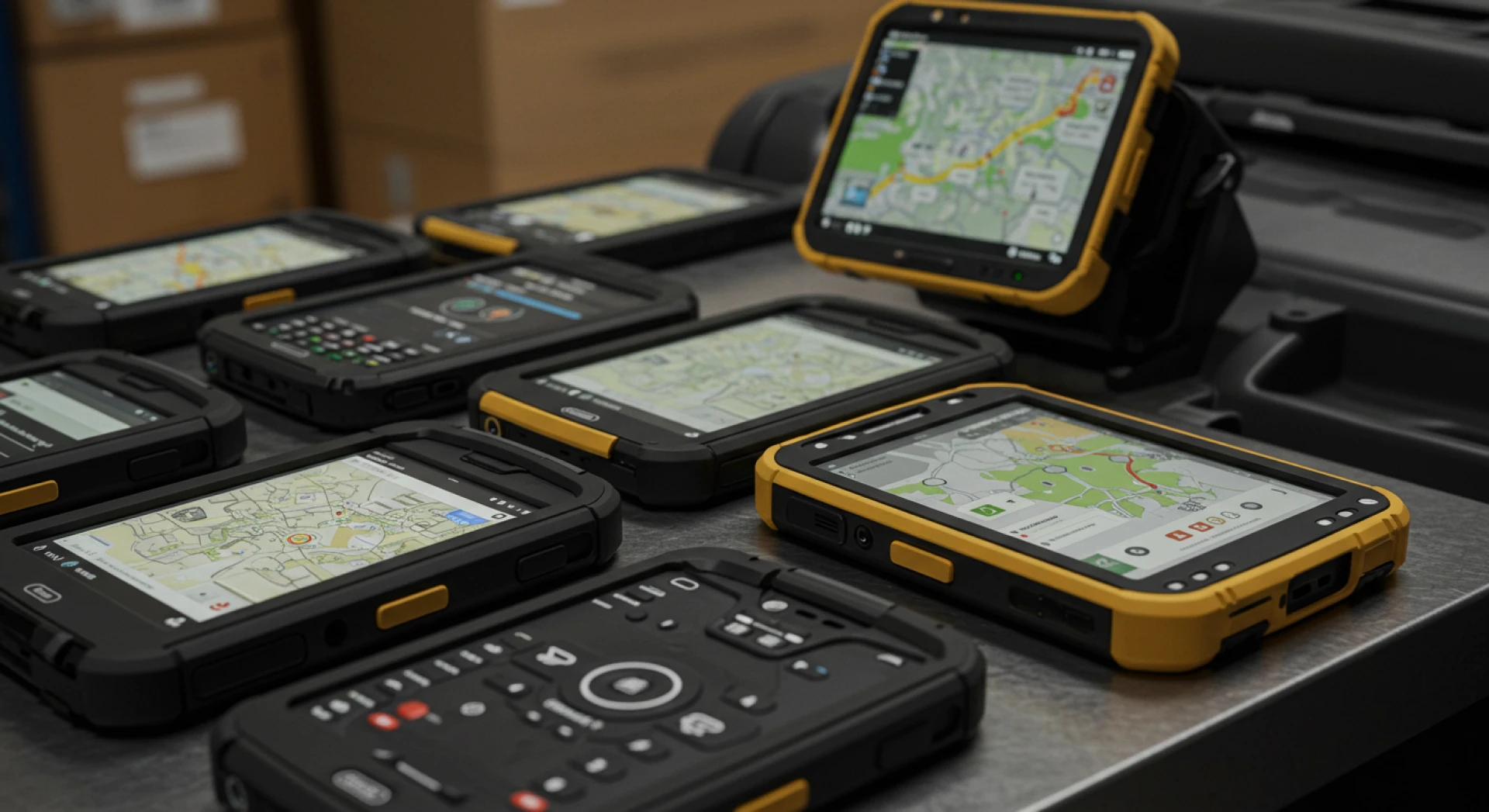

In industries like logistics, manufacturing, warehousing, transportation, and utilities, rugged devices are the workhorses of field operations. Built to endure extreme temperatures, shocks, dust, and water exposure, these tough devices power mission-critical tasks every day. But their durability alone isn't enough—centralized, secure, and intelligent management is key. That's where Mobile Device Management (MDM) for rugged devices comes into play.
This comprehensive guide will walk you through expert strategies to maximize uptime, secure field data, automate provisioning, and optimize rugged device fleets using the right MDM solution.
1. Selecting Rugged Hardware and OS Built for the Field
The foundation of any effective rugged deployment begins with choosing the right hardware and operating system:
- Android rugged devices dominate the field due to flexible APIs, wide OEM support (Zebra, Honeywell, Cat), cost-efficiency, and deep enterprise integration.
- Windows rugged tablets/laptops still have a place, but lack the streamlined MDM compatibility and app control Android offers.
Key Rugged Certifications to Consider:
- MIL-STD-810G/H: Ensures protection from drops, vibration, and shock.
- IP Ratings (IP65-IP68): Protects against water, dust, and dirt.
MDM-Ready Features:
- Zero-touch enrollment (ZTE)
- Android Enterprise support (Device Owner, Work Profiles)
Ensure your devices align with both your operational needs and your chosen MDM’s management capabilities.
2. Rugged Device-Specific MDM Features to Prioritize
Not all MDMs are optimized for rugged environments. A high-performance MDM for rugged devices should include:
🔒 Kiosk & App Lockdown
- Single or multi-app kiosk modes
- App blacklisting/whitelisting
- Prevent user access to settings
🔧 Advanced Hardware Controls
- API support for barcode scanners, NFC, thermal printers
- USB OTG, tethering, speaker/mic configurations
- Hot-swapping and peripheral device management
🔍 Remote Diagnostics
- Real-time shell access
- Log and crash data collection
- File system browsing and remote file push/pull
🔄 Flexible Update Management
- OTA updates with blackout scheduling
- Rolling releases and rollback options
- Regional bandwidth control
🛡️ Secure Data Containers
- Encrypted app containers for sensitive data
- Remote wipe and device lock capabilities
- Policy enforcement for field data integrity
3. Multi-Layered Security for Field Environments
Rugged devices often capture and transmit critical business data. That’s why layered security via MDM is non-negotiable.
🔐 Security Essentials:
- AES-256 encryption for all stored data
- Remote wipe for lost or compromised units
- TLS 1.3 encryption for secure network communication
- Always-on VPN or per-app VPN configurations
- Built-in firewalls to block unapproved network traffic
- Certificate-based authentication for admin access
- App whitelisting from enterprise-signed repositories
Platforms like VantageMDM also include real-time monitoring and SMS/email alerts for suspicious activity.
4. Automate Deployment with Zero-Touch Provisioning
Scaling rugged device fleets is seamless with zero-touch tools:
⚙️ Deployment Automation:
- Android Zero-Touch Enrollment for factory-to-field provisioning
- EMM token provisioning and bulk registration
- Script-based workflows to configure Wi-Fi, install certificates, apply policies, and launch kiosk mode
🔁 Lifecycle Management:
- Auto-restore settings and data during replacements
- Remote wipe and deregister during decommissioning
This ensures consistent setup, fewer human errors, and a faster go-live timeline.
5. Ensuring Uptime with High Availability and Redundancy
In rugged environments, device downtime leads to real losses.
🧠 Reliability Best Practices:
- MDM platform must offer global high availability and geo-redundancy
- Local caching to support OTA updates during poor connectivity
- Scheduled updates during non-peak hours to avoid disruption
VantageMDM offers built-in failover capabilities and SLA-backed SaaS delivery for uninterrupted operations.
6. Leverage Analytics to Optimize Fleet Performance
Every rugged device generates valuable telemetry. Use it.
📊 Key Metrics to Monitor:
- Battery health and charge cycles
- Uptime vs downtime logs
- App usage patterns
- Network connectivity reliability
- Lost scans or failed sync attempts
Analytics dashboards help identify underused or failing devices, plan replacements, and optimize usage based on real-time data.

7. Battery and Connectivity Optimization for Field Efficiency
Battery life and connectivity are top concerns for mobile workers.
🔋 Best Practices:
- Power-saving profiles (e.g., dim screens, lower CPU use)
- Offline app caching for network outages
- Dual-SIM configurations for redundancy
- Battery cycle alerts when capacity drops below 80% after 250+ charges
These strategies reduce unexpected device failures in the field.
8. Meeting Compliance and Audit Standards
Industries like healthcare, defense, and logistics are heavily regulated.
📁 Compliance Features to Implement:
- Activity logs with timestamps and location data
- Policy reports for audit readiness (certificate expiry, root/jailbreak detection)
- Integration with SIEM systems for security incident tracking
VantageMDM supports exportable, customizable compliance reports to meet standards like GDPR, HIPAA, and ISO.
9. Choosing the Right Ownership Model (COPE vs COBO)
Clear ownership policies help define security and control.
- COPE (Corporate-Owned, Personally Enabled): Work/personal data separated
- COBO (Corp-Owned, Business Only): Full lockdown for task-specific devices
Android Device Owner mode is ideal for COBO rugged devices, offering deep MDM control, kiosk enforcement, and policy lockdown.
10. Integrated Support for Remote and On-Site Teams
When rugged devices fail in the field, support must be instant.
🛠 Support Tools:
- Remote screen viewing and control
- Secure chat and remote installation
- Remote video and camera support for hazardous zones
- Integration with ITSM/helpdesk systems
This keeps downtime minimal, even in remote or dangerous locations.
11. Run Regular Audits and Device Health Checks
Preventative maintenance boosts fleet longevity.
📝 Quarterly Audit Checklist:
- Physical inspections (damaged screens, seals, casing)
- Software and firmware update status
- Battery health and wear analysis
- Policy compliance checks via MDM
Use audit playbooks and automated tagging within your MDM to streamline the process.
12. Secure Device Decommissioning
When it's time to retire a rugged device:
- Perform remote factory resets and container wipes
- Destroy certificates, tokens, and keys
- Maintain chain-of-custody logs for asset accountability
VantageMDM offers secure recycling workflows with full audit trails for safe hardware offboarding.
Frequently Asked Questions
What is a rugged device?
A rugged device is built to withstand harsh conditions like drops, dust, water exposure, and temperature extremes. These include field tablets, barcode scanners, and handhelds certified with MIL-STD and IP ratings for durability.
How can MDM for rugged devices help ensure data security?
Rugged MDM solutions secure devices through encryption, remote wipe, app lockdown (kiosk mode), VPN tunnels, and real-time monitoring. This ensures sensitive business or client data stays protected—even if devices are lost or stolen.
Why should businesses choose Android rugged devices for field operations?
Android devices offer flexible app control, cost-efficiency, faster deployment with zero-touch enrollment, and wide OEM support. Combined with strong MDM tools, Android rugged solutions deliver agility and control.
Why is rugged device management essential for businesses?
Rugged MDM ensures uptime, enforces security, enables compliance, and simplifies scaling. It streamlines setup, manages lifecycle events, and provides analytics for informed decision-making—essential for efficiency in field-based operations.
Why VantageMDM is best for rugged device management?
VantageMDM supports full rugged device APIs, zero-touch provisioning, remote diagnostics, global cloud availability, compliance tracking, and automated workflows—making it a powerhouse for managing rugged fleets in demanding environments.
💡 Final Thoughts
Rugged devices are vital in industries that operate in challenging environments. But without the right MDM rugged device strategy, even the toughest hardware can become a liability. With solutions like VantageMDM, organizations can:
✅ Automate provisioning and updates
✅ Lock down devices with security and compliance
✅ Extend hardware lifespan with proactive monitoring
✅ Gain real-time insights into performance and usage
Whether you're managing 50 or 5,000 rugged units, a purpose-built MDM ensures resilience, scalability, and efficiency every step of the way.
Have questions about rugged device rollouts, OEM compatibility, or regulatory integration? Let’s explore your specific needs in more detail.




























Sign in to leave a comment.