

Relocating an office is a significant milestone for any business. Whether a company is expanding into a larger space, downsizing operations, or moving closer to clients and employees, an office relocation can create both opportunities and challenges. While the excitement of a new workspace is often motivating, the moving process itself requires careful planning to avoid disruptions to productivity and operations.
Kansas City continues to experience business growth across industries ranging from technology and healthcare to logistics and professional services. As companies evolve, many eventually face the need to relocate offices to better support their teams and long-term goals.
A successful office move depends on organization, communication, and preparation. Businesses that approach relocation strategically are far more likely to reduce downtime and maintain operational efficiency during the transition.
Why Office Moves Require Specialized Planning
Unlike residential moves, office relocations involve multiple layers of coordination. In addition to transporting furniture and equipment, businesses must also manage employees, technology systems, customer communication, and operational continuity.
Office moves often include:
- Computer and server relocation
- Furniture disassembly and setup
- Inventory organization
- Employee workstation coordination
- Building access scheduling
- IT system preparation
- Utility and internet transfers
- Confidential document handling
Even a small oversight can create delays that affect productivity for days or weeks after the move.
The more organized the planning process is from the beginning, the smoother the transition tends to be.
Start the Planning Process Early
One of the most common mistakes businesses make is underestimating how much time an office move requires.
Larger office relocations may need several months of preparation, especially when coordinating vendors, employees, and technology infrastructure.
Create a Moving Timeline
A detailed timeline helps keep every phase of the relocation organized.
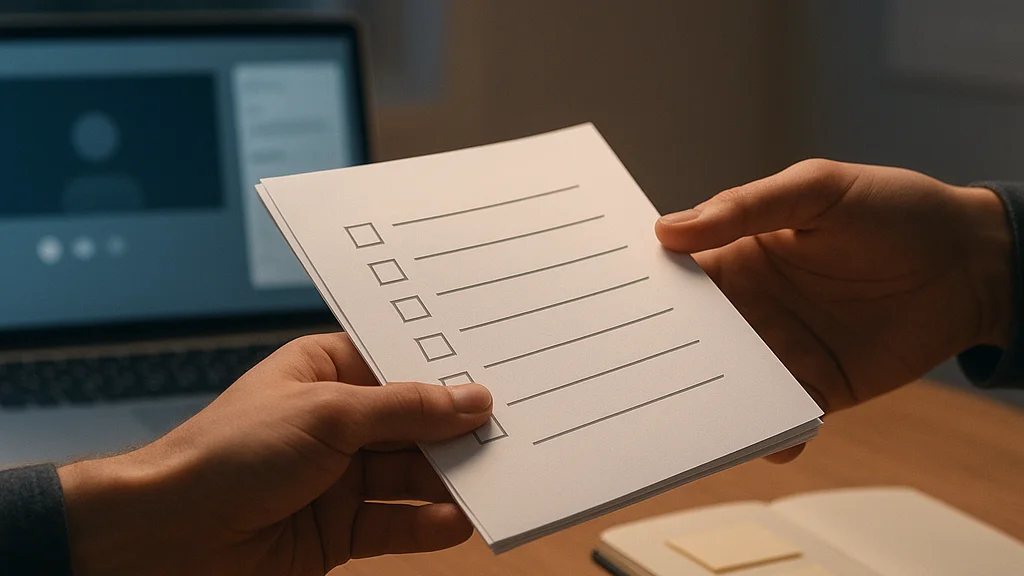
The timeline should include:
- Lease deadlines
- Packing schedules
- IT setup coordination
- Vendor communication
- Utility transfers
- Employee responsibilities
- Final walkthroughs
Breaking the move into manageable stages reduces confusion and prevents last-minute scrambling.
Assign an Internal Moving Team
Many businesses benefit from selecting a small group of employees to oversee the relocation process.
This team may help coordinate:
- Department communication
- Equipment tracking
- Scheduling updates
- Vendor management
- Workspace planning
Having clear leadership helps improve accountability throughout the move.
Organizing and Decluttering Before the Move
An office relocation provides the perfect opportunity to reevaluate what the business actually needs.
Many offices accumulate outdated furniture, unnecessary supplies, and unused equipment over time.
Conduct an Office Inventory
Before packing begins, businesses should review:
- Office furniture
- Electronics
- File storage
- Supplies
- Equipment
- Archived documents
Removing unnecessary items reduces moving costs and improves organization in the new workspace.
Dispose of Sensitive Documents Properly
Old records and confidential files should be securely shredded or archived before the move.
Maintaining data security throughout the relocation process is essential for many businesses.
Upgrade Equipment if Necessary
Moving can also be a convenient time to replace aging office furniture or outdated technology systems.
Protecting Technology During Relocation
Technology systems are often the most valuable and sensitive part of an office move.
Computers, servers, monitors, and networking equipment require careful handling to prevent damage and downtime.
Back Up Critical Data
Before disconnecting any systems, businesses should ensure important files and company data are fully backed up.
Label All Cables and Devices
Detailed labeling makes reinstallation much faster after arriving at the new office.
Coordinate Internet Setup Early
Internet and phone service delays are among the most common causes of post-move downtime.
Scheduling installations ahead of time helps avoid interruptions to daily operations.
Use Proper Packing Materials
Electronics should be transported using protective materials designed to reduce movement and impact during transit.
Minimizing Downtime During the Move
One of the biggest goals during an office relocation is maintaining business continuity.
Many companies reduce disruptions by scheduling moves:
- During weekends
- After business hours
- In phases
- During slower operational periods
The objective is to keep employees productive while minimizing interruptions for customers and clients.
Businesses seeking experienced Kansas City office movers often prioritize companies familiar with commercial buildings, office logistics, loading zones, and local business districts. Experience with office relocations can help streamline coordination and reduce unnecessary delays.
Communicating With Employees Throughout the Process
Office relocations affect every member of the organization, so clear communication is critical.
Employees should receive regular updates regarding:
- Moving schedules
- New office layouts
- Packing expectations
- Technology setup timelines
- Parking and building access
- Workspace assignments
Providing information early helps reduce uncertainty and keeps teams aligned throughout the transition.
Assign Department Responsibilities
Each department should understand its role in preparing for the move.
Examples may include:
- Packing personal workstations
- Labeling equipment
- Securing confidential files
- Organizing inventory
Clear expectations improve efficiency and reduce confusion on moving day.
Setting Up the New Office Efficiently
Once equipment and furniture arrive at the new location, setup organization becomes extremely important.
Prioritize the following areas first:
- Internet and network systems
- Employee workstations
- Phones and communication systems
- Conference rooms
- Shared work areas
Focusing on functional operations first helps employees return to productivity more quickly.
Decorative and non-essential elements can be completed later.
Common Office Moving Mistakes to Avoid
Even organized businesses sometimes overlook critical relocation details.
Waiting Too Long to Plan
Commercial relocations almost always require more preparation than expected.
Poor Labeling Systems
Improperly labeled boxes and equipment slow down setup and create confusion.
Ignoring Employee Input
Employees often provide useful insights regarding workflow and workspace organization.
Underestimating IT Needs
Technology coordination should be one of the earliest priorities during planning.
Failing to Update Customers
Clients and vendors should receive updated contact information and relocation notices before the move.
Final Thoughts
Office relocations require detailed planning, strong communication, and efficient coordination. From protecting technology to minimizing downtime and organizing employee workstations, every phase of the move impacts business operations.
Companies that begin planning early, reduce clutter beforehand, and maintain clear communication throughout the process are often far more successful during transitions.
As Kansas City continues to attract growing businesses and expanding organizations, office relocations are becoming increasingly common across the metro area. With proper preparation and the right support, businesses can turn a potentially stressful move into a smooth transition that supports future growth and productivity.



























Sign in to leave a comment.