
In today’s world, school safety is a top priority for administrators, educators, and parents alike. Emergencies—whether natural, medical, security-related, or weather-driven—can happen unexpectedly. Having a reliable school emergency alert platform ensures that critical information reaches the right people at the right time. But with so many solutions on the market, choosing the right tool takes careful consideration.
To help you make an informed decision, here are 10 key questions to ask when evaluating school emergency alert systems. Plus, we’ll walk through an FAQ to clarify common concerns about these systems and how they work with a school messaging app.
1. Does the Platform Provide Multi-Channel Alerts?
A powerful school emergency alert platform should be able to send messages across multiple channels simultaneously—such as text messages (SMS), push notifications, email, voice calls, and even digital signage. Multiple channels increase the likelihood that recipients receive and act on critical alerts quickly.
Ask: Can the system send alerts through multiple channels at once?
2. How Quickly Can Alerts Be Sent?
In an emergency, every second counts. The alerting platform should deliver messages within moments of initiation—without delays or batching.
Ask: Does the system support instant alert delivery to all users?
3. Does It Integrate With Your School Messaging App?
A school emergency alert platform is most effective when it works seamlessly with your existing school messaging app. Integration means messaging is consistent, centralized, and easier for staff to manage.
Ask: Can the alert system integrate with our existing school messaging app or communication tools?
4. Is the Alert System Easy to Use?
In a crisis, simplicity is essential. Teachers, administrators, or safety teams should be able to send alerts quickly without navigating complicated menus.
Ask: Is the user interface intuitive and fast during high-stress situations?
5. Can You Customize Alert Messages?
Every emergency is different. A robust system allows you to tailor messages with location-specific instructions, severity levels, and multi-language support.
Ask: Does the platform allow customizable alerts with detailed information?
6. Does It Support Two-Way Communication?
Communication during emergencies should not be one-way only. A system that supports replies or acknowledgements helps administrators know who has received and understood an alert.
Ask: Can recipients respond to emergency notifications through the platform?
7. Is There a Centralized Dashboard for Monitoring?
Administrators need real-time visibility into the status of alerts, responses, and overall school safety indicators. A centralized dashboard enhances situational awareness.
Ask: Does the system include a dashboard for tracking alerts and responses in real time?
8. Does It Maintain Contact Lists Automatically?
Manually updating contact lists is time-consuming and error-prone. A modern alert platform should sync with your student information system (SIS) or rostering tools to keep contact lists up to date.
Ask: Can the platform automatically sync and update user contact information?
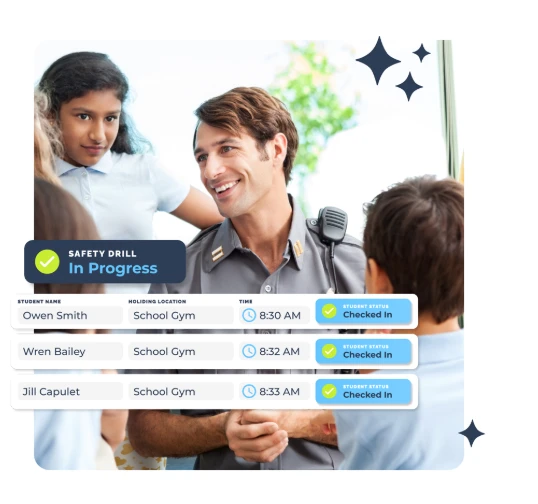
9. Are There Testing and Drill Capabilities?
Practicing emergency responses through drills helps staff and students prepare for real situations. Your alerting tool should let you conduct tests without triggering full-scale notifications.
Ask: Does the system support scheduled tests and drills?
10. Is the System Secure and Compliant?
Safety and data privacy go hand in hand. Ensure that the platform meets industry standards for security, encryption, and compliance with regulations such as FERPA or equivalents in your region.
Ask: Does the platform meet data security and compliance requirements?
How These Questions Help You Choose the Right Tool
Selecting the right school emergency alert platform isn’t just a technology decision—it’s a safety decision. Asking the right questions ensures that your tool:
✅ Reaches everyone quickly and reliably
✅ Keeps staff and families informed
✅ Supports two-way communication in critical moments
✅ Integrates with existing systems like school messaging apps
✅ Provides visibility and accountability
Now, let’s get into common questions schools ask before implementing an emergency alert system.
Frequently Asked Questions (FAQ)
1. What is a school emergency alert platform?
A school emergency alert platform is a communication system designed to send urgent notifications during critical events—such as lockdowns, weather emergencies, or evacuations—to staff, students, and families.
2. How does a school emergency alert platform differ from a school messaging app?
A school messaging app is typically used for everyday communication—like announcements, attendance updates, or reminders. An emergency alert platform is specifically optimized to deliver urgent, time-sensitive information and often integrates with the school messaging app for consistency.
3. Can an emergency alert system send messages to parents and staff simultaneously?
Yes. Modern platforms allow messages to be sent to multiple groups—including parents, teachers, administrators, and emergency responders—at the same time and across various channels such as text, app push notification, or email.
4. Do emergency alerts work if someone’s phone is on silent?
Many systems use push notifications that can override silent modes or utilize multiple channels (SMS, voice, email) to ensure alerts are received even if one method fails.
5. Can alerts be customized for specific situations?
Absolutely. Schools can tailor messages for different emergencies, specify locations, include instructions, and use templates for common scenarios.
6. How do alerts help during drills?
Emergency alert platforms support drill modes that allow staff and students to practice responses without sending full notifications to all recipients.
7. Can students receive emergency alerts directly?
Many systems support student notifications—depending on policies and device availability—ensuring they receive instructions during emergencies.
8. How important is integration with existing communication tools?
Very important. Integration with your current school messaging app avoids duplication, centralizes communication, and simplifies alert management.
9. Will the alert system work during internet outages?
Reliable systems include fallback methods such as SMS or voice calls to ensure messages are delivered even if internet connectivity is limited.
10. Is training required to use the emergency alert platform?
Good platforms offer intuitive interfaces, but training helps ensure staff understand how to send alerts, customize messages, and run drills effectively.
Final Thoughts
Choosing the right school emergency alert platform is a critical decision that affects school safety, parent trust, compliance, and response effectiveness during unexpected events.
By asking the right questions—and understanding how the system works with your everyday school messaging app—you can select a solution that enhances safety, streamlines communication, and brings peace of mind to your entire school community.




























Sign in to leave a comment.