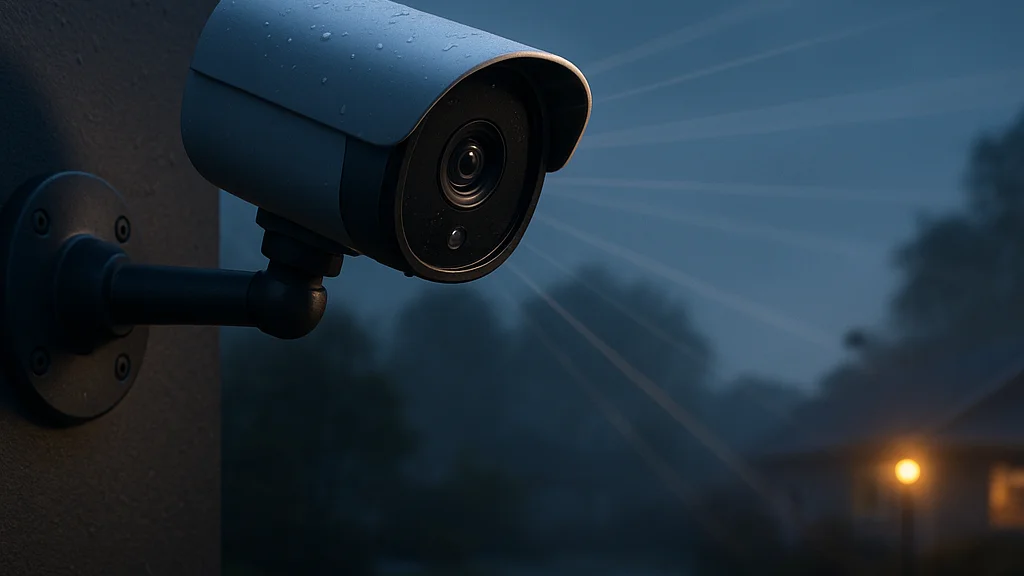

The unpopular truth: “wireless” usually means compromise until distance becomes the point
Three things are wrong with most consumer security camera marketing. First, brands throw around “wireless” as if it means effortless, when it often just means no Ethernet and a fresh set of battery, signal, and app headaches. Second, range claims are routinely framed in ideal conditions that look nothing like a wooded lot, metal-sided workshop, ranch gate, marina slip, or off-grid cabin. Third, the category is still sold as a home gadget when, for a lot of remote workers, it is really a business continuity tool.
That last point matters more than people admit. If you work from home, manage a distributed team, store inventory in an outbuilding, run a studio from a detached garage, or bounce between a city apartment and a rural property, your security problem is not just “who is at the front door?” It is whether you can maintain visibility over assets, entrances, deliveries, vehicles, and infrastructure from far enough away that ordinary Wi-Fi cameras stop being useful. Half a mile is where the product category stops feeling like smart-home décor and starts looking like operational equipment.
The good news is that long-range wireless security cameras are no longer niche science projects. Better radios, solar charging, lower-power image processing, and more mature cellular and proprietary bridge systems have made remote deployment practical for non-engineers. The bad news is that you still need to understand what is actually being transmitted, over what frequency, with what line of sight, and at what power budget. Ignore those details and you end up with the classic bad-UX outcome: a push notification telling you the camera went offline right when you needed footage.
If you have seen broad consumer explainers such as Mint’s overview of whether a wireless camera is right for your home, you already know the baseline trade-offs between convenience and reliability. But half-mile installs are a different class of decision. They are less about aesthetics and more about network architecture, power planning, and risk tolerance.
Long-range camera systems are not “better Wi-Fi cameras.” They are a separate design problem: radio link, power source, storage path, and alerting chain all have to survive distance.
That is why this topic belongs in remote work and productivity. The camera is not the story. The story is whether distance stops you from supervising a workplace, protecting equipment, or responding quickly enough to avoid downtime.
How half-mile wireless installs actually work
There is a simple reason ordinary indoor cameras fail at long range: they were never designed to move stable video through walls, foliage, weather, and interference over thousands of feet. Standard home Wi-Fi, especially on crowded 2.4 GHz and 5 GHz bands, degrades fast once obstructions enter the picture. A half-mile deployment usually relies on one of four architectures: a proprietary base station with long-range radio, a point-to-point wireless bridge, a cellular camera, or a hybrid setup that records locally and backhauls clips or alerts over a lower-bandwidth link.
The cleanest distinction is this: some systems send full video over distance, while others keep the camera “smart” at the edge and send only what matters. That difference changes everything, from battery life to monthly cost. A solar-powered camera at a ranch gate may remain asleep most of the day, wake on motion, record locally to onboard storage, and send a compressed event preview through LTE. A warehouse-yard deployment, by contrast, may use fixed power and directional antennas to maintain a continuous high-bitrate feed to a network video recorder.
Line of sight is still king. If the camera and receiver can “see” each other across open ground, your odds improve dramatically. Trees, outbuildings, berms, and metal structures can kill theoretical range. Weather matters too, though less than marketing copy implies. Heavy foliage and multipath interference are usually bigger enemies than rain.
For readers trying to sort the category, WriteUpCafe’s guide to getting started with long-range wireless security cameras is useful because it frames the purchase as a system decision, not a single-device impulse buy. That is the right lens. You are not buying a camera; you are buying a chain of reliability.
- Proprietary long-range kits: Camera talks to a matched hub or NVR over a vendor-specific radio link, often easier to install than custom networking.
- Wireless bridge setups: Directional radios create a data link between buildings or poles, allowing standard IP cameras to operate far from the main router.
- Cellular cameras: Best where no internet exists at the camera site; recurring data costs are the trade-off.
- Hybrid edge systems: Local recording plus event-based transmission reduces bandwidth and power demand.
MSN’s first-person comparison of wireless versus wired systems also gets one thing right: convenience can outweigh raw reliability depending on the property and installation constraints. That logic becomes stronger, not weaker, when trenching cable is impractical or absurdly expensive.
Why remote workers and small operators care more than homeowners do
Half-mile camera installs sound like a rural edge case until you look at how people actually work now. The home office has bled into workshops, detached studios, shipping sheds, backyard ADUs, farm offices, and multi-site side businesses. One person may be handling Zoom calls, inventory receiving, client meetings, and property oversight in the same afternoon. The productivity cost of uncertainty is real. If you cannot verify whether a delivery arrived, whether a gate was left open, whether a contractor showed up, or whether a generator is still running, you lose time to checking, driving, calling, and worrying.
This is where security turns into workflow. A well-placed long-range camera does three things for remote workers: it reduces interruption, shortens response time, and creates an evidence trail when something goes wrong. That applies whether the problem is theft, package disputes, unauthorized access, weather damage, or simple operational confusion.
There is also a quiet financial angle. Repeated site checks burn time and fuel. False assumptions burn more. If you run a small operation from a property with separate structures, a camera overlooking a distant barn, parking area, tool cage, or roadside entrance can replace dozens of low-value trips per month. For solo operators, that matters. For distributed households where one partner works remotely and the other commutes, it matters even more.
Readers looking for a broader framing should see what you need to know about long-range wireless cameras, which correctly treats placement, terrain, and power as first-order decisions. The rookie mistake is shopping by resolution alone. A 4K sensor is useless if the link drops, the battery dies, or the angle misses the choke point you actually care about.
The most productive security camera is not the one with the prettiest spec sheet. It is the one that reliably answers a question before you have to stop working and go look for yourself.
That is the practical threshold for remote work value. If the system reduces context switching, it earns its keep. If it creates another dashboard to babysit, it becomes just one more needy app.
The numbers that matter more than megapixels
Consumer camera shopping tends to collapse into a spec-sheet arms race: 2K, 4K, color night vision, AI detection, spotlight, siren. Fine. Most of that is secondary at half a mile. The metrics that actually determine success are less glamorous and more operational: link stability, latency, power autonomy, storage method, environmental rating, and total cost over time.
Start with bandwidth. Continuous video, especially at higher resolutions, can consume meaningful upstream capacity if pushed over a constrained wireless link or cellular plan. H.265 compression helps, and event-only recording helps more, but users still need to think in terms of data flow. A camera that streams 24/7 from a distant gate is a fundamentally different deployment from one that wakes for ten motion events a day. If you are on LTE or 5G, that difference can separate a manageable monthly bill from a nasty surprise.
Then there is power. Battery cameras are attractive because they avoid trenching and simplify placement, but distance often means fewer opportunities to service them. Solar can solve that if the panel gets reliable sun and the event rate is not excessive. Cold weather, shade, and frequent triggers all reduce autonomy. Hardwired power near the camera, even if data remains wireless, is often the least glamorous and most sensible compromise.
Field of view is another trap. Wide-angle lenses look impressive in listings but can make distant subjects too small for useful identification. A narrower view aimed at a gate, driveway throat, or equipment pad is often more valuable than a broad scenic shot.
- Link budget: Ask what radio path carries the video and what obstacles sit between camera and receiver.
- Recording mode: Continuous, scheduled, or motion-triggered determines both evidence quality and bandwidth use.
- Power plan: Battery, solar, AC, or PoE with bridge; each has maintenance consequences.
- Storage path: Local microSD, base station, NVR, or cloud subscription changes resilience and cost.
- Alert quality: Human, vehicle, and package detection reduce noise, but false positives still matter.
- Environmental tolerance: Dust, heat, humidity, and winter performance are not footnotes on remote properties.
According to the Mint article, buyers continue to prioritize convenience and app-based access, which makes sense for mainstream use. But long-range buyers should invert that priority stack. Reliability first, convenience second, image quality third. That ordering sounds harsh because it is. Still, it is the difference between a tool and a toy.
One more thing: latency. If your use case includes live intervention, such as speaking through two-way audio to a driver or checking whether a gate should be opened, link delay matters. Event clips that arrive late are fine for evidence, not for active management.
What changed recently and why 2026 is a better moment to buy
The market in 2026 is better than it was even two or three years ago for one reason above all: vendors have gotten more realistic about edge intelligence and power efficiency. Instead of assuming every camera should stream everything all the time, newer systems increasingly process more on-device, classify events locally, and send only what the user needs. That is a major improvement for long-range installs because it reduces both bandwidth and nuisance alerts.
Carrier networks have also become a more practical fallback in rural and semi-rural deployments. Coverage is still uneven, and anyone claiming otherwise is selling fantasy with a glossy app icon, but in many areas LTE and 5G options now make cellular cameras viable where fixed broadband is weak or nonexistent. For remote workers with secondary properties, jobsites, or detached workspaces, that widens the map of places where “install and monitor” is realistic.
Another shift is the normalization of solar bundles. A few years ago, solar accessories often felt bolted on. In 2026, more camera ecosystems treat solar as a first-class deployment path, especially for perimeter and gate coverage. That does not eliminate maintenance, but it makes recurring manual charging far less likely when the site gets adequate sun.
Software has improved too, though not uniformly. Detection models are better at distinguishing people, vehicles, and animals. Search tools in vendor apps are less clumsy than the old scroll-until-your-thumb-hurts era. Shared access controls are also more mature, which matters for households or small teams splitting oversight responsibilities.
WriteUpCafe’s 2026-focused long-range camera piece reflects this broader trend: modern systems are less about raw distance bragging rights and more about making remote visibility sustainable. That is the right framing. A half-mile camera that needs weekly intervention is not a victory.
MSN’s testing-based argument in favor of wireless systems for many homes points to the same practical reality from another angle: installation friction still kills projects. If a system can be mounted, connected, and trusted without trenching or professional rewiring, more people will actually deploy it where they need it. The best security plan is the one that gets installed before the incident, not after the Reddit post-mortem.
Real-world deployment patterns that make sense
There is no single perfect long-range setup, but there are repeatable patterns that work. The first is the detached-workspace model: a home office or studio sits hundreds or thousands of feet from the main house, and the owner wants to monitor the path, entrance, and parking area without extending conventional network wiring. Here, a wireless bridge plus fixed-power camera often beats a battery device because it supports more dependable live viewing and recording.
The second pattern is the perimeter-entry model. Think farm gate, long driveway entrance, private road junction, or storage yard access point. In these cases, a solar-powered camera with local recording and event alerts can be enough, especially if the goal is to verify arrivals and log traffic rather than watch a constant live feed. Cellular connectivity may be the cleanest option when there is no practical route back to the main network.
The third is the asset-protection model: trailers, equipment, boats, fuel tanks, or inventory stored away from the primary work area. These installs benefit from tighter framing, visible deterrence, and redundant storage. You do not need cinematic footage. You need timestamped, retrievable evidence and a fast alert.
- Detached office or workshop: Prioritize stable backhaul, shared user access, and low-latency live view.
- Gate or driveway: Prioritize wake speed, motion zones, license-plate-adjacent framing, and solar support.
- Equipment yard: Prioritize tamper resistance, local storage, and strong night performance.
- Vacation or secondary property: Prioritize cellular resilience, battery autonomy, and remote health checks.
For a broader comparison of the category, this WriteUpCafe article on cameras that work over half a mile is a useful companion because it separates “can connect” from “can operate reliably.” That distinction is everything. Plenty of devices can technically link at distance under clean conditions. Far fewer can survive months of weather, motion events, and spotty maintenance without becoming dead icons in an app.
One underrated tactic is using multiple modest cameras instead of a single hero camera. Cover the entry point, the approach path, and the asset itself. Redundancy beats bravado. If one camera is blocked, stolen, or blinded, the others still tell the story.
The privacy, legal, and workflow mistakes people keep making
Three bad habits show up again and again. First, people point cameras too broadly and capture neighbors, public roads, or areas unrelated to their actual security need. Second, they ignore retention and access policies until there is a dispute. Third, they treat alerts as entertainment and then wonder why they stop paying attention when something serious happens.
Legally, camera rules vary by jurisdiction, especially around audio recording and where a device is pointed. That means users should verify local requirements before deployment. The safest operational principle is narrow purpose: monitor only what you need for security or site management, and document who can access footage. If contractors, employees, or household members share the system, permissions should be role-based rather than casual password sharing.
Workflow matters too. If every rustling branch triggers a notification, the system becomes another source of cognitive spam. Better to tune motion zones carefully, lower the number of nonessential alerts, and reserve immediate push notifications for the events that actually require action. That may sound obvious, but consumer apps have trained people to accept noisy defaults because the dashboard looks busy and therefore reassuring. Busy is not the same as useful. Ask anyone who has suffered through a startup founder’s analytics obsession with zero signal quality.
Storage policy deserves more attention than it gets. Local storage can preserve footage even during internet outages, but only if the camera itself is not stolen or destroyed. Cloud storage improves off-site resilience but adds subscription cost and dependency on connectivity. Base-station or NVR recording can split the difference if the receiver sits in a more secure location.
If your security system creates more interruptions than it prevents, the problem is not your schedule. The problem is your configuration.
The best setups are boring in the right way. They surface meaningful events, keep evidence accessible, and fade into the background the rest of the time.
What to watch before you buy and after you install
Here is the contrarian conclusion: the half-mile headline is the least important part of the buying decision. Range is a threshold, not a guarantee. Once a system can plausibly reach the target area, the real questions are whether it stays online, whether it records the right moments, and whether it saves you time rather than consuming it.
Before buying, map the property. Measure the actual distance. Identify line-of-sight obstacles. Decide whether you need live monitoring, event verification, or forensic evidence after the fact. Those are different jobs. Then choose the architecture that matches the job. A remote worker protecting a detached office may need a bridge-based setup with continuous recording. A side-hustle seller checking a shipping shed may be fine with event clips and solar charging. A landowner monitoring a distant gate may need cellular first and everything else second.
After installation, test ruthlessly. Walk the approach path by day and night. Trigger events in rain if possible. Verify how long alerts take to arrive. Check whether faces, plates, or package handoffs are actually visible at the chosen angle. Review battery behavior after a week, not just after the first sunny afternoon. Most failures reveal themselves in the boring middle, not the first five minutes.
If you want a concise overview of the category’s promise and pitfalls, this related WriteUpCafe piece on wireless security cameras installed over half a mile away is worth reading alongside broader consumer advice from Mint and MSN. Together, they point to the same conclusion: wireless can absolutely work at serious distance, but only when buyers stop thinking like gadget shoppers and start thinking like operators.
That mindset shift is the whole story. For remote work, productivity is not just software, calendars, and AI summaries. It is also the infrastructure that keeps your physical environment legible from wherever you happen to be working. A camera half a mile away is valuable for one reason only: it lets you stay where you are, keep doing what matters, and still know what is happening where you cannot be.



























Sign in to leave a comment.