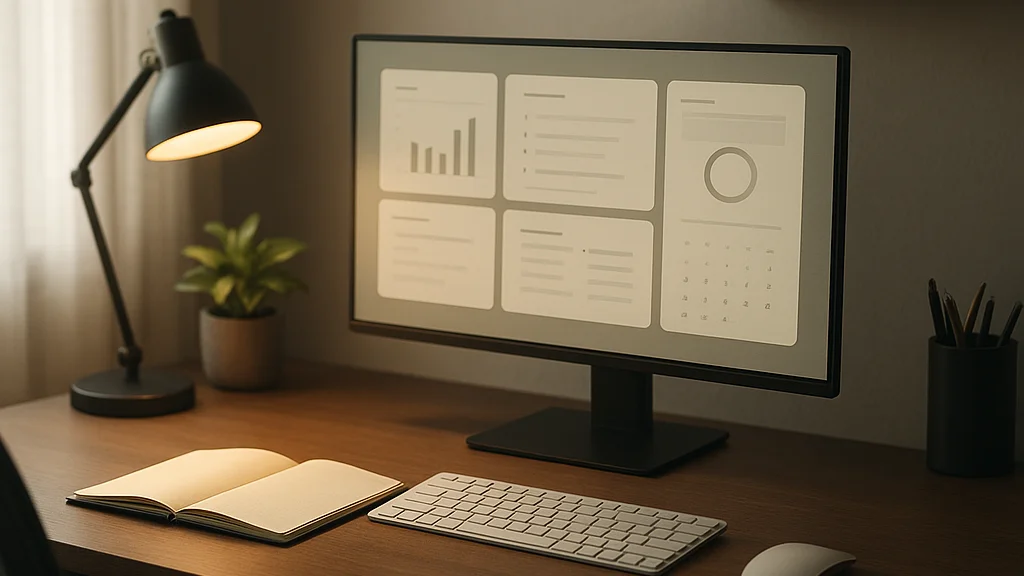

The first mistake many people make with a home office is very simple, and very expensive, they buy furniture before they define work. A desk arrives, a chair follows, maybe a second monitor, a lamp, a plant, and still the room feels wrong. Calls echo. Laptop cable snakes across floor. Afternoon light hits screen like a spotlight. By 3 p.m., shoulders are tight, concentration is gone, and kitchen table starts looking attractive again. Productive home office is rarely result of shopping alone. It is result of decisions made in correct order.
That distinction matters more in 2026 than it did even two or three years ago. Remote work has matured. Many employers have reduced broad work-from-home subsidies that were common in earlier pandemic years, while workers are expected to perform at near-office consistency from home, coworking space, or hybrid setup. According to Gallup and other workplace surveys in recent years, hybrid and remote preferences remain strong among knowledge workers, but expectations for responsiveness, video presence, and measurable output have also risen. Home office is no longer temporary corner. For many people, it is infrastructure.
Scandinavian work culture offers useful lens here. In Sweden, productivity is often discussed less as heroic effort and more as system design, enough structure, enough calm, enough recovery, what we call lagom. A good workspace supports focus without becoming shrine to optimization. It should also leave room for Fika breaks, daylight, and work-life balance, because sustained output comes from rhythm, not only discipline.
If you are just getting started, the goal is not to build perfect Pinterest office. The goal is to create place where your body can work for hours without pain, your tools support actual tasks, and your mind understands, when I sit here, I work. Some readers may also want more baseline inspiration from this practical WriteUpCafe guide or this companion piece on focus and creativity, but the starting point is always same: match space to behavior, not to trend.
A productive home office is not built by asking, “What should I buy first?” It is built by asking, “What kind of work must this room make easier every day?”
Start with a work audit, not a shopping list
Before choosing desk depth or paint color, spend three to five working days observing your own job. This is most useful first step, because different work creates different environmental demands. A software developer may need long stretches of uninterrupted screen focus, low noise, and keyboard comfort. A therapist working remotely may need acoustic privacy, warm lighting, and camera framing that feels human rather than corporate. A sales manager may spend half day on calls and require strong microphone performance, neutral background, and quick access to notes. One room cannot solve everything equally well, so priorities must be explicit.
Make a simple audit under four headings: tasks, tools, time, and friction. Under tasks, list what fills your week, writing, calls, analysis, design, admin, teaching. Under tools, note what you actually touch every day, laptop, monitor, notebook, headset, ring light, printer, scanner. Under time, estimate how many hours you spend in each mode. Under friction, record what currently slows you down, neck pain, Wi-Fi dropouts, poor lighting, family noise, clutter, missing power outlets. This is not glamorous work, but it prevents many wrong purchases.
Several mainstream setup articles point in this direction, even if briefly. AOL’s guide to setting up a practical and productive home office for less emphasizes function and affordability before aesthetics. Hindustan Times also highlights layout, comfort, and organization as productivity drivers. These sound obvious, but many people still skip the diagnostic stage.
Use your audit to define one primary and one secondary work mode. For example, primary mode may be deep computer work, secondary mode may be video meetings. Once you know that, decisions become easier. You can justify monitor size, chair investment, acoustic treatment, or mobile laptop stand based on evidence from your own week, not from influencer desk tours.
- Primary work mode: the activity that takes most hours and creates most value
- Secondary work mode: the activity that needs dedicated support but less space
- Top friction points: the three issues causing most fatigue or delay
- Non-negotiables: items or conditions required daily, such as quiet, dual screens, or natural light
This audit also protects budget. If you spend 80 percent of your time writing and researching, premium webcam matters less than keyboard feel, posture, and screen clarity. If you lead workshops all day, camera, microphone, and lighting deserve priority. Productive office begins with honest inventory of work reality.
Choose location by energy, light, and boundaries
Many guides say, use a separate room if possible. That is sensible, but incomplete. The better question is where in your home your concentration naturally survives. I have seen spare rooms fail because they were dark, cold, and next to noisy street, while a modest bedroom corner worked well because morning light was stable and household traffic was low. Productivity is deeply physical. Your nervous system notices noise, glare, temperature, and interruption before your to-do list does.
In 2026, this matters even more because video meetings and AI-assisted workflows have increased screen time for many professionals. More hours at desk means environmental flaws accumulate faster. A room that is slightly too dim at 9 a.m. becomes draining by 2 p.m. A chair that feels acceptable for one hour becomes painful by fourth call. A setup near television may survive one focused task, but not full week of deadlines.
When selecting location, evaluate three layers. First is sensory quality: daylight, airflow, noise, temperature, and visual calm. Second is boundary strength: can other people in home see when you are unavailable, and can you mentally leave work when day ends. Third is practical infrastructure: outlets, internet stability, door position, wall behind camera, and enough floor area to move chair freely.
According to design advice summarized by MSN’s report on balancing productivity and comfort, successful home offices combine ergonomic support with softer elements that reduce strain. That balance is very close to Nordic thinking, function first, but not function that ignores human feeling. If possible, place desk perpendicular to window rather than directly facing or backing it. This reduces glare and gives some daylight without washing out screen or creating harsh backlighting on camera.
Boundary design deserves equal attention. If you do not have separate room, create symbolic borders. Use rug, shelf, folding screen, or even dedicated lamp that is switched on only during work hours. These cues help brain shift modes. They also support family communication. Children and partners read visible patterns faster than verbal reminders.
Good home office location is not the emptiest corner. It is the corner where focus, comfort, and boundaries can coexist for months, not just for one enthusiastic weekend.
Do not underestimate recovery either. In Swedish workplaces, Fika is not only coffee, it is structured pause. Build office near possibility of healthy break, a window, balcony, short walk route, or kitchen that does not pull you into endless snacking. Productive space should support work and exit from work.
Invest in ergonomics where it changes output the most
If budget is limited, spend on body before decoration. This is blunt advice, but correct. Ergonomic failures are cumulative tax on concentration. They show up as headaches, wrist pain, restless legs, lower-back fatigue, and constant micro-distraction. People often interpret this as lack of discipline. More often, body is simply protesting badly arranged work.
The core ergonomic stack is not complicated. You need seat support, correct screen height, keyboard and mouse placement that keep shoulders relaxed, and enough desk depth for natural viewing distance. For most adults, top of monitor should sit at or slightly below eye level, and screen should be roughly an arm’s length away, adjusted for size and vision needs. If you use laptop alone for full workdays, add external keyboard and mouse plus stand, or move to monitor setup. Working bent over laptop for months is common and costly mistake.
There is also strong Scandinavian evidence culture around movement and recovery. Occupational health research from Nordic countries has long emphasized variation rather than fixed perfect posture. Best setup allows you to shift positions, sit back, lean forward, stand occasionally, and take short movement breaks. If you cannot buy sit-stand desk immediately, that is fine. Start with chair adjustment, foot support if needed, and calendar reminders to move every 45 to 60 minutes.
Use this order of investment if money is tight:
- Chair or seating support: because daily discomfort destroys consistency fastest
- Screen height solution: monitor, laptop stand, or arm to reduce neck strain
- External keyboard and mouse: especially for laptop-heavy workers
- Task lighting: to reduce eye strain in dark mornings and evenings
- Desk upgrade: only if current surface truly limits posture or equipment layout
Recent consumer articles often focus on affordable solutions, and that is useful. AOL’s budget-oriented setup advice is practical because many workers now pay more of these costs themselves than they did in 2020 or 2021. Yet “budget” should not mean false economy. Cheap chair that fails in six months is not cheaper. Neither is stylish desk too shallow for monitor distance. Buy fewer things, but buy things that reduce strain measurably.
One more point is often forgotten: audio ergonomics. If you are on calls for hours, poor microphone and speaker setup create hidden fatigue. Repeating yourself, straining to hear, or tolerating room echo drains energy. A decent headset or microphone can improve both professionalism and mental freshness. This is ergonomics too, just for ears and voice rather than back.
Build your technology stack around reliability, not novelty
By 2026, home office technology has become more crowded, not simpler. AI note-takers, noise-canceling apps, smart lights, webcam framing tools, desk occupancy sensors, and productivity dashboards all compete for attention. Some are useful. Many are distraction in elegant packaging. The right question is not what technology is trending, but which tools remove repeated friction from your workweek.
Start with connectivity. Stable internet is foundational. If your router is far from workspace, test actual speeds during peak household use, not only at midnight. If video freezes during team meetings, consider mesh system, Ethernet where possible, or repositioning workspace. Reliability beats headline speed. Professionals who handle client calls, online teaching, telehealth, or interviews should also think about backup, mobile hotspot, secondary connection, or at minimum clear emergency process.
Then assess visual stack. Many knowledge workers work faster with one good external monitor than with only laptop screen. Some work best with two monitors, especially in finance, coding, design, research, or operations roles. But more screens are not always better. If your work requires deep writing, one large display may reduce scanning and window clutter better than dual setup. Match technology to cognitive style.
Audio and camera quality now carry more reputational weight than before. Hybrid teams often judge preparedness through technical smoothness. A sharp webcam is useful, but lighting matters more. Clear microphone matters more than expensive camera. Soft front light or window at angle can make modest webcam look professional. Echo from bare room can make expensive camera feel amateur. For many beginners, best early upgrade is simple: headset, lamp, and tidy background.
There is also cybersecurity dimension. Home office is part of company risk surface. Use password manager, update devices, secure Wi-Fi, and separate work from personal devices when employer policy requires it. If you handle sensitive client data, store papers out of sight and use screen privacy where needed. Productivity without security is unstable productivity.
- Must-have reliability tools: stable internet, surge protection, charging access, backup meeting option
- High-impact communication tools: microphone or headset, camera, lighting, neutral background
- Focus-support tools: monitor setup, notification control, document organization, cable management
- Risk-control tools: password manager, software updates, secure storage, VPN if required
Readers who already have basic setup and want more advanced refinement can compare these choices with this 2026 expert strategy guide and this advanced WriteUpCafe article. The pattern is consistent: tools should disappear into workflow. If gadget keeps asking for attention, it is not serving office, office is serving gadget.
Design the room for focus, recovery, and visual order
Once function and technology are set, design becomes more than decoration. It becomes cognitive management. Clutter is not only aesthetic issue. It competes for attention, especially in small homes where work shares space with domestic life. You do not need minimalist showroom, but you do need visual hierarchy. What belongs to today’s work should be visible. What belongs to next week, taxes, cables, random stationery, should be contained.
Begin with surfaces. Clear desk except for tools used daily. Add one landing area for active papers, one closed storage zone for less frequent items, and one charging location. This prevents small objects from spreading into every corner. If room is shared, mobile storage cart can work better than fixed cabinet because it lets office expand and contract with day.
Color and material also influence energy. Scandinavian interiors often favor muted tones, wood, textiles, and daylight because they reduce visual stress. You do not need all-white room. In fact, too sterile can feel draining. Better is balanced palette, calm base with one or two warmer elements. Textile softness, curtain, rug, upholstered chair, can reduce echo and make long calls easier on ears. Plant can help psychologically, though claims about dramatic productivity gains from greenery are often overstated.
Lighting deserves serious attention. Many people rely on ceiling light, which is usually wrong for desk work. Layer lighting instead: ambient light for room, task light for desk, and softer background light if you appear on camera. In northern climates, dark winters make this especially important. Poor light affects alertness and mood. If you work early mornings, consider brighter cooler task light during first work block, then warmer light later to support evening wind-down.
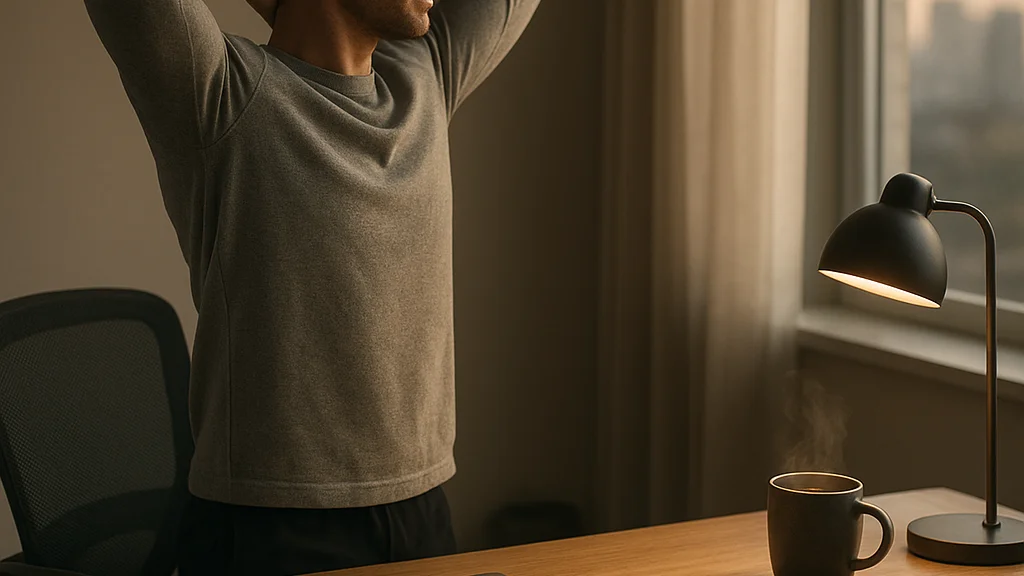
Recovery cues should be built in, not treated as reward after burnout. Keep water nearby. Make standing and stretching easy. If possible, leave a little empty space around desk so body does not feel trapped. A productive office should not mimic every aspect of corporate office. One advantage of home work is possibility to design humane rhythm. Fika break with proper pause, not phone-scroll while answering Slack, can improve afternoon quality more than another app ever will.
There is also social design. If you are often on video, your background communicates. Aim for calm, credible, and personal enough to feel real. Bookshelf, art, plant, or neat wall works. Avoid busy shelves, strong backlight, or visible household disorder. The room should support your authority quietly.
What has changed in 2026, and why beginners should care
The beginner building a home office in 2026 faces a different environment than someone setting one up in 2020. First, employers are more selective about remote arrangements. Many organizations now operate with hybrid norms, structured office days, and greater scrutiny of output. That means home office needs to support seamless switching between home and office workflows. Portable accessories, synchronized files, and docking simplicity matter more than before.
Second, AI has changed task composition. More workers use AI tools for drafting, summarizing, coding assistance, scheduling, and research support. This can increase total throughput, but it also increases review burden and screen exposure. You may complete first draft faster, yet spend longer validating details. Home office therefore needs to support sustained critical reading, not only rapid production. Better screen clarity, fewer distractions, and stronger note systems are practical responses to this shift.
Third, cost pressure is real. Inflation effects from recent years have made furniture and electronics purchases feel heavier for households in many countries. At same time, there is wider market of secondhand ergonomic furniture, refurbished monitors, and modular accessories. Smart beginners in 2026 often mix new and used. A refurbished business-grade chair can outperform trendy budget chair bought new. This is very lagom solution, practical, restrained, and often more sustainable.
Fourth, wellness is no longer side topic. Burnout concerns remain high across knowledge work, according to reporting from Reuters and major workplace surveys over recent years. The conversation has shifted from “Can people work remotely?” to “How can people work remotely without blurring life into one long unfinished workday?” That makes shutdown rituals, storage boundaries, and movement planning part of office design, not extras.
Finally, video culture has matured. People are less tolerant of poor audio, chaotic backgrounds, and visible distraction. Professional presence from home now includes technical competence. You do not need studio, but you do need basics done well. For beginners, this is good news. Standards are clearer. A stable desk, good chair, clean background, proper light, and reliable microphone will carry you much further than expensive trends.
The best new home offices in 2026 are not larger. They are clearer about purpose, kinder to body, and more disciplined about digital noise. That is progress worth keeping.
A realistic first-30-days plan for building your setup
Starting well is often about sequencing. If you try to solve everything in one weekend, you will overspend and still miss key issues. Better is phased build over first month, with observation between changes. This allows you to notice whether problem was chair height, light angle, or meeting acoustics, instead of guessing.
Here is a practical sequence that works for most remote professionals:
- Days 1–3: audit your work tasks, energy patterns, and friction points
- Days 4–7: choose location, test desk orientation, and measure light and noise at actual work hours
- Week 2: fix ergonomics first, chair adjustment, screen height, keyboard, mouse, foot support
- Week 3: improve reliability, internet, power access, charging, headset, webcam lighting
- Week 4: refine organization, storage, background, cable management, and shutdown ritual
During this month, keep one simple scorecard. Rate each workday from 1 to 5 on focus, comfort, and interruption. Add one note on what went wrong or right. This creates your own evidence base. If comfort rises after monitor stand and focus rises after moving desk away from hallway, you know where future money should go.
Do not forget routines. Productive office is partly furniture, partly habit architecture. Start time, first task, break rhythm, meeting preparation, end-of-day reset, these habits teach room what it is for. I suggest a five-minute opening ritual and a seven-minute closing ritual. Opening can include water, task list, notifications off, and one deep-work block defined. Closing can include file save, desk clear, tomorrow’s top three tasks, and lamp off. Small rituals create strong boundaries.
If motivation drops, keep expectations modest. The objective is not to become ideal remote worker overnight. The objective is to reduce friction enough that good work becomes easier than distracted work. That is often all system needs.
Start with one corner, one chair adjustment, one better light source, one clearer shutdown routine. Productivity usually improves through accumulation of small correct choices, not through one dramatic purchase.
For many people, home office will continue to be mixed space, part professional station, part domestic compromise. That is fine. Good design does not require perfection. It requires honesty about your work, respect for your body, and some discipline around boundaries. Build from there, and office will begin to support you, quietly, every day.
























Sign in to leave a comment.