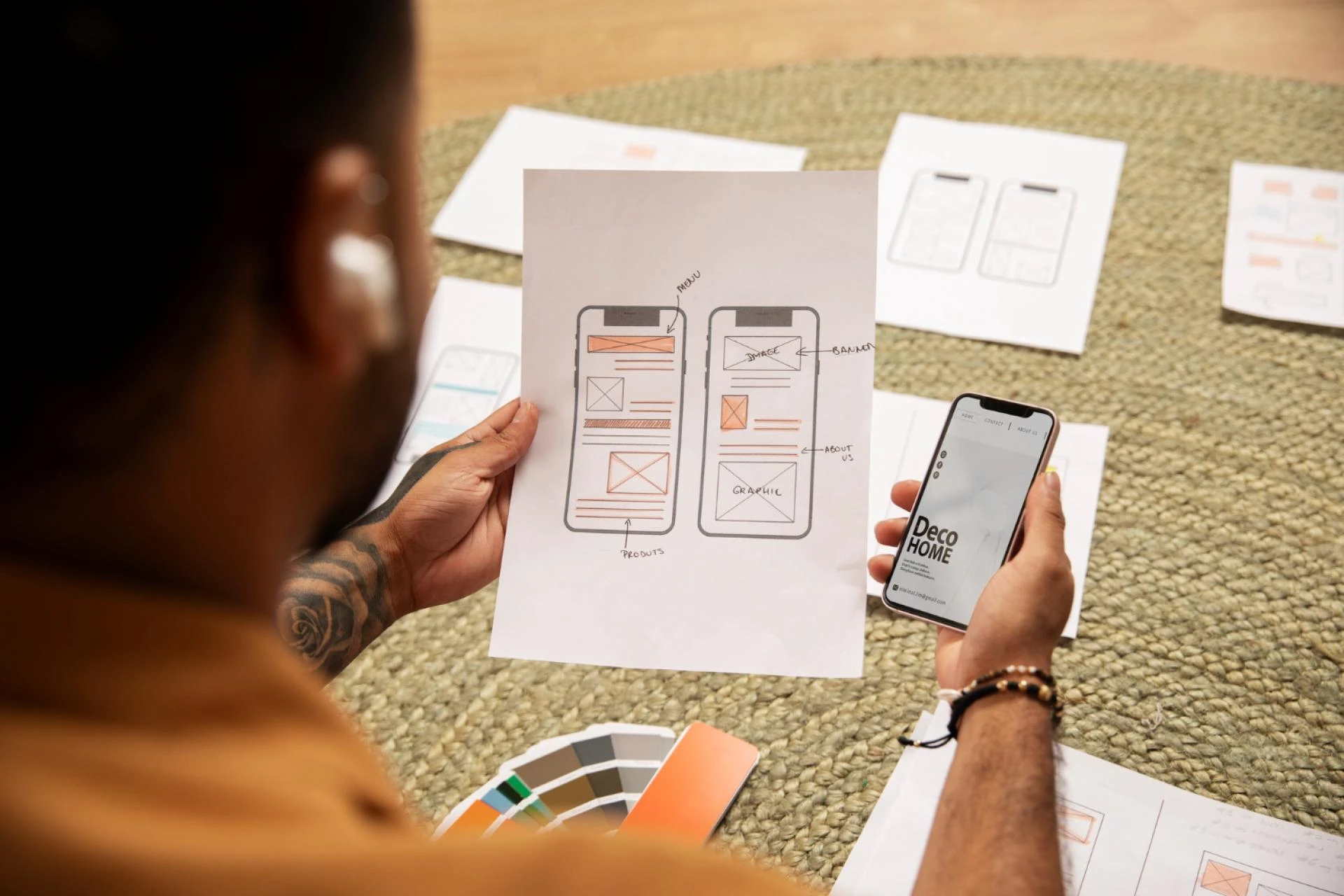

Mobile apps are no longer judged only by the features they offer—they’re judged by how easy, beautiful, and intuitive they are to use. In a world where users uninstall apps within seconds if the experience feels confusing or slow, Mobile UI Design has become the heart of app success.
A well-designed UI not only makes an app look attractive but also enhances performance, increases retention, and creates a seamless user experience. That’s why top brands invest heavily in UI designers who know how to turn ideas into powerful, user-friendly interfaces.
In this guide, you’ll learn the complete process to Mobile UI Design for high-performance apps—step by step.
1. Understanding the Purpose of the App
Before designing anything, the first step is clarity.
A high-performance app begins with understanding:
✔ Target users
✔ User problems
✔ App goals
✔ Core features
✔ Competitive landscape
A Mobile UI Designer asks:
“What problem does the app solve—and how can design make that solution effortless?”
This foundation shapes every UI decision.
2. User Research and Market Understanding
Mobile UI Design is not just creativity—it is strategy.
Designers conduct research to understand how users behave, what patterns they expect, and what frustrates them.
Research includes:
- User interviews
- Market analysis
- Competitor research
- Behavior mapping
- Feature comparison
Why this matters:
Good design fits the user’s mental model.
If users instantly understand how to navigate your app, performance and engagement increase.
3. Creating User Personas & Scenarios
To design effectively, a Mobile UI Designer must know who they are designing for.
Personas define:
- Age
- Goals
- Habits
- Frustrations
- Tech comfort
- App usage preferences
For example:
A fitness app user wants quick actions, large buttons, and motivational visuals.
Personas help shape design choices for maximum user comfort and long-term retention.
4. Building User Flows for Smooth Navigation
A high-performance app always has frictionless navigation.
That’s why Mobile UI Designers create user flows that map every step a user takes.
User flow answers:
- How does a user sign up?
- How do they search?
- How do they use key features?
- How do they complete onboarding?
The goal:
Reduce confusion → increase engagement → improve performance.
5. Wireframing: The Skeleton of the App
Wireframes are the blueprint of the app layout.
This is where designers establish structure, spacing, and content placement—before adding visuals.
Why this wireframe matters:
- Saves time
- Avoids design mistakes
- Helps stakeholders visualize the app
- Focuses on usability first
Popular tools:
- Figma
- Sketch
- Adobe XD
Wireframes define how screens connect and ensure users move through the app effortlessly.
6. Choosing the Right Design System
A design system is the DNA of your app’s visual identity.
It includes:
✔ Colors
✔ Typography
✔ Buttons
✔ Grids
✔ Spacing
✔ Layout patterns
✔ Components
Design systems ensure consistency, faster development, and lower errors—resulting in a smoother, high-performing app.
7. Creating UI Mockups: Turning Ideas into Real Screens
Once wireframes are approved, designers create full UI screens with visuals and style.
Mockups include:
- Final colors
- Fonts
- UI components
- Illustrations
- Icons
- Design patterns
A great Mobile UI must be:
✔ Clean
✔ Predictable
✔ Easy on the eyes
✔ Interactive
✔ Optimized for thumbs
Modern design trends include:
- Soft shadows
- Modern gradients
- Neumorphism
- Clear typography
- Bold but minimal color palettes
Mockups bring the app to life long before coding starts.
8. Prototyping for Real Interaction
A prototype is a functional simulation of the app.
Designers create clickable prototypes to test:
- Navigation
- User flow
- CTA placement
- Screen transitions
- Gestures (swipe, tap, drag)
Testing happens here—not after development.
Benefits:
✔ Faster improvements
✔ Better performance decisions
✔ Real preview of user experience
✔ Early feedback from stakeholders
Prototypes reduce development effort and ensure the final app feels smooth and natural.
9. Usability Testing: Fixing Issues Before Development
Even beautiful designs fail if users don’t understand them.
Usability testing identifies:
- Confusing screens
- Poor navigation
- Slow interactions
- Missing buttons
- Pain points
Designers run tests with real users and gather feedback to refine:
- Button sizes
- Layout clarity
- Color contrast
- Interaction speed
- Loading visuals
- Overall flow
This step guarantees the app functions as expected and feels natural to use.
10. Performance-Focused UI Optimization
High-performance apps load fast and respond instantly.
Mobile UI Designers optimize:
- Light-weight icons
- Compressed images
- Optimized fonts
- Smooth animations
- Fewer heavy elements
- Efficient screen transitions
Performance-focused UI reduces lags, improves battery consumption, and boosts retention.
11. Handoff to Developers
The final step is preparing design assets for development.
Designers share:
✔ Style guides
✔ Component libraries
✔ CSS or code snippets
✔ Motion specifications
✔ Responsive rules
✔ Screen interactions
Tools like Figma’s “Inspect” mode help developers build pixel-perfect screens.
A clean handoff ensures the final app looks exactly like the design—and performs at its best.
12. Post-Launch UI Improvements
Mobile UI Design is not a one-time task.
After launch, designers analyze:
- Heatmaps
- User behavior
- Drop-off points
- Conversion rates
- App performance
- Reviews & user feedback
Then they refine UI to improve:
✔ Engagement
✔ Retention
✔ Speed
✔ Conversion
Continuous improvement keeps the app competitive and user-friendly.
Conclusion:
A high-performing mobile app is not built by chance—it’s built by following a strategic UI design process.
From research to prototype, every step plays a role in shaping the user experience.
A Mobile UI Designer improves:
- Usability
- Speed
- Accessibility
- Navigation
- Visual appeal
- Engagement
- Conversion
When all these elements work together, the result is a powerful mobile app that users trust, enjoy, and retain long-term.
If your goal is to build a fast, intuitive, and high-performing mobile app, investing in expert Mobile UI Design is the smartest decision you can make.































Sign in to leave a comment.