

The bad news first: most home offices fail for three boring reasons. They are built around aesthetics instead of output, they copy corporate office habits that nobody actually likes, and they ignore the physics of attention. People buy a walnut desk, a ring light, and a fake plant, then wonder why they are still checking Slack from the couch at 10:47 p.m. That is not a workspace. That is expensive confusion.
A productive home office is not a vibe. It is a system. The best setups reduce friction, defend concentration, and make the right task the easiest task. That sounds obvious until you look at how many remote workers still work from dining tables, alternate between five browser windows and two messaging apps, and call it flexibility. Sure, because context switching has always been a productivity enhancer.
The shift to remote and hybrid work made this problem impossible to ignore. Gallup has reported for several years that a large share of remote-capable employees prefer hybrid or fully remote arrangements, while Stanford economist Nicholas Bloom has repeatedly pointed to the persistence of hybrid work as a structural change rather than a temporary blip. Meanwhile, Microsoft’s Work Trend Index and data from Slack have kept showing the same tension: workers want autonomy, but digital overload keeps eating the benefits.
So the real question is not whether you can work from home. Millions already do. The question is whether your home office helps you produce high-value work consistently without wrecking your back, your schedule, or your mood. If you want a quick companion read, WriteUpCafe has already covered the basics in How to Build a Productive Home Office That Actually Works and the longer-horizon thinking in How to Build a Productive Home Office That Lasts. Here, I am going further: layout, ergonomics, tech, lighting, acoustics, routines, and the 2026 realities that separate a decent setup from a serious one.
A home office should do one thing above all: make focused work easier than distracted work.
Start with the job, not the furniture
The most common mistake is designing a room before defining the work. A software engineer, a therapist, a freelance video editor, and a sales manager all need different home offices. One needs dual monitors and silence. Another needs flattering camera placement and client privacy. Another needs color-accurate lighting and fast local storage. Yet another needs a headset, a clean background, and a setup that can survive six hours of calls. If you skip this task audit, you end up solving the wrong problem beautifully.
Begin by mapping your week. Count how many hours you spend in deep work, calls, admin, creative ideation, and collaboration. Then identify the bottleneck. For many people, it is not a lack of desk space. It is audio leakage, poor posture, unreliable internet, or a laptop screen that forces them into a hunched position. The office should be built around the activity that creates the most value and the most strain.
A practical planning list looks like this:
- Primary work mode: writing, coding, design, analysis, selling, teaching, support, or management
- Call load: occasional, daily, or constant
- Hardware demand: laptop-only, single external monitor, dual monitors, local storage, peripherals
- Privacy need: low, medium, or high
- Noise sensitivity: can tolerate household sound or needs near-silence
- Mobility need: fixed station, occasional travel, or a dual setup
That list sounds simple because it is. But it prevents dumb purchases. If your job is writing and research, a premium mechanical keyboard might matter more than a giant curved display. If you lead distributed teams, a better microphone and camera framing may deliver more daily value than a standing desk upgrade. If you edit media, local SSD storage and color consistency beat decorative shelving every time.
There is also a psychological angle. Environmental cues shape behavior. Researchers in organizational psychology have long noted that role clarity and environmental fit influence performance. Your home office should signal what kind of work happens there. A desk used equally for bills, gaming, doomscrolling, and quarterly planning becomes a cognitive junk drawer. The sharper the purpose, the lower the friction.
Location is strategy: choose the least bad space and optimize it hard
Not everybody has a spare room. That is the unpopular truth hidden behind glossy remote-work photos. Plenty of productive home offices live in bedroom corners, hallway alcoves, converted closets, and awkward nooks next to radiators. The goal is not perfection. The goal is control.
When choosing a location, prioritize interruption risk over square footage. A large open area near the kitchen often performs worse than a small corner with a door or visual boundary. Sound, foot traffic, and line-of-sight distractions matter more than people admit. If every family member can casually make eye contact with you, you do not have an office. You have a public workstation.
Use this ranking when evaluating a location:
- Noise control: distance from TVs, laundry, streets, and shared living areas
- Door or divider potential: full door, sliding partition, bookshelf, or curtain
- Natural light: enough for alertness, not so much that it creates glare
- Power and connectivity: nearby outlets, strong Wi-Fi, or Ethernet access
- Temperature stability: avoid rooms that become ovens at 2 p.m.
- Background quality: especially important for video-heavy roles
Natural light deserves nuance. Yes, daylight generally supports alertness and mood, and sleep researchers have linked daytime light exposure to circadian regulation. But a window directly behind your monitor can create glare, eye strain, and washed-out video calls. Side lighting is usually better than front or back lighting. If you cannot avoid the window, use blinds or diffusing curtains and angle the desk accordingly.
Small spaces can work if zones are clear. A wall-mounted shelf can separate work tools from personal clutter. A folding screen can create a visual boundary that helps you mentally clock in and out. Even a rug under the desk can function as a territorial cue. That may sound like interior-design theater, but behaviorally it matters. Boundaries reduce leakage between work and home life.
If you want another perspective on designing for focus rather than square footage, WriteUpCafe’s What You Need to Know to Build a Productive Home Office makes the same point from a beginner-friendly angle. The principle holds at every budget: pick the space with the fewest interruptions, then improve what you can measure.
Remote work fails quietly. Usually not with one dramatic collapse, but with fifty tiny frictions repeated every day.
Ergonomics is not luxury spending; it is output protection
People love to treat ergonomics like a premium add-on for people who own too many gadgets. Wrong. If you work five days a week in a bad setup, discomfort becomes a tax on concentration. Neck strain shortens focus sessions. Wrist pain slows typing. Lower-back fatigue pushes you out of the chair and into avoidance. The body keeps score, and your calendar pays the bill.
The core ergonomic stack is straightforward: the top of the monitor should sit roughly at or slightly below eye level, the screen should be about an arm’s length away, elbows should rest near 90 degrees, feet should be flat on the floor or on a footrest, and the chair should support the lower back. The Occupational Safety and Health Administration has long published workstation guidance along these lines, and while personal variation matters, the baseline principles are not controversial.
If you use a laptop as your main machine, fix it first. A laptop alone forces a compromise: either the screen is too low or the keyboard is too high. The cheap solution is a laptop stand plus an external keyboard and mouse. That single change often does more for comfort than any aesthetic upgrade. For monitor users, prioritize adjustability. A monitor arm is not mandatory, but it often solves height and distance problems cleanly, especially in tight spaces.
Here is where to spend money first:
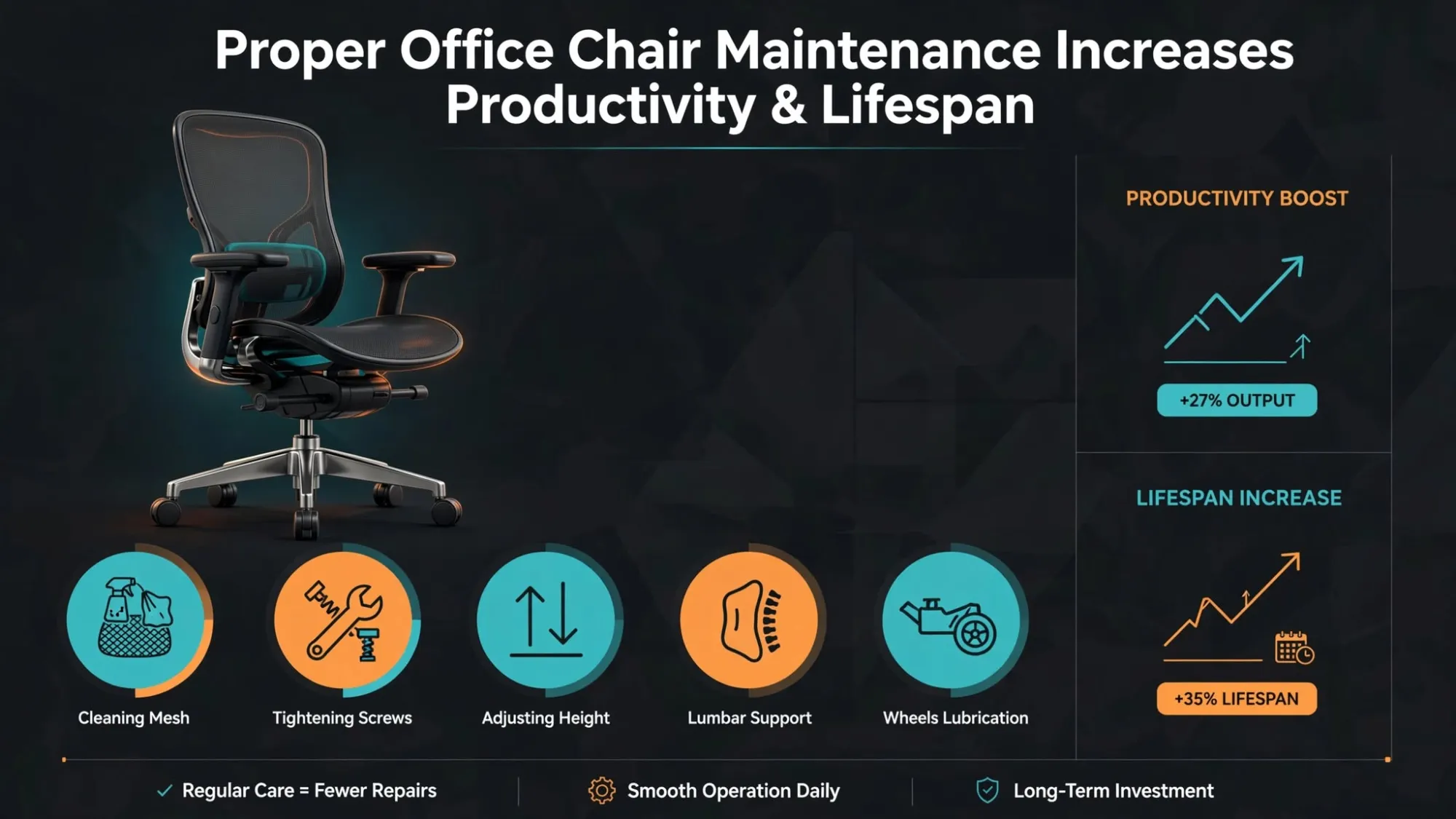
- Chair: support, adjustability, breathable material, and seat depth matter more than brand prestige
- Desk height fit: fixed or adjustable, but matched to your body and workflow
- External input devices: keyboard and mouse that reduce awkward wrist angles
- Monitor position: stand or arm to get the screen where it belongs
- Foot support: often ignored, surprisingly important for shorter users
Sit-stand desks deserve a reality check. They are useful, but they are not magic. Research over the past decade has suggested that alternating posture can help with comfort and sedentary time, yet standing all day is not the goal. Movement variety is. The productive pattern is usually blocks: sit for focused keyboard work, stand for calls or review tasks, then move. People who buy a standing desk and never change position have simply purchased a more expensive static posture.
One more thing: ergonomics includes reach. If your notebook, charger, headset, and water bottle live in random places, you create micro-disruptions all day. Keep the most-used items within easy reach, secondary tools nearby, and rarely used items out of sight. Good ergonomics is part biomechanics, part workflow design.
Lighting, acoustics, and air: the invisible performance layer
Three things go wrong in bad home offices before anything good happens: the room is too dim, too loud, or too stuffy. People obsess over desk accessories while ignoring the environmental variables that actually shape alertness and fatigue. This is like tuning a race car and forgetting the tires.
Lighting should support both seeing and thinking. For screen-based work, you want enough ambient light to reduce contrast strain without blasting the room. A desk lamp with adjustable brightness and color temperature is useful because work changes over the day. Cooler light can help early when you need alertness; warmer light is better later if you are trying not to torch your evening sleep. If you are on video calls often, add a front-facing light source slightly above eye level to avoid the horror-movie underlighting that cheap webcams produce.
Acoustics matter even if you are not recording a podcast. Hard surfaces bounce sound. Empty rooms amplify keyboard clatter and voice echo. Soft furnishings help: rugs, curtains, upholstered chairs, even full bookshelves. If household noise is unavoidable, a quality headset with solid microphone isolation can protect both focus and professionalism. Video-call platforms have improved noise suppression dramatically by 2026, but algorithmic cleanup is not a substitute for a quieter room.
Air quality is the neglected villain. Stuffy rooms increase fatigue, and temperature swings wreck concentration. Building scientists and occupational health experts have long connected ventilation and thermal comfort to cognitive performance. You do not need lab equipment to act on that. Open windows when possible, use a fan if airflow is poor, and avoid setting up next to heat sources that turn your afternoon into a survival test. If your room routinely gets hot, blackout curtains or thermal shades can matter as much as any gadget.
A practical environmental checklist:
- Ambient light: bright enough to reduce eye strain, controlled enough to avoid glare
- Task light: adjustable lamp for reading, note-taking, and late sessions
- Call lighting: soft front light for a professional on-camera look
- Sound control: rugs, curtains, seals, and headset quality
- Ventilation: fresh air, fan support, stable room temperature
- Visual calm: reduce clutter in your field of view
If your office feels draining after two hours, the problem may be environmental, not motivational. People blame themselves for poor focus when the room is doing half the damage.
Build the tech stack that removes friction, not the one Reddit brags about
Tech founder drama taught the internet one durable lesson: people love showing off setups more than they love using them. Home-office gear is full of the same trap. You do not need a spaceship command center. You need reliable tools that reduce lag, rework, and mental overhead.
The first non-negotiable is internet reliability. For remote workers, connectivity is infrastructure, not convenience. If your role depends on calls, cloud apps, or large file transfers, test actual speeds in the room where you work, not just next to the router. If possible, use Ethernet. If not, consider a mesh system or a better router placement strategy. The price of one dropped client call is often higher than the cost of fixing weak Wi-Fi.
Then come the essentials: a good webcam or a laptop camera that is properly lit, a microphone or headset that makes you sound clear, a monitor sized for your work, and power management that prevents cable chaos. USB-C docks became increasingly common through the mid-2020s for a reason: one-cable simplicity cuts setup friction, especially for hybrid workers who move between office and home.
Storage and backup deserve more respect. If your work has any level of importance, use automated backup. Local external drives, cloud backup, or both. Data loss is not a productivity issue; it is a disaster issue. Cybersecurity matters too. Use a password manager, enable multi-factor authentication, keep software updated, and separate work and personal accounts where possible. Remote work expanded attack surfaces, and security teams have spent years warning that home networks are softer targets than corporate environments.
For software, the principle is brutal simplicity:
- One task system: not three overlapping to-do apps
- One calendar source of truth: avoid split scheduling
- One note repository: searchable, stable, easy to capture into
- Default communication rules: what belongs in chat, email, docs, or meetings
- Automation for repeats: templates, text expanders, scheduling links, keyboard shortcuts
Microsoft, Google, Zoom, Slack, Notion, Asana, ClickUp, and countless others all want to become your operating system for work. Fine. Pick what fits your team, then reduce overlap aggressively. Tool sprawl feels productive because it looks organized. Usually it is just fragmented attention wearing a nice icon set.
For readers who want a more creativity-centered angle on setup choices, WriteUpCafe’s How to Build a Productive Home Office That Fuels Focus and Creativity is a useful complement. My version is harsher: if a tool does not save time weekly, it is probably decorative complexity.
Design routines and boundaries before work bleeds into everything
A polished office will not save a chaotic workday. This is where a lot of remote-work advice goes soft. People talk about discipline as if it appears automatically once the desk is assembled. It does not. Home offices need operating rules.
Start and stop rituals matter because they create transitions that commuting used to provide. That can be as simple as a five-minute desk reset, opening the same task list every morning, or taking a short walk before logging on. The point is consistency. You are teaching your brain that work has an opening sequence and a closing sequence. That lowers activation energy at the start and reduces mental residue at the end.
Time blocking remains one of the most defensible productivity practices because it protects important work from reactive work. Reserve your best cognitive hours for tasks that require real thought. Put meetings, admin, and low-stakes replies into predictable windows. Cal Newport popularized deep-work language, but the underlying logic is older and sturdier than any personal-brand packaging: attention is finite, and scattered days produce scattered output.
Boundary rules should be explicit, especially in shared homes. Tell other people when you are interruptible and when you are not. Use visual signals if necessary: door closed, headphones on, light indicator, whatever works. If you are a parent or caregiver, perfection is fantasy, but predictability still helps. Even partial protection of focus blocks can transform output.
Try this operating framework:
- Opening ritual: clear desk, review priorities, silence nonessential notifications
- Two focus blocks: 60 to 120 minutes each for your highest-value work
- Communication windows: batch messages instead of living in chat
- Movement breaks: every 60 to 90 minutes, stand or walk
- Shutdown ritual: capture loose ends, set tomorrow’s first task, physically leave the space
Recent remote-work research keeps pointing to the same issue: flexibility can improve satisfaction, but only if workers can control interruptions and expectations. The home office is where those expectations become visible. If your setup says “always available,” that is exactly how people will use you.
The point of a home office is not to make work endless. It is to make good work repeatable.
What changed by 2026 and what smart workers are doing now
By 2026, the home office is no longer a pandemic improvisation. It is part of mainstream workforce infrastructure. Companies have spent years refining hybrid policies, shrinking office footprints, and standardizing remote collaboration. Workers have become more selective too. A weak home setup is now a career tax in roles where responsiveness, presentation quality, and sustained independent execution matter.
Several developments stand out. First, AI assistants are now embedded across common work platforms, helping with meeting summaries, drafting, search, and workflow automation. That has changed the home office in a subtle way: less time is spent on clerical cleanup, but more value depends on uninterrupted judgment work. In other words, the premium on focus has increased, not decreased.
Second, video quality expectations rose. As webcams, lighting kits, and noise suppression improved, the average professional baseline got sharper. You do not need a studio, but muddy audio and dim framing now read as avoidable. Third, employers have become more security-conscious about remote endpoints, pushing harder on device management, authentication, and approved software. The home office is not just a comfort zone anymore; it is part of organizational risk management.
There is also a design shift. More workers are favoring modular setups over permanent maximalist ones: monitor arms, compact docks, acoustic panels, cable trays, and furniture that can adapt as roles change. That is a smarter response to hybrid uncertainty than building a shrine to one specific workflow. If your employer changes meeting load, software stack, or office attendance expectations, your setup should bend without breaking.
Current best practice in 2026 looks like this:
- AI used for admin, not attention replacement
- Video and audio quality treated as professional basics
- Security built into the setup from day one
- Modular hardware that supports change
- Focus-first scheduling to counter digital noise
WriteUpCafe’s How to Build a Productive Home Office in 2026: Expert Strategies and Insights covers some of these shifts directly. My addition is blunt: remote work matured, and the excuses got weaker. If your setup still creates preventable friction every day, that is no longer a transition problem. It is a systems problem.
The smartest home office is the one you can sustain
The final trap is building for an idealized version of yourself. The fantasy setup assumes you wake at 6 a.m., maintain perfect posture, process inboxes with monk-like detachment, and never eat lunch at the desk. Real life is messier. Sustainable productivity comes from setups that survive bad weeks, noisy mornings, deadline spikes, and ordinary human inconsistency.
That means choosing maintainability over novelty. A cable system you can actually keep tidy beats a cinematic desk shot that collapses in three days. A chair you can sit in comfortably for years beats trend-driven furniture with terrible support. A simple paper notebook that reliably captures your next action beats a complicated digital workflow you abandon under stress.
Review your setup quarterly. Ask what still causes friction. Are calls too echoey? Is the monitor too low? Are notifications creeping back in? Has your role changed? The best home offices evolve. They are not finished; they are maintained. That is true whether you are a freelancer, an employee, or a founder trying to keep your team sane across time zones.
If you remember only one thing, remember this: build from constraints outward. Start with the work, protect attention, support the body, simplify the tools, and create boundaries that keep work from colonizing the rest of your life. Everything else is optional polish.
And yes, you can still buy the nice lamp. Just do not confuse it with the system.


























Sign in to leave a comment.