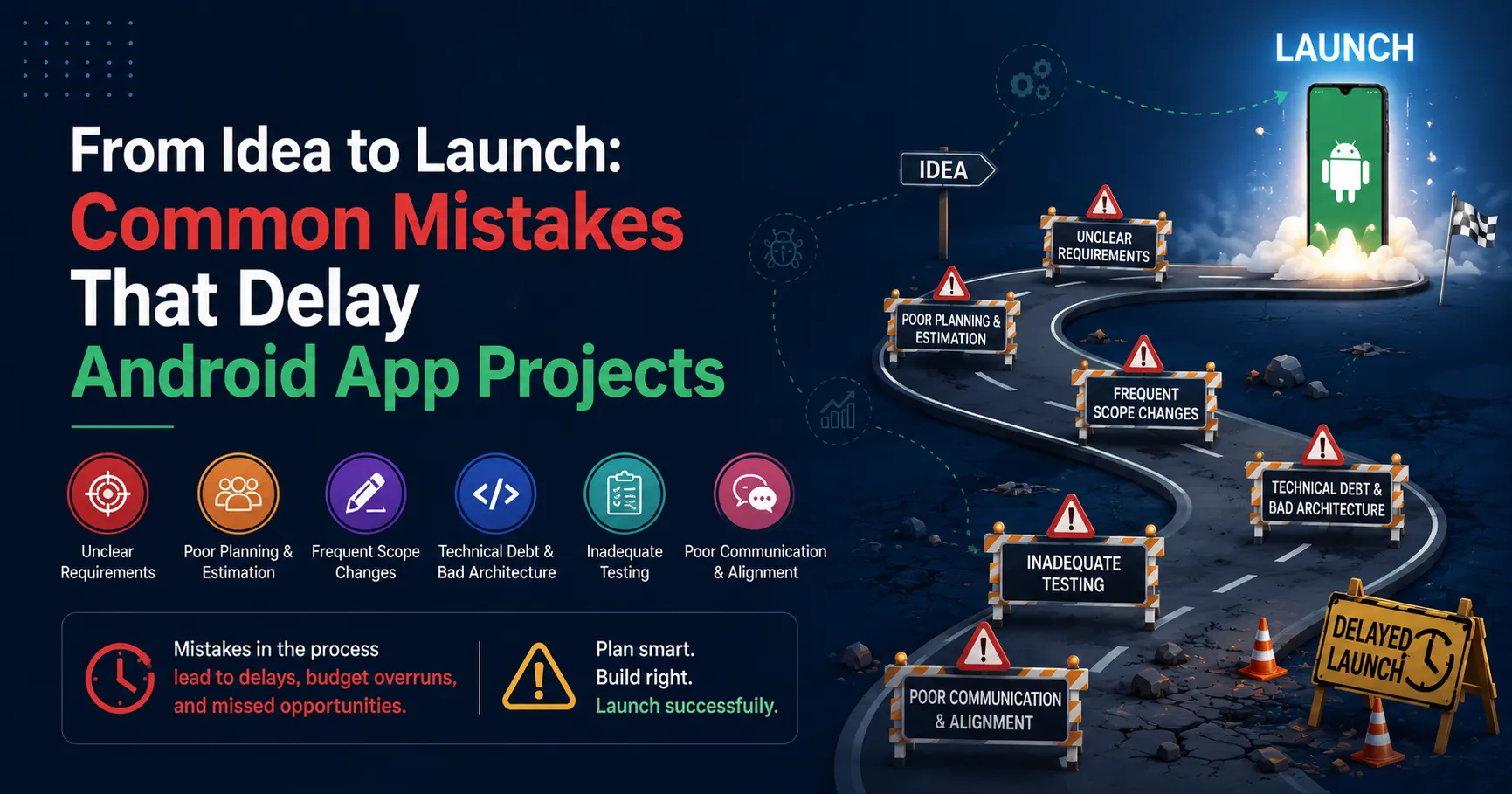

Bringing a mobile software product from an initial concept to a successful release on the Google Play Store requires careful alignment of engineering, design, and product management. Yet, many software initiatives miss their target launch dates due to structural planning flaws and execution errors.
According to data published in Standish Group’s Chaos Report, approximately 66% of software application projects experience outright failure or significant delivery delays. In the mobile application development ecosystem, these timeline overruns frequently stem from fragmented testing environments and weak architectural choices. Statista’s mobile OS telemetry reveals that Android currently powers over 71% of the global mobile market share. This footprint spans tens of thousands of unique device models, various screen resolutions, and fragmented operating system versions.
Building software for this diverse landscape demands strict operational discipline. Research from Cambridge University indicates that software bugs and architectural rework waste up to 50% of developer working hours globally. When organizations mismanage their initial planning stages, they run into massive timeline roadblocks. By examining these structural bottlenecks early, technology leaders can guide their chosen Android App Development Company to deliver robust codebases on schedule and within budget.
Architectural Definition Flaws and Scope Creep
The most common timeline delays occur long before developers write the first line of code. They begin during the initial scoping phase, when product requirements remain vague or shift mid-development.
Uncontrolled Feature Accumulation
Scope creep happens when teams add features to the development sprint without adjusting the launch deadline. Product owners often try to build a perfect, fully featured product on the first try rather than focusing on a Minimum Viable Product (MVP).
When teams introduce non-essential features mid-sprint, engineers must stop working on core features to refactor existing database schemas and rewrite foundational code layers. This friction disrupts development momentum and delays core stability testing.
Weak Architectural Blueprints
Selecting an inappropriate software architecture causes severe code friction as the app grows. Some development teams skip detailed architectural design phases to speed up early coding, jumping straight into building user interfaces.
Without a clear separation of concerns—such as using Clean Architecture with the Model-View-ViewModel (MVVM) pattern—business logic becomes tangled up with UI rendering code. This coupled approach makes it highly difficult to update features, fix background crashes, or scale database interactions, turning minor changes into multi-week refactoring tasks.
Technical Mistakes in Fragmented Mobile Environments
Developing for Android requires a deep understanding of its diverse ecosystem. Treating Android development exactly like iOS development leads to major optimization failures during deployment.
Neglecting Hardware and OS Fragmentation
Unlike closed hardware ecosystems, Android runs on a massive variety of chipsets, display profiles, and RAM capacities. A common mistake is designing and testing an application only on top-tier flagship devices.
When teams test only on high-end hardware, they miss critical performance bottlenecks that occur on low-end and mid-range devices. Memory leaks, slow rendering speeds, and background process crashes often appear when the app runs on entry-level smartphones. Fixing these performance gaps late in the cycle requires major code rewrites, pushing launch dates back by weeks.
Poor API and Local Storage Design
Mobile applications depend heavily on external data layers, API networks, and local device storage. Delays frequently happen when backend development teams build APIs independently from the front-end application engineers.
If an API returns bulky, nested JSON structures with unnecessary data fields, it drains the mobile device's network bandwidth and battery life. Furthermore, if developers fail to build robust offline caching into the app's local SQLite or Room database, the application will stall or crash on unstable mobile networks, failing Google’s strict app health requirements.
Testing Failures and Store Compliance Bottlenecks
Many product teams view Quality Assurance (QA) as a final checkbox step right before launch, rather than an ongoing part of development. This delayed testing approach creates a rush of bug fixes at the very end of the project.
Postponing Quality Assurance
When teams push QA to the final phase of a project, hidden bugs compound over time. An architectural bug introduced in week three might affect multiple feature blocks by week twelve.
Finding these deep errors late in production forces engineers to dismantle completed application modules to fix foundational flaws. Integrating automated unit testing, end-to-end testing, and continuous integration (CI) pipelines from day one ensures teams catch and fix code regressions within hours instead of months.
Misunderstanding Google Play Console Guidelines
Publishing an application to the Google Play Store requires strict adherence to changing technical and legal rules. Google regularly updates its target API level mandates, background location access restrictions, and privacy data policies.
- Target API Requirements: Google requires new apps and major updates to target a recent Android API level within fixed deadlines. Failing to update the application's configuration parameters leads to immediate app store rejection.
- Privacy and Data Safety: The Play Store requires deep disclosures regarding how the app collects, uses, and secures user data. Vague privacy disclosures or missing data-deletion links will pause the store review process, delaying marketing plans and launch timelines.
Enterprise Case Analysis: Fleet Management Logistics Transition
To understand the real-world impact of these development challenges, look at a large logistics enterprise that operates a fleet of 1,500 regional delivery vehicles. The company decided to build a custom Android application to replace its old paper tracking systems with live delivery routing, digital signatures, and barcode scanning.
Operational Obstacles
The enterprise hired an external development group without specifying exact hardware constraints. The engineers built a feature-heavy application using a complex, unoptimized codebase and tested it exclusively on premium flagship tablets.
When the enterprise deployed the app across their fleet's low-end, rugged Android devices, the application ran into severe issues:
- The barcode scanner module caused major memory spikes, crashing the app on devices with limited RAM.
- Unoptimized network sync processes drained vehicle battery banks and stalled the app in areas with poor cellular coverage.
- The development team spent four extra months rewriting core background synchronization workflows and optimizing image rendering modules to make the app usable.
Corrective Engineering Action
To fix these issues and launch the project, the enterprise restructured its strategy and partnered with an experienced Android App Development Company focused on high-performance mobile systems.
The new development team changed their engineering approach to stabilize the app:
- They separated the application's core logic into distinct modules using Clean Architecture principles, isolating the background network code from the user interface.
- They swapped out the heavy, unoptimized data sync processes for lightweight MQTT protocols, reducing background data consumption by 70%.
- They set up automated cloud testing rigs to test every new code build across a wide mix of low-end and mid-range Android devices, catching memory spikes immediately.
These structured corrections fixed the app's performance issues, resolved the database crashes, and successfully moved the application through the Google Play Store approval process.
Measurable Project Impact and ROI Metrics
Investing in structured planning, proper architecture, and automated testing cuts down on development waste and shortens project delivery timelines.
| Project Phase Metric | Unoptimized Development Approach | Optimized Engineering Architecture | Measurable Project Value |
| Late-Stage Bug Discovery | 65+ Critical defects during launch week | < 4 Regression issues during final testing | Eliminates last-minute launch delays |
| Code Refactoring Waste | 38% of total developer hours | < 8% of total developer hours | Lowers development costs and saves engineering hours |
| Play Store Approval Loop | 3 to 4 Rejections due to policy gaps | First-pass store approval | Saves weeks of review delays and protects launch windows |
| App Performance Stability | 4.2% Crash rate on low-end hardware | < 0.1% Global application crash rate | Improves user retention and ensures field reliability |
By lowering code refactoring work from 38% down to under 8%, project managers save hundreds of development hours. This structural efficiency keeps the mobile project on track, helping businesses capitalize on market opportunities without paying for unexpected development overruns.
Final Thoughts
Successfully launching an Android application requires balancing user experience goals with technical realities. Most project delays do not come from a lack of developer talent, but from weak architecture, poor hardware testing, and shifting project goals.
By locking down clear requirements early, using modern architectural patterns, and testing across a wide range of devices, technology leaders remove the roadblocks that stall production lines. Partnering with a skilled Android App Development Company that follows strict testing workflows ensures your team delivers a stable, scalable, and secure application directly to the market on schedule.


























Sign in to leave a comment.