Notifications and emails
See your notifications under the bell, and choose which ones reach your bell and your inbox, or pause notification emails.
Click the bell at the top of any page to see your latest notifications. To choose what reaches your bell and your inbox, go to Settings → Notifications.
See your notifications
- Click the bell icon at the top of the page for the latest ones.
- Click View all notifications to open the full list at writeupcafe.com/notifications.
- Click Mark all read to clear the unread marks.
What you get notified about
| Group | Notifications |
|---|---|
| Your writeups | Likes, comments, replies to your comments, reposts |
| Followers | A new follower; a new follower of a blog you own |
| Messages | A new private message |
| Series | Someone applies to write in your series; you are invited to a series; your application or invite is answered; a new entry in a series you follow |
| Short stories | Likes, comments and reposts on your short posts |
| Blog directory | Likes and comments on posts listed under your blog |
You are never notified about your own actions.
Choose what reaches your bell and your inbox
Go to Settings → Notifications.
Each notification has two switches: Bell and Email. Turn off the ones you don't want.
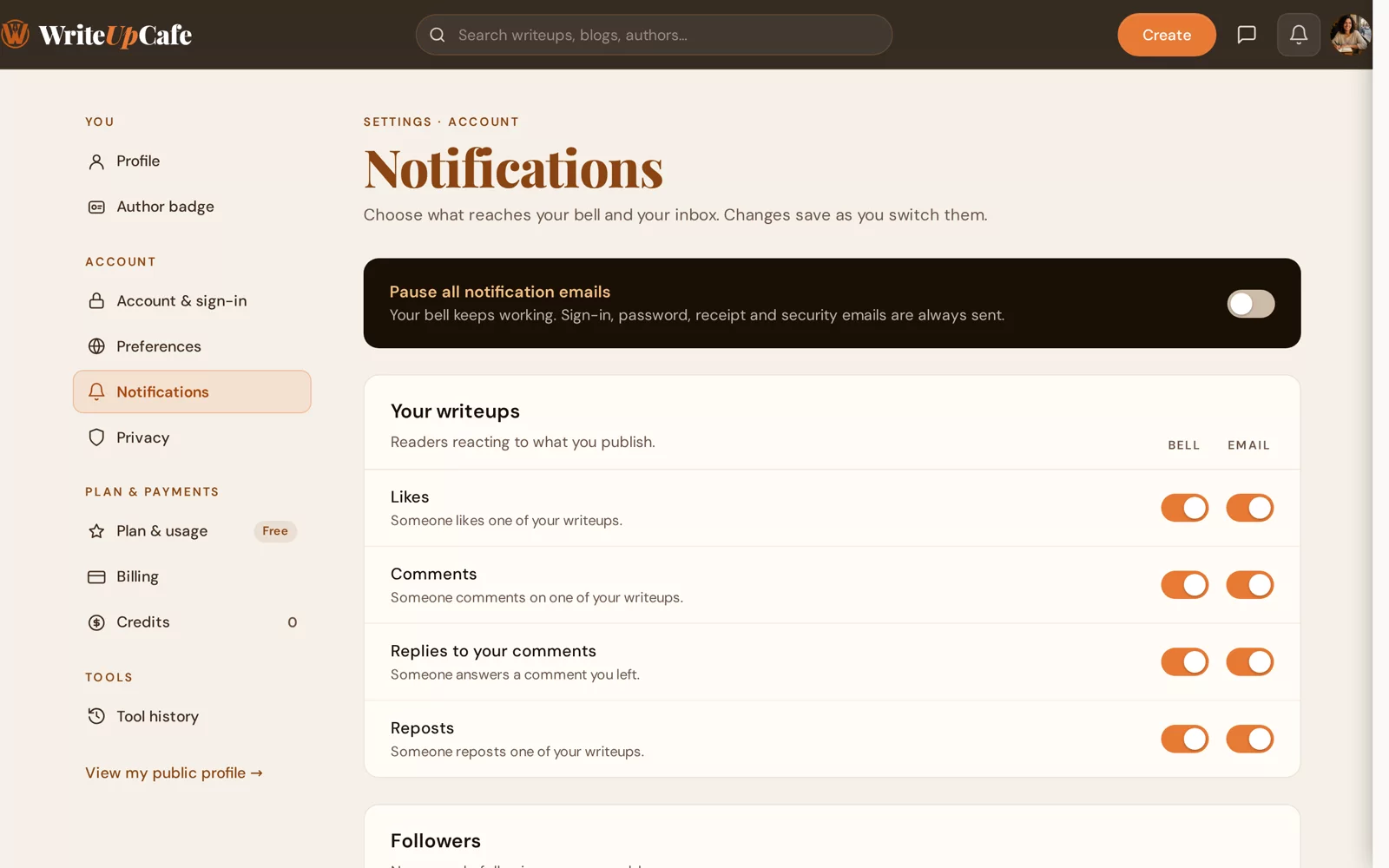
Bell and email are separate switches. Changes save as soon as you flip a switch.
Everything is switched on until you change it.
Stop all notification emails
Switch on Pause all notification emails at the top of the page. Your bell keeps working. Sign-in, password, receipt and security emails are always sent.
Under From WriteUpCafe, the Membership offers and tips switch controls emails from us about Pro offers.
Getting too many emails after a busy day? Keep the bell on and turn off the email for Likes only. You still see every like when you log in.
I'm not getting any notification emails.
Check that Pause all notification emails is off and the Email switch is on for that type. Then look in your spam or promotions folder and mark our email as not spam.
Can I get notified when a writer I follow publishes?
New writeups from writers you follow appear in the Following tab of your feed. For a series or book, follow it and each new entry comes to your notifications. See Following writers, blogs, topics and series.