Credits: what they are and what they buy
Credits are pay-as-you-go extras: 10 credits cost $5 (₹399 in India) and buy extra writeups, an extra blog, messaging or AI runs.
Credits let you pay for a single extra instead of a whole Pro plan. A pack of 10 credits costs $5, or ₹399 if you pay from India. Your balance and history are in Settings → Credits.
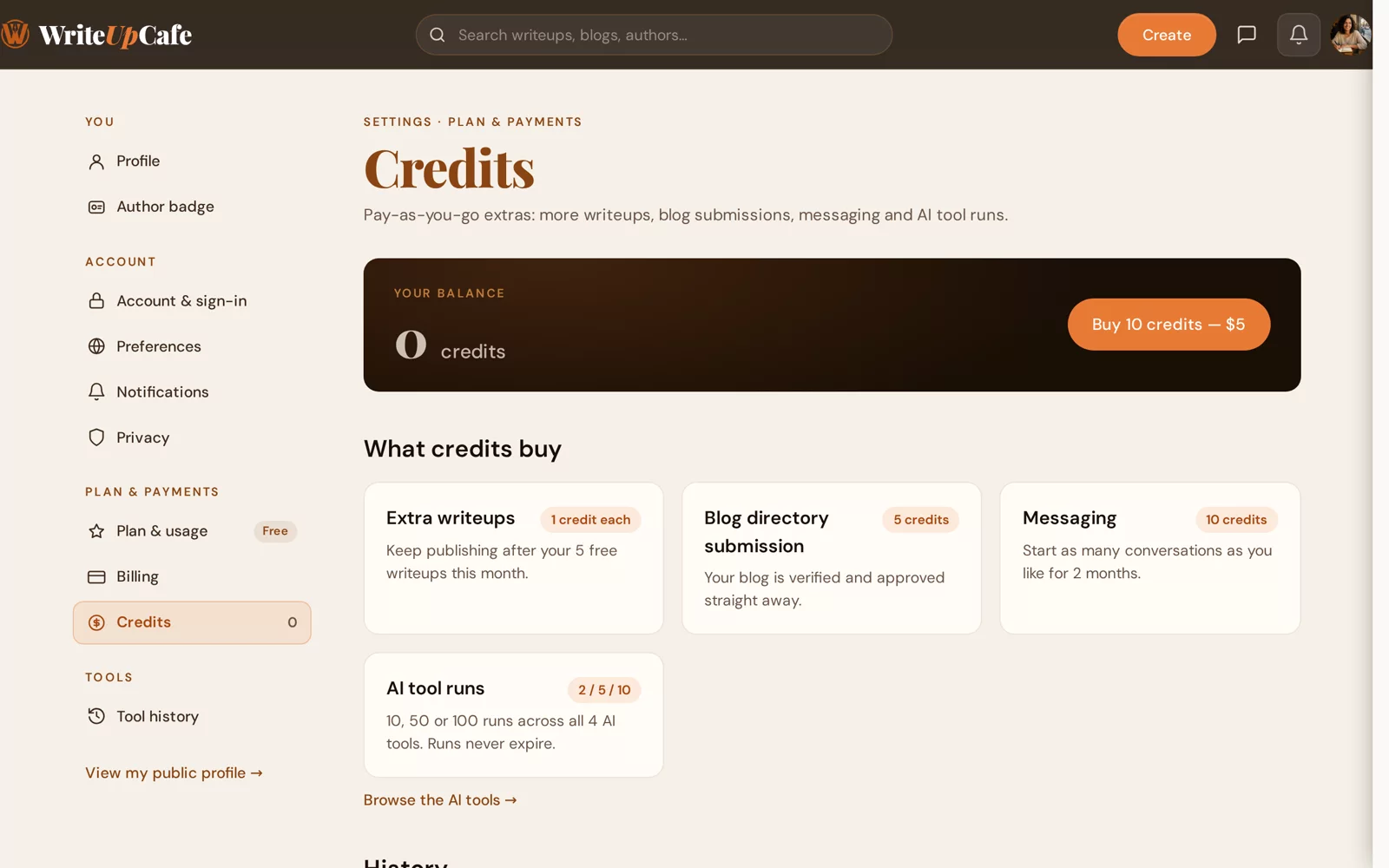
What credits buy
| Extra | Cost | What you get |
|---|---|---|
| Extra writeup | 1 credit | Publish one more writeup after your 5 free ones this month. |
| Extra blog in the directory | 5 credits | List another blog on the Free plan. It goes live straight away with the Verified badge. |
| Messaging | 10 credits | Start as many new conversations as you like for 2 months. |
| AI runs | 2, 5 or 10 credits | 10, 50 or 100 extra AI runs, used after your monthly tries. Runs never expire. |
Buy credits
Go to Settings → Credits and click Buy 10 credits. The same button appears when you reach your monthly writeup limit or your blog limit.
Choose your billing country. Outside India you pay with PayPal in US dollars. With India selected you pay in rupees with UPI, card or netbanking.
Fill in your billing details and pay. When you see Credits Added!, the credits are in your balance.
Use credits
An extra writeup
When you reach 5 writeups in a month, Create shows "Monthly writeup limit reached". Click Write with Credits (1 credit). The credit is used when that writeup is published. More in The monthly writeup limit.
An extra blog
If you already have one blog in the directory, the limit page "Your plan includes one blog" offers Use 5 credits. See Submit your blog.
Messaging
On the Free plan you can reply to conversations. To start new ones without Pro, unlock messaging for 10 credits. See Messages.
AI runs
When you've used your monthly tries of an AI helper, a window offers Redeem credits for AI runs: 2 credits for 10 runs, 5 for 50, or 10 for 100. Pro members can use packs too, after their 50 runs per tool. See AI writing help.
Good to know
- Credits and points are different. Points can't be turned into credits.
- The History table on the Credits page lists every credit you bought or used.
- Credit purchases are listed in Settings → Billing with your other payments. See Receipts and billing details.
Often need extra writeups? Pro has no monthly limit and can cost less than buying credits every month. Compare in What Pro unlocks.